Attach your Word document (.docx) to the chat and say how many slides you want. Entro reads it and turns sections into slide titles and paragraphs into short bullets. Have the outline adjusted, then take PowerPoint (.pptx) from the Download menu. Images and page layout from the document are not carried onto slides.
Draft a 12-slide presentation outline from the attached Word document for a management meeting. Use the document's section headings as slide titles; give each slide 3-6 short bullets and do not copy paragraphs as they are. Keep the tables in the document as table slides. Leave out the appendices and references. At the end of each slide, write in brackets which section it came from. Add nothing that is missing from the document, and write in English.
Blue parts are the places to fill in with your own details. Tab selects the next one, Enter sends, Shift and Enter starts a new line.
Sections become slide titles, paragraphs become bullets
Your section headings become slide titles
Entro reads the document's text along with its headings and recognizes the sections from them. A Word document with clear headings maps well onto slides: each section becomes one or a few slides, and subheadings drop down into bullets.
Project Scope
• Full configuration and deployment of the warehouse management software
• Comprehensive staff training tailored to operational roles
• Data migration support and workflow alignment
• System testing before going live
Timeline & Phasing
• Total project duration of 8 weeks
• Phase 1: Assessment and system configuration
• Phase 2: Pilot testing and user training
• Phase 3: Final deployment and go-live handover
Implementation Team
• Dedicated Project Manager as the single point of…
Draft a 5-slide presentation outline for a client meeting from this proposal text copied out of a Word document: 1. Scope: setup and training for the warehouse…
Entro
Paragraphs become bullets, tables stay tables
A page of prose comes down to 3-6 short bullets on a slide. Tables in the document are read and sit on the slide as tables in the downloaded file. Checking figures and names against your document is up to you.
Entro
Employee Leave Policy: Quick Guide for New Hires
Overview of Leave Types
• Clear procedures for planned time off and unexpected sick leave
• Simple steps to keep your team informed and covered
• Support from both your direct manager and HR throughout the process
Annual Leave: How to Request
• Submit requests in writing to your direct manager
• Provide at least five working days advance notice
• Include your proposed start and return dates
Manager Review and HR Notification
• Direct manager reviews and responds within two working days
•…
Draft a 4-slide presentation outline for new hires from this leave policy: Annual leave is requested in writing from your manager at least five working days ahead. The…
Entro
Images and page layout are left behind
Photos, charts, text boxes, fonts and colors in the document are not carried into the deck. The downloaded file has one plain theme, a white background with legible type. You add images and your company template in the program you open it with.
Entro
Thesis Defense: Remote Teaching and High School Mathematics Performance
Introduction and Background
• Growing prevalence of remote instruction in secondary education
• Challenges specific to learning mathematics in virtual environments
• Research objective: Evaluating the measurable impact of remote teaching on student achievement
• Central question: Which factors mediate academic success during remote learning?
Konuşmacı notu: Welcome the committee and introduce the motivation behind investigating remote mathematics education during this critical period…
Draft a 6-slide defense presentation outline from this thesis abstract and add a 'Speaker notes:' line to each slide: The study examines how remote teaching affects…
Entro
You choose which sections make the deck
A report is never presented section for section. In the request you say what goes in and what stays out: "bring the method section down to one slide", "skip the appendices", "give the recommendations two slides". Once the outline arrives you can still have slides added, removed or reordered in the same chat. If each slide names the section it came from, going back to the document to check is easy.
Entro
Urban Stormwater Management: Permeable Pavement Pilot Study
Introduction: Urban Stormwater Challenges
• Rapid urbanization increases impervious surfaces and runoff volume
• Traditional drainage systems face capacity limits during peak storms
• Need for decentralized, sustainable stormwater infrastructure in city planning
• Study focus: evaluating permeable pavement as a practical runoff solution
Method: Three-Neighborhood Field Trial
• Selection of three distinct urban neighborhoods with varied traffic loads
• Installation of permeable interlocking…
Draft a 5-slide seminar presentation outline from these paper sections: Introduction: stormwater management in cities. Method: a permeable pavement trial in three…
Entro
Content in the .pptx, a designed deck in Builder
Open the downloaded file in PowerPoint or Keynote and move it into your company template; the titles and bullets are ready, so the work left is design. If you want an animated deck that plays full screen and goes to the client as a link, hand the outline to Builder and it builds a web presentation. That route produces no PowerPoint file; the AI presentation maker page covers it.
Entro
Annual Performance and Growth Review
Executive Summary
• Expanded operational footprint with strategic branch launches
• Scaled workforce to support expanding regional presence
• Significantly improved service quality and customer satisfaction metrics
• Maintained disciplined execution of development and training programs
• Positioned organization for continued sustainable growth next year
Key Operational Metrics
Metric · Result
New Branches Opened · 3
Headcount Growth · 84 to 112 (+33%)
Customer Complaints · -18%…
Draft a 5-slide presentation outline for the board from this annual report summary and collect the numbers on one table slide: 3 new branches opened this year…
Entro
For people who turn written documents into decks
Attach the proposal you sent the client and ask for a short deck to put on screen in the meeting. Scope, timeline and fee land on separate slides, and the price table stays a table.
If your thesis or term paper is in Word, state your time slot: "a 10-minute defense, 8 slides at most". Entro lines up introduction, method, findings and conclusion. Tell it to leave the references out.
Turn the employee handbook into a first-day deck for new hires. Leave, working hours and communication rules each get a slide. Check that shortening a rule has not shifted its meaning.
Ask for a five-slide summary for the board out of an annual report that runs to dozens of pages. If the report exceeds the text that is read, Entro tells you; split the document into sections and attach them in turn.
Attach a technical specification and ask for slides that explain the requirements, delivery dates and evaluation criteria for a supplier meeting. Check that dates and amounts in the outline match the original document.
Entro
Project Closing Report: Order Processing Optimization
Project Objectives & Key Results
• Primary objective: shorten order processing time across teams
• Initial approval cycle: 2 business days
• Achieved approval cycle: 4 hours
• Core operational bottleneck eliminated through targeted workflow automation
Budget & Financial Performance
• Final spend: 6% over the approved project budget
• Root cause: unplanned integration required to connect legacy ordering systems
• Extra integration successfully stabilized the end-to-end data pipeline
• Cost…
Draft a 4-slide presentation outline from this project closing report: The goal was to shorten order processing. Order approval went from 2 days to 4 hours. The budget…
Project Scope
• Full configuration and deployment of the warehouse management software
• Comprehensive staff training tailored to operational roles
• Data migration support and workflow alignment
• System testing before going live
Timeline & Phasing
• Total project duration of 8 weeks
• Phase 1: Assessment and system configuration
• Phase 2: Pilot testing and user training
• Phase 3: Final deployment and go-live handover
Implementation Team
• Dedicated Project Manager as the single point of…
Draft a 5-slide presentation outline for a client meeting from this proposal text copied out of a Word document: 1. Scope: setup and training for the warehouse…
Entro
Entro
Employee Leave Policy: Quick Guide for New Hires
Overview of Leave Types
• Clear procedures for planned time off and unexpected sick leave
• Simple steps to keep your team informed and covered
• Support from both your direct manager and HR throughout the process
Annual Leave: How to Request
• Submit requests in writing to your direct manager
• Provide at least five working days advance notice
• Include your proposed start and return dates
Manager Review and HR Notification
• Direct manager reviews and responds within two working days
•…
Draft a 4-slide presentation outline for new hires from this leave policy: Annual leave is requested in writing from your manager at least five working days ahead. The…
Entro
Entro
Thesis Defense: Remote Teaching and High School Mathematics Performance
Introduction and Background
• Growing prevalence of remote instruction in secondary education
• Challenges specific to learning mathematics in virtual environments
• Research objective: Evaluating the measurable impact of remote teaching on student achievement
• Central question: Which factors mediate academic success during remote learning?
Konuşmacı notu: Welcome the committee and introduce the motivation behind investigating remote mathematics education during this critical period…
Draft a 6-slide defense presentation outline from this thesis abstract and add a 'Speaker notes:' line to each slide: The study examines how remote teaching affects…
Entro
Entro
Urban Stormwater Management: Permeable Pavement Pilot Study
Introduction: Urban Stormwater Challenges
• Rapid urbanization increases impervious surfaces and runoff volume
• Traditional drainage systems face capacity limits during peak storms
• Need for decentralized, sustainable stormwater infrastructure in city planning
• Study focus: evaluating permeable pavement as a practical runoff solution
Method: Three-Neighborhood Field Trial
• Selection of three distinct urban neighborhoods with varied traffic loads
• Installation of permeable interlocking…
Draft a 5-slide seminar presentation outline from these paper sections: Introduction: stormwater management in cities. Method: a permeable pavement trial in three…
Project Scope
• Full configuration and deployment of the warehouse management software
• Comprehensive staff training tailored to operational roles
• Data migration support and workflow alignment
• System testing before going live
Timeline & Phasing
• Total project duration of 8 weeks
• Phase 1: Assessment and system configuration
• Phase 2: Pilot testing and user training
• Phase 3: Final deployment and go-live handover
Implementation Team
• Dedicated Project Manager as the single point of…
Draft a 5-slide presentation outline for a client meeting from this proposal text copied out of a Word document: 1. Scope: setup and training for the warehouse management software. 2. Duration: 8 weeks. 3. Team: one project manager, two specialists. 4. Fee: $32,000 in three installments. 5. Support: free for the first year.
Entro's answer
Employee Leave Policy: Quick Guide for New Hires
Overview of Leave Types
• Clear procedures for planned time off and unexpected sick leave
• Simple steps to keep your team informed and covered
• Support from both your direct manager and HR throughout the process
Annual Leave: How to Request
• Submit requests in writing to your direct manager
• Provide at least five working days advance notice
• Include your proposed start and return dates
Manager Review and HR Notification
• Direct manager reviews and responds within two working days
•…
Draft a 4-slide presentation outline for new hires from this leave policy: Annual leave is requested in writing from your manager at least five working days ahead. The manager answers within two working days. Approved leave is reported to HR. For sick leave, the doctor's note is sent the same day.
Entro's answer
Thesis Defense: Remote Teaching and High School Mathematics Performance
Introduction and Background
• Growing prevalence of remote instruction in secondary education
• Challenges specific to learning mathematics in virtual environments
• Research objective: Evaluating the measurable impact of remote teaching on student achievement
• Central question: Which factors mediate academic success during remote learning?
Konuşmacı notu: Welcome the committee and introduce the motivation behind investigating remote mathematics education during this critical period…
Draft a 6-slide defense presentation outline from this thesis abstract and add a 'Speaker notes:' line to each slide: The study examines how remote teaching affects high school students' math results. 240 students were surveyed. Those who attended live lessons regularly scored higher. The gap disappeared for students with no quiet place to study at home.
Entro's answer
Urban Stormwater Management: Permeable Pavement Pilot Study
Introduction: Urban Stormwater Challenges
• Rapid urbanization increases impervious surfaces and runoff volume
• Traditional drainage systems face capacity limits during peak storms
• Need for decentralized, sustainable stormwater infrastructure in city planning
• Study focus: evaluating permeable pavement as a practical runoff solution
Method: Three-Neighborhood Field Trial
• Selection of three distinct urban neighborhoods with varied traffic loads
• Installation of permeable interlocking…
Draft a 5-slide seminar presentation outline from these paper sections: Introduction: stormwater management in cities. Method: a permeable pavement trial in three neighborhoods. Findings: fewer puddles, higher maintenance cost. Discussion: hard to apply on old streets. Conclusion: a proposal to extend the pilot areas.
Entro's answer
Annual Performance and Growth Review
Executive Summary
• Expanded operational footprint with strategic branch launches
• Scaled workforce to support expanding regional presence
• Significantly improved service quality and customer satisfaction metrics
• Maintained disciplined execution of development and training programs
• Positioned organization for continued sustainable growth next year
Key Operational Metrics
Metric · Result
New Branches Opened · 3
Headcount Growth · 84 to 112 (+33%)
Customer Complaints · -18%…
Draft a 5-slide presentation outline for the board from this annual report summary and collect the numbers on one table slide: 3 new branches opened this year. Headcount rose from 84 to 112. Customer complaints fell by 18 percent. 90 percent of the training budget was used. Next year's goal is two more branches.
Entro's answer
Project Closing Report: Order Processing Optimization
Project Objectives & Key Results
• Primary objective: shorten order processing time across teams
• Initial approval cycle: 2 business days
• Achieved approval cycle: 4 hours
• Core operational bottleneck eliminated through targeted workflow automation
Budget & Financial Performance
• Final spend: 6% over the approved project budget
• Root cause: unplanned integration required to connect legacy ordering systems
• Extra integration successfully stabilized the end-to-end data pipeline
• Cost…
Draft a 4-slide presentation outline from this project closing report: The goal was to shorten order processing. Order approval went from 2 days to 4 hours. The budget ran 6 percent over because of an extra integration. Lesson learned: set up the test environment at the start. Make the last slide recommendations.
How to convert a Word document to PowerPoint
1
Write the request and attach the document
Edit the highlighted parts of the request above: the meeting, the slide count, the sections to leave out. Sending it opens the Entro chat, where you attach your .docx file. Without an account you sign up first, and your request is kept.
2
Compare the outline with the document
Entro writes the deck title and the slides in the chat. Check the order of the sections, whether the tables are still there and whether the figures match the document. Say what is missing or extra in the same chat.
3
Download and apply your template
Pick PowerPoint (.pptx) in the Download menu. The file opens in PowerPoint, Keynote and similar programs, where you add your own template, logo and images.
Entro
Annual Performance and Growth Review
Executive Summary
• Expanded operational footprint with strategic branch launches
• Scaled workforce to support expanding regional presence
• Significantly improved service quality and customer satisfaction metrics
• Maintained disciplined execution of development and training programs
• Positioned organization for continued sustainable growth next year
Key Operational Metrics
Metric · Result
New Branches Opened · 3
Headcount Growth · 84 to 112 (+33%)
Customer Complaints · -18%…
Draft a 5-slide presentation outline for the board from this annual report summary and collect the numbers on one table slide: 3 new branches opened this year…
Entro
Frequently asked questions
How do I convert a Word document to PowerPoint?
Attach the document to Entro, the chat on the Entrobase home screen, and say you want a presentation. Entro reads the text and writes the deck title, slide titles and short bullets in the chat. Pick PowerPoint (.pptx) in the Download menu under the answer. This is a content conversion: text, headings, lists and tables carry over, the look of the document does not.
What if my document has no heading styles?
Entro reads the document's text and recognizes sections from heading lines, numbering and the places where the topic changes. It will also split a single unbroken piece of writing into slides, though the breaks may fall somewhere you did not expect. Ask it to list the slide titles first, then have the bullets written once you approve them.
Do old .doc files work?
Entro reads Word documents in the .docx format. If yours is in the older .doc format, open it in Word, save it as .docx and then attach it to the chat. If that isn't possible, copy the text of the document and paste it into the chat; with that route, check separately that the tables came through properly.
Will it shorten or summarize my long paragraphs?
Yes. Entro brings the main idea of a paragraph down to 3-6 short bullets and, if you ask, puts the full text into the speaker notes. A condition or a number can get dropped during shortening, so compare the important slides with the document. Name any section that must stay as written and Entro leaves its sentences alone.
Do tables and page layout carry over exactly?
Tables do, page layout does not. A table in the document is read and sits on the slide as a table in the downloaded file; with a wide table you may have to choose columns. Multi-column pages, text boxes, fonts, colors and images are not carried over. The deck arrives in one plain theme and you build the look in your presentation program.
Do images and charts in the document reach the slides?
No. Entro reads the document's text; photos, drawings and charts are not carried into the deck. Have it leave a marker such as "figure 3 goes here" on the slide where the image is discussed, then copy the image from Word and paste it in after you open the file. You can also ask for the figures as a table slide in place of the chart.
Can I match the slide theme to my brand?
The downloaded file has a single theme with no brand colors, logo or custom layouts. Open it in PowerPoint or Keynote and apply your company template; titles and bullets come as editable text. For a branded deck that is shared by link, hand the outline to Builder and have it build a web presentation.
Is my document uploaded anywhere?
The document's text is read in your browser and sent along with your message; the file itself is not stored. The text is part of the conversation, so it remains in your chat history. A message takes up to 3 documents and about 80,000 characters in total are read; the rest is cut off and you're told.
Is the Word to PPT converter free?
You can use it on the Free plan. Every outline you have written counts toward your plan's AI usage limits, which differ by plan. With a long document, approving the slide titles first and having the bullets written afterwards saves you from having the same deck written all over again.
More AI tools
Entro
Coffee Chain Market Overview and Strategic Outlook
Market Growth Over the Last Three Years
• The coffee chain market experienced consistent expansion over the three-year period.
• Consumer demand and total transaction volume increased across key territories.
• Market fundamentals remain resilient despite broader retail shifts.
• Source: Report Page 1
Key Growth Drivers
• Takeaway services accounted for a significant share of revenue gains.
• Subscription programs expanded customer lifetime value and retention.
• Shift in consumer routines…
Draft a 5-slide presentation outline from this report text copied out of a PDF and write the page number at the end of each slide: --- Page 1 --- The coffee chain…
Attach a PDF and Entro drafts a deck from its content. Download it as PowerPoint (.pptx) with editable text. Scanned PDFs can't be read; design isn't kept.
Entro
Q3 Executive Summary
1. Executive Overview
• Revenue grew 12% compared to the previous quarter
• Successfully onboarded 46 new customers
• Operations faced logistical hurdles, shifting timelines by 30 days
• Key leadership decision required regarding fulfillment capacity
2. Commercial Performance & Growth
• Top-line revenue up 12% quarter over quarter
• Customer acquisition delivered 46 new enterprise and mid-market accounts
• Healthy pipeline indicates sustained demand heading into next quarter
3. Operational…
Draft a 5-slide presentation outline for management from this quarterly report summary (result, findings, risk, open decisions): Revenue rose 12 percent on the previous…
Attach a report, proposal or article and Entro drafts a deck you download as PowerPoint (.pptx). Reads PDF, Word, Excel and text files; design is not kept.
Entro
Release 2.4 Overview
New Features
• Added dark theme support across the application
• Enabled direct CSV export for user data and reports
• Improved overall user interface customization
Bug Fixes and Performance
• Resolved issue causing session drops during sign-in
• Optimized report page queries for significantly faster load times
• Enhanced platform stability and authentication flow
What is Next
• Implementing mobile push notifications
• Continued performance monitoring and feedback collection
• Preparation…
Draft a presentation outline for a team meeting from these Markdown release notes, one slide per ## heading: # Release 2.4 ## New - Dark theme - CSV export ## Fixed -…
Paste Markdown or attach a .md file and Entro drafts a deck from your headings. Download it as PowerPoint (.pptx). Plain theme; images are not carried over.
Entro
Employee Leave Policy
Leave Requests
All leave requests must be submitted at least three days in advance. Once submitted, each request requires approval from your team lead.
Annual Leave
Employees are entitled to 14 days of annual leave during their first year of employment. Up to 5 unused days may be carried over into the following year.
Turn this slide text into a Word document with headings and expand the short bullets into full-sentence paragraphs without adding new information: Slide 1: Leave…
Attach a PowerPoint deck (.pptx). Entro reads the slide text in order and writes a Word document with headings. Slide design and images are not kept.
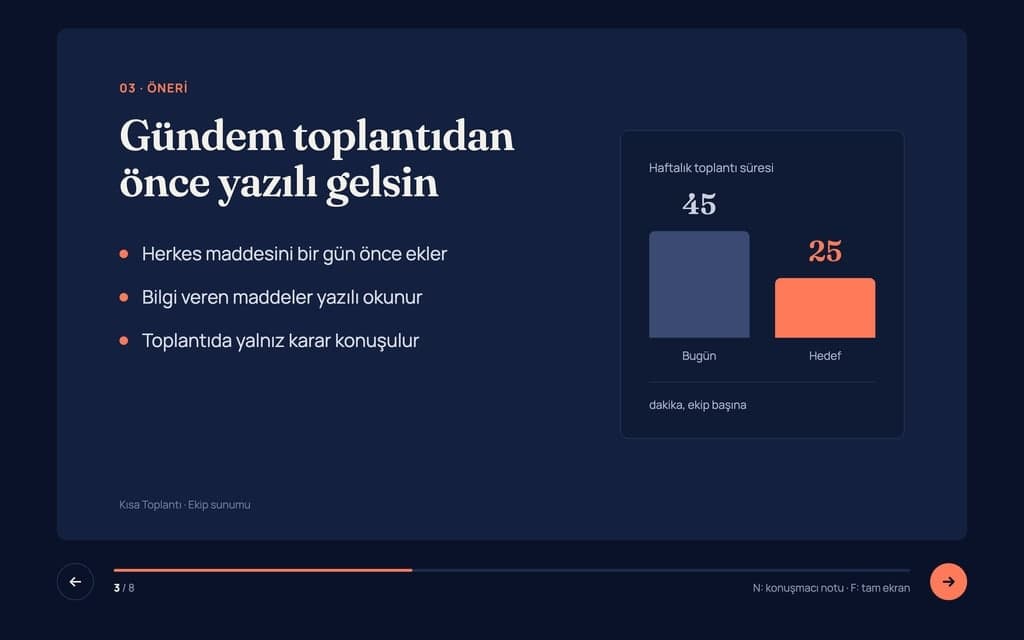
Build a 8-slide web presentation about cutting the weekly meeting time of remote teams for an internal team meeting. Format: a one-page Next.js site; every slide fills…
Give Builder a topic and it drafts the outline and slide text, then builds a web presentation you run in the browser and share by link. No .pptx file.
Entro
Plain English Explanation
You must pay your monthly rent in advance by the 5th day of every month. If you are even one day late on a single payment (paying on the 6th or later), the landlord has the legal right to demand the entire remaining rent for your full lease contract at once, immediately, rather than letting you continue to pay month by month.
Key Risks for the Tenant
1. Extreme Rent Acceleration
• The Risk: This is an aggressive "acceleration clause." If you have 10 months left on a lease and miss the…
Explain this lease clause in plain English and list the points that are risky for the tenant: 'The Tenant shall pay the rent in advance no later than the fifth day of…
Attach a PDF, Word, Excel or PowerPoint file. Entro summarizes it, answers questions from the text, pulls out dates and amounts and compares two documents.