Attach your PDF to the chat and write "make a presentation from this". Entro reads the text and writes the outline in the chat; you take PowerPoint (.pptx) from the Download menu. Pages are not pasted onto slides as pictures: the content becomes editable titles and bullets. Scanned PDFs can't be read, and the PDF's design and images are not carried over.
Draft a 10-slide presentation outline from the attached PDF for a 15-minute meeting. Put the deck title at the top; give each slide a short title and 3-6 short bullets. Do not treat page numbers, headers or footers as content. Turn the tables in the PDF into table slides. At the end of each slide, write in brackets the page number the information came from. Keep the method section and appendices short. Add nothing that is missing from the PDF, and write in English.
Blue parts are the places to fill in with your own details. Tab selects the next one, Enter sends, Shift and Enter starts a new line.
Entro does not paste PDF pages onto slides as images. It reads the text and rewrites it as titles and short bullets. In the file you download, every word can be changed in PowerPoint or Keynote.
Entro
Coffee Chain Market Overview and Strategic Outlook
Market Growth Over the Last Three Years
• The coffee chain market experienced consistent expansion over the three-year period.
• Consumer demand and total transaction volume increased across key territories.
• Market fundamentals remain resilient despite broader retail shifts.
• Source: Report Page 1
Key Growth Drivers
• Takeaway services accounted for a significant share of revenue gains.
• Subscription programs expanded customer lifetime value and retention.
• Shift in consumer routines…
Draft a 5-slide presentation outline from this report text copied out of a PDF and write the page number at the end of each slide: --- Page 1 --- The coffee chain…
Entro
Each slide traced to a page number
The PDF is read page by page. If you ask, Entro writes the source page at the end of every slide, so you know where to look in the PDF when you check a figure or a quote.
Entro
Tender Summary and Bid Strategy
Slide 1: Tender Overview
• Review of key requirements and operational scope for the upcoming bid
• Strategic alignment with our current delivery capabilities
• Critical path milestone: final submission deadline set for March 14 at 5:00 PM
• Immediate objective: align technical, legal, and pricing workstreams
Slide 2: Key Metrics and Submission Timeline
Parameter · Detail
Submission Deadline · March 14, 5:00 PM
Delivery Timeline · 60 days post-contract signature
Bid Bond Requirement ·…
Draft a 4-slide presentation outline for my team from this tender summary and collect the dates and percentages on one table slide: Bids are due by 5 pm on March 14…
Entro
Design and images stay in the PDF
The PDF's columns, fonts, colors, photos and charts are not carried into the deck. The downloaded file has one plain theme, a white background with legible type. The text of a scanned, image-only PDF can't be read.
Entro
Technician Equipment Setup and Maintenance Guide
Unit Positioning
• Place the unit strictly on a level, stable floor
• Verify floor stability to prevent vibration during operation
• Ensure adequate clearance around the unit for ventilation and service access
Water Inlet Connection
• Locate the primary water inlet port on the unit
• Connect the water line using only the designated blue hose
• Secure fittings tightly to prevent leaks under operating pressure
Initial Calibration Cycle
• Prepare the machine for its initial run
• Run a complete…
Draft a 5-slide training presentation outline for technicians from these steps taken from a PDF manual, with the warning on its own slide: 1. Place the unit on a level…
Entro
Put the PDF's quirks in your request
PDF text is pulled out of the page layout as it is read. On a multi-column page the line order can get scrambled, and headers, footers and page numbers that repeat on every page end up in the middle of the text. Writing "do not treat headers and footers as content" in the request solves most of it. If a sentence in the outline makes no sense, ask which page it came from and have that part rewritten. On pages with tables, compare the cells with the original PDF.
Entro
The Industrial Revolution
1. Where and When It Began
• Started in Britain during the 18th century
• Shifted everyday life from farming communities to industrial towns
• Set the foundation for modern global industry
2. The Power of the Steam Engine
• Steam engines transformed how goods were manufactured
• Work moved out of small home workshops and into large factories
• Allowed machines to run faster and produce at a massive scale
3. The Rush to the Cities
• Rapid migration took place from rural villages to factory…
Draft a 5-slide presentation outline for ninth graders from this passage taken from a textbook PDF: The Industrial Revolution began in Britain in the 18th century. The…
Entro
Two routes to a designed deck
Open the .pptx in PowerPoint or Keynote, apply your own template and place the images you take from the PDF yourself. If you would rather have an animated deck that opens from a link than a file, hand the outline to Builder. Builder builds a web presentation that plays in the browser, and that route produces no PowerPoint file. The AI presentation maker page has the details.
Entro
Urban Bike Lanes and Commuting Habits: Study Overview
Research Question
• Core question: Do urban protected bike lanes influence daily commuting choices?
• Examines whether infrastructure directly shifts travel mode from motorized transport to cycling
• Considers the broader impact of city planning on active mobility
Methodology
• Cross-sectional survey design
• Sample size: 1,200 participants
• Setting: Two distinct urban environments
• Primary comparison: Commuters living in districts with separated bike lanes versus those without
Key Finding…
Draft a 5-slide presentation outline for a reading group from this abstract (question, method, finding, limitation, discussion): The study looks at how urban bike lanes…
Entro
For people who bring PDF content into a meeting
Attach a long market report and ask for a ten-slide summary for the people making the decision. Findings and recommendations lead, and the method stays on one slide.
Attach the paper you are presenting in class or in a reading group. Entro splits question, method, findings and limitations across slides. Figures do not come along; have the figure number noted on the right slide.
Turn the PDF manual of a device or a piece of software into setup training. Steps become numbered bullets. Check that safety warnings were not lost in the shortening.
Recover the text of a presentation whose source file is gone. Slide titles and bullets come back editable. The original design and images do not, so you rebuild those.
From a long specification PDF, get a short deck for your team showing the requirements, the dates and the deliverables. Verify amounts and dates in the PDF on the page number given.
Entro
Energy Report Summary
Rooftop Solar Production
• Installed rooftop panels generated significant clean power
• Production covered one third of total annual energy consumption
• Proves viability for expanding renewable capacity
Financial Returns & Payback
• Detailed financial analysis completed for the project
• Return on investment payback period calculated at seven years
• Project remains on track to deliver long-term cost reductions
Operational Performance
• Ongoing system operations and upkeep evaluated
•…
In this text copied from a PDF, strip the repeating headers and page numbers and draft a 3-slide presentation outline from what is left: Energy Report | Page 4. Rooftop…
Entro
Entro
Coffee Chain Market Overview and Strategic Outlook
Market Growth Over the Last Three Years
• The coffee chain market experienced consistent expansion over the three-year period.
• Consumer demand and total transaction volume increased across key territories.
• Market fundamentals remain resilient despite broader retail shifts.
• Source: Report Page 1
Key Growth Drivers
• Takeaway services accounted for a significant share of revenue gains.
• Subscription programs expanded customer lifetime value and retention.
• Shift in consumer routines…
Draft a 5-slide presentation outline from this report text copied out of a PDF and write the page number at the end of each slide: --- Page 1 --- The coffee chain…
Entro
Entro
Tender Summary and Bid Strategy
Slide 1: Tender Overview
• Review of key requirements and operational scope for the upcoming bid
• Strategic alignment with our current delivery capabilities
• Critical path milestone: final submission deadline set for March 14 at 5:00 PM
• Immediate objective: align technical, legal, and pricing workstreams
Slide 2: Key Metrics and Submission Timeline
Parameter · Detail
Submission Deadline · March 14, 5:00 PM
Delivery Timeline · 60 days post-contract signature
Bid Bond Requirement ·…
Draft a 4-slide presentation outline for my team from this tender summary and collect the dates and percentages on one table slide: Bids are due by 5 pm on March 14…
Entro
Entro
Technician Equipment Setup and Maintenance Guide
Unit Positioning
• Place the unit strictly on a level, stable floor
• Verify floor stability to prevent vibration during operation
• Ensure adequate clearance around the unit for ventilation and service access
Water Inlet Connection
• Locate the primary water inlet port on the unit
• Connect the water line using only the designated blue hose
• Secure fittings tightly to prevent leaks under operating pressure
Initial Calibration Cycle
• Prepare the machine for its initial run
• Run a complete…
Draft a 5-slide training presentation outline for technicians from these steps taken from a PDF manual, with the warning on its own slide: 1. Place the unit on a level…
Entro
Entro
The Industrial Revolution
1. Where and When It Began
• Started in Britain during the 18th century
• Shifted everyday life from farming communities to industrial towns
• Set the foundation for modern global industry
2. The Power of the Steam Engine
• Steam engines transformed how goods were manufactured
• Work moved out of small home workshops and into large factories
• Allowed machines to run faster and produce at a massive scale
3. The Rush to the Cities
• Rapid migration took place from rural villages to factory…
Draft a 5-slide presentation outline for ninth graders from this passage taken from a textbook PDF: The Industrial Revolution began in Britain in the 18th century. The…
Entro
Slide outlines Entro has drafted from PDF text
Entro's answer
Coffee Chain Market Overview and Strategic Outlook
Market Growth Over the Last Three Years
• The coffee chain market experienced consistent expansion over the three-year period.
• Consumer demand and total transaction volume increased across key territories.
• Market fundamentals remain resilient despite broader retail shifts.
• Source: Report Page 1
Key Growth Drivers
• Takeaway services accounted for a significant share of revenue gains.
• Subscription programs expanded customer lifetime value and retention.
• Shift in consumer routines…
Draft a 5-slide presentation outline from this report text copied out of a PDF and write the page number at the end of each slide: --- Page 1 --- The coffee chain market has grown over the last three years. --- Page 2 --- Growth came from takeaway and subscriptions. --- Page 3 --- Rent and beans are the two largest costs. --- Page 4 --- Recommendation: small-footprint stores.
Entro's answer
Tender Summary and Bid Strategy
Slide 1: Tender Overview
• Review of key requirements and operational scope for the upcoming bid
• Strategic alignment with our current delivery capabilities
• Critical path milestone: final submission deadline set for March 14 at 5:00 PM
• Immediate objective: align technical, legal, and pricing workstreams
Slide 2: Key Metrics and Submission Timeline
Parameter · Detail
Submission Deadline · March 14, 5:00 PM
Delivery Timeline · 60 days post-contract signature
Bid Bond Requirement ·…
Draft a 4-slide presentation outline for my team from this tender summary and collect the dates and percentages on one table slide: Bids are due by 5 pm on March 14. Delivery is 60 days after the contract is signed. The bid bond is 3 percent of the bid price. Evaluation weighs price at 60 percent and technical capability at 40 percent.
Entro's answer
Technician Equipment Setup and Maintenance Guide
Unit Positioning
• Place the unit strictly on a level, stable floor
• Verify floor stability to prevent vibration during operation
• Ensure adequate clearance around the unit for ventilation and service access
Water Inlet Connection
• Locate the primary water inlet port on the unit
• Connect the water line using only the designated blue hose
• Secure fittings tightly to prevent leaks under operating pressure
Initial Calibration Cycle
• Prepare the machine for its initial run
• Run a complete…
Draft a 5-slide training presentation outline for technicians from these steps taken from a PDF manual, with the warning on its own slide: 1. Place the unit on a level floor. 2. Connect the water inlet with the blue hose. 3. Run an empty cycle the first time. 4. Clean the filter once a month. Warning: never plug it in with wet hands.
Entro's answer
The Industrial Revolution
1. Where and When It Began
• Started in Britain during the 18th century
• Shifted everyday life from farming communities to industrial towns
• Set the foundation for modern global industry
2. The Power of the Steam Engine
• Steam engines transformed how goods were manufactured
• Work moved out of small home workshops and into large factories
• Allowed machines to run faster and produce at a massive scale
3. The Rush to the Cities
• Rapid migration took place from rural villages to factory…
Draft a 5-slide presentation outline for ninth graders from this passage taken from a textbook PDF: The Industrial Revolution began in Britain in the 18th century. The steam engine moved production into factories. Migration to cities sped up. Working conditions were harsh, and trade unions emerged in this period. Add two discussion questions on the last slide.
Entro's answer
Urban Bike Lanes and Commuting Habits: Study Overview
Research Question
• Core question: Do urban protected bike lanes influence daily commuting choices?
• Examines whether infrastructure directly shifts travel mode from motorized transport to cycling
• Considers the broader impact of city planning on active mobility
Methodology
• Cross-sectional survey design
• Sample size: 1,200 participants
• Setting: Two distinct urban environments
• Primary comparison: Commuters living in districts with separated bike lanes versus those without
Key Finding…
Draft a 5-slide presentation outline for a reading group from this abstract (question, method, finding, limitation, discussion): The study looks at how urban bike lanes affect commuting habits. 1,200 people were surveyed in two cities. In districts with separated lanes, a higher share of people cycle to work. The data was collected in the summer months.
Entro's answer
Energy Report Summary
Rooftop Solar Production
• Installed rooftop panels generated significant clean power
• Production covered one third of total annual energy consumption
• Proves viability for expanding renewable capacity
Financial Returns & Payback
• Detailed financial analysis completed for the project
• Return on investment payback period calculated at seven years
• Project remains on track to deliver long-term cost reductions
Operational Performance
• Ongoing system operations and upkeep evaluated
•…
In this text copied from a PDF, strip the repeating headers and page numbers and draft a 3-slide presentation outline from what is left: Energy Report | Page 4. Rooftop panels covered a third of annual consumption. Energy Report | Page 5. Payback on the investment was calculated at seven years. Energy Report | Page 6. Maintenance costs came in below forecast.
How to convert a PDF to a PowerPoint presentation
1
Write the request and attach the PDF
Edit the highlighted parts of the request above: the length of the meeting, the slide count, the sections to keep short. Sending it opens the Entro chat, where you attach your PDF. Without an account you sign up first, and your request is kept.
2
Check the outline against the page numbers
Entro writes the deck title and the slides in the chat. Check figures, dates and tables in the PDF on the page given. Point out any part that came through garbled and Entro rewrites that slide.
3
Download it as PowerPoint
Pick PowerPoint (.pptx) in the Download menu under the answer. Open the file in PowerPoint, Keynote or a similar program and add your template and the images there.
Entro
Urban Bike Lanes and Commuting Habits: Study Overview
Research Question
• Core question: Do urban protected bike lanes influence daily commuting choices?
• Examines whether infrastructure directly shifts travel mode from motorized transport to cycling
• Considers the broader impact of city planning on active mobility
Methodology
• Cross-sectional survey design
• Sample size: 1,200 participants
• Setting: Two distinct urban environments
• Primary comparison: Commuters living in districts with separated bike lanes versus those without
Key Finding…
Draft a 5-slide presentation outline for a reading group from this abstract (question, method, finding, limitation, discussion): The study looks at how urban bike lanes…
Entro
Frequently asked questions
Does Entrobase convert my PDF to PowerPoint itself?
Yes, it converts the content. You attach the PDF to Entro, the chat on the Entrobase home screen; Entro reads the text and writes a presentation outline in the chat. Pick PowerPoint (.pptx) in the Download menu under the answer. Page images are not placed on slides: text, headings, lists and tables carry over, and the PDF's design does not.
Will I be able to edit the text on the slides?
Yes. In the downloaded file the titles and bullets are real text, with no page pictures. Open it in PowerPoint, Keynote or a similar program and change any word, add slides or move them around. There is one plain theme; when you apply your own template, the text takes on the new look.
What happens with scanned PDFs?
A scanned PDF is made of page images, so its text can't be read, and you're told when that happens. If you attach photos or screenshots of the pages as images, Entro reads the writing and drafts the outline from it. A message takes up to 5 images at up to 4 MB each, so a long document goes page by page.
Do images, charts and the design of the PDF reach the slides?
No. Photos, charts, logos, colors and page layout are not carried into the deck, and the downloaded file contains no images. You can ask for the numbers behind a chart as a table slide. For the image itself, take a screenshot from the PDF and place it on the right slide in your presentation program.
Does each PDF page become one slide?
No. You set the number of slides and Entro gathers the content to fit. A ten-page section may come down to one slide, and a dense page may spread over two. If you do want to go page by page, write "one slide per page, titled with the main idea of the page".
Will it handle PDFs with hundreds of pages?
About 80,000 characters are read per message; with a longer PDF the rest is cut off and you're told. Split the document into sections, attach them in turn and ask for a few slides from each. At the end, ask Entro to combine all the slides in a single answer, because the Download menu sits under each answer separately.
Are multi-column PDFs and tables read correctly?
Usually, though nobody can promise it will be error-free. On a multi-column page the line order can get scrambled, table cells can shift, and headers and footers can leak into the text. Compare the numbers and tables in the outline with the original PDF. If a page comes through broken, attach a screenshot of it and Entro reads that page from the image.
Is my PDF uploaded to a server?
The PDF's text is read in your browser and sent along with your message; the file itself is not stored. The text and the outline are part of the conversation, so they remain in your chat history. With a confidential document, remove the pages you don't want to share before attaching it. A password-protected PDF can't be opened; remove the password first.
Is the PDF to PPT converter free?
You can use it on the Free plan. Every outline you have written counts toward your plan's AI usage limits, which differ by plan. Working through a long PDF over several messages uses more of that allowance, so it pays to leave out the sections that will never make the deck from the start.
Project Scope
• Full configuration and deployment of the warehouse management software
• Comprehensive staff training tailored to operational roles
• Data migration support and workflow alignment
• System testing before going live
Timeline & Phasing
• Total project duration of 8 weeks
• Phase 1: Assessment and system configuration
• Phase 2: Pilot testing and user training
• Phase 3: Final deployment and go-live handover
Implementation Team
• Dedicated Project Manager as the single point of…
Draft a 5-slide presentation outline for a client meeting from this proposal text copied out of a Word document: 1. Scope: setup and training for the warehouse…
Attach a Word document (.docx) and Entro drafts a deck from its sections: slide titles, short bullets, tables. Download as PowerPoint (.pptx), plain theme.
Entro
Q3 Executive Summary
1. Executive Overview
• Revenue grew 12% compared to the previous quarter
• Successfully onboarded 46 new customers
• Operations faced logistical hurdles, shifting timelines by 30 days
• Key leadership decision required regarding fulfillment capacity
2. Commercial Performance & Growth
• Top-line revenue up 12% quarter over quarter
• Customer acquisition delivered 46 new enterprise and mid-market accounts
• Healthy pipeline indicates sustained demand heading into next quarter
3. Operational…
Draft a 5-slide presentation outline for management from this quarterly report summary (result, findings, risk, open decisions): Revenue rose 12 percent on the previous…
Attach a report, proposal or article and Entro drafts a deck you download as PowerPoint (.pptx). Reads PDF, Word, Excel and text files; design is not kept.
Entro
Residential Tenancy Agreement Terms
Rent Payment and Late Fees
The tenant pays the rent by the fifth day of each month to the landlord's bank account. Late payments incur interest of two percent per month.
Security Deposit
The deposit equals two months' rent and is returned on moving out.
Turn this text copied from a PDF into a Word document layout; join the sentences broken at line ends, separate the paragraphs and add a title: The tenant pays the rent…
Attach a PDF and Entro reads the text and rewrites it as a Word document with headings, lists and tables. Download it as .docx. Page layout is not kept.
Entro
Q3 Business Performance and Action Plan
Overview
This summary outlines the key financial results, operational challenges, and strategic decisions discussed during the Q3 results meeting.
Financial Results
Overall business performance remained strong throughout the third quarter. Total revenue reached 4.2 million, outperforming the quarterly target by 6 percent.
Operational Challenges
Despite solid revenue growth, the product return rate increased from 3 percent to 5 percent over the course of the quarter. An internal assessment…
Write a one-page summary from this slide text for people who missed the meeting; I will send it as a PDF, so turn the bullets into full sentences: Slide 1: Q3 results…
Attach a deck (.pptx) and Entro writes a handout from the slide text that you save with Print / PDF. Slide design and images are not carried over.
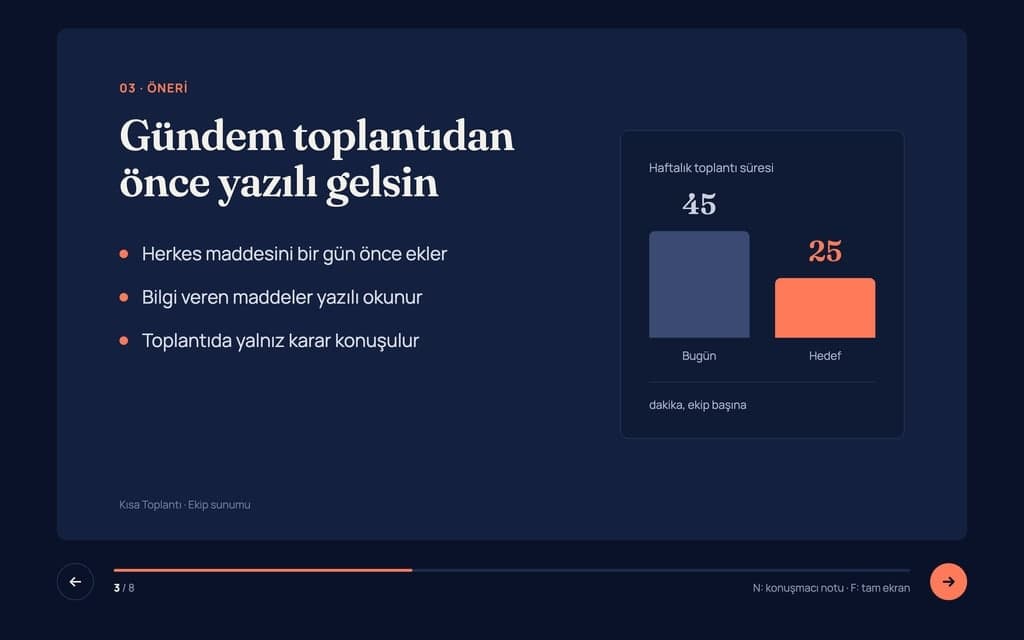
Build a 8-slide web presentation about cutting the weekly meeting time of remote teams for an internal team meeting. Format: a one-page Next.js site; every slide fills…
Give Builder a topic and it drafts the outline and slide text, then builds a web presentation you run in the browser and share by link. No .pptx file.
Entro
Plain English Explanation
You must pay your monthly rent in advance by the 5th day of every month. If you are even one day late on a single payment (paying on the 6th or later), the landlord has the legal right to demand the entire remaining rent for your full lease contract at once, immediately, rather than letting you continue to pay month by month.
Key Risks for the Tenant
1. Extreme Rent Acceleration
• The Risk: This is an aggressive "acceleration clause." If you have 10 months left on a lease and miss the…
Explain this lease clause in plain English and list the points that are risky for the tenant: 'The Tenant shall pay the rent in advance no later than the fifth day of…
Attach a PDF, Word, Excel or PowerPoint file. Entro summarizes it, answers questions from the text, pulls out dates and amounts and compares two documents.