Attach your report, proposal or article to the chat and say who you are presenting to. Entro reads the document and writes the outline in the chat: a deck title, slide titles and short bullets. You take PowerPoint (.pptx) from the Download menu. This is a content conversion; the document's design and images are not carried onto slides.
Draft a 10-slide presentation outline from the attached document for an investor meeting. First write the deck title and the slide titles, and move on to the bullets once I approve them. Give each slide 3-6 short bullets; use the figures exactly as they appear in the document and collect them on one table slide. Add nothing that is missing from the document and put a question mark where you are unsure. Make the last slide items waiting for a decision.
Blue parts are the places to fill in with your own details. Tab selects the next one, Enter sends, Shift and Enter starts a new line.
Whatever the document, outline first and slides second
Most document types are read
Attach PDF files with a text layer, Word (.docx), PowerPoint (.pptx), Excel (.xlsx), Markdown, TXT and CSV files. A message takes up to 3 documents, so you can combine a report, its table and your meeting notes in one deck.
Entro
Q3 Executive Summary
1. Executive Overview
• Revenue grew 12% compared to the previous quarter
• Successfully onboarded 46 new customers
• Operations faced logistical hurdles, shifting timelines by 30 days
• Key leadership decision required regarding fulfillment capacity
2. Commercial Performance & Growth
• Top-line revenue up 12% quarter over quarter
• Customer acquisition delivered 46 new enterprise and mid-market accounts
• Healthy pipeline indicates sustained demand heading into next quarter
3. Operational…
Draft a 5-slide presentation outline for management from this quarterly report summary (result, findings, risk, open decisions): Revenue rose 12 percent on the previous…
Entro
The deck is built for its audience
The same document can give a five-slide summary for management and a detailed walkthrough for the team. Say who you are presenting to and how much time you have, and Entro chooses what leads accordingly.
Entro
Internal Audit Findings & Corrective Actions
Executive Summary
• Comprehensive internal safety and security audit completed
• Identified four distinct operational compliance issues
• Corrective action required across facilities and administrative controls
• Focus on immediate remediation for life safety items
Findings & Prioritized Remediation Plan
Priority · Finding · Recommendation
High · Three fire extinguishers are past their service date · Contract an authorized vendor immediately to inspect and recertify all units
High ·…
Draft a 4-slide presentation outline from this internal audit summary, put the findings on a table slide in order of priority and write one recommendation per finding…
Entro
Content carries over, appearance does not
Text, headings, lists and tables reach the deck. The document's page layout, fonts, images and charts do not. The downloaded file has one plain theme: a white background and legible type, with no images or animations.
Entro
Centralized Booking for Multi-Location Dining
The Multi-Location Booking Challenge
• Managing reservations across 6 locations leads to fragmented data
• High operational overhead for host teams managing separate tools
• Risk of double bookings and lost walk-in capacity
• Lack of unified guest history and cross-location reporting
The Solution: One Central Dashboard
• Real-time reservation management for all 6 branches in one place
• Unified guest database across the entire restaurant group
• Cross-location availability checks to redirect…
Draft a 5-slide presentation outline for a client meeting from this proposal text; open with the client's problem and put the price last: Online booking system for a…
Entro
Approve the titles first, then have the bullets written
With a long document, most of your time goes into fixing a flow that was set up wrong. Ask Entro for the deck title and slide titles first and fix the order and the gaps at that stage. Once the titles sit right, say "now write the whole deck". Having the whole thing written in a single answer matters: the Download menu sits under each answer separately, and the file is made from that answer.
Entro
Investor Presentation: Commercial Laundry Service for Small Hotels
Problem
• Small hotels struggle with managing linen and laundry operations in-house
• Commercial laundry alternatives focus primarily on large chains, ignoring boutique needs
• In-house laundry leads to high operational friction and unpredictable turnaround times
• Space and equipment maintenance divert staff focus away from guest satisfaction
Solution
• Dedicated, reliable commercial laundry service designed specifically for small hotels
• Scheduled pickup and delivery tailored to hotel…
Draft a 6-slide investor presentation outline from this business plan summary (problem, solution, customers, revenue model, team, ask); do not invent figures missing…
Entro
Do you need a file or a show?
If your organization expects a PowerPoint file, if someone else will edit the deck or if you will move it into your own template, follow the .pptx route on this page. If you will share the deck with a link, play it full screen and want it designed and animated, hand the outline to Builder. Builder builds a web presentation and produces no PowerPoint file; the AI presentation maker and animated presentation maker pages cover that route.
Entro
Preventing Customer Churn in Small Business
Slide 1: The Hidden Crisis of Customer Churn
• Small businesses routinely lose customers without noticing the leak
• Churn often feels invisible because new sign-ups mask the losses
• Measuring retention is just as vital as measuring acquisition
• Today's focus: Identifying when and why small businesses lose buyers
Konuşmacı notu: Start by asking the audience how many of them track their monthly churn rate. Emphasize that acquiring a new customer costs far more than keeping an existing one…
Draft a 5-slide presentation outline for a 15-minute talk from this article summary and add a 'Speaker notes:' line to each slide: Small businesses often fail to notice…
Entro
For people who turn written documents into meeting slides
Attach the quarterly report and ask for five slides for management: the result, the main findings, the risks and the open decisions. The detail stays in the report and the deck carries what a decision needs.
Turn a written proposal into something you can talk through in a meeting. The client's problem goes first and the price last. Check that the amounts on the slides match the proposal.
Bring an article you published down to a twenty-minute talk. Entro splits the argument across slides and takes quotes and figures from the document. Verify each one against the source yourself.
Pull problem, solution, market, revenue model and team slides out of a business plan. If a figure such as market size is missing from the document, ask Entro to leave a blank and not make one up.
Attach an old forty-slide .pptx and ask for a new fifteen-slide flow. The text comes through; the old design, images and animations do not. The new file downloads in the plain theme.
Entro
Staff Cybersecurity Essentials
Strong Passwords
• Use at least 12 characters for every password
• Combine upper and lowercase letters, numbers, and symbols
• Avoid personal details, common words, or predictable sequences
Unique Passwords & Managers
• Never reuse passwords across work and personal accounts
• Use a password manager to generate and safely store credentials
• Memorize only one strong master password for the manager
Two-Step Verification & Email Safety
• Keep two-step verification (2FA) turned on for all…
Draft a 4-slide training presentation outline for staff from this guide, ending with a checklist slide: A strong password has at least 12 characters. Use a separate…
Entro
Entro
Q3 Executive Summary
1. Executive Overview
• Revenue grew 12% compared to the previous quarter
• Successfully onboarded 46 new customers
• Operations faced logistical hurdles, shifting timelines by 30 days
• Key leadership decision required regarding fulfillment capacity
2. Commercial Performance & Growth
• Top-line revenue up 12% quarter over quarter
• Customer acquisition delivered 46 new enterprise and mid-market accounts
• Healthy pipeline indicates sustained demand heading into next quarter
3. Operational…
Draft a 5-slide presentation outline for management from this quarterly report summary (result, findings, risk, open decisions): Revenue rose 12 percent on the previous…
Entro
Entro
Internal Audit Findings & Corrective Actions
Executive Summary
• Comprehensive internal safety and security audit completed
• Identified four distinct operational compliance issues
• Corrective action required across facilities and administrative controls
• Focus on immediate remediation for life safety items
Findings & Prioritized Remediation Plan
Priority · Finding · Recommendation
High · Three fire extinguishers are past their service date · Contract an authorized vendor immediately to inspect and recertify all units
High ·…
Draft a 4-slide presentation outline from this internal audit summary, put the findings on a table slide in order of priority and write one recommendation per finding…
Entro
Entro
Centralized Booking for Multi-Location Dining
The Multi-Location Booking Challenge
• Managing reservations across 6 locations leads to fragmented data
• High operational overhead for host teams managing separate tools
• Risk of double bookings and lost walk-in capacity
• Lack of unified guest history and cross-location reporting
The Solution: One Central Dashboard
• Real-time reservation management for all 6 branches in one place
• Unified guest database across the entire restaurant group
• Cross-location availability checks to redirect…
Draft a 5-slide presentation outline for a client meeting from this proposal text; open with the client's problem and put the price last: Online booking system for a…
Entro
Entro
Investor Presentation: Commercial Laundry Service for Small Hotels
Problem
• Small hotels struggle with managing linen and laundry operations in-house
• Commercial laundry alternatives focus primarily on large chains, ignoring boutique needs
• In-house laundry leads to high operational friction and unpredictable turnaround times
• Space and equipment maintenance divert staff focus away from guest satisfaction
Solution
• Dedicated, reliable commercial laundry service designed specifically for small hotels
• Scheduled pickup and delivery tailored to hotel…
Draft a 6-slide investor presentation outline from this business plan summary (problem, solution, customers, revenue model, team, ask); do not invent figures missing…
Entro
Slide outlines Entro has drafted from documents
Entro's answer
Q3 Executive Summary
1. Executive Overview
• Revenue grew 12% compared to the previous quarter
• Successfully onboarded 46 new customers
• Operations faced logistical hurdles, shifting timelines by 30 days
• Key leadership decision required regarding fulfillment capacity
2. Commercial Performance & Growth
• Top-line revenue up 12% quarter over quarter
• Customer acquisition delivered 46 new enterprise and mid-market accounts
• Healthy pipeline indicates sustained demand heading into next quarter
3. Operational…
Draft a 5-slide presentation outline for management from this quarterly report summary (result, findings, risk, open decisions): Revenue rose 12 percent on the previous quarter. 46 new customers. The return rate went from 3 to 5 percent. The warehouse move slipped by a month. Approval for 8 hires for a second shift is pending.
Entro's answer
Internal Audit Findings & Corrective Actions
Executive Summary
• Comprehensive internal safety and security audit completed
• Identified four distinct operational compliance issues
• Corrective action required across facilities and administrative controls
• Focus on immediate remediation for life safety items
Findings & Prioritized Remediation Plan
Priority · Finding · Recommendation
High · Three fire extinguishers are past their service date · Contract an authorized vendor immediately to inspect and recertify all units
High ·…
Draft a 4-slide presentation outline from this internal audit summary, put the findings on a table slide in order of priority and write one recommendation per finding: Three fire extinguishers are past their service date (high). An emergency exit sign is missing (high). The archive room is unlocked (medium). The visitor log is not kept regularly (low).
Entro's answer
Centralized Booking for Multi-Location Dining
The Multi-Location Booking Challenge
• Managing reservations across 6 locations leads to fragmented data
• High operational overhead for host teams managing separate tools
• Risk of double bookings and lost walk-in capacity
• Lack of unified guest history and cross-location reporting
The Solution: One Central Dashboard
• Real-time reservation management for all 6 branches in one place
• Unified guest database across the entire restaurant group
• Cross-location availability checks to redirect…
Draft a 5-slide presentation outline for a client meeting from this proposal text; open with the client's problem and put the price last: Online booking system for a restaurant group. 6 locations, one dashboard. Setup takes 4 weeks. $950 a month, first month free. Staff training included. 12-month contract.
Entro's answer
Investor Presentation: Commercial Laundry Service for Small Hotels
Problem
• Small hotels struggle with managing linen and laundry operations in-house
• Commercial laundry alternatives focus primarily on large chains, ignoring boutique needs
• In-house laundry leads to high operational friction and unpredictable turnaround times
• Space and equipment maintenance divert staff focus away from guest satisfaction
Solution
• Dedicated, reliable commercial laundry service designed specifically for small hotels
• Scheduled pickup and delivery tailored to hotel…
Draft a 6-slide investor presentation outline from this business plan summary (problem, solution, customers, revenue model, team, ask); do not invent figures missing from the document, leave them blank: We run a laundry service for small hotels. We work with 14 hotels. We charge by weight. The team is 9 people. We are raising $300,000 for a second facility.
Entro's answer
Preventing Customer Churn in Small Business
Slide 1: The Hidden Crisis of Customer Churn
• Small businesses routinely lose customers without noticing the leak
• Churn often feels invisible because new sign-ups mask the losses
• Measuring retention is just as vital as measuring acquisition
• Today's focus: Identifying when and why small businesses lose buyers
Konuşmacı notu: Start by asking the audience how many of them track their monthly churn rate. Emphasize that acquiring a new customer costs far more than keeping an existing one…
Draft a 5-slide presentation outline for a 15-minute talk from this article summary and add a 'Speaker notes:' line to each slide: Small businesses often fail to notice customer churn. Customers are usually lost before their second order. A thank-you message in the first week raises repeat orders. The effect of a discount coupon does not last.
Entro's answer
Staff Cybersecurity Essentials
Strong Passwords
• Use at least 12 characters for every password
• Combine upper and lowercase letters, numbers, and symbols
• Avoid personal details, common words, or predictable sequences
Unique Passwords & Managers
• Never reuse passwords across work and personal accounts
• Use a password manager to generate and safely store credentials
• Memorize only one strong master password for the manager
Two-Step Verification & Email Safety
• Keep two-step verification (2FA) turned on for all…
Draft a 4-slide training presentation outline for staff from this guide, ending with a checklist slide: A strong password has at least 12 characters. Use a separate password for every account. A password manager makes that easy. Keep two-step verification on. In a suspicious email, check the sender's address before clicking any link.
How to convert a document to a PowerPoint presentation
1
Attach the document and name the audience
Edit the highlighted parts of the request above: the meeting, the slide count, the last slide. Sending it opens the Entro chat, where you attach your document. Without an account you sign up first, and your request is kept.
2
Approve the titles, then get the bullets
Entro writes the slide titles first. Fix the order, add any missing section, then ask for the whole deck. Compare figures and names with your document.
3
Download it as PowerPoint
Pick PowerPoint (.pptx) in the Download menu under the final version. The file opens in PowerPoint, Keynote and similar programs, where you add your template and images.
Entro
Preventing Customer Churn in Small Business
Slide 1: The Hidden Crisis of Customer Churn
• Small businesses routinely lose customers without noticing the leak
• Churn often feels invisible because new sign-ups mask the losses
• Measuring retention is just as vital as measuring acquisition
• Today's focus: Identifying when and why small businesses lose buyers
Konuşmacı notu: Start by asking the audience how many of them track their monthly churn rate. Emphasize that acquiring a new customer costs far more than keeping an existing one…
Draft a 5-slide presentation outline for a 15-minute talk from this article summary and add a 'Speaker notes:' line to each slide: Small businesses often fail to notice…
Entro
Frequently asked questions
Does Entrobase convert my document to PowerPoint itself?
Yes. You attach the document to Entro, the chat on the Entrobase home screen. Entro reads the content and writes a presentation outline in the chat, and you download it as PowerPoint (.pptx) from the Download menu under the answer. Each heading becomes a slide and tables sit on slides as tables. What is converted is the content; the look of the document is not carried over.
Which document types does it read?
PDF files with a text layer, Word (.docx), PowerPoint (.pptx), Excel (.xlsx), Markdown, TXT, CSV, JSON and XML. Save old .doc, .xls and .ppt files in the newer format first. Export any format missing from this list as PDF or .docx and attach that. The text of a scanned PDF can't be read; you can attach photos of the pages as images.
What does the downloaded deck look like?
It comes in one plain theme: a white background, legible type, a title and bullets on each slide, and tables as tables. There are no images, animations, brand colors or custom layouts. The file opens and can be edited in PowerPoint, Keynote and similar programs. On your first download, open it and look over the slide order and the tables once.
Does it summarize my document or split it as it is?
Either, depending on what you ask for. Left to itself, it cuts long paragraphs down to 3-6 short bullets and picks what matters for a talk. Say "leave my sentences alone and only split them into slides" and it keeps your text. A condition or a number can get dropped in summarizing, so compare the important slides with your document.
How is a document with no headings split?
Entro works out from the text where the topic changes and writes a slide title for each part. In a document with clear headings the breaks land more accurately. With plain prose, ask it to list the slide titles first, change the ones you dislike, then have the bullets written. That way you never have the whole flow written twice.
Do images and tables in the document reach the slides?
Tables do: a table in the document is read and sits on a slide as a table in the downloaded file. Images, charts and diagrams do not, and the downloaded deck contains no images. Have Entro leave a marker on the slide where an image belongs and add it yourself after opening the file. You can also ask for a chart's numbers as a table slide.
Can I make one deck from several documents?
Yes. A message takes up to 3 documents and about 80,000 characters in total are read; the rest is cut off and you're told. Say which document feeds which part of the deck: the report for the findings, the spreadsheet for the figures, the meeting notes for next steps. Attach very long documents section by section.
Is my document uploaded to a server?
The document's text is read in your browser and sent along with your message; the file itself is not stored. The text and the outline are part of the conversation, so they remain in your chat history. Remove any sections you want to keep private before attaching; appendices that won't make the deck need not be sent at all.
Is the document to PPT converter free?
You can use it on the Free plan. Every outline you have written counts toward your plan's AI usage limits, which differ by plan. Approving the titles first and then having the whole deck written uses less of that allowance than having the same deck rewritten several times. Current limits are on the Plans and usage page.
More AI tools
Entro
Coffee Chain Market Overview and Strategic Outlook
Market Growth Over the Last Three Years
• The coffee chain market experienced consistent expansion over the three-year period.
• Consumer demand and total transaction volume increased across key territories.
• Market fundamentals remain resilient despite broader retail shifts.
• Source: Report Page 1
Key Growth Drivers
• Takeaway services accounted for a significant share of revenue gains.
• Subscription programs expanded customer lifetime value and retention.
• Shift in consumer routines…
Draft a 5-slide presentation outline from this report text copied out of a PDF and write the page number at the end of each slide: --- Page 1 --- The coffee chain…
Attach a PDF and Entro drafts a deck from its content. Download it as PowerPoint (.pptx) with editable text. Scanned PDFs can't be read; design isn't kept.
Project Scope
• Full configuration and deployment of the warehouse management software
• Comprehensive staff training tailored to operational roles
• Data migration support and workflow alignment
• System testing before going live
Timeline & Phasing
• Total project duration of 8 weeks
• Phase 1: Assessment and system configuration
• Phase 2: Pilot testing and user training
• Phase 3: Final deployment and go-live handover
Implementation Team
• Dedicated Project Manager as the single point of…
Draft a 5-slide presentation outline for a client meeting from this proposal text copied out of a Word document: 1. Scope: setup and training for the warehouse…
Attach a Word document (.docx) and Entro drafts a deck from its sections: slide titles, short bullets, tables. Download as PowerPoint (.pptx), plain theme.
Entro
Mobile App Project Status Update
Executive Summary
• Payment flow implementation is complete
• Push notifications are delayed by two weeks due to late design approval
• Overall budget remains fully on track with no overruns
• Final app store submission target remains the end of the month
Feature Progress and Status
• Payment screen developed, integrated, and verified
• Core checkout workflows ready for end-to-end testing
• Push notification system delayed by two weeks
• Design sign-off now resolved, unblocking notification…
Draft a 5-slide presentation outline from these notes, with a title and 3-5 short bullets per slide: The payment screen of the mobile app is done. Notifications are two…
Paste your text and Entro drafts a deck with slide titles and short bullets. Download it as PowerPoint (.pptx): one plain theme, no images or animations.
Entro
Q1-Q2 Sales Performance Overview
Executive Summary
• Total revenue generated across the 4-month period reached $179,300
• Order volume followed revenue trends closely, totaling 1,318 orders
• April marked the peak performance month across all key sales metrics
• Performance rebounded strongly following a temporary dip in March
Monthly Sales Data
Month · Sales ($) · Orders
January · 42,000 · 310
February · 46,500 · 342
March · 39,800 · 295
April · 51,000 · 371
Key Takeaways
• April achieved the highest…
Draft a 4-slide presentation outline from this table copied out of Excel; put the table on one slide as a table and turn the three main takeaways into bullets…
Attach an Excel file and Entro turns the key numbers into bullets and tables into table slides. Download as PowerPoint (.pptx). No charts; check the math.
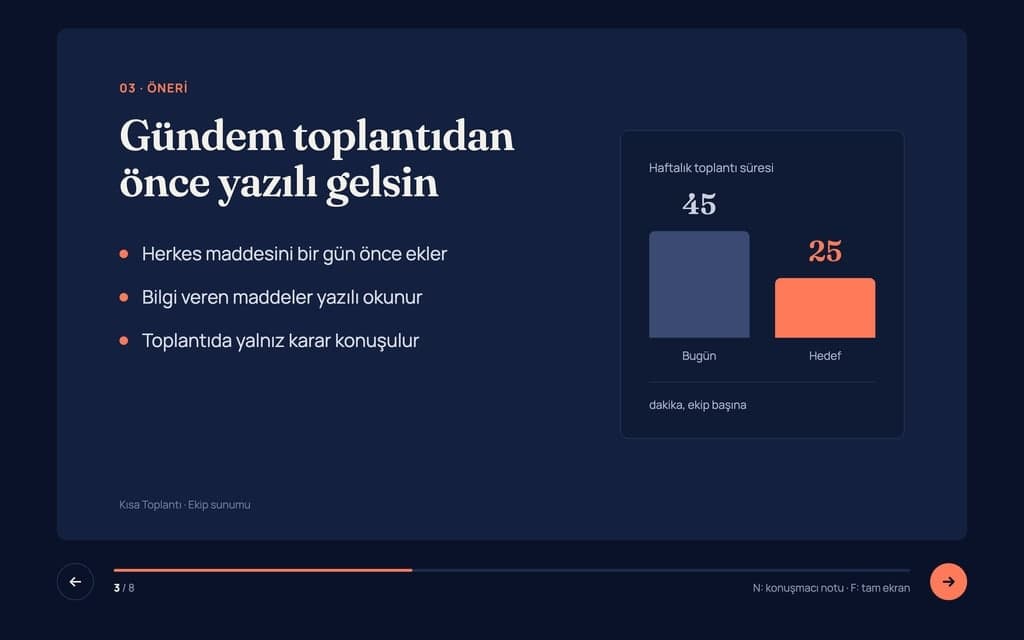
Build a 8-slide web presentation about cutting the weekly meeting time of remote teams for an internal team meeting. Format: a one-page Next.js site; every slide fills…
Give Builder a topic and it drafts the outline and slide text, then builds a web presentation you run in the browser and share by link. No .pptx file.
Entro
Plain English Explanation
You must pay your monthly rent in advance by the 5th day of every month. If you are even one day late on a single payment (paying on the 6th or later), the landlord has the legal right to demand the entire remaining rent for your full lease contract at once, immediately, rather than letting you continue to pay month by month.
Key Risks for the Tenant
1. Extreme Rent Acceleration
• The Risk: This is an aggressive "acceleration clause." If you have 10 months left on a lease and miss the…
Explain this lease clause in plain English and list the points that are risky for the tenant: 'The Tenant shall pay the rent in advance no later than the fifth day of…
Attach a PDF, Word, Excel or PowerPoint file. Entro summarizes it, answers questions from the text, pulls out dates and amounts and compares two documents.