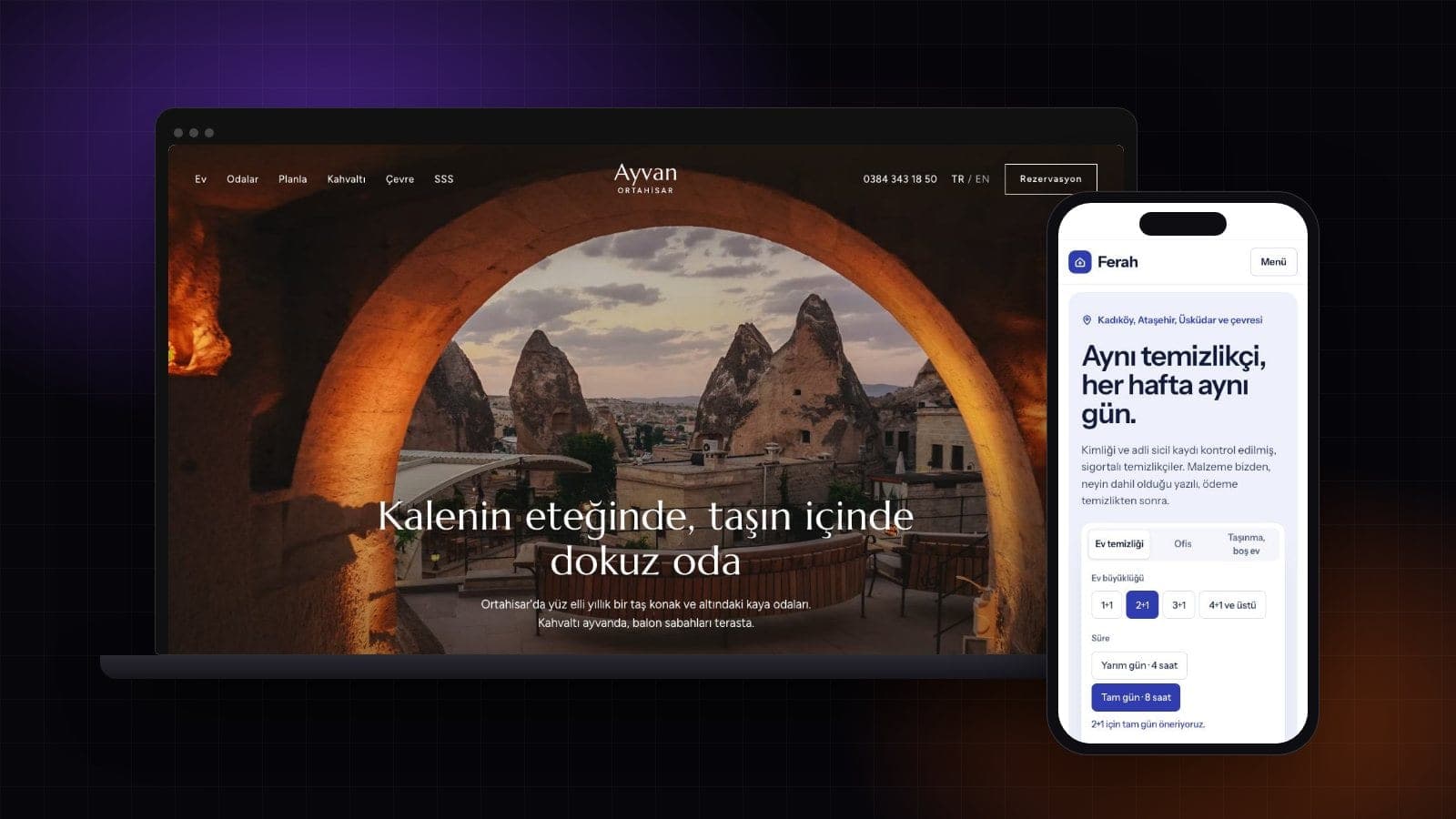
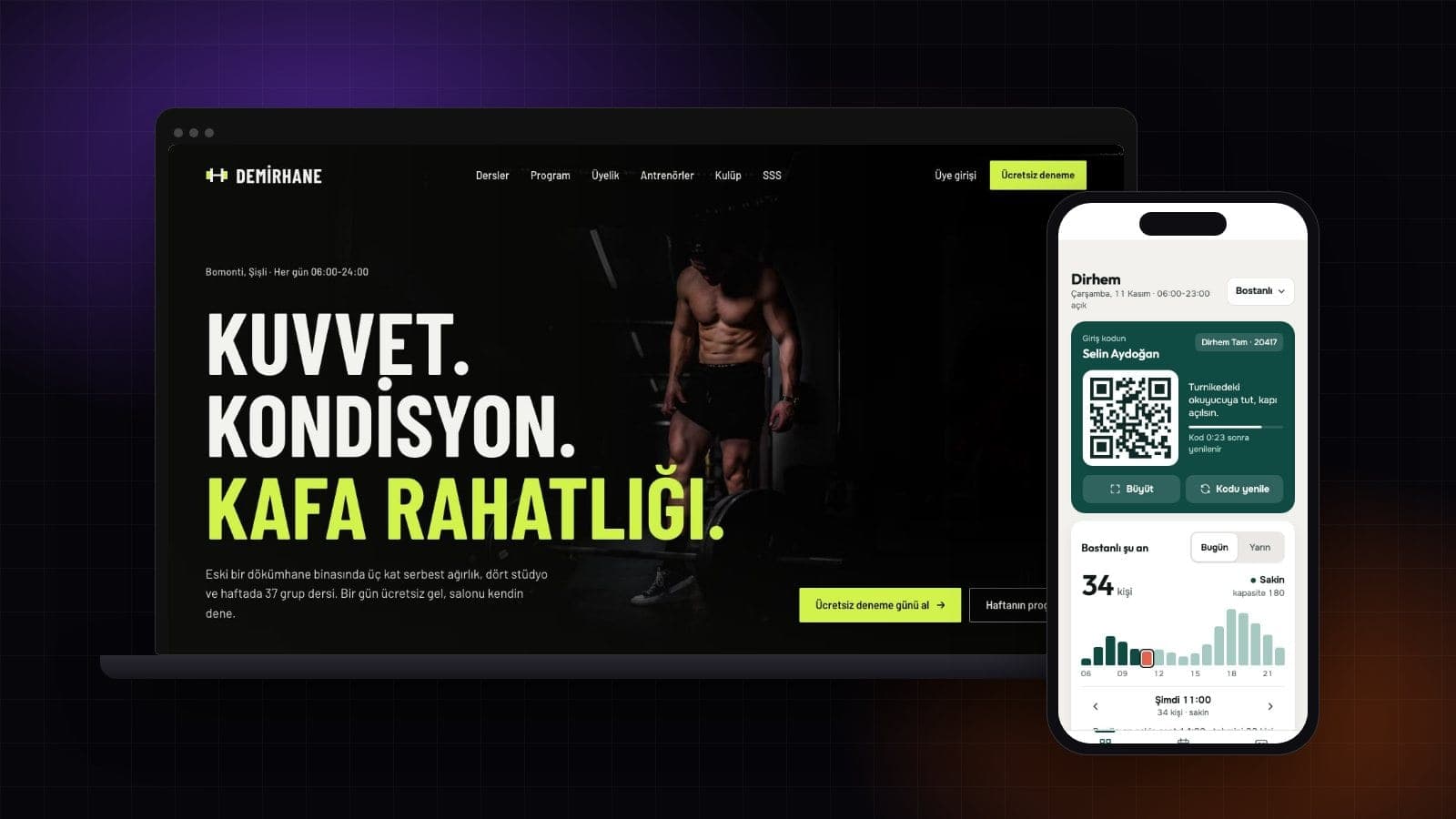
How to Build a Website: A Step-by-Step Guide for 2026
To build a website, decide what the site is for, pick a method, plan the pages, prepare content, connect a domain and publish. You don't need to code. You can start from a template, lay pages out in a drag-and-drop editor, describe the site to an AI builder, or hand the job to a designer. Below you'll find the four methods side by side, eight steps in order, a real page plan from Entrobase's chat assistant and the costs that come back every year.

By: Yunus Emre Sak
- Published:
- 9 min read

What are the ways to build a website?
Quick answer
- Without code you can build from a template, with a drag-and-drop editor or by describing the site to an AI builder; the fourth way is hiring someone.
- Whichever method you pick, the text, photos and contact details still come from you.
- On Entrobase's Free plan you publish one site on a yoursite.entrobase.site address; your own domain starts with the Starter plan.
- A domain renews every year, and on some extensions the renewal price is far higher than the first year.
Three questions separate the methods: who builds the site, who makes the next change, and what you pay for. The table has no prices for agencies or freelancers because I couldn't find a published measurement worth relying on.
| Method | Best for | Skill needed | Who makes changes | What you pay for |
|---|---|---|---|---|
| Template | Getting started fast with a design close to your trade | Swapping in text and photos | You, within the template's limits | Template or subscription, domain |
| Drag-and-drop editor | People who want to arrange every block by hand | Learning the editor and page layout | You, in the editor | Subscription, domain |
| AI builder | People who can describe what they want but don't code | Writing a clear, detailed request | You, by typing in the chat | Free plan or subscription, domain |
| Agency or freelancer | Custom design, photography and strategy | Writing a brief, approving drafts | The agency, usually billed | Project fee, maintenance, hosting, domain |
Why describe it to an AI builder
- The first version is built in the same session and opens in a live preview.
- You ask for changes in plain words instead of learning a design tool.
- Restore this version under any reply undoes a step you don't like.
Limits to know
- A vague request gets a vague result, so the first prompt needs detail.
- Entrobase has no cart or online checkout yet; orders come in by form or WhatsApp.
- You can't import a site hosted elsewhere and edit it here.
On Entrobase this method is Entro Builder: chat on the left, a preview of the site on the right. The preview is the same build as the live site.
How do you build a website step by step?
Order matters. Prepare the pages and content before you build and you won't redo the same screen twice.
Write the goal in two sentences. Who is the site for, and what should a visitor do: call, book, read the menu, send a quote request? Those two sentences become your first prompt and your homepage headline.
Pick a domain. Look for something short that people can spell after hearing it once, and check whether it's free with the domain name generator. There's no rush: the site can go live on a free entrobase.site address first.
Plan the pages. A small business usually needs five: home, services or menu, about, contact and legal pages. On a one-page site these become sections of the same page.
Prepare the content. List your services and prices, write five lines about yourself, and pick ten sharp phone photos. This is the step that delays most sites.
Choose a method and build. If you start from a template, open one close to your business in the gallery. If you describe the site, put the goal, pages, colors and tone in the first prompt. To compare real designs by trade first, see website templates by business type.
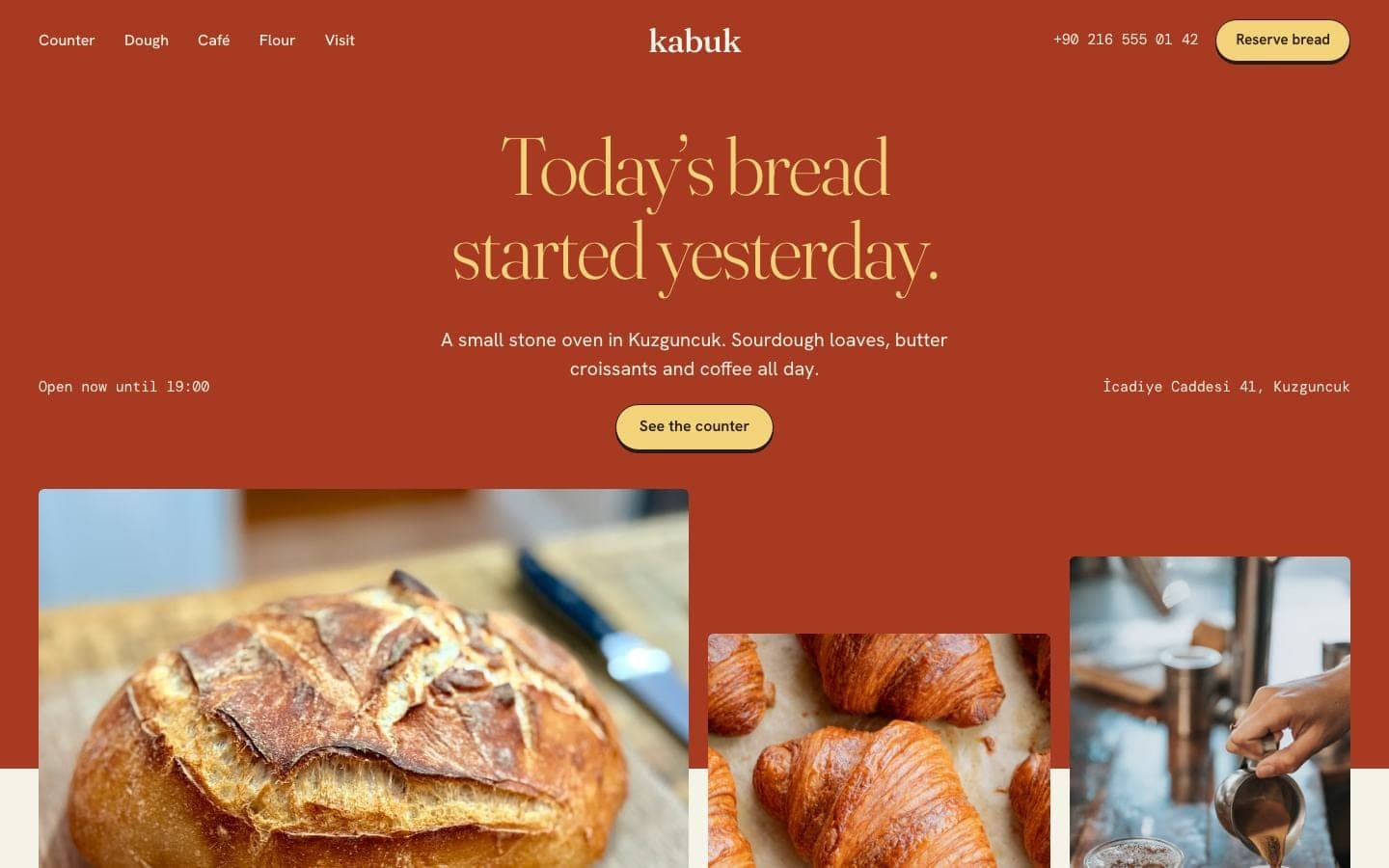
A bakery cafe template from the gallery; you replace the text and photos with your own Add a way to reach you. Phone, a WhatsApp link, address and a form. On Entrobase you ask for the form in the chat, and messages land on the Forms page of your panel with an email alert.
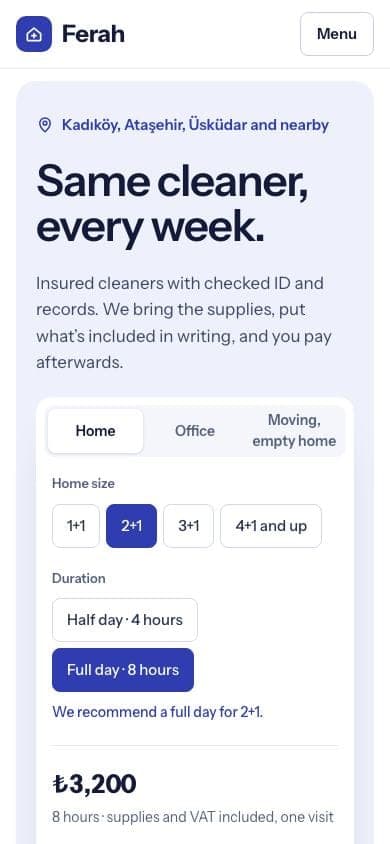
The cleaning service template lets visitors pick a home size and see the price on the first screen Set up the basics for Google. A title and description for every page, a sitemap and a share image. The Entro SEO plugin on paid plans walks you through these with a checklist. Start Search Console verification after publishing, since it checks the live site.
Publish and keep it current. Press Publish and the site opens on yoursite.entrobase.site; connect your own domain later from Domains. When a price or opening hour changes, type it in the chat, check the preview and publish again.
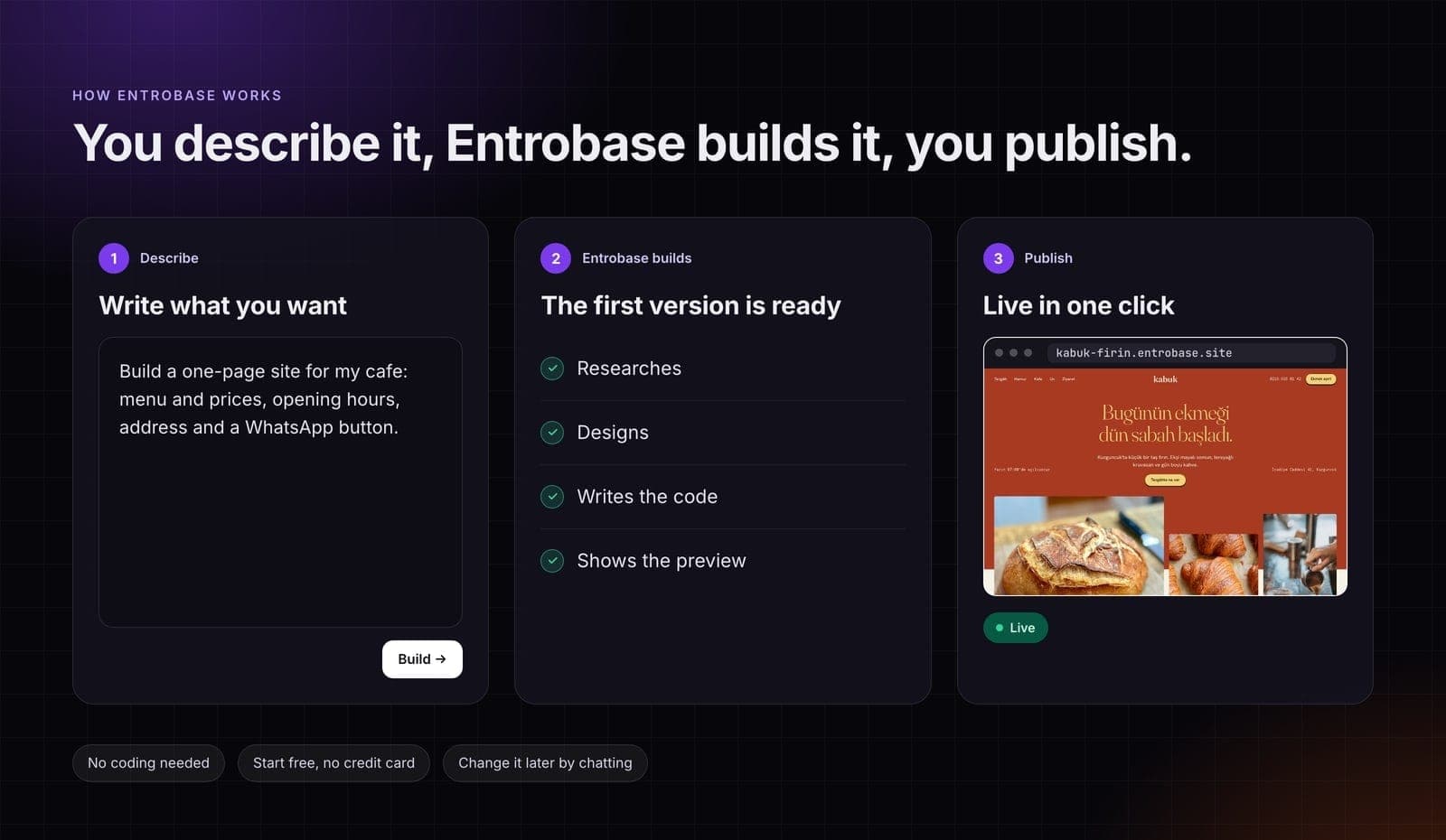
Describe it, Entrobase builds it, you publish
What does a real page plan look like?
If planning the pages feels like guesswork, ask Entro, Entrobase's chat assistant. Asked for a page plan for a small neighborhood bakery, it answered with this (shortened):
Home page: a warm photo of fresh bread, your bakery name, a neighborhood tagline and two buttons, View Menu and Visit Us; 3 to 4 bestsellers; a two-sentence story; today's hours, address and phone without scrolling. Menu: breads, pastries, coffee and custom orders with dietary tags and prices, plus a note on pre-orders. About us, then Visit and Contact with a map, opening hours and a special orders form.
Turn that plan into a request by naming the business, the sections, the colors and the one thing a visitor should do. The prompt below is a starting point you can edit before sending.
Example prompt:
Ready-made prompts for other trades are on the AI website builder page, where you can pick one and start straight away.
Can you build a website for free?
Yes, as long as you know the limits up front. Here is Entrobase's Free plan next to the first two paid plans (monthly prices, tax excluded):
| Plan | Free | Starter | Pro |
|---|---|---|---|
| Monthly price | $0 | $14 | $20 |
| Website projects | 1 | 5 | Fair use (up to 500) |
| Live sites at once | 1, entrobase.site only | 2 | 5 |
| Custom domains | None | 2 | 2 |
| Mobile apps | None | None | Included |
| Form submissions per month | 100 | 500 | 2,000 |
| Image credits per month | 10 | 50 | 100 |
The Free plan needs no credit card. The WhatsApp Button plugin and downloading your site's code as a ZIP are on every plan, and you can buy a domain on any plan; connecting it to a site needs a paid plan. See what the Free plan can build on the free website builder page, and every tier on the pricing page.
What does it cost to run a website?
You build the site once, but some costs come back every year. Domain prices below are from Entrobase's domain price list on November 13, 2026, before tax:
| Cost | How often | On Entrobase |
|---|---|---|
| Domain | Yearly | Registered from the panel; .com is $15.59 the first year and $15.98 to renew |
| Hosting and SSL | Monthly or yearly | Included in the plan; every connected domain gets a certificate automatically |
| Design and build | Once with an agency, inside a subscription with a tool | You build it by chatting; no separate design fee |
| Content and photos | Once, then now and then | You supply the text and photos |
| Changes and upkeep | Ongoing | Typed in the chat and counted against your plan's AI usage; fixes made with Edit text are not |
| Business email | Monthly or yearly | Entrobase doesn't host email; add an MX record to your domain and use an email provider |
Check the renewal price
Cheap first years can hide expensive renewals. On the same price list, .site costs $1.39 for the first year and $48.12 to renew.
What should a new website include?
Before you publish, walk through the site on your own phone and check these six things:
- The first screen says what you do and where.
- Services or products are listed, with prices if you have them.
- Tapping the phone number starts a call, and the address and hours are visible.
- The WhatsApp link and contact form work; you filled in the form yourself and got the email.
- Your privacy notice and any legally required business details are there.
- Every page has a title and a share image.


Conclusion
Write down the goal and the page list first; choosing a method gets easier after that. If your content is ready, build on the Free plan, publish on entrobase.site and connect your own domain once the site feels settled.
Frequently asked questions
How long does it take to build a website?
Building is the short part. With an AI builder the first version opens in the preview in the same session, and publishing usually takes a few minutes. What sets the timeline is having your text, photos and approvals ready. When you connect your own domain, the DNS records usually take 15 minutes to an hour to spread, and up to 24 hours with some providers.
Do I need to know how to code to make a website?
No. Templates, drag-and-drop editors and AI builders all work without code. On Entrobase you describe the site in a chat and Entrobase builds the pages and shows a preview. You can still open the files and download the code as a ZIP on every plan, which helps if you later work with a developer.
How do I make my own website for free?
Sign up for Entrobase's Free plan, which needs no credit card. Describe your site or start from a template, fix the first version in the chat and press Publish. The site goes live on a yoursite.entrobase.site address. A custom domain, more live sites and mobile apps are on paid plans, and a domain you buy has its own yearly fee.
When will my new website show up on Google?
Nobody can promise a date. Google's own documentation says crawling can take anywhere from a few days to a few weeks. Adding the site to Search Console and submitting a sitemap helps Google find your pages. On paid plans, Entrobase's Entro SEO plugin fills in the sitemap, page titles and descriptions with a checklist.
Sources
- Entrobase alan adı fiyatları (.com ilk yıl 15,59 $, yenileme 15,98 $; .site 1,39 $ / 48,12 $; vergiler hariç)Checked on November 13, 2026
- Entrobase fiyatları (Ücretsiz ₺0, Starter ₺690, Pro ₺990 / ay, KDV hariç)Checked on November 13, 2026
- Entrobase yardım: alan adları (DNS yayılması 15 dakika-1 saat, bazı sağlayıcılarda 24 saat)Checked on November 13, 2026
- Entrobase yardım: siteyi yayınlama (yayın genelde birkaç dakika)Checked on November 13, 2026
- Google Arama Merkezi: Ask Google to recrawl your URLs (tarama birkaç gün ile birkaç hafta)Checked on November 13, 2026
Founder of Entrobase
Yunus Emre Sak is the founder of Entrobase. He has been building websites and software for businesses since 2018 and writes here about what he has built and tested with Entrobase.