Attach your PowerPoint file (.pptx) to the chat. Entro reads the text on the slides in slide order and writes it as a Word document with headings, and you download it as Word (.docx) from the Download menu under the answer. Slide design, images, charts and speaker notes do not carry over; the writing on the slides is what reaches the document.
Write the attached onboarding deck as a Word document. Make each slide title a document heading with the slide number in front, put the slide's bullet points under it as a list and keep tables as tables. Expand short bullets into full-sentence paragraphs, but add nothing that isn't on the slides. For slides with no title or no writing on them, add a "no text" remark. If the deck is long, go section by section.
Blue parts are the places to fill in with your own details. Tab selects the next one, Enter sends, Shift and Enter starts a new line.
Entro reads the slides in presentation order. Each slide title is written with a Word heading style, so in Word you can build a table of contents from them and jump from slide to slide in the navigation pane.
Entro
Employee Leave Policy
Leave Requests
All leave requests must be submitted at least three days in advance. Once submitted, each request requires approval from your team lead.
Annual Leave
Employees are entitled to 14 days of annual leave during their first year of employment. Up to 5 unused days may be carried over into the following year.
Turn this slide text into a Word document with headings and expand the short bullets into full-sentence paragraphs without adding new information: Slide 1: Leave…
Entro
Short bullets open up into sentences
Slides are written in three-word bullets, while a document is read with no presenter in the room. Ask for bullets to be expanded into full sentences, and add to your request that nothing absent from the slides may be added.
Entro
Warehouse Safety & Emergency Procedures
Welcome to the team. Maintaining a safe, secure, and compliant work environment is a shared responsibility. Review the following core safety protocols and emergency guidelines carefully.
1. Warehouse Floor Safety
Safety gear and spatial awareness are strictly enforced across all operational warehouse zones:
• Personal Protective Equipment (PPE): Hard hats must be worn at all times upon entering active warehouse floors, storage racks, and loading docks.
• Traffic Pathways: Forklift lanes and…
Turn these training slides into a Word section for the new-hire handbook; each slide a subheading, with a five-point checklist at the end: Slide 1: Warehouse Safety -…
Entro
Different documents from the same deck
One deck can yield a draft of meeting minutes as well as a one-page executive summary. Say which you want and Entro rebuilds the slide text around that document's layout.
Entro
Meeting Minutes
Date: [Date]
Time: [Time]
Location: [Meeting Room / Online]
Attendees: [List of attendees]
1. Third Quarter Sales
Discussion:
[Summary of discussion points regarding Q3 sales performance]
Decision:
Owner:
2. New Dealer Applications
Discussion:
[Summary of new applications received, review criteria, and status updates]
Decision:
Owner:
3. Trade Show Preparation
Discussion:
[Summary of event logistics, booth design, staffing, and promotional materials]
Decision:
Owner:
4. Budget…
Write a draft of the minutes from the slide titles of this meeting deck; each title an agenda item, with blank lines for Decision and Owner under it: Slide 1: Third…
Entro
Design, images and notes are left behind
What is read is the writing on the slides. Backgrounds, colors, photos, charts and animations do not carry over, and text embedded inside a picture is not read. Speaker notes are not read either: if you want them in the document, paste the notes into the chat and say which slide each belongs to. You insert images under the matching heading in Word yourself.
Entro
Executive Summary: Pilot Program Results and Expansion
Conclusion and Recommendation
The 8-week pilot conducted across 3 retail locations successfully achieved its core operational and customer experience targets. Based on significant reductions in customer wait times and a measurable increase in overall satisfaction, we recommend proceeding with the planned rollout to 12 additional stores.
Pilot Overview
The pilot program ran for an 8-week evaluation period across 3 selected stores to test process and service improvements at checkout.
Key…
From this slide text, write a half-page Word summary for a manager; state the conclusion first, then give the figures in a table: Slide 1: Pilot Results - 3 stores, 8…
Entro
Slides where the text order gets mixed up
Text boxes on a slide are read in the order they are saved in the file; on slides with many boxes or a diagram, that order may differ from what you see on screen. If a slide's text came out jumbled, attach a screenshot of that slide as an image and ask for the right order. A long deck is written in parts, and you type "continue" after each one.
Entro
Photosynthesis Exam Study Notes
Overview of Key Concepts
Slide 1: Core Inputs of Photosynthesis
Photosynthesis is the biological process by which plants convert light energy into chemical energy to fuel their growth. It requires three primary inputs from the environment: sunlight, water absorbed by roots, and carbon dioxide taken in from the air.
Slide 2: The Site of Photosynthesis (Chloroplast)
The photosynthetic process takes place within specialized plant cell organelles called chloroplasts. These organelles contain the…
Turn these lecture slides into Word study notes for an exam; explain each slide in two sentences and add five questions with answers at the end, drawn from the slides…
Entro
For anyone who needs the content of slides as text
Turn the onboarding deck into a written guide for new hires to read. Entro expands what the slides only hint at into sentences, and you fill in what is missing.
Draw a draft of the minutes from the deck shown in the meeting. Slide titles become agenda items, and you write the decisions under each one.
Collect all the writing in a deck in one document with slide numbers. Send it to a translator, or ask Entro for the translation as a two-column table; putting it back on the slides is up to you.
Turn lecture slides into a study document you can annotate. You can ask Entro to explain each slide and add review questions at the end; check the explanations against your course material.
Produce a plain-text version of the deck for screen readers. Because titles are marked with Word's heading styles, the reader can move through the document heading by heading.
Entro
Slayt Numarası ve İngilizce Metin · İspanyolca Çeviri
Slide 1: Welcome · Diapositiva 1: Bienvenido
Slide 2: Our product family has three series · Diapositiva 2: Nuestra familia de productos tiene tres series
Slide 3: The warranty period is two years · Diapositiva 3: El período de garantía es de dos años
Slide 4: Call our support line with any questions · Diapositiva 4: Llame a nuestra línea de soporte si tiene alguna pregunta
Bu yanıtı arayüzdeki İndir menüsünden Word belgesi…
Turn this slide text into a two-column Word table; English text with the slide number on the left, the Spanish translation on the right: Slide 1: Welcome Slide 2: Our…
Entro
Entro
Employee Leave Policy
Leave Requests
All leave requests must be submitted at least three days in advance. Once submitted, each request requires approval from your team lead.
Annual Leave
Employees are entitled to 14 days of annual leave during their first year of employment. Up to 5 unused days may be carried over into the following year.
Turn this slide text into a Word document with headings and expand the short bullets into full-sentence paragraphs without adding new information: Slide 1: Leave…
Entro
Entro
Warehouse Safety & Emergency Procedures
Welcome to the team. Maintaining a safe, secure, and compliant work environment is a shared responsibility. Review the following core safety protocols and emergency guidelines carefully.
1. Warehouse Floor Safety
Safety gear and spatial awareness are strictly enforced across all operational warehouse zones:
• Personal Protective Equipment (PPE): Hard hats must be worn at all times upon entering active warehouse floors, storage racks, and loading docks.
• Traffic Pathways: Forklift lanes and…
Turn these training slides into a Word section for the new-hire handbook; each slide a subheading, with a five-point checklist at the end: Slide 1: Warehouse Safety -…
Entro
Entro
Meeting Minutes
Date: [Date]
Time: [Time]
Location: [Meeting Room / Online]
Attendees: [List of attendees]
1. Third Quarter Sales
Discussion:
[Summary of discussion points regarding Q3 sales performance]
Decision:
Owner:
2. New Dealer Applications
Discussion:
[Summary of new applications received, review criteria, and status updates]
Decision:
Owner:
3. Trade Show Preparation
Discussion:
[Summary of event logistics, booth design, staffing, and promotional materials]
Decision:
Owner:
4. Budget…
Write a draft of the minutes from the slide titles of this meeting deck; each title an agenda item, with blank lines for Decision and Owner under it: Slide 1: Third…
Entro
Entro
Executive Summary: Pilot Program Results and Expansion
Conclusion and Recommendation
The 8-week pilot conducted across 3 retail locations successfully achieved its core operational and customer experience targets. Based on significant reductions in customer wait times and a measurable increase in overall satisfaction, we recommend proceeding with the planned rollout to 12 additional stores.
Pilot Overview
The pilot program ran for an 8-week evaluation period across 3 selected stores to test process and service improvements at checkout.
Key…
From this slide text, write a half-page Word summary for a manager; state the conclusion first, then give the figures in a table: Slide 1: Pilot Results - 3 stores, 8…
Entro
Documents Entro has prepared from slide text
Entro's answer
Employee Leave Policy
Leave Requests
All leave requests must be submitted at least three days in advance. Once submitted, each request requires approval from your team lead.
Annual Leave
Employees are entitled to 14 days of annual leave during their first year of employment. Up to 5 unused days may be carried over into the following year.
Turn this slide text into a Word document with headings and expand the short bullets into full-sentence paragraphs without adding new information:
Slide 1: Leave Requests
- Request at least 3 days ahead
- Approval: team lead
Slide 2: Annual Leave
- 14 days in the first year
- Carry over up to 5 days
Entro's answer
Warehouse Safety & Emergency Procedures
Welcome to the team. Maintaining a safe, secure, and compliant work environment is a shared responsibility. Review the following core safety protocols and emergency guidelines carefully.
1. Warehouse Floor Safety
Safety gear and spatial awareness are strictly enforced across all operational warehouse zones:
• Personal Protective Equipment (PPE): Hard hats must be worn at all times upon entering active warehouse floors, storage racks, and loading docks.
• Traffic Pathways: Forklift lanes and…
Turn these training slides into a Word section for the new-hire handbook; each slide a subheading, with a five-point checklist at the end:
Slide 1: Warehouse Safety - Hard hats required, forklift lane marked in yellow
Slide 2: Emergencies - Assembly point at Gate B
Slide 3: Reporting - Report any accident to the shift supervisor at once
Entro's answer
Meeting Minutes
Date: [Date]
Time: [Time]
Location: [Meeting Room / Online]
Attendees: [List of attendees]
1. Third Quarter Sales
Discussion:
[Summary of discussion points regarding Q3 sales performance]
Decision:
Owner:
2. New Dealer Applications
Discussion:
[Summary of new applications received, review criteria, and status updates]
Decision:
Owner:
3. Trade Show Preparation
Discussion:
[Summary of event logistics, booth design, staffing, and promotional materials]
Decision:
Owner:
4. Budget…
Write a draft of the minutes from the slide titles of this meeting deck; each title an agenda item, with blank lines for Decision and Owner under it:
Slide 1: Third Quarter Sales
Slide 2: New Dealer Applications
Slide 3: Trade Show Preparation
Slide 4: Budget Revision
Entro's answer
Executive Summary: Pilot Program Results and Expansion
Conclusion and Recommendation
The 8-week pilot conducted across 3 retail locations successfully achieved its core operational and customer experience targets. Based on significant reductions in customer wait times and a measurable increase in overall satisfaction, we recommend proceeding with the planned rollout to 12 additional stores.
Pilot Overview
The pilot program ran for an 8-week evaluation period across 3 selected stores to test process and service improvements at checkout.
Key…
From this slide text, write a half-page Word summary for a manager; state the conclusion first, then give the figures in a table:
Slide 1: Pilot Results - 3 stores, 8 weeks
Slide 2: Checkout wait fell from 6 minutes to 4
Slide 3: Customer satisfaction rose from 7.8 to 8.4
Slide 4: Recommendation - roll out to 12 stores
Entro's answer
Photosynthesis Exam Study Notes
Overview of Key Concepts
Slide 1: Core Inputs of Photosynthesis
Photosynthesis is the biological process by which plants convert light energy into chemical energy to fuel their growth. It requires three primary inputs from the environment: sunlight, water absorbed by roots, and carbon dioxide taken in from the air.
Slide 2: The Site of Photosynthesis (Chloroplast)
The photosynthetic process takes place within specialized plant cell organelles called chloroplasts. These organelles contain the…
Turn these lecture slides into Word study notes for an exam; explain each slide in two sentences and add five questions with answers at the end, drawn from the slides:
Slide 1: Photosynthesis - light, water, carbon dioxide
Slide 2: Chloroplast - chlorophyll absorbs light
Slide 3: Products - glucose and oxygen
Entro's answer
Slayt Numarası ve İngilizce Metin · İspanyolca Çeviri
Slide 1: Welcome · Diapositiva 1: Bienvenido
Slide 2: Our product family has three series · Diapositiva 2: Nuestra familia de productos tiene tres series
Slide 3: The warranty period is two years · Diapositiva 3: El período de garantía es de dos años
Slide 4: Call our support line with any questions · Diapositiva 4: Llame a nuestra línea de soporte si tiene alguna pregunta
Bu yanıtı arayüzdeki İndir menüsünden Word belgesi…
Turn this slide text into a two-column Word table; English text with the slide number on the left, the Spanish translation on the right:
Slide 1: Welcome
Slide 2: Our product family has three series
Slide 3: The warranty period is two years
Slide 4: Call our support line with any questions
How to convert a PowerPoint to Word
1
Adjust the request
Edit the highlighted parts above: which deck, how headings are written, whether bullets are expanded. Sending it opens the Entro chat. Without an account you sign up first, and your request is kept.
2
Attach the deck
Add the file as .pptx and send. Entro reads the slide text in order and writes the document in chat. If you want the speaker notes as well, paste them in separately.
3
Check against the slides, download as Word
Compare with the deck for missing slides or a jumbled order. When it's ready, pick Word (.docx) in the Download menu under the answer.
Entro
Photosynthesis Exam Study Notes
Overview of Key Concepts
Slide 1: Core Inputs of Photosynthesis
Photosynthesis is the biological process by which plants convert light energy into chemical energy to fuel their growth. It requires three primary inputs from the environment: sunlight, water absorbed by roots, and carbon dioxide taken in from the air.
Slide 2: The Site of Photosynthesis (Chloroplast)
The photosynthetic process takes place within specialized plant cell organelles called chloroplasts. These organelles contain the…
Turn these lecture slides into Word study notes for an exam; explain each slide in two sentences and add five questions with answers at the end, drawn from the slides…
Entro
Frequently asked questions
Does the slide layout carry over to Word?
No. Entro reads the text of the slides and writes the document as headings, paragraphs, lists and tables. Backgrounds, colors, fonts, the position of boxes on the slide and animations are left out. If you also need the look of the slides, saving the deck as a PDF from PowerPoint is the right route for that job.
Do images and charts on the slides reach the document?
No. Photos, drawings and charts are not read, and neither the numbers inside a chart nor text embedded in a picture arrive as text. You insert images in Word yourself. If a slide keeps its writing inside a picture, attach a screenshot of it as an image and Entro reads that writing.
Where do the speaker notes go?
Speaker notes are not read; only the writing on the slides reaches the document. If you want the notes included, copy them from PowerPoint, paste them into the chat and say which slide each note belongs to. Entro places each note under the heading of its slide.
Why is the text order mixed up on some slides?
Text boxes are read in the order they are saved in the file, which may differ from the arrangement you see on the slide; it happens often with diagrams and slides with many boxes. Entro tries to restore the order from the meaning. Where it fails, attach a screenshot of the slide and ask for the right order.
Will it summarize or shorten my deck?
It does what you ask. Say "carry it over as is" and it writes the slide text unchanged, "expand the bullets into sentences" and it lengthens it, "a one-page summary" and it shortens it. While expanding, a detail that isn't on the slides can creep in, so add "no new information" to your request and compare the result with the deck.
Which presentation files can I attach?
The format that is read is .pptx. Open an old .ppt file in PowerPoint, save it as .pptx and attach that. If you have the deck saved as a PDF, a PDF with a text layer is read as well. A message takes up to 3 documents and about 80,000 characters in total are read.
Will it convert a long deck in one go?
A long answer doesn't fit in one message, so the document is written in parts and you type "continue" after each. Ask it to say which slide it stopped at and keeping track gets easier. Each answer has its own Download menu, so you download the parts separately and join them in Word.
Can I go back from the Word document to slides?
Yes. Ask Entro to write the document as slide titles with bullet points, then pick PowerPoint (.pptx) in the Download menu under the answer; each title becomes a slide. That file comes in one plain theme: the design, images and animations of your original deck do not come back.
Is the PPT to Word converter free?
You can use it on the Free plan. Each request counts toward your plan's AI usage limits, which differ by plan. A long deck takes several messages and so uses more. Entro runs in the browser with nothing to install.
Project Scope
• Full configuration and deployment of the warehouse management software
• Comprehensive staff training tailored to operational roles
• Data migration support and workflow alignment
• System testing before going live
Timeline & Phasing
• Total project duration of 8 weeks
• Phase 1: Assessment and system configuration
• Phase 2: Pilot testing and user training
• Phase 3: Final deployment and go-live handover
Implementation Team
• Dedicated Project Manager as the single point of…
Draft a 5-slide presentation outline for a client meeting from this proposal text copied out of a Word document: 1. Scope: setup and training for the warehouse…
Attach a Word document (.docx) and Entro drafts a deck from its sections: slide titles, short bullets, tables. Download as PowerPoint (.pptx), plain theme.
Entro
Q3 Business Performance and Action Plan
Overview
This summary outlines the key financial results, operational challenges, and strategic decisions discussed during the Q3 results meeting.
Financial Results
Overall business performance remained strong throughout the third quarter. Total revenue reached 4.2 million, outperforming the quarterly target by 6 percent.
Operational Challenges
Despite solid revenue growth, the product return rate increased from 3 percent to 5 percent over the course of the quarter. An internal assessment…
Write a one-page summary from this slide text for people who missed the meeting; I will send it as a PDF, so turn the bullets into full sentences: Slide 1: Q3 results…
Attach a deck (.pptx) and Entro writes a handout from the slide text that you save with Print / PDF. Slide design and images are not carried over.
Entro
Residential Tenancy Agreement Terms
Rent Payment and Late Fees
The tenant pays the rent by the fifth day of each month to the landlord's bank account. Late payments incur interest of two percent per month.
Security Deposit
The deposit equals two months' rent and is returned on moving out.
Turn this text copied from a PDF into a Word document layout; join the sentences broken at line ends, separate the paragraphs and add a title: The tenant pays the rent…
Attach a PDF and Entro reads the text and rewrites it as a Word document with headings, lists and tables. Download it as .docx. Page layout is not kept.
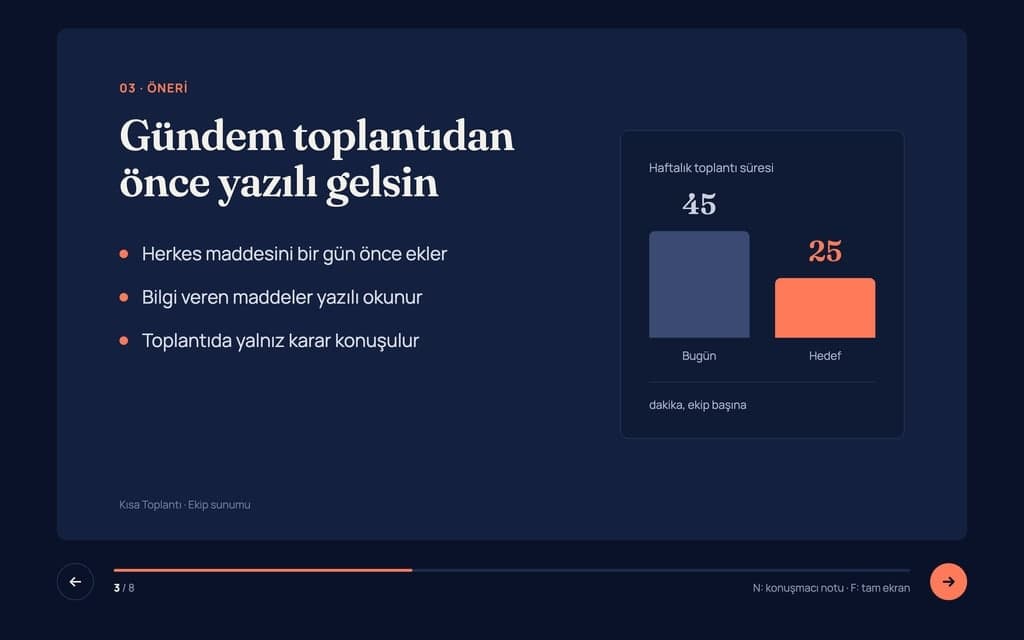
Build a 8-slide web presentation about cutting the weekly meeting time of remote teams for an internal team meeting. Format: a one-page Next.js site; every slide fills…
Give Builder a topic and it drafts the outline and slide text, then builds a web presentation you run in the browser and share by link. No .pptx file.
Entro
Here is the corrected text:
Everyone needs to be at the meeting on time, please. Last week's presentation had a lot of gaps; let's not make the same mistakes again. Send me your slides by Friday or put them in the shared folder.
What was changed:
1. "Everyone need" to "Everyone needs": "Everyone" is a singular indefinite pronoun and takes a singular verb.
2. Added a comma before "please": Set off the polite tag at the end of the sentence.
3. "Last weeks" to "Last week's": Added an…
Fix the spelling, punctuation and grammar in this text without changing the meaning, then list what you changed: Everyone need to be at the meeting on time please. Last…
Paste your text or attach a Word or PDF file. Entro fixes grammar, rewrites, shortens and changes the tone, and you copy the result or download it as Word.
Entro
Plain English Explanation
You must pay your monthly rent in advance by the 5th day of every month. If you are even one day late on a single payment (paying on the 6th or later), the landlord has the legal right to demand the entire remaining rent for your full lease contract at once, immediately, rather than letting you continue to pay month by month.
Key Risks for the Tenant
1. Extreme Rent Acceleration
• The Risk: This is an aggressive "acceleration clause." If you have 10 months left on a lease and miss the…
Explain this lease clause in plain English and list the points that are risky for the tenant: 'The Tenant shall pay the rent in advance no later than the fifth day of…
Attach a PDF, Word, Excel or PowerPoint file. Entro summarizes it, answers questions from the text, pulls out dates and amounts and compares two documents.