Mobile App Ideas You Can Prototype in a Day
The best mobile app ideas move one small daily task onto the phone: ordering, booking, a list or a tracker. Below are 18 ideas for small businesses, personal use and learning. For each one you will see who it helps, where its data needs to live and whether a published template exists. The guide ends with a one-week test plan you can run with real users.

By: Yunus Emre Sak
- Published:
- 8 min read

Mobile app ideas at a glance
In short
- Start from a small task you or your customers repeat every day, then turn it into an app.
- Ideas whose data stays on the phone (lists, trackers, counters) are the easiest to build and need no extra account.
- Ordering, booking and reservation ideas need the data to reach the business, so you connect your own database account.
- Server push notifications, maps, card payments and in-app purchases are not built today; trim ideas that depend on them.
- 16 of the 18 ideas below have a published mobile template you can open on your phone with Expo Go for free.
The difficulty column answers one question: where does the app's data need to live? Easy means it stays on the phone. Medium means it has to reach the business or other users, so you connect your own database account. Hard means the core of the idea relies on something that is not built today, such as card payments or maps.
| Idea | Who it helps | Difficulty | Template |
|---|---|---|---|
| Stamp card and order ahead | Coffee shops, bakeries | Medium | Yes |
| Appointment requests | Hair and beauty salons | Medium | Yes |
| Appointments with calendar add | Dental clinics | Medium | Yes |
| Table reservations | Restaurants | Medium | Yes |
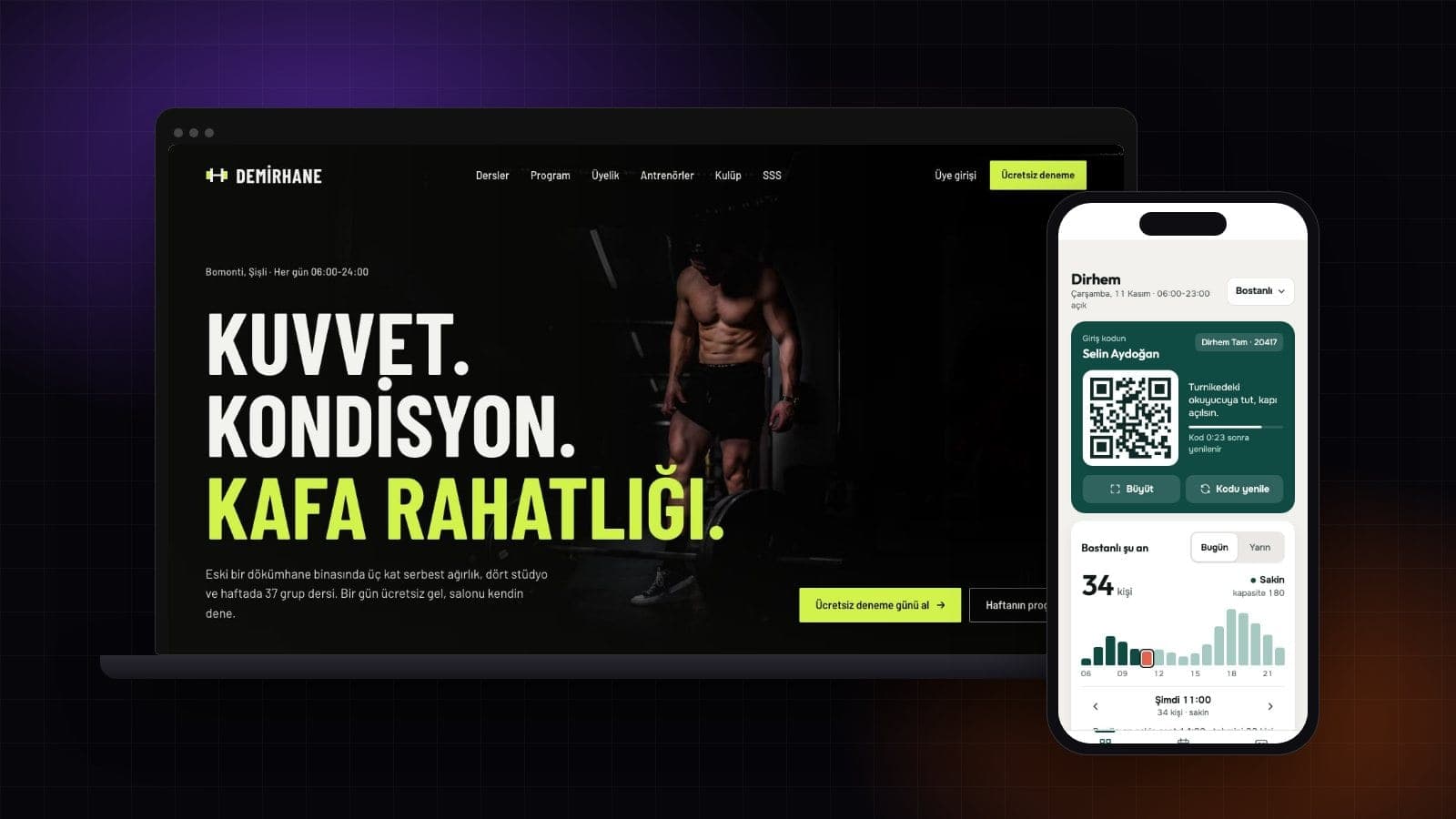
| Class schedule and passes | Gyms, studios | Medium | Yes |
| Wash booking | Car washes | Medium | Yes |
| Rental listings | Letting agents | Medium | Yes |
| To-do list and day plan | Anyone | Easy | Yes |
| Habit tracker | Anyone | Easy | Yes |
| Budget and expense tracker | Households, freelancers | Easy | Yes |
| Workout log | People who train | Easy | Yes |
| Recipe book | Home cooks | Easy | Yes |
| Trip planner | Travelers | Easy | Yes |
| Pet care log | Pet owners | Easy | Yes |
| Flashcards for a language | Learners | Easy | Yes |
| Exam countdown and study plan | Students | Easy | No |
| Quiz game | Teachers, clubs | Easy | No |
| Event tickets | Organizers | Hard (ticket sales) | Yes |
App ideas for small businesses
A business app earns its place when it lets customers do something without calling or texting you. Every idea in this group has the same catch: what the customer enters has to reach you.
Coffee shop: stamps and order ahead
Regulars stop carrying paper cards and order on the way in. First version: stamp card, menu, order status. Payment stays at the counter.
Salon: appointment requests
The customer picks a service and a free slot and leaves a request; you confirm it. First version: services, time picker, my bookings.
Clinic: bookings and calendar
Patients see their appointment and add it to the phone calendar with one tap, one of the phone features you can use today.
Gym: classes and passes
Members see the weekly timetable, remaining classes and pass expiry, and reserve a spot.
Restaurant: table reservations
Party size, date and time go straight to the restaurant, which cuts phone calls on busy nights.
Letting agent: rental listings
Listings filtered by area and price, photos and an "ask about this home" form. The agency keeps listings current.
The Coffee Shop Ordering App template already shows the coffee idea on its first screen: an eight-slot stamp card plus "order ahead" and "scan at the counter" buttons. The Salon Booking App template has a service list, a bookings tab and a time picker.


Personal app ideas you can build first
Personal apps are the best place to start. Only the user sees the data, storing it on the phone is enough, and you can use the app yourself for a week before showing it to anyone. To-do lists, habit trackers, budget trackers, workout logs, recipe books, trip planners and pet care logs all fit this pattern. A trip planner even works offline, because nothing has to be fetched.


For learning apps, the question is who writes the content. If you put the flashcards or quiz questions inside the app, the data stays on the phone and the idea is easy. If a teacher needs to see a student's progress from another phone, the data has to live somewhere shared.
Which app ideas work without a database?
A mobile app you build in Entrobase keeps its data on the phone unless you connect a database. For sign-in, shared data or requests that reach a business, you connect your own database account from the app's Database section and the tables are created in your account.
Available today
- Taking a photo or picking one from the gallery
- Location, vibration and adding to the calendar
- Storing data on the phone
- Sign-in and shared data with your own database account
Not built yet
- Push notifications sent from a server
- Maps
- In-app purchases
- Cart and card payments
You can also ask Entro to suggest ideas. We asked it for five coffee shop app ideas and where each one's data should live (20 November 2026). It put the stamp card on the customer's phone, with a fair warning:
Only on the customer's phone (local storage is enough for a basic version; [...] is only needed if you want fraud-proof barista verification).
That warning matters. A stamp count kept only on the customer's phone is one the shop cannot check, so a real loyalty card needs the shop side too. The same answer suggested a map screen for a daily specials app; maps are not built today, so a plain address line would replace it. Whatever ideas you get, ask of every screen: where does this information come from?
I have an app idea. What should I do next?
- Write the problem in one sentence: who does what, and how do they do it now?
- Cut the first version to four screens at most, each with a single job.
- List what you will leave out. That list matters as much as the screen list.
- Have five real users try it for a week. Pick people who actually do the task.
- Spend five minutes with each one afterwards: where did they get stuck, what did they never touch, what did they look for?
If a template is close to your idea, start there. Open the mobile templates, scan the demo's QR code with Expo Go (free, no account needed), and turn the template into your own app on Pro or a higher plan. Changes happen in the chat, and Restore this version undoes anything you do not like. The Expo Go guide covers scanning in detail. For an idea without a template, describe it with its screens in the AI mobile app builder.
Turn an idea into a first version:
Conclusion: pick one idea and test it for a week
Pick the idea closest to your own day. If its data stays on the phone, you can build it today and use it tonight. If it is a business idea, test a four-screen version with five customers, answer their requests by hand, and decide what is missing after that.
Frequently asked questions
I have an app idea. What should I do?
Shrink it to a one-sentence problem, limit the first version to four screens and write down what you will leave out. Then have five people who actually do that task use it for a week and talk to each of them briefly. Starting from a mobile template close to your idea saves time.
What are some simple mobile app ideas?
The simplest ideas keep their data on the phone: a to-do list, habit tracker, budget tracker, workout log, recipe book, trip planner, pet care log, flashcards or a quiz game. None of them need sign-in or a database account.
Which app ideas make money?
No idea makes money by itself; people using it do. For a business owner, the return usually shows up as time: fewer phone calls, fewer missed appointments, more repeat customers. If the plan is to sell tickets or products in the app, keep in mind that card payments are not built today.
Can I sell an app idea?
Anyone thinking of buying an idea wants to see that it works. A working test version with a few real users gives you something concrete to talk about. You can ask for a confidentiality agreement before sharing the idea; check the details with a lawyer where you live.
Sources
- 6769 sayılı Sınai Mülkiyet Kanunu, md. 82 (mevzuat.gov.tr)Checked on November 20, 2026
Founder of Entrobase
Yunus Emre Sak is the founder of Entrobase. He has been building websites and software for businesses since 2018 and writes here about what he has built and tested with Entrobase.