Attach a PNG screenshot of a dashboard, a message thread or an app screen to the chat. Entro reads the text, tables and numbers on screen and drafts a presentation outline from them; you take PowerPoint (.pptx) from the Download menu. The screenshot is not pasted onto a slide as a picture; its content arrives as text and tables.
Read the content of the attached screenshots and draft a 6-slide presentation outline for the weekly team meeting. The screenshots are this week's screens from our sales dashboard. Take the numbers exactly as shown; flag any value you can't read or that looks cut off, and do not guess. If you see a table, make it a table slide. At the end of each slide, say which screenshot it came from by its order (1st, 2nd and so on); I will add the image there later. Do not treat menu and button labels as content. Write in English.
Blue parts are the places to fill in with your own details. Tab selects the next one, Enter sends, Shift and Enter starts a new line.
Text, numbers and tables on screen arrive as slide text
On-screen text reads cleanly
Text in a screenshot is sharp, so it is read with fewer mistakes than a photo. Entro picks up panel titles, numbers, messages and list rows; you can ask it to leave out menu and button labels.
Entro
Weekly Sales Performance Update
Executive Summary
• Weekly revenue reached $18,430, marking an increase from $17,190 last week
• Strong operational throughput with 412 total orders processed
• Solid customer purchasing size reflected in a $44.70 average basket
• Low return volume with only 9 items returned across the period
Core Sales Metrics
Metric · Current Week · Previous Week · Status
Revenue · $18,430 · $17,190 · Up week-over-week
Total Orders · 412 · Not specified · Steady volume
Average Basket ·…
Draft a 4-slide presentation outline from these values read off a screenshot of our sales dashboard and collect the numbers on a table slide: Revenue this week $18,430…
Entro
A table in the image becomes a real table
A table that is only a picture in your screenshot becomes a table slide with editable cells in the downloaded file. Compare a few rows with the image in case a column has shifted.
Entro
Marketing Performance Dashboard Overview
Overall Traffic & Engagement
• Total visitors recorded: 12,480
• Overall bounce rate: 54%
• Most visited page across all sessions: Pricing
Traffic Acquisition Channels
• Organic and paid search: 6,910 visitors
• Direct visits: 3,430 visitors
• Social media referrals: 2,140 visitors
Channel Distribution & Top Destination
• Search channel share: 6,910 of 12,480 total visitors
• Direct and social combined share: 5,570 visitors
• Primary visitor destination: Pricing page
Draft a 3-slide presentation outline for a marketing meeting from these numbers read off an analytics dashboard screenshot: Visitors 12,480. From search 6,910, from…
Entro
The image is not placed on a slide
The downloaded deck does not include the screenshot, and it has no images, animations or brand theme. Have Entro write which screenshot each slide came from, and you can place the images on the right slides yourself once you open the file.
Entro
Trade Show Decisions & Next Steps
Slide 1: Event Schedule & Booth Selection
• Event confirmed for October 3
• Final booth dimensions set to 12x10
• Size selected to fit complete product display line
• Operational footprint approved by team
Slide 2: Marketing Materials & Collateral
• Trade show brochures assigned to Carl
• Print deadline targeted for September 25
• Production window provides one-week buffer before event
• Asset delivery verified ahead of travel
Slide 3: Logistics & Upcoming Actions
• Shipping vendor selection…
Draft a 3-slide decisions presentation outline from these messages read off a screenshot of a team chat: Alice: Let's set the trade show for October 3. Ben: A 12x10…
Entro
Crop and redact before you attach
In a full-screen capture of a wide monitor the text gets small; crop to the area you will talk about and the reading improves. Split page captures that run a long way down into a few pieces. A message takes up to 5 images at up to 4 MB each. If the screenshot shows things you would rather keep private, such as a customer name, an email address or an account number, cover them first: whatever is in the image goes to Entro.
Entro
Customer Feedback Analysis and Action Plan
Slide 1: Customer Sentiment Overview
• Feedback covers two distinct areas: strong product perception and post-purchase operational friction
• Product quality and physical packaging receive clear positive validation
• Logistics and customer support account for the majority of complaints
• Operational gaps are currently overshadowing a strong core product experience
Slide 2: Feedback Grouped by Core Themes
• Product Experience (Positive): "The product looks like the photo." "The packaging was…
Group these comments read off screenshots of customer messages into themes and draft a 4-slide presentation outline, ending on recommendations: 'Delivery was late.'…
Entro
When the screen itself has to be seen
For decks where the screen must be visible, such as software training or a product walkthrough, there are two routes. On this page you have the content and steps written, open the .pptx and put the screenshots on the slides yourself. Or you hand the outline to Builder: images can be attached to the Builder chat, so your screenshots appear in the deck, which plays in the browser and is shared by link. That route produces no PowerPoint file.
Entro
Getting Started: New User Setup Guide
Slide 1: Create Your Account
• Navigate to the welcome screen and click Create account
• Enter your work email address and choose a secure password
• Accept the terms of service to proceed
• (Screenshot goes here)
Slide 2: Verify Your Email
• Check your inbox for the six-digit verification code
• Enter the code into the verification fields on screen
• Request a new code if it does not arrive within two minutes
• (Screenshot goes here)
Slide 3: Set Up Your Organization
• Enter your official…
Draft a 5-slide training presentation outline for new users from these steps read off screenshots of the setup screens, with a 'screenshot goes here' note at the end of…
Entro
For teams that bring what's on screen into a meeting
Attach a screenshot of your analytics dashboard and ask for a short status deck from this week's numbers. Values with no label on a chart can't be read, so tell Entro to leave the guessing out.
Attach the setup screens of a program in order. Entro writes a step-by-step walkthrough from the button and field names on screen. You put the image for each step on the slide afterwards.
From screenshots of a long message thread, put who said what and what was agreed onto slides. Cover other people's names and numbers before attaching.
Attach the error screens a customer sent and have the problems grouped by type for a support meeting. Compare a few images to confirm the error codes were copied character for character.
Turn the screenshots you took during a live class into your own revision deck. The slide text arrives editable, so you can add your own notes on top.
Entro
Support Ticket Error Analysis
Slide 1: Overview of Reported Errors
• Total of 34 support tickets reviewed across three main error categories
• Payment failures represent the largest share of reported customer friction
• Session and upload limits account for the remaining operational issues
• Primary objective: prioritize fixes to reduce checkout drop-offs
Slide 2: Ticket Distribution by Error Type
Category · Error Message · Ticket Count · Share
Payment · Payment failed: card declined · 14 · 41%
Authentication…
Group these messages read off error screens in our support tickets by type and draft a 3-slide presentation outline, with the ticket counts on a table slide: 'Payment…
Entro
Entro
Weekly Sales Performance Update
Executive Summary
• Weekly revenue reached $18,430, marking an increase from $17,190 last week
• Strong operational throughput with 412 total orders processed
• Solid customer purchasing size reflected in a $44.70 average basket
• Low return volume with only 9 items returned across the period
Core Sales Metrics
Metric · Current Week · Previous Week · Status
Revenue · $18,430 · $17,190 · Up week-over-week
Total Orders · 412 · Not specified · Steady volume
Average Basket ·…
Draft a 4-slide presentation outline from these values read off a screenshot of our sales dashboard and collect the numbers on a table slide: Revenue this week $18,430…
Entro
Entro
Marketing Performance Dashboard Overview
Overall Traffic & Engagement
• Total visitors recorded: 12,480
• Overall bounce rate: 54%
• Most visited page across all sessions: Pricing
Traffic Acquisition Channels
• Organic and paid search: 6,910 visitors
• Direct visits: 3,430 visitors
• Social media referrals: 2,140 visitors
Channel Distribution & Top Destination
• Search channel share: 6,910 of 12,480 total visitors
• Direct and social combined share: 5,570 visitors
• Primary visitor destination: Pricing page
Draft a 3-slide presentation outline for a marketing meeting from these numbers read off an analytics dashboard screenshot: Visitors 12,480. From search 6,910, from…
Entro
Entro
Trade Show Decisions & Next Steps
Slide 1: Event Schedule & Booth Selection
• Event confirmed for October 3
• Final booth dimensions set to 12x10
• Size selected to fit complete product display line
• Operational footprint approved by team
Slide 2: Marketing Materials & Collateral
• Trade show brochures assigned to Carl
• Print deadline targeted for September 25
• Production window provides one-week buffer before event
• Asset delivery verified ahead of travel
Slide 3: Logistics & Upcoming Actions
• Shipping vendor selection…
Draft a 3-slide decisions presentation outline from these messages read off a screenshot of a team chat: Alice: Let's set the trade show for October 3. Ben: A 12x10…
Entro
Entro
Customer Feedback Analysis and Action Plan
Slide 1: Customer Sentiment Overview
• Feedback covers two distinct areas: strong product perception and post-purchase operational friction
• Product quality and physical packaging receive clear positive validation
• Logistics and customer support account for the majority of complaints
• Operational gaps are currently overshadowing a strong core product experience
Slide 2: Feedback Grouped by Core Themes
• Product Experience (Positive): "The product looks like the photo." "The packaging was…
Group these comments read off screenshots of customer messages into themes and draft a 4-slide presentation outline, ending on recommendations: 'Delivery was late.'…
Entro
Slide outlines Entro has drafted from screenshots
Entro's answer
Weekly Sales Performance Update
Executive Summary
• Weekly revenue reached $18,430, marking an increase from $17,190 last week
• Strong operational throughput with 412 total orders processed
• Solid customer purchasing size reflected in a $44.70 average basket
• Low return volume with only 9 items returned across the period
Core Sales Metrics
Metric · Current Week · Previous Week · Status
Revenue · $18,430 · $17,190 · Up week-over-week
Total Orders · 412 · Not specified · Steady volume
Average Basket ·…
Draft a 4-slide presentation outline from these values read off a screenshot of our sales dashboard and collect the numbers on a table slide: Revenue this week $18,430 (last week $17,190). Orders 412. Average basket $44.70. Returns 9. Best seller: bamboo towel set. Out of stock: 3 products.
Entro's answer
Marketing Performance Dashboard Overview
Overall Traffic & Engagement
• Total visitors recorded: 12,480
• Overall bounce rate: 54%
• Most visited page across all sessions: Pricing
Traffic Acquisition Channels
• Organic and paid search: 6,910 visitors
• Direct visits: 3,430 visitors
• Social media referrals: 2,140 visitors
Channel Distribution & Top Destination
• Search channel share: 6,910 of 12,480 total visitors
• Direct and social combined share: 5,570 visitors
• Primary visitor destination: Pricing page
Draft a 3-slide presentation outline for a marketing meeting from these numbers read off an analytics dashboard screenshot: Visitors 12,480. From search 6,910, from social 2,140, direct 3,430. Bounce rate 54 percent. Most viewed page: pricing. Do not add reasons, just present the numbers.
Entro's answer
Trade Show Decisions & Next Steps
Slide 1: Event Schedule & Booth Selection
• Event confirmed for October 3
• Final booth dimensions set to 12x10
• Size selected to fit complete product display line
• Operational footprint approved by team
Slide 2: Marketing Materials & Collateral
• Trade show brochures assigned to Carl
• Print deadline targeted for September 25
• Production window provides one-week buffer before event
• Asset delivery verified ahead of travel
Slide 3: Logistics & Upcoming Actions
• Shipping vendor selection…
Draft a 3-slide decisions presentation outline from these messages read off a screenshot of a team chat: Alice: Let's set the trade show for October 3. Ben: A 12x10 booth fits the products. Alice: Fine, 12x10. Carl: I'll get the brochures printed, ready by September 25. Ben: I have two shipping quotes and will share them tomorrow.
Entro's answer
Customer Feedback Analysis and Action Plan
Slide 1: Customer Sentiment Overview
• Feedback covers two distinct areas: strong product perception and post-purchase operational friction
• Product quality and physical packaging receive clear positive validation
• Logistics and customer support account for the majority of complaints
• Operational gaps are currently overshadowing a strong core product experience
Slide 2: Feedback Grouped by Core Themes
• Product Experience (Positive): "The product looks like the photo." "The packaging was…
Group these comments read off screenshots of customer messages into themes and draft a 4-slide presentation outline, ending on recommendations: 'Delivery was late.' 'The packaging was very careful.' 'The return form is hard to find.' 'The product looks like the photo.' 'The support line never picked up.' 'The tracking link was broken.'
Entro's answer
Getting Started: New User Setup Guide
Slide 1: Create Your Account
• Navigate to the welcome screen and click Create account
• Enter your work email address and choose a secure password
• Accept the terms of service to proceed
• (Screenshot goes here)
Slide 2: Verify Your Email
• Check your inbox for the six-digit verification code
• Enter the code into the verification fields on screen
• Request a new code if it does not arrive within two minutes
• (Screenshot goes here)
Slide 3: Set Up Your Organization
• Enter your official…
Draft a 5-slide training presentation outline for new users from these steps read off screenshots of the setup screens, with a 'screenshot goes here' note at the end of each slide: 1. Press Create account. 2. Enter the code sent to your email. 3. Choose your company name and industry. 4. Invite your teammates. 5. Open your first project.
Entro's answer
Support Ticket Error Analysis
Slide 1: Overview of Reported Errors
• Total of 34 support tickets reviewed across three main error categories
• Payment failures represent the largest share of reported customer friction
• Session and upload limits account for the remaining operational issues
• Primary objective: prioritize fixes to reduce checkout drop-offs
Slide 2: Ticket Distribution by Error Type
Category · Error Message · Ticket Count · Share
Payment · Payment failed: card declined · 14 · 41%
Authentication…
Group these messages read off error screens in our support tickets by type and draft a 3-slide presentation outline, with the ticket counts on a table slide: 'Payment failed: card declined' (14 tickets). 'Session expired' (9 tickets). 'File too large' (6 tickets). 'Payment failed: verification timed out' (5 tickets).
How to convert a PNG screenshot to a PowerPoint presentation
1
Crop the screenshots and attach them
Edit the highlighted parts of the request above and send it. In the Entro chat that opens, attach your PNG files in the order you will present them, with private details already covered. Without an account you sign up first, and your request is kept.
2
Compare the numbers with the screen
Entro writes the outline in the chat. Compare numbers, table cells and flagged values with the screenshot. Give the right digit where one was misread and the outline is corrected.
3
Download and put the images back
Pick PowerPoint (.pptx) in the Download menu. Open the file in PowerPoint or Keynote and add each screenshot to the slide the outline names.
Entro
Getting Started: New User Setup Guide
Slide 1: Create Your Account
• Navigate to the welcome screen and click Create account
• Enter your work email address and choose a secure password
• Accept the terms of service to proceed
• (Screenshot goes here)
Slide 2: Verify Your Email
• Check your inbox for the six-digit verification code
• Enter the code into the verification fields on screen
• Request a new code if it does not arrive within two minutes
• (Screenshot goes here)
Slide 3: Set Up Your Organization
• Enter your official…
Draft a 5-slide training presentation outline for new users from these steps read off screenshots of the setup screens, with a 'screenshot goes here' note at the end of…
Entro
Frequently asked questions
Why is this page separate from JPG to PPT?
On both, Entro reads the text in an image and turns it into a presentation outline, but the source differs. The JPG page is about phone photos of whiteboards, notebooks and paper: light, tilt, handwriting. This page is about screenshots: dashboard numbers, tables, app screens, cropping and details to hide.
Will my PNG image appear on the slide?
No. Entro reads the content of the image and writes it as slide titles, bullets and tables; the downloaded PowerPoint file contains no images. If you want to show the screen as well, open the file in PowerPoint or Keynote and add the image to the right slide. Having the outline name the source screenshot for each slide makes that easy.
Can I edit the text inside an image on the slide?
Yes, and that is the main benefit of this page. Text that is only a picture in your screenshot arrives on the slide as real text, so you can change a word, delete a bullet or add a row to a table. A letter or digit may have been misread along the way, so compare the numbers with the image.
Can it pull the numbers out of a chart in a screenshot?
It reads numbers written on the chart, axis labels and legends. A value that is not written out can't be worked out exactly from the height of a bar or the position of a line; Entro would be guessing and can be wrong. Add "leave out any value with no label" to the request. No charts are drawn in the deck; to show the chart, place the image on the slide yourself.
Can it make a deck from logo, icon or drawing PNGs?
Images with no text in them give no slide text. Entro can describe what is in an image, but it cannot place a logo or a drawing on a slide. For a designed deck that includes your logo and product images, have Builder build a web presentation, or add the images yourself to the .pptx you download.
How many screenshots can I attach at once?
A message takes up to 5 images at up to 4 MB each. If you have more screens, attach the rest in the next message and ask Entro to add them to the deck. At the end, have all the slides written again in a single answer; the Download menu sits under each answer separately, so that is how the deck ends up in one file.
Are screenshots with small text or very long captures readable?
The smaller the text, the more mistakes. Crop to the area you will talk about and attach that in place of a full capture of a large screen. Split very long captures taken by scrolling a whole page into pieces. With low-resolution, compressed or re-saved images, check the digits separately.
What happens to private details in my screenshots?
Screenshots are sent to Entro along with your message so they can be read, and what is read becomes part of your conversation. If the screen shows a customer name, an email address, a phone number, an account number or a password, crop or cover that area before attaching. Before you download, check that nothing unwanted made it onto the slides.
Does it work on the free plan?
Yes. The chat works on the Free plan too; having images read and outlines written counts toward your plan's AI usage limits, which differ by plan. If you want an animated deck that is shared by link, hand the outline to Builder; that route builds a web presentation and produces no .pptx.
More AI tools
Entro
Launch Preparation & Event Plan
Project Status & Key Decisions
• Launch date confirmed for June 12
• Exhibition space secured with a 10x10 booth setup
• Print collateral approved for 500 brochures
• Video production partner selected: Dana
Pending Decisions & Open Issues
• Budget approval remains pending
• Press list is incomplete and needs review
• Greeter assignment unconfirmed: who greets guests at the booth?
Action Items & Ownership
• Finalize and submit budget for formal sign-off
• Complete the press outreach contact…
Draft a 4-slide presentation outline from these scattered notes read off a photo of our meeting whiteboard, separating decisions from action items: launch June 12 /…
Attach a photo of a whiteboard, handwritten notes or a scanned page. Entro reads the text and drafts a deck you download as .pptx. No photo goes on the slides.
Entro
Mobile App Project Status Update
Executive Summary
• Payment flow implementation is complete
• Push notifications are delayed by two weeks due to late design approval
• Overall budget remains fully on track with no overruns
• Final app store submission target remains the end of the month
Feature Progress and Status
• Payment screen developed, integrated, and verified
• Core checkout workflows ready for end-to-end testing
• Push notification system delayed by two weeks
• Design sign-off now resolved, unblocking notification…
Draft a 5-slide presentation outline from these notes, with a title and 3-5 short bullets per slide: The payment screen of the mobile app is done. Notifications are two…
Paste your text and Entro drafts a deck with slide titles and short bullets. Download it as PowerPoint (.pptx): one plain theme, no images or animations.
Entro
Q3 Executive Summary
1. Executive Overview
• Revenue grew 12% compared to the previous quarter
• Successfully onboarded 46 new customers
• Operations faced logistical hurdles, shifting timelines by 30 days
• Key leadership decision required regarding fulfillment capacity
2. Commercial Performance & Growth
• Top-line revenue up 12% quarter over quarter
• Customer acquisition delivered 46 new enterprise and mid-market accounts
• Healthy pipeline indicates sustained demand heading into next quarter
3. Operational…
Draft a 5-slide presentation outline for management from this quarterly report summary (result, findings, risk, open decisions): Revenue rose 12 percent on the previous…
Attach a report, proposal or article and Entro drafts a deck you download as PowerPoint (.pptx). Reads PDF, Word, Excel and text files; design is not kept.
Entro
October Sales by Region
Region · Orders · Revenue
North · 412 · $124,000
South · 187 · $56,050
Midwest · 96 · $30,120
Total · 695 · $210,170
You can download this table directly as a Word document or CSV using the download options below.
Turn these lines read from a screenshot of a report screen into a Word table, put the heading 'October Sales by Region' above it and add a total row below: Region…
Attach a PNG screenshot. Entro reads the text and tables in it and lays them out as a Word document you download as .docx. The image itself is left out.
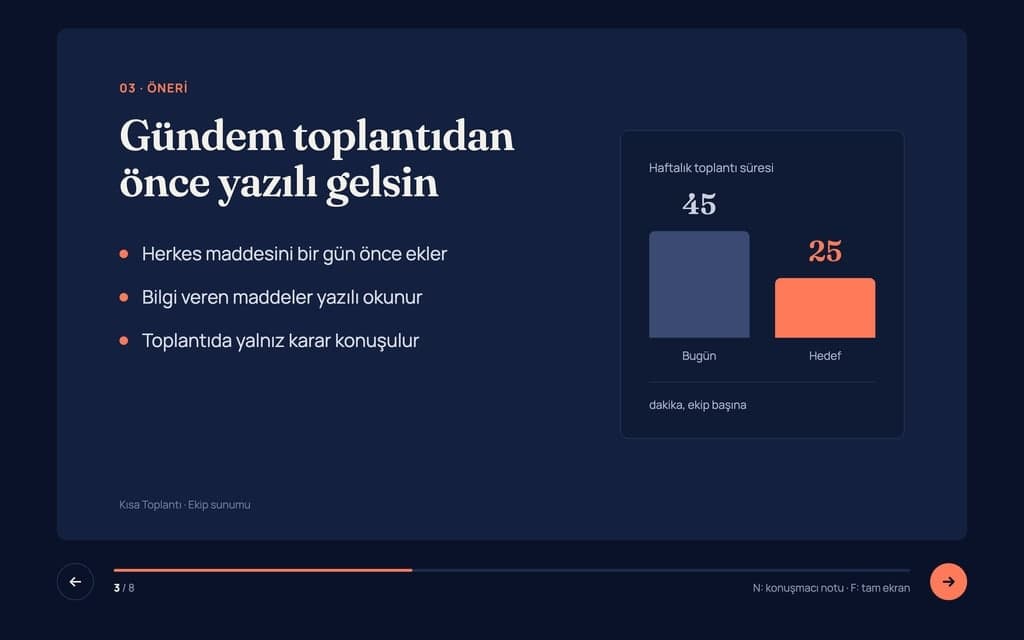
Build a 8-slide web presentation about cutting the weekly meeting time of remote teams for an internal team meeting. Format: a one-page Next.js site; every slide fills…
Give Builder a topic and it drafts the outline and slide text, then builds a web presentation you run in the browser and share by link. No .pptx file.
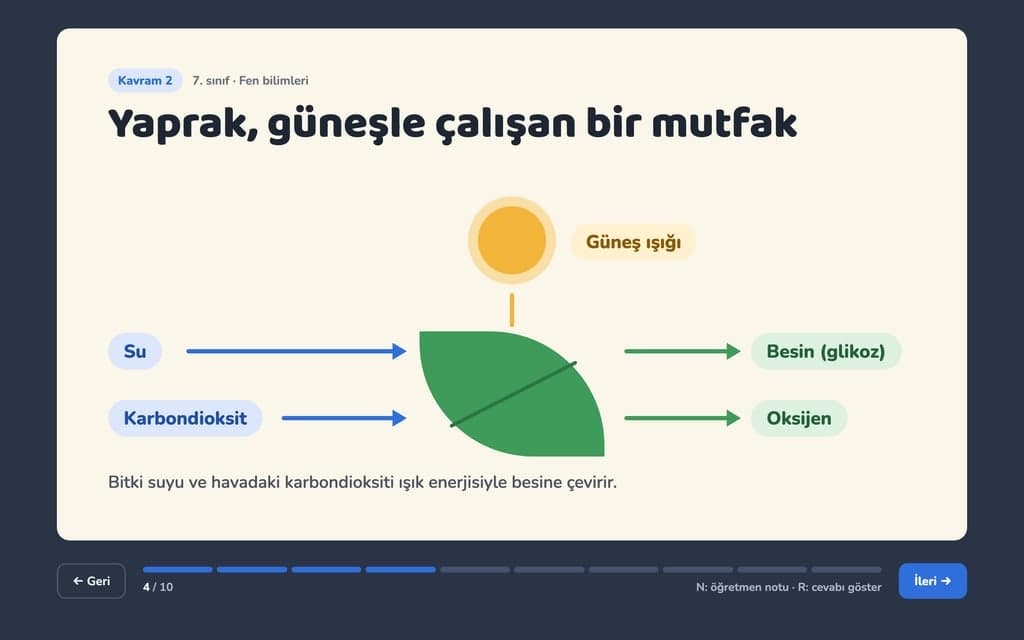
Build a 10-slide interactive lesson presentation that teaches "Photosynthesis: how plants make their food" to 7th grade students. Format: a one-page Next.js site…