Attach a JPG photo of a whiteboard, a page of notes or a printed sheet to the chat. Entro reads the writing in the photo and turns it into a presentation outline; you take PowerPoint (.pptx) from the Download menu. The photo itself is not placed on a slide: what goes on the slide is an organized version of the text in the image.
Read the writing in the attached photos and draft an 8-slide presentation outline. The photos show what we wrote on the whiteboard in our meeting, in the order I attached them. Group the scattered notes by topic and give each slide a short title and 3-6 short bullets. Do not guess a word you can't read; write (unreadable) in its place and list those spots at the end. Keep ideas joined by arrows on the same slide. The audience is teammates who missed the meeting and the language is English.
Blue parts are the places to fill in with your own details. Tab selects the next one, Enter sends, Shift and Enter starts a new line.
Entro turns printed text and legible handwriting in a photo into text. It gathers scattered notes by topic and writes a slide title for each group with short bullets underneath.
Entro
Launch Preparation & Event Plan
Project Status & Key Decisions
• Launch date confirmed for June 12
• Exhibition space secured with a 10x10 booth setup
• Print collateral approved for 500 brochures
• Video production partner selected: Dana
Pending Decisions & Open Issues
• Budget approval remains pending
• Press list is incomplete and needs review
• Greeter assignment unconfirmed: who greets guests at the booth?
Action Items & Ownership
• Finalize and submit budget for formal sign-off
• Complete the press outreach contact…
Draft a 4-slide presentation outline from these scattered notes read off a photo of our meeting whiteboard, separating decisions from action items: launch June 12 /…
Entro
The photo is not placed on a slide
The downloaded deck contains no images; the slide holds the text read from the photo. There is one plain theme, a white background with legible type. If you want to show the photo as well, add it to the slide yourself in the program you open the file with.
Entro
Here is a grouping of your ideas into three clear themes, organized as a presentation outline.
Coffee Shop Sales & Retention Ideas
Customer Loyalty & Retention
• Reward frequent visits through a digital or physical loyalty card
• Offer a monthly coffee subscription for predictable recurring revenue
• Delight regular customers with a personalized birthday treat
Price Promotions & Targeted Menus
• Introduce an affordable student menu to attract local campus traffic
• Launch a weekday discount…
Group these ideas read from a photo of sticky notes on a wall into themes and draft a presentation outline with one slide per theme: loyalty card, weekday discount…
Entro
Unreadable spots get flagged
Handwriting, glare and a tilted shot all cause mistakes. Ask Entro to flag any word it is unsure of and leave the guessing out. You fill in the flagged spots by looking at the photo.
Entro
Cell Membrane Transport: Revision Outline
Slide 1: The Cell Membrane
• Acts as a barrier controlling cellular entry and exit
• Defined as selectively permeable: allows only specific substances to pass
• Fundamental mechanism for preserving cellular homeostasis
• Serves as the foundation for both passive and active transport
Slide 2: Diffusion
• Movement of particles along a concentration gradient (high to low)
• Natural, spontaneous process requiring no cellular energy
• Relies on the inherent kinetic energy of molecules
• Common…
Draft a 5-slide revision presentation outline from this text read off a photo of handwritten lecture notes and list the spots marked (unreadable) at the end: The cell…
Entro
How to take a photo that reads well
Shoot the writing straight on, from close up and without glare; if the whole board can't be read in one frame, take it in sections. A message takes up to 5 images at up to 4 MB each. When a phone photo is over that limit, cropping to the area with the writing is usually enough. With more than five pages, send the first five and, once the outline arrives, attach the rest and say "these continue it, add them to the deck".
Entro
Effective Sales Follow-Up Playbook
1. The First Discovery Meeting
• Keep pricing off the table during the initial conversation
• Focus entirely on understanding the customer's core problem
• Take detailed notes on pain points, constraints, and goals
• Set expectations for the next step before ending the call
2. Preparing and Sending the Quote
• Turn meeting notes directly into a tailored proposal
• Deliver the quote within 48 hours while momentum is high
• Highlight the problem solved rather than just a list of costs
• Confirm…
Draft a 4-slide presentation outline for my team from these points read off a photo of notes I took by hand at a seminar: don't talk price in the first customer…
Entro
If you want to show the photos themselves
This page turns what a photo says into a deck. If your goal is to show the photos one after another, there are two routes. Open the .pptx you downloaded and place the photos on the slides yourself. Or give your photos to Builder and have it build a slideshow page that plays in the browser; that route produces no PowerPoint file. For a designed web presentation, see the AI presentation maker page.
Entro
Building Meeting Decisions Summary
Meeting Overview & Quorum
• Annual building residents meeting held with broad participation
• A quorum was reached with 14 apartments in attendance
• Three major operational and financial agenda items addressed
• Clear action plan established for spring maintenance and budgeting
Key Decisions & Next Steps
Topic · Decision · Details / Owner · Effective Date
Exterior Painting · Building facade renewal approved · Complete repainting of exterior · April
Vendor Selection · Tender…
Draft a 3-slide presentation outline from this text read off scanned meeting minutes and put the decisions on a table slide: Decision 1: The building's exterior will be…
Entro
For notes that only exist as a photo on your phone
Take a picture of the board when the meeting ends. Entro separates decisions, open questions and action items, and you get a short deck to send to the people who missed it.
Attach photos of your notebook pages and ask for revision slides. Formulas and proper names may come out wrong, so fix the flagged spots from the notebook.
Photograph the sticky notes on the wall. Entro gathers similar ideas under one heading and writes a slide for each theme.
Photograph a brochure, a set of minutes or a book page you only have on paper and get a deck out of its content. When you present someone else's text, put the source on the slide.
Pages a scanner saves as JPG are flat and sharp, so they read well. Attach a multi-page document five pages at a time and ask for all the slides in a single answer at the end.
Entro
Weekend Robotics Workshop for Kids
Program Overview
• Hands-on STEM learning designed specifically for ages 9 to 12
• 8-week comprehensive course structure
• Sessions held every Saturday from 10:00 AM to 12:00 PM
• Inspiring young minds through active engineering and creativity
Hands-On Experience
• Every child builds and programs their own robot from scratch
• All necessary hardware, sensors, and materials are fully included
• No hidden fees or extra supplies required
• Students take their completed creation home at the end…
Draft a 4-slide presentation outline for parents from this text read off a photo of a printed course brochure: Weekend robotics workshop. Ages 9-12. Saturdays 10 am to…
Entro
Entro
Launch Preparation & Event Plan
Project Status & Key Decisions
• Launch date confirmed for June 12
• Exhibition space secured with a 10x10 booth setup
• Print collateral approved for 500 brochures
• Video production partner selected: Dana
Pending Decisions & Open Issues
• Budget approval remains pending
• Press list is incomplete and needs review
• Greeter assignment unconfirmed: who greets guests at the booth?
Action Items & Ownership
• Finalize and submit budget for formal sign-off
• Complete the press outreach contact…
Draft a 4-slide presentation outline from these scattered notes read off a photo of our meeting whiteboard, separating decisions from action items: launch June 12 /…
Entro
Entro
Here is a grouping of your ideas into three clear themes, organized as a presentation outline.
Coffee Shop Sales & Retention Ideas
Customer Loyalty & Retention
• Reward frequent visits through a digital or physical loyalty card
• Offer a monthly coffee subscription for predictable recurring revenue
• Delight regular customers with a personalized birthday treat
Price Promotions & Targeted Menus
• Introduce an affordable student menu to attract local campus traffic
• Launch a weekday discount…
Group these ideas read from a photo of sticky notes on a wall into themes and draft a presentation outline with one slide per theme: loyalty card, weekday discount…
Entro
Entro
Cell Membrane Transport: Revision Outline
Slide 1: The Cell Membrane
• Acts as a barrier controlling cellular entry and exit
• Defined as selectively permeable: allows only specific substances to pass
• Fundamental mechanism for preserving cellular homeostasis
• Serves as the foundation for both passive and active transport
Slide 2: Diffusion
• Movement of particles along a concentration gradient (high to low)
• Natural, spontaneous process requiring no cellular energy
• Relies on the inherent kinetic energy of molecules
• Common…
Draft a 5-slide revision presentation outline from this text read off a photo of handwritten lecture notes and list the spots marked (unreadable) at the end: The cell…
Entro
Entro
Effective Sales Follow-Up Playbook
1. The First Discovery Meeting
• Keep pricing off the table during the initial conversation
• Focus entirely on understanding the customer's core problem
• Take detailed notes on pain points, constraints, and goals
• Set expectations for the next step before ending the call
2. Preparing and Sending the Quote
• Turn meeting notes directly into a tailored proposal
• Deliver the quote within 48 hours while momentum is high
• Highlight the problem solved rather than just a list of costs
• Confirm…
Draft a 4-slide presentation outline for my team from these points read off a photo of notes I took by hand at a seminar: don't talk price in the first customer…
Entro
Slide outlines Entro has drafted from text in photos
Entro's answer
Launch Preparation & Event Plan
Project Status & Key Decisions
• Launch date confirmed for June 12
• Exhibition space secured with a 10x10 booth setup
• Print collateral approved for 500 brochures
• Video production partner selected: Dana
Pending Decisions & Open Issues
• Budget approval remains pending
• Press list is incomplete and needs review
• Greeter assignment unconfirmed: who greets guests at the booth?
Action Items & Ownership
• Finalize and submit budget for formal sign-off
• Complete the press outreach contact…
Draft a 4-slide presentation outline from these scattered notes read off a photo of our meeting whiteboard, separating decisions from action items: launch June 12 / video shoot with Dana / budget approval pending / press list incomplete / booth 10x10 / 500 brochures / who greets guests? / social media calendar Erin
Entro's answer
Here is a grouping of your ideas into three clear themes, organized as a presentation outline.
Coffee Shop Sales & Retention Ideas
Customer Loyalty & Retention
• Reward frequent visits through a digital or physical loyalty card
• Offer a monthly coffee subscription for predictable recurring revenue
• Delight regular customers with a personalized birthday treat
Price Promotions & Targeted Menus
• Introduce an affordable student menu to attract local campus traffic
• Launch a weekday discount…
Group these ideas read from a photo of sticky notes on a wall into themes and draft a presentation outline with one slide per theme: loyalty card, weekday discount, flyers in the neighborhood, birthday treat, online ordering, student menu, coffee subscription, lunch box
Entro's answer
Cell Membrane Transport: Revision Outline
Slide 1: The Cell Membrane
• Acts as a barrier controlling cellular entry and exit
• Defined as selectively permeable: allows only specific substances to pass
• Fundamental mechanism for preserving cellular homeostasis
• Serves as the foundation for both passive and active transport
Slide 2: Diffusion
• Movement of particles along a concentration gradient (high to low)
• Natural, spontaneous process requiring no cellular energy
• Relies on the inherent kinetic energy of molecules
• Common…
Draft a 5-slide revision presentation outline from this text read off a photo of handwritten lecture notes and list the spots marked (unreadable) at the end: The cell membrane is selectively permeable. Diffusion: high to low, no energy used. Osmosis: movement of water (unreadable). Active transport: low to high, uses ATP. Endocytosis and exocytosis for large molecules.
Entro's answer
Effective Sales Follow-Up Playbook
1. The First Discovery Meeting
• Keep pricing off the table during the initial conversation
• Focus entirely on understanding the customer's core problem
• Take detailed notes on pain points, constraints, and goals
• Set expectations for the next step before ending the call
2. Preparing and Sending the Quote
• Turn meeting notes directly into a tailored proposal
• Deliver the quote within 48 hours while momentum is high
• Highlight the problem solved rather than just a list of costs
• Confirm…
Draft a 4-slide presentation outline for my team from these points read off a photo of notes I took by hand at a seminar: don't talk price in the first customer meeting. listen to the problem first, take notes. send the quote within 48 hours. follow-up call on day 3. go back to a customer who said no after 6 months.
Entro's answer
Building Meeting Decisions Summary
Meeting Overview & Quorum
• Annual building residents meeting held with broad participation
• A quorum was reached with 14 apartments in attendance
• Three major operational and financial agenda items addressed
• Clear action plan established for spring maintenance and budgeting
Key Decisions & Next Steps
Topic · Decision · Details / Owner · Effective Date
Exterior Painting · Building facade renewal approved · Complete repainting of exterior · April
Vendor Selection · Tender…
Draft a 3-slide presentation outline from this text read off scanned meeting minutes and put the decisions on a table slide: Decision 1: The building's exterior will be painted in April. Decision 2: Quotes will be requested from three firms, owner: the manager. Decision 3: The monthly fee will be $150 from May. 14 apartments attended.
Entro's answer
Weekend Robotics Workshop for Kids
Program Overview
• Hands-on STEM learning designed specifically for ages 9 to 12
• 8-week comprehensive course structure
• Sessions held every Saturday from 10:00 AM to 12:00 PM
• Inspiring young minds through active engineering and creativity
Hands-On Experience
• Every child builds and programs their own robot from scratch
• All necessary hardware, sensors, and materials are fully included
• No hidden fees or extra supplies required
• Students take their completed creation home at the end…
Draft a 4-slide presentation outline for parents from this text read off a photo of a printed course brochure: Weekend robotics workshop. Ages 9-12. Saturdays 10 am to noon. Eight weeks. Every child builds their own robot. Materials included. Classes of 10 at most. Registration closes September 20.
How to convert a JPG photo to a PowerPoint presentation
1
Attach the photos
Edit the highlighted parts of the request above and send it. In the Entro chat that opens, attach your JPG photos in the order they should appear in the deck. Without an account you sign up first, and your request is kept.
2
Compare the text with the photo
Entro writes the outline in the chat. Check the flagged spots and the numbers against the photo and give the right word where one was misread. If you dislike the grouping, say how to split it.
3
Download it as PowerPoint
Pick PowerPoint (.pptx) in the Download menu. Open the file in PowerPoint or Keynote and, if you like, add the photos and your template there.
Entro
Building Meeting Decisions Summary
Meeting Overview & Quorum
• Annual building residents meeting held with broad participation
• A quorum was reached with 14 apartments in attendance
• Three major operational and financial agenda items addressed
• Clear action plan established for spring maintenance and budgeting
Key Decisions & Next Steps
Topic · Decision · Details / Owner · Effective Date
Exterior Painting · Building facade renewal approved · Complete repainting of exterior · April
Vendor Selection · Tender…
Draft a 3-slide presentation outline from this text read off scanned meeting minutes and put the decisions on a table slide: Decision 1: The building's exterior will be…
Entro
Frequently asked questions
Will my JPG photo appear on the slide?
No. Entro reads the writing in the photo and turns it into slide titles and bullets; the downloaded PowerPoint file contains no images. If you want to show the photo too, open the file in PowerPoint or Keynote and add it to the right slide yourself. This page is useful for photos that have writing in them.
Can it make a deck from my landscape or product photos?
Photos with no writing in them give no slide text. Entro can describe what it sees in a photo and suggest a title from that description, but it cannot put the photo on a slide. If you want to show photos in sequence, the slideshow page that Builder builds fits better; it plays in the browser and gives you no PowerPoint file.
Can it read handwriting?
It usually reads legible handwriting, but the error rate is higher than with print. Cursive, faint pen, abbreviations and formulas can be misread. Add "flag any word you are unsure of and do not guess" to the request and compare the outline with the photo. Always verify proper names and numbers yourself.
How many photos can I attach, and is there a size limit?
A message takes up to 5 images at up to 4 MB each. If you have more pages, attach the rest in the next message and ask Entro to add them to the deck. If a phone photo is over the limit, crop it to the area with the writing or save it at a smaller size.
Do arrows, diagrams and drawings on the board reach the slides?
Not as drawings. Entro puts into words what the arrows connect and the order in the diagram: steps can become numbered bullets and comparisons can become a table. For the diagram itself, you redraw it in your presentation program or crop that part of the photo and add it to the slide.
What if the photo was taken sideways or at an angle?
The photo is not placed on a slide, so nothing ends up sideways there; what matters is how accurately it is read. A slight tilt is usually fine. Upside-down, heavily skewed or glare-covered shots raise the error rate. Retaking the photo, or rotating it before attaching, is quicker than correcting misread words one at a time.
Where do my photos go?
Photos are sent to Entro along with your message so they can be read, and what is read becomes part of your conversation. If the frame shows something you'd rather keep private, such as an ID, an address or someone's face, crop that part out before attaching. Before you download, check that nothing unwanted made it onto the slides.
Can I get a designed or animated deck?
The downloaded file has no design and no animations. You move the outline into your own template in PowerPoint or Keynote. For a deck that opens in the browser, plays full screen and is shared by link, hand the outline to Builder; it builds a designed web presentation, and that route produces no .pptx.
Can I use it on the free plan?
Yes, the chat works on the Free plan too. Having photos read and outlines written counts toward your plan's AI usage limits, which differ by plan. With a big pile of pages, attaching the most important ones first and getting the skeleton of the deck in place makes your allowance go further.
More AI tools
Entro
Weekly Sales Performance Update
Executive Summary
• Weekly revenue reached $18,430, marking an increase from $17,190 last week
• Strong operational throughput with 412 total orders processed
• Solid customer purchasing size reflected in a $44.70 average basket
• Low return volume with only 9 items returned across the period
Core Sales Metrics
Metric · Current Week · Previous Week · Status
Revenue · $18,430 · $17,190 · Up week-over-week
Total Orders · 412 · Not specified · Steady volume
Average Basket ·…
Draft a 4-slide presentation outline from these values read off a screenshot of our sales dashboard and collect the numbers on a table slide: Revenue this week $18,430…
Attach a screenshot and Entro reads its text, tables and numbers, then drafts a deck you download as PowerPoint (.pptx). The image is not placed on slides.
Entro
Coffee Chain Market Overview and Strategic Outlook
Market Growth Over the Last Three Years
• The coffee chain market experienced consistent expansion over the three-year period.
• Consumer demand and total transaction volume increased across key territories.
• Market fundamentals remain resilient despite broader retail shifts.
• Source: Report Page 1
Key Growth Drivers
• Takeaway services accounted for a significant share of revenue gains.
• Subscription programs expanded customer lifetime value and retention.
• Shift in consumer routines…
Draft a 5-slide presentation outline from this report text copied out of a PDF and write the page number at the end of each slide: --- Page 1 --- The coffee chain…
Attach a PDF and Entro drafts a deck from its content. Download it as PowerPoint (.pptx) with editable text. Scanned PDFs can't be read; design isn't kept.
Entro
Q3 Executive Summary
1. Executive Overview
• Revenue grew 12% compared to the previous quarter
• Successfully onboarded 46 new customers
• Operations faced logistical hurdles, shifting timelines by 30 days
• Key leadership decision required regarding fulfillment capacity
2. Commercial Performance & Growth
• Top-line revenue up 12% quarter over quarter
• Customer acquisition delivered 46 new enterprise and mid-market accounts
• Healthy pipeline indicates sustained demand heading into next quarter
3. Operational…
Draft a 5-slide presentation outline for management from this quarterly report summary (result, findings, risk, open decisions): Revenue rose 12 percent on the previous…
Attach a report, proposal or article and Entro drafts a deck you download as PowerPoint (.pptx). Reads PDF, Word, Excel and text files; design is not kept.
Entro
Contract Agreement
CLAUSE 4: DELIVERY
The Seller shall deliver the goods to the Buyer's warehouse within 15 days of the order date.
CLAUSE 5: PAYMENT
Half of the price is due on order, the balance on delivery.
Note: This is a draft layout based on the text provided; ensure terms are reviewed prior to legal execution.
This raw text was read from a photo of a contract page. Lay it out as a Word document, keep the clause headings and join the words split at line ends: CLAUSE 4 -…
Attach a photo or scan of a paper document. Entro reads the writing and lays it out as a Word document you download as .docx. The photo itself is left out.
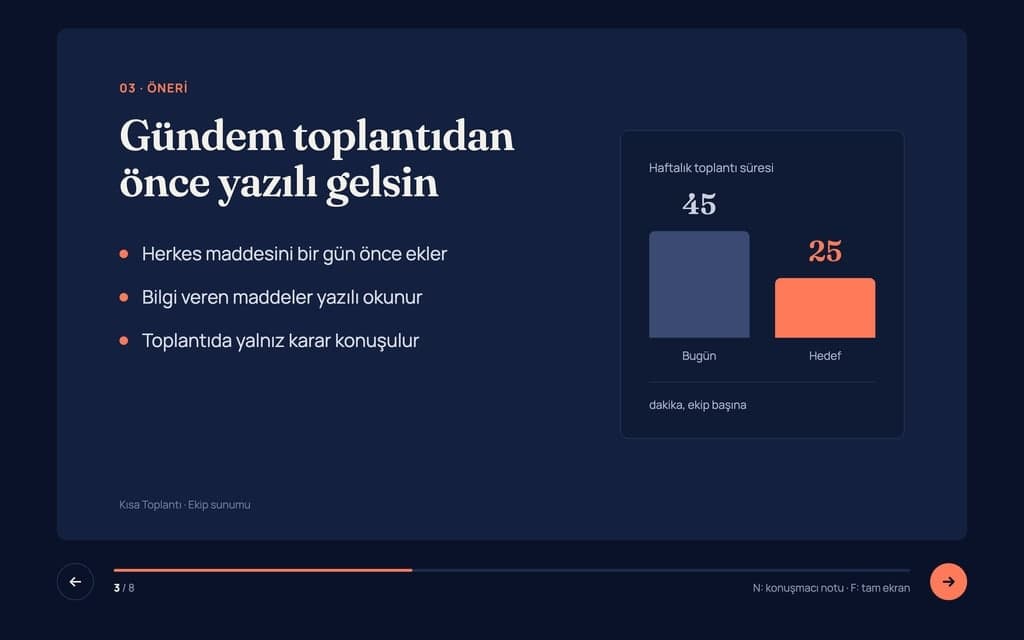
Build a 8-slide web presentation about cutting the weekly meeting time of remote teams for an internal team meeting. Format: a one-page Next.js site; every slide fills…
Give Builder a topic and it drafts the outline and slide text, then builds a web presentation you run in the browser and share by link. No .pptx file.
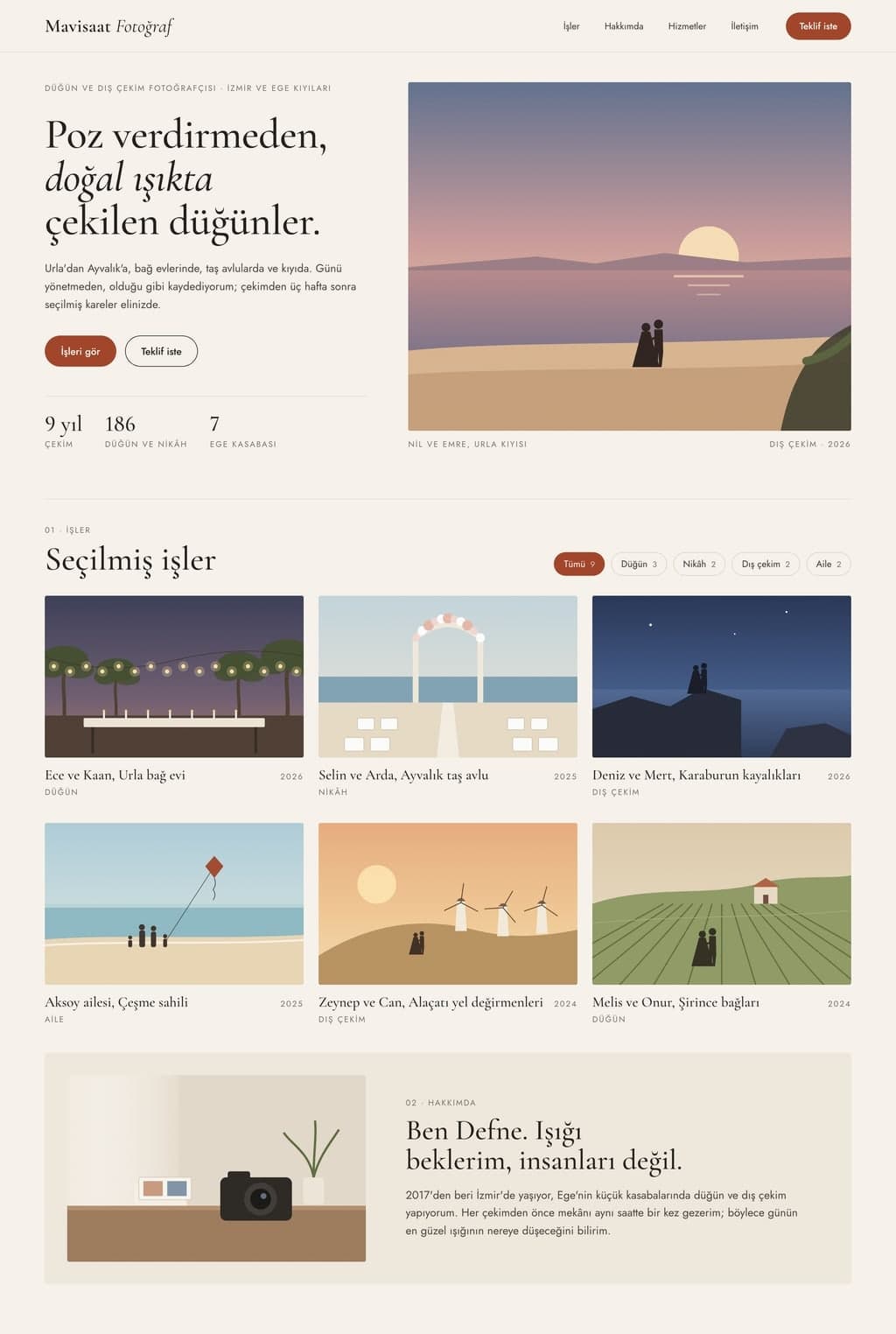
Build a personal portfolio website for Mavisaat Photography; visitors should see the work, understand how I work and ask for a quote. Who: wedding and outdoor…