


Start with this prompt
The prompt below is written for a cafe. For a restaurant, rename the tabs to match your menu (starters, grills, mains, desserts) and send it. You fix the name, address and prices in the chat once the site is built.
The site built from this prompt
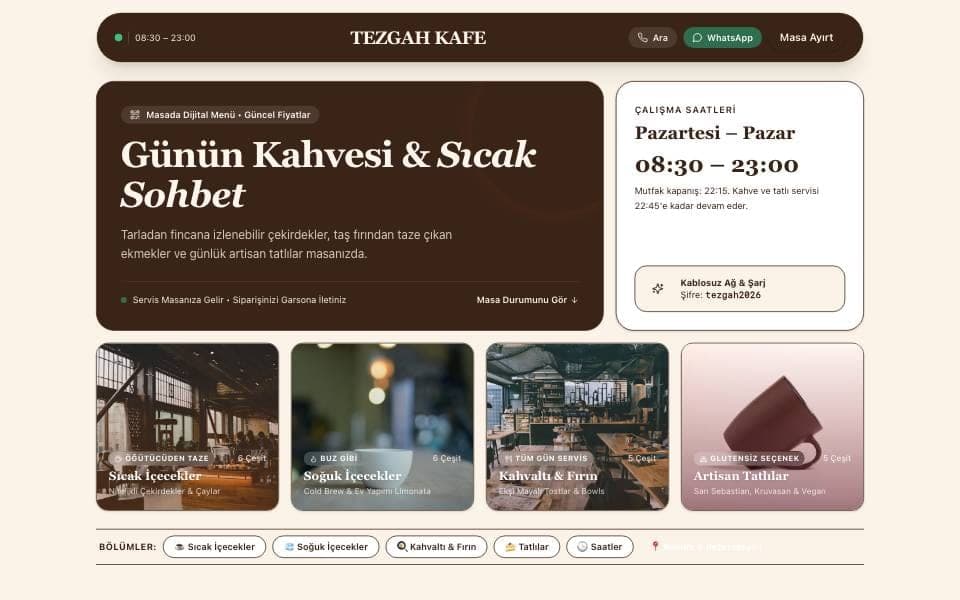
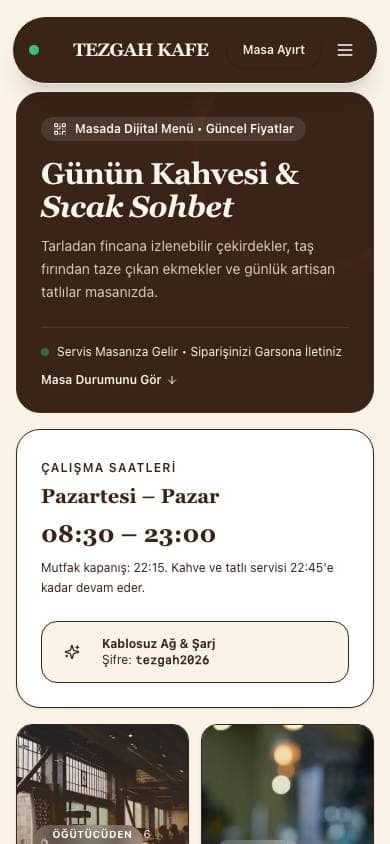
We sent the Turkish version of this prompt to Entrobase as is. The site below was built in one pass with no manual edits: four menu tabs, prices, vegan and gluten-free tags, an "Open now" label based on the time, call and WhatsApp buttons and a table booking form were all in the first version. The text is Turkish because the prompt was; the cafe name and items are sample data.
What goes on a QR menu website?
A tabbed menu that opens on the phone
Guests scan the code and the menu opens in the phone's browser, no app needed. Items sit in tabs with a name, a short description and a price.
Prices change, the code stays
Type "make the latte 4.50" in the Builder chat, check the preview and publish. The address stays the same, so the code on the table opens the new menu.
Call and WhatsApp buttons
One tap calls you or opens a WhatsApp chat with a ready message, handy for takeaway orders and questions.
A table booking request form
Guests send their name, phone and a note. Requests land on the Forms page of your panel and you get an email for each one.
You confirm the table
The form has no live availability calendar and no automatic confirmation. Guests write the day, time and party size, and you call or message them back to confirm.
No cart or checkout
The site has no cart or payment step. Guests send orders as a ready WhatsApp message or through the form; there is no order list, status tracking or payment screen.
QR menu, digital menu or PDF menu?
A QR code menu and a digital menu usually mean the same thing at the table: the menu that opens on a phone after scanning the code. Digital menu is the broader term and also covers screens above the counter and tablets. The real choice is between a PDF and a menu website:
| What matters | PDF menu | Menu website |
|---|---|---|
| Reading on a phone | The page shrinks; guests pinch and scroll | Text fits the phone and items sit in tabs |
| When a price changes | You redo the file and upload it again | Type the new price in the chat and publish; the address stays the same |
| Calling or messaging you | Tapping a number in the file often does nothing | Call and WhatsApp buttons work with one tap |
| Booking or order requests | None | Arrive by form or WhatsApp message |
A PDF shows your existing design exactly as it is, which is fine for a one-page menu that rarely changes. If prices move every month or you want guests to call and book from the menu, a website saves you work.
Cafe and restaurant templates
If you'd rather not start from a blank page, pick a template from the gallery and have your own menu written in. Copying a template is free and uses no credits; later edits count against your plan's usage.
Templates that work as a QR menu
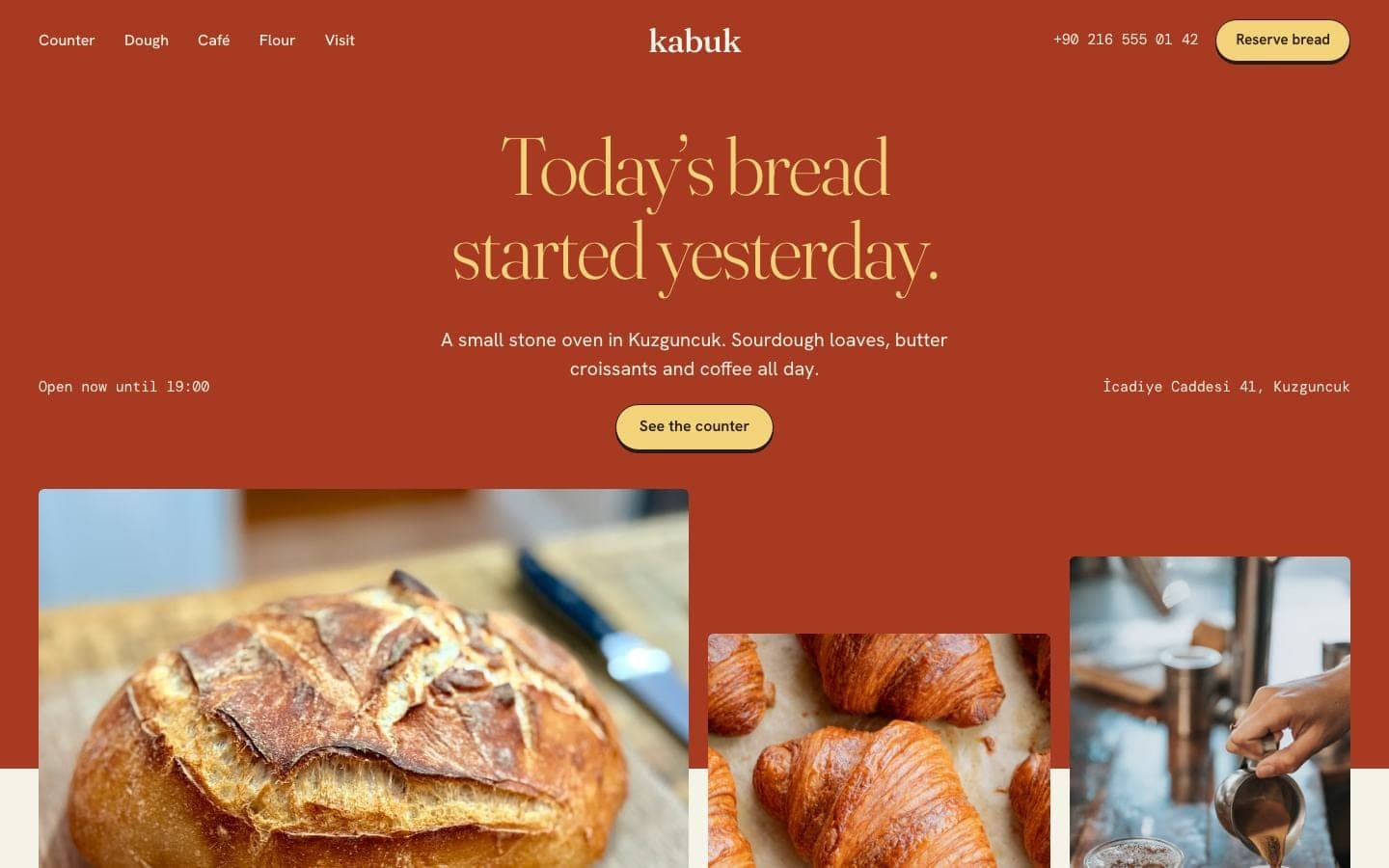
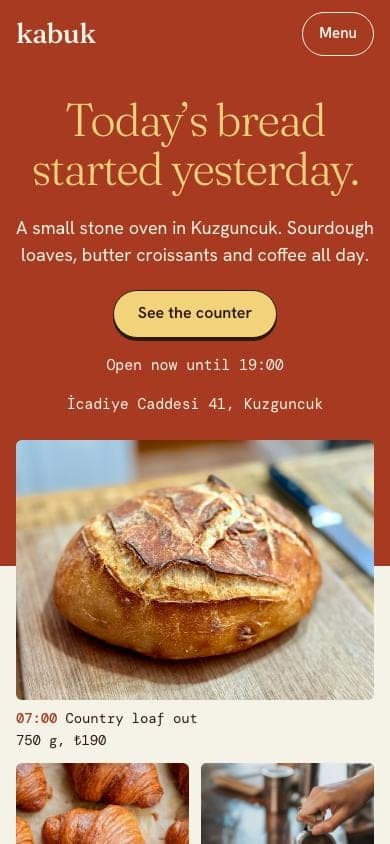
- Bakery Cafe Website: for small bakeries that also serve coffee. Daily breads are listed with their bake times, and items past their time show as sold out. The cafe section carries the menu and prices.
- Fine Dining Restaurant Website: for an evening restaurant with a tasting menu. Guests choose the tasting or vegetarian menu and the page totals the table, though the choice isn't saved anywhere. Ask the Builder to switch it to an à la carte menu.
How do you make a QR code menu in 3 steps?
- Send the prompt on this page or pick one of the templates above. Entrobase builds the site and opens it in the preview.
- Type your menu in the chat or paste it as text. The Builder puts in item names, descriptions and prices; scroll through the preview and check every price.
- Press Publish, copy the site address and paste it into a QR code generator. Print the code on a table card or a menu stand.
Printing the QR code
Entrobase doesn't generate QR codes. You make the code from your live site address with any free QR code generator.
- Make sure the code carries your own site address. Some QR services route the code through their own address, and if that subscription ends the code on the table may stop working.
- Before printing, scan the code with two or three different phones, sitting at a table like a guest would.
- Add a short line next to the code, such as "Scan for the menu", so first-time guests know what to do.
- You don't need a stand: table cards, stickers and coasters all work.
What does a QR menu website cost?
On Entrobase's Free plan you build the menu site and publish it on an entrobase.site address for $0, with no credit card. To connect your own domain, the lowest plan is Starter at $14 a month before tax, which includes 2 custom domains.
Put your menu online today
Keep your paper menu next to you, send the prompt and type in the items. Once the address you publish becomes a QR code, it's ready for the table.
Sources
- Entrobase fiyatları (Ücretsiz ₺0, Starter ₺690 / ay, KDV hariç)checked November 13, 2026
