Restaurant Website Templates: Live Designs and Restaurant Apps
Entrobase has two restaurant and cafe website templates in English and three restaurant app templates, all with a live demo. You pick one, Entrobase copies it into your project, and you turn it into your own place by typing your menu, prices and photos into the chat. Picking a template is free and costs no credits. Below is what each template is for, which sections it has and what actually works today.

By: Yunus Emre Sak
- Published:
- 10 min read
Which restaurant template fits your place?
In short
- Two restaurant and cafe website templates are in English, each a one-page site with a live demo.
- Website templates work on the Free plan; mobile app templates need Pro or higher.
- The table booking section in a template is a demo; you ask the Builder for a form to receive requests.
- There is no payment or online ordering on the site; orders come in as requests through a form or WhatsApp.
Choose by the kind of place you run, not by color. Colors and fonts change with one sentence, but a tasting-menu restaurant and a bakery need a different first screen. One lets guests build their meal; the other shows what came out of the oven this morning.

Restaurant and cafe website templates


Fine dining restaurant website
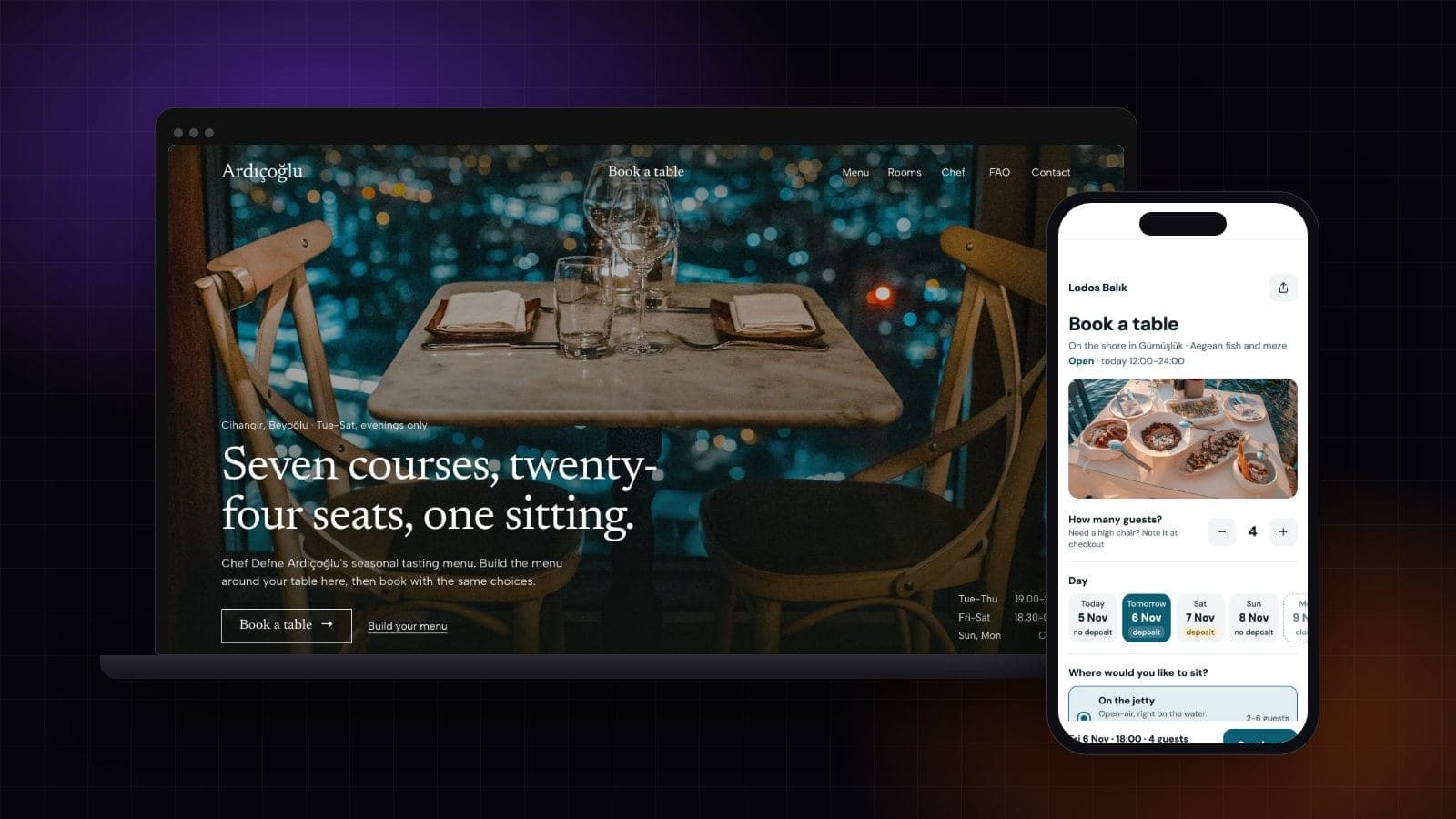
This template was built for a small restaurant that opens only in the evening and serves tasting menus. Guests build the menu around their table: they pick the tasting or plant-based menu, a wine pairing and any allergies, then see the swapped courses and the table total. The math runs in the browser and is not saved anywhere.
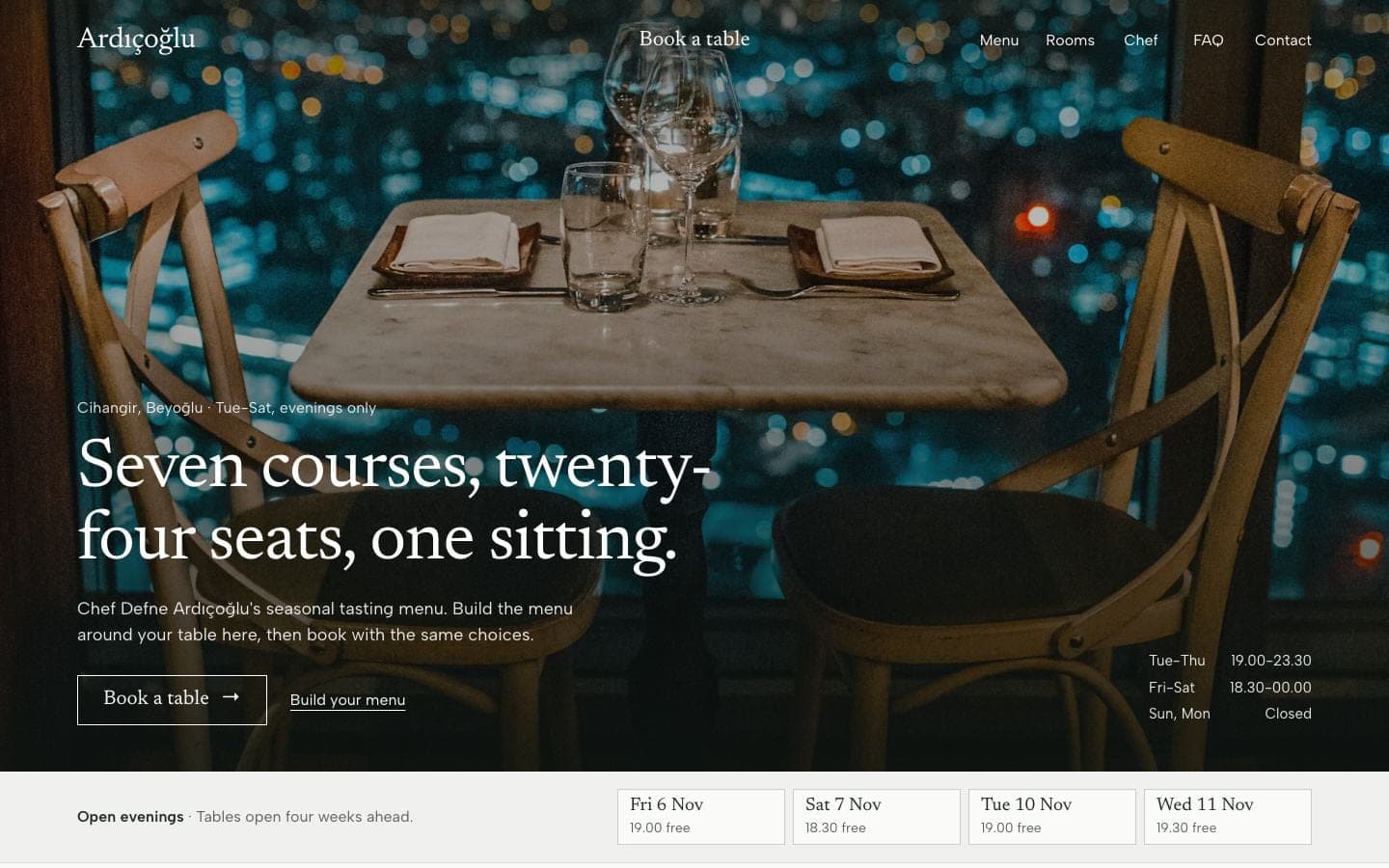
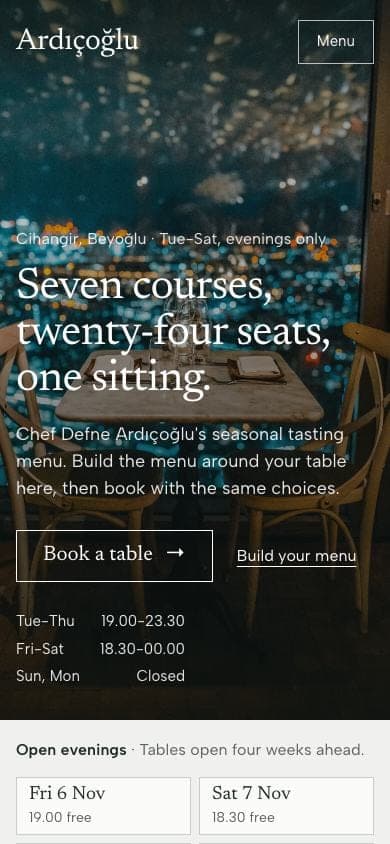
- Sections: menu (tasting and plant-based, wine pairing, allergy options), rooms, private room and chef's table, chef and team, FAQ, contact form.
- Good for: chef-led restaurants, bistros and wine bars, private dining venues.
- What you replace: course names and prices, room and chef photos, open days, cancellation rule, address.
Serving à la carte? Give the Builder your list and the tasting menu switch turns into your own menu. No private room? Have that section turned into a terrace or garden option, or remove it. Fine Dining Restaurant Website template · live demo
Bakery cafe website
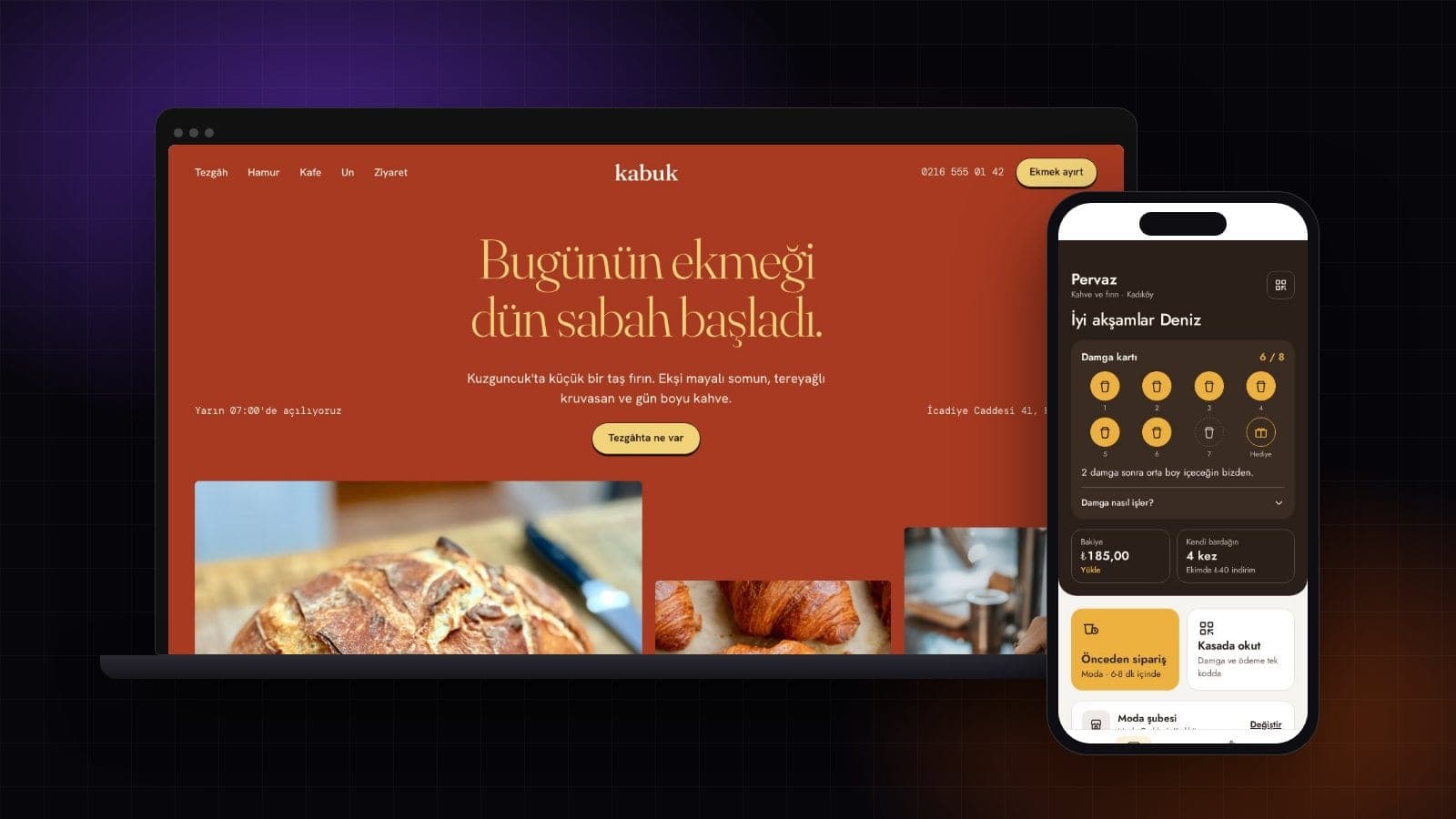
This template is a one-page site for a small sourdough bakery and cafe. Visitors see the loaf of the day and when each item leaves the oven, add what they want to a reservation slip and check the cafe menu. The page picks today on its own, marks items whose time has passed as out of the oven, and works out from the clock whether the shop is open.
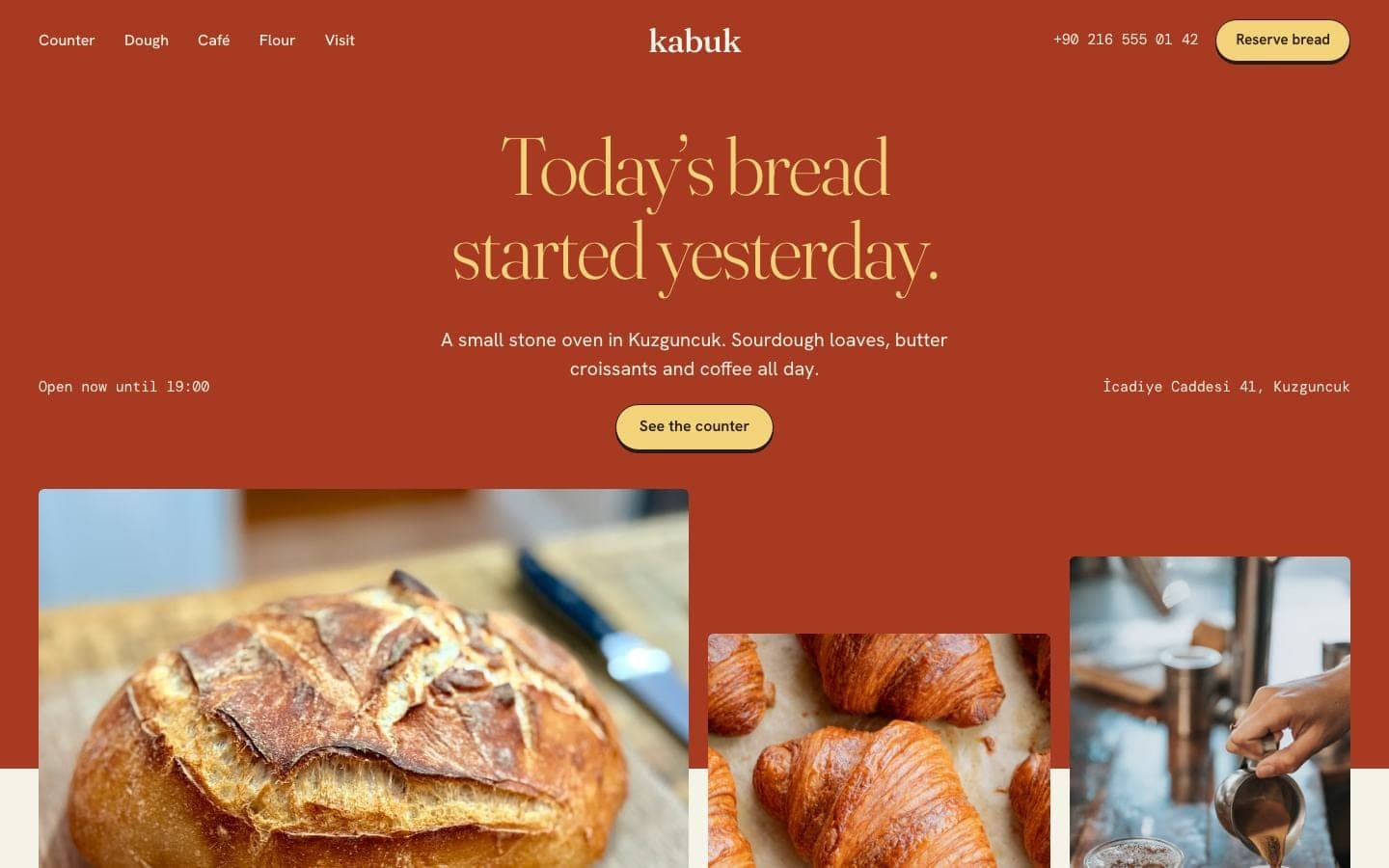
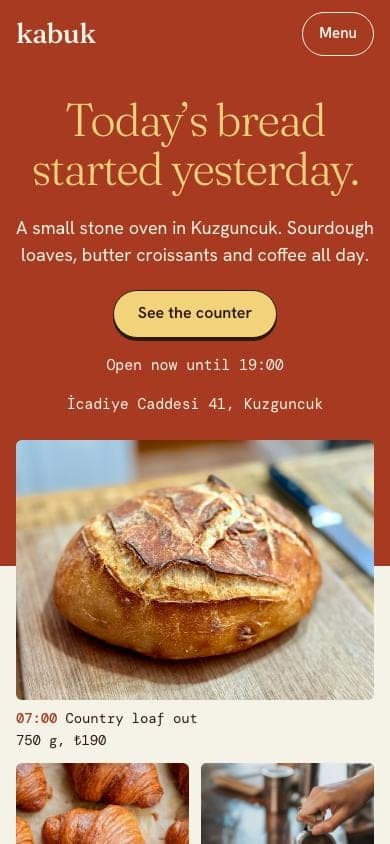
- Sections: the counter (today's bakes and their times), dough, cafe menu, flour and suppliers, a loaf on the hook, bulk orders, visit.
- Good for: neighborhood bakeries, patisseries that serve coffee, breakfast cafes, bakeries catering office breakfasts.
- Worth knowing: the slip takes no payment; to get slips in your inbox, ask the Builder to wire up the form.
Two more designs in the Turkish gallery
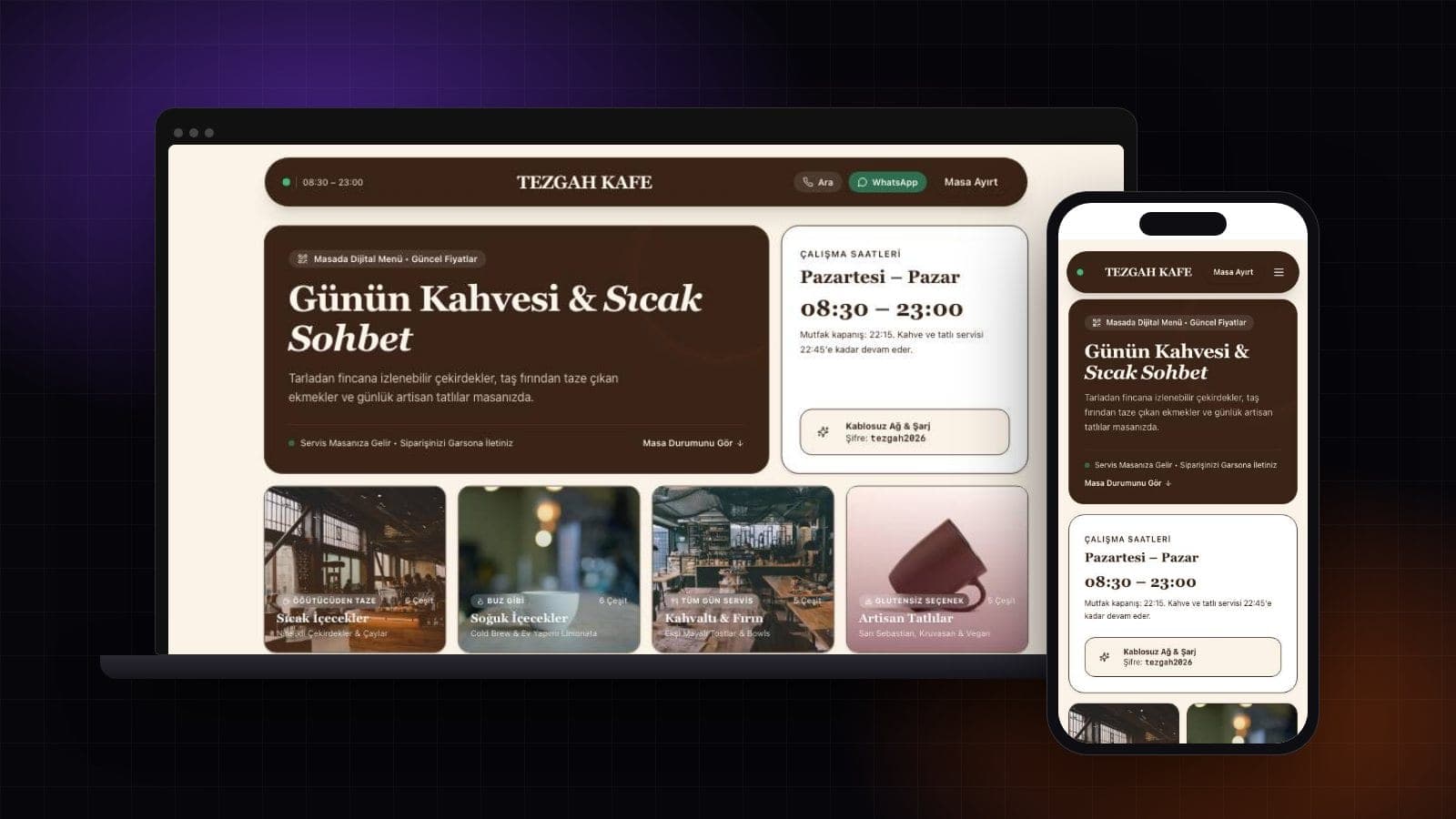
Two food templates are only in Turkish for now. The grill house restaurant website template is a dark design with a full-screen photo of the grill, a card for picking tonight's time and a four-tab menu with prices. The specialty coffee shop website template suits a coffee shop that roasts its own beans: this week's coffee, a shelf of bags compared by origin and tasting notes, a bar menu and two branches.
You can still use either one. Start the template, then type "translate the site to English" in the Builder: the text is translated and the design stays the same.
Restaurant app templates
If you also want an app that opens on your guests' phones, the gallery has three. Mobile apps are built on Pro and higher plans. Trying a template on your phone with Expo Go is free and needs no account.
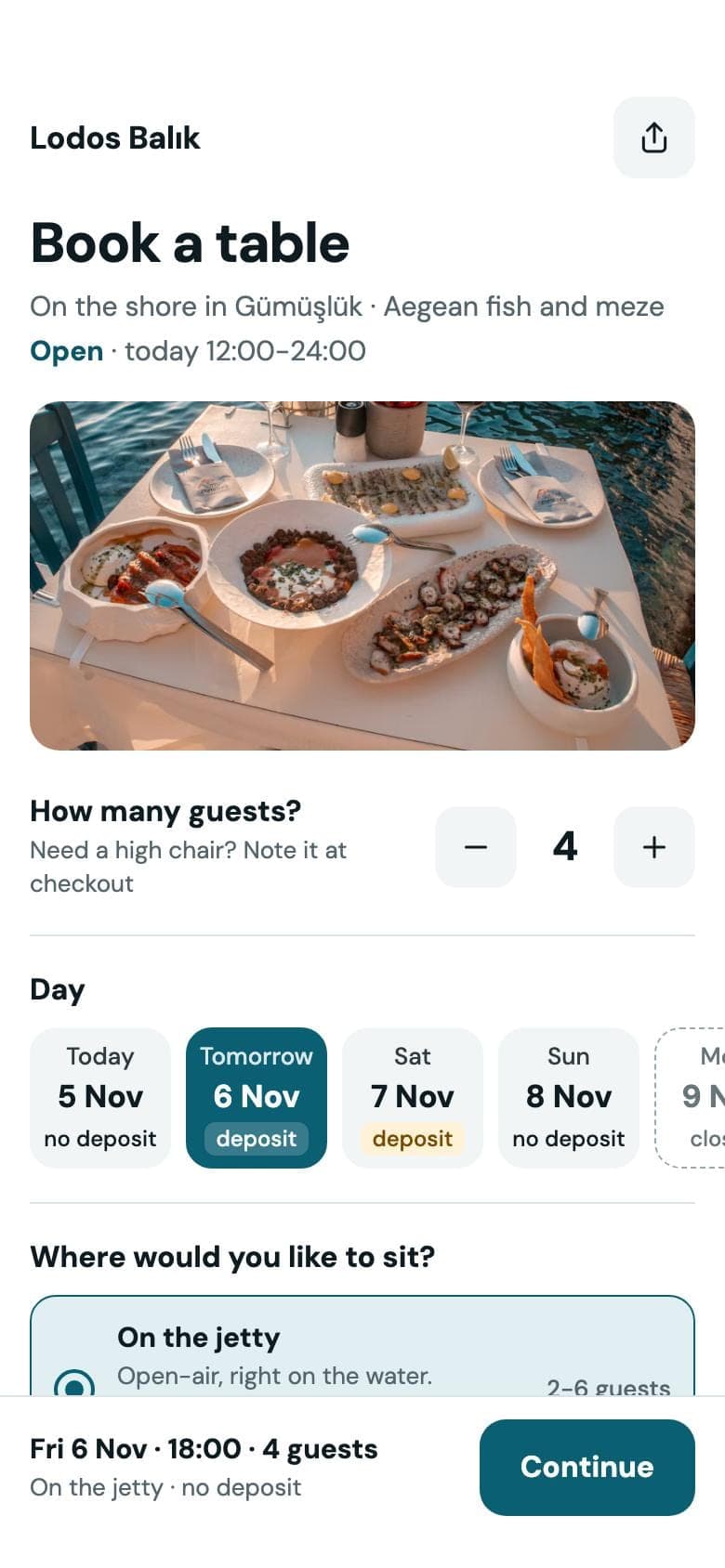
Restaurant reservation app: table booking
Guests pick party size, day, seating area and an open time, reserve their fish from today's counter by weight and cooking style, and see an estimated price. The confirmation screen shows the table on a shore plan and works out the deposit and cancellation deadline from the phone's date. The deposit is shown, not charged, and open times are sample data.
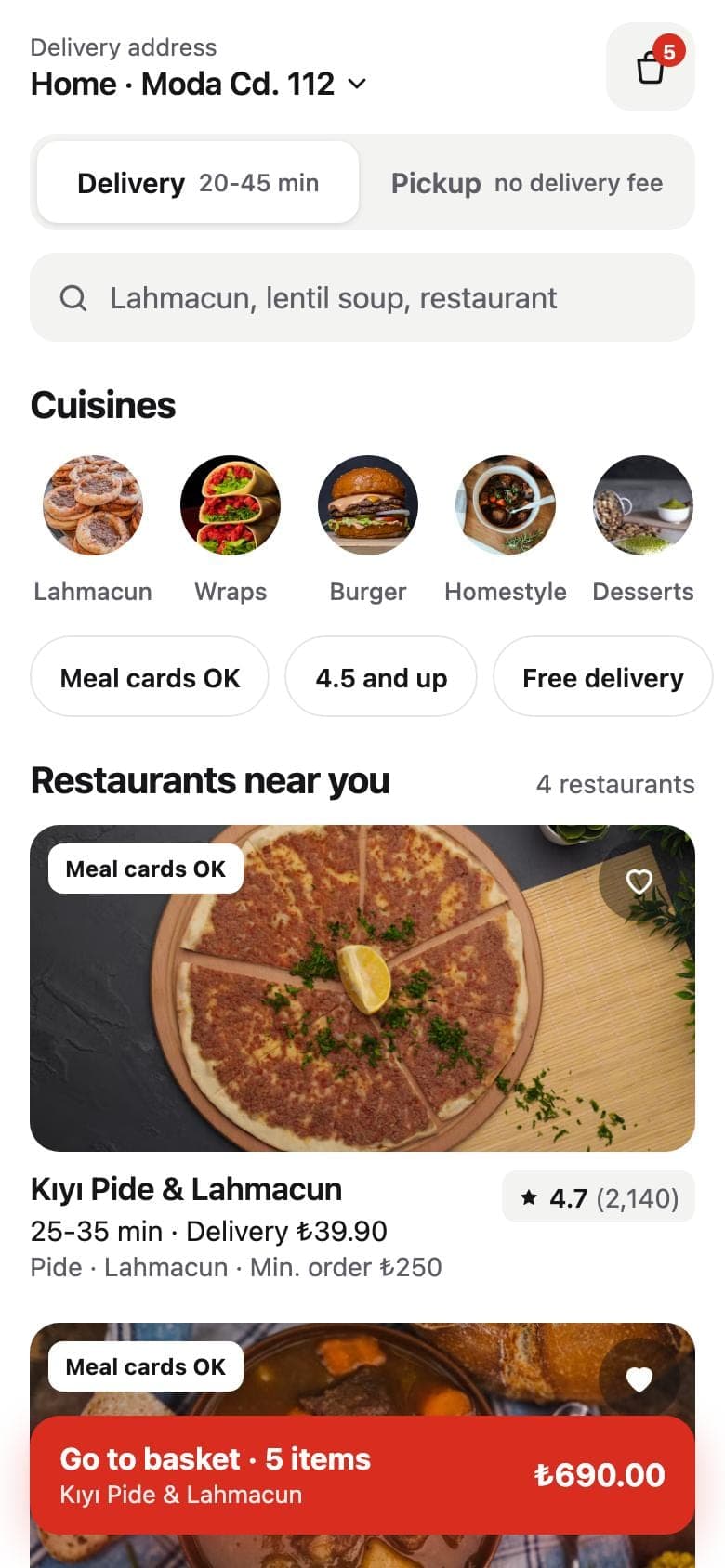
Food delivery app: delivery and pickup
Customers choose an address and a delivery method, filter restaurants by cuisine and time, and add dishes to the basket with spice level and extras. The basket stays on the phone even after the app closes. Running a single restaurant? Ask the Builder to drop the Discover screen so the app opens straight on your menu.
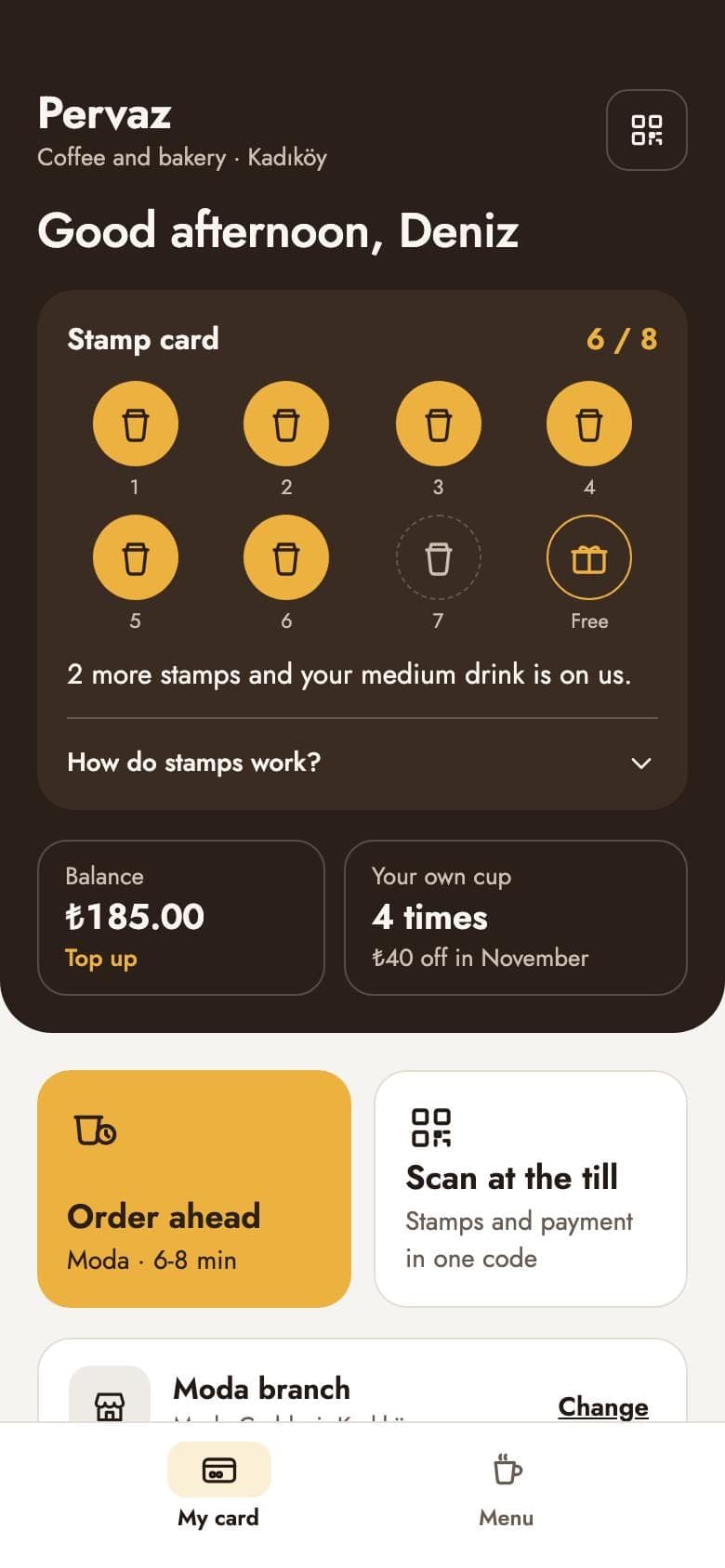
Coffee shop ordering app: stamp card and order ahead
On My card customers see their stamps and branch; on Menu they pick size, milk and extra shots and the price is worked out on the phone. On My order they see what the order adds to their stamp card and choose a pickup time. Stamps are counted on the customer's phone and the cafe does not verify them; the scan code is a sample image.
Where do app orders and bookings go?
In all three templates, orders, baskets and bookings stay on the customer's phone and do not reach the restaurant. The screens are ready. To get them to you, connect your own database account in the Builder, or have the order open as a ready-made WhatsApp message that the customer sends. The apps do not take payments.


What should a restaurant website include?
A restaurant website has to answer four questions fast: what you serve, when you are open, where you are and how to book. The templates already have these sections; your job is to fill them in correctly.
Menu with prices
Dish names, short notes and prices. When a price changes, tell the Builder and publish again.
Hours and closed days
Service hours and closed days show on the first screen and in the footer.
Address and directions
Tapping the address opens directions in the phone's map app.
Phone and WhatsApp
Tapping the number starts a call; the WhatsApp button is free on every plan.
Booking requests
A request sent through the form lands in your inbox and in the Forms box in Entrobase.
Photos of your place
Swap the room, dish and chef photos for your own pictures.
One detail matters for booking forms: typed fields and dropdowns reach your inbox, but a day or time picked with a button does not. Ask the Builder for a booking form with name, phone, party size and time as fields, and requests arrive complete. There is no live availability calendar, confirmation or deposit on the site.
Website or mobile app: which one do you need?
For most restaurants a website comes first: people find it on Google, you can put its address on a QR code, and it goes live on the Free plan. An app is for places that want regulars to carry a stamp card or an order-ahead screen.
| Topic | Website template | Mobile app template |
|---|---|---|
| Plan | 1 published site on the Free plan | Pro and higher |
| Where it opens | On an entrobase.site address or your own domain (Starter and up) | Preview on your phone with Expo Go |
| Booking requests | Through a form, to your inbox and panel | Screen is ready; the request stays on the phone |
| Orders | As a request through a form or WhatsApp | Basket on the phone; your own database account to reach you |
| Payments | No | No |
| Making changes | Type it in the chat, publish again | Type it in the chat, it reaches the phone in seconds |
How do you build a restaurant website from a template?
- Open the Food & Drink category on the Templates page, look through the live demos and pick the one closest to your place.
- Click Start with this template and name your project. A free account is enough, and the template costs no credits.
- In the chat, type your menu, prices, hours, address and phone number, and swap the photos for your own.
- Check the desktop and phone views in the preview; what you see is exactly what goes live.
- Publish. The site opens on an entrobase.site address; on Starter and up you connect your own domain.
No template close to your place? Start from an empty project. Change this prompt to fit your restaurant:
Example prompt:
How much does a restaurant website cost?
Picking a template and copying it into your project is free. The Free plan includes 1 web project and 1 published site on an entrobase.site address, with no credit card. Connecting your own domain needs Starter or higher. Pro is $20 a month and includes 5 published sites, 2 custom domains and mobile apps. Prices were read from the pricing page on November 5, 2026; taxes are added at checkout.
After you start from a template, AI edits in the Builder use credits from your account. If you would rather not build it yourself, PNZ Medya can set the site up in your Entrobase account through EntroLab.
Frequently asked questions
Are the restaurant website templates free?
Yes. Picking a template and copying it into your project is free and costs no credits; a free Entrobase account is enough. On the Free plan you publish on an entrobase.site address. After that, AI edits you make in the Builder use credits from your account.
Does the table booking section really take reservations?
No. The day and time picker in the templates is a demo. To receive requests, ask the Builder for a booking request form; each submission lands in your inbox and in the Forms box in Entrobase. There is no live availability calendar or deposit.
Can my restaurant website take online orders?
Not as a checkout: there is no basket or payment, so orders come in as requests. Ask the Builder for an order form or a WhatsApp button, and customers write what they want and the message reaches you. The WhatsApp button is free on every plan.
How do I update menu prices?
Type the new prices into the Builder chat, for example "make the lamb chops $28". The change shows in the preview and goes live when you publish again. You don't need to write any code.
Can I add a QR code menu to my restaurant website?
Yes. Give your site's address, or the address of the menu section, to any QR code generator and put the code on your tables. When you update the menu, the code stays the same and opens the new menu.
Can I use my own domain?
Yes, on Starter and higher plans you connect your own domain and it stays yours. On the Free plan the site opens on an entrobase.site address. SSL is free on every plan.
Do I need a restaurant app as well as a website?
Most places don't. A website is found on Google and works on the Free plan. An app template makes sense if you want regulars to have a stamp card or order-ahead screen, and it needs Pro or higher.
Sources
- Entrobase fiyatlandırmaChecked on November 5, 2026
- Entrobase pricingChecked on November 5, 2026
- Entrobase şablon galerisiChecked on November 5, 2026
- Entrobase template galleryChecked on November 5, 2026
- Tadım Menülü Restoran Web Sitesi şablon sayfasıChecked on November 5, 2026
- Ocakbaşı Restoran Web Sitesi şablon sayfasıChecked on November 5, 2026
- Fırın ve Cafe Web Sitesi şablon sayfasıChecked on November 5, 2026
- Nitelikli Kahve Dükkânı Web Sitesi şablon sayfasıChecked on November 5, 2026
- Restoran Rezervasyon Uygulaması şablon sayfasıChecked on November 5, 2026
- Yemek Sipariş Uygulaması şablon sayfasıChecked on November 5, 2026
- Cafe Sipariş Uygulaması şablon sayfasıChecked on November 5, 2026
Founder of Entrobase
Yunus Emre Sak is the founder of Entrobase. He has been building websites and software for businesses since 2018 and writes here about what he has built and tested with Entrobase.