Flower bouquet prompt: realistic flower images and photos
A flower bouquet prompt for realistic flower images and photos of beautiful flowers; name the flowers, pick the vase or wrap and the setting. Works in Gemini, ChatGPT and Entrobase Canvas.
Prompt
Fill in the fields below and the prompt updates instantly. Copy it and use it in any AI tool.
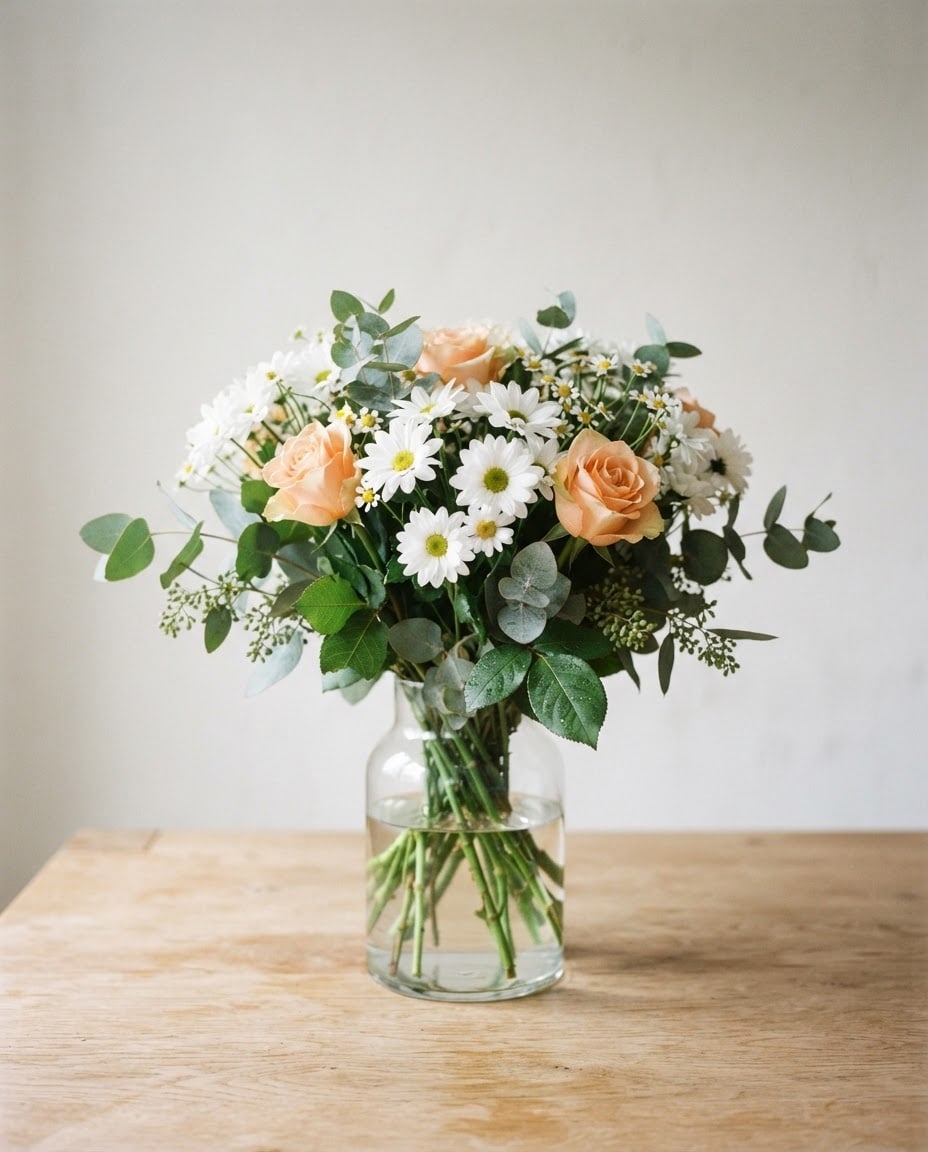
A realistic flower bouquet photo; the flowers look fresh, vivid and sharp, and the image is completely free of text and labels.
Flowerswhite daisies, peach roses and eucalyptus sprigs.
Presentationa bouquet standing in a clear glass vase, its water and stems visible.
Settinga light oak table with a blurred off-white wall behind.
Lightsoft daylight from the left, a fine glow along the petal edges, soft shadows to the right.
Cameraslightly above eye level, 85 mm, shallow depth of field; front flowers and leaf veins sharp, background softly blurred.
Styleeditorial flower photography, natural colors, a very light film grain.
Color palettethe flowers' own colors, fresh green leaves and the calm, neutral tones of the setting.
Compositionthe bouquet sits in the center and fills about two thirds of the frame's height, with open space above and on the sides.
Aspect ratio 4:5.
Image made with this prompt
What this prompt does
This prompt creates a realistic flower bouquet photo that looks shot in soft daylight with a shallow depth of field. The bouquet sits in the center of the frame, the front petals and leaf veins come out sharp, and the background is softly blurred. It is made for anyone looking for beautiful flower pictures for a greeting, a social post, a phone background or a florist's window.
Where to use it
- Birthday and greeting messages
- Instagram posts and stories
- Florist product image
- Phone background
- Invitation and card backdrop
Fields you can fill in
The fields you can change in the form above and their default values.
- FlowersFree text
- white daisies, peach roses and eucalyptus sprigs
- PresentationOne of 5 options
- a bouquet standing in a clear glass vase, its water and stems visible
- SettingOne of 4 options
- a light oak table with a blurred off-white wall behind
- Aspect ratioOne of 5 options
- 4:5
Step by step
- 1
Describe the bouquet in Flowers
Write two or three flowers plus some greenery in the Flowers field (e.g. "purple lavender, white tulips and eucalyptus"). Naming the color with the flower sharpens the tones; listing more than five types makes the bouquet look busy.
- 2
Choose the Presentation
The Presentation list has a glass vase, a kraft paper wrap, a ceramic jug, a wicker basket and a round box. The glass vase gives the cleanest, brightest result; the kraft wrap suits gifts and greetings, and the box suits florist product shots.
- 3
Pick the Setting
Setting chooses the surface and the background: a light oak table, a marble counter, a garden table or a dark, moody backdrop. Light flowers stand out most on the dark backdrop, while deep red roses and peonies read better on a light surface.
- 4
Set the Aspect ratio and generate
Use 4:5 for posts, 9:16 for stories and phone backgrounds and 16:9 for a website header. Paste the text into Gemini or ChatGPT with "Copy", or create it in Entrobase Canvas with "Generate in Canvas" (an account is required); keep the ratio the same as the form.
- 5
Look closely at the flowers
Check the petals, whether the roses and daisies look natural and whether the stems sit sensibly in the vase. If a flower looks odd or merged with another, generate again with the same text; the second result is often cleaner.
Tips and variations
- Build seasonal bouquets: orange chrysanthemums and dried wheat in autumn, tulips and hyacinths in spring; with the same Setting your social feed stays consistent.
- If you plan to add text, choose 16:9 and add "the bouquet on the right third, a plain empty area on the left" to the text; the space leaves room for a greeting or a sale message.
- For florist product shots pick the light oak or marble Setting; the plainer the surface, the more accurately the bouquet's colors come across.
- For a close-up of a single bloom, write one flower type in Flowers and change "85 mm" to "100 mm macro" in the text; petal texture takes over from the bouquet.
Frequently asked questions
How do I make flower pictures with AI?
Name the flowers in the form, choose the presentation and setting, then use "Copy" to paste the text into an image tool or "Generate in Canvas" to create it in Entrobase Canvas. Because the prompt already describes the light, camera and composition, a clean bouquet photo on the first try is much easier.
Can I use these flower images on social media?
You can use the image in your own posts and messages. Check the terms of the tool you used as well, and for commercial use, especially florist sales, remember the image does not show the real product.
Can a florist use this instead of real product photos?
It works well for campaign and cover images, but customers want to see the bouquet they will actually receive. Show real photos on the product page and use the AI image for announcements, seasonal campaigns or social backgrounds.
Why is there no text in the image?
The prompt asks for a text-free image on purpose; image models can garble even short words. Adding your greeting or shop name later in a design tool gives a cleaner result.