Tally counter prompt: tasbih counter and dhikr counter app
A tally counter app prompt: a digital tasbih counter and dhikr counter with target counts, sequential tasbih and daily history, 3 screens. Works in the Entrobase mobile app builder.
Prompt
Fill in the fields below and the prompt updates instantly. Copy it and use it in any AI tool.
Build a tally counter app for dhikr called Serenity: the user counts dhikr while doing tasbih, gets a vibration when a target is reached and sees the daily total; the same counter also works for any kind of counting. 3 screens, 3 tabs in the bottom tab bar: Counter, Dhikr, History.
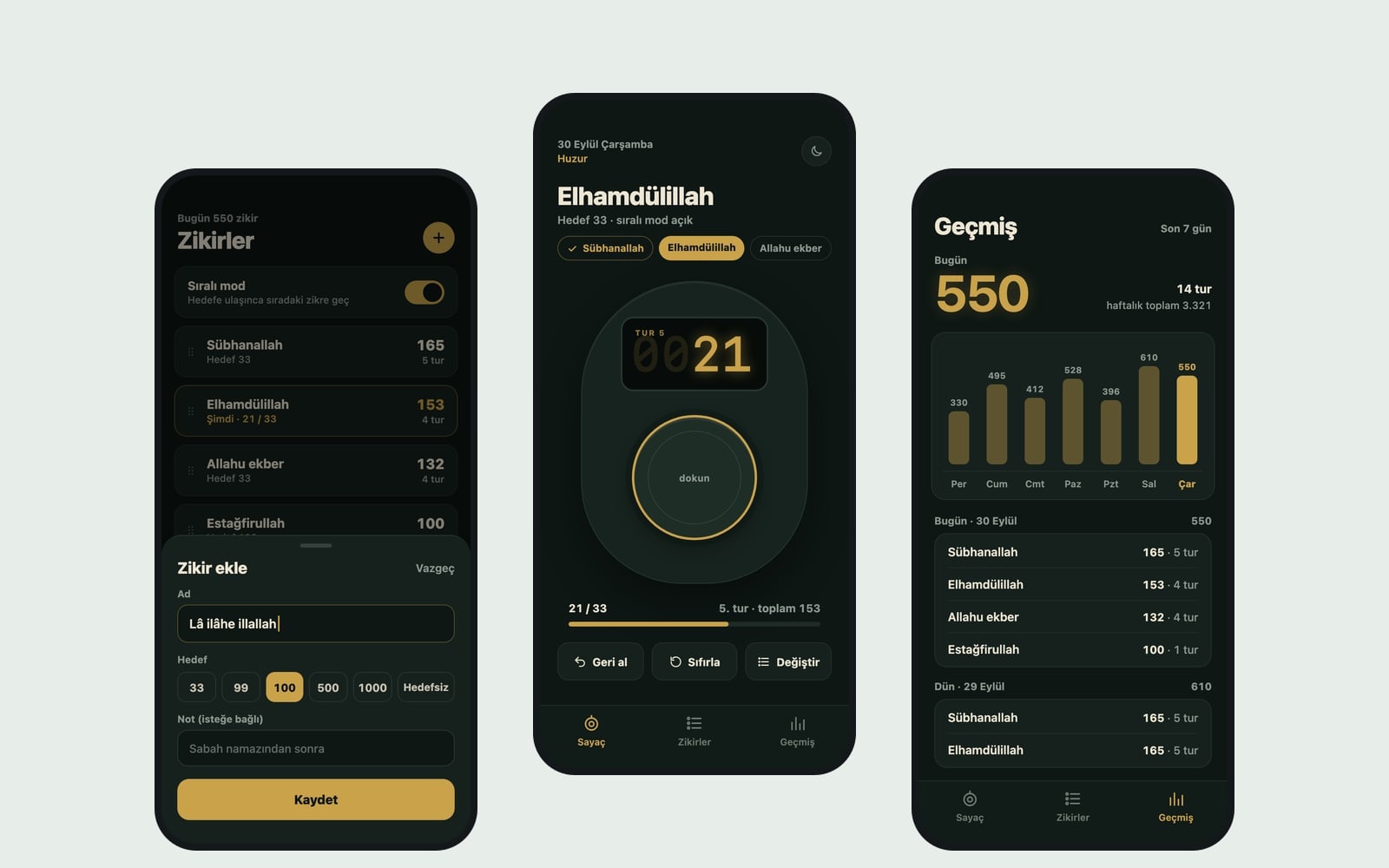
Counter screen (the core component): the selected dhikr name and target at the top (for example Subhanallah · 33), the counter in the middle and the round info below it (round 2 · total 66). Counter style: a pocket tally counter look, a small digital display above one big button. Every tap adds 1 and gives a short vibration; when the target is reached, give a longer vibration and a short completion animation, add 1 to the round count and continue counting from zero. If sequential mode is on, reaching the target moves on to the next dhikr in the list; when the last one is done, show a "Tasbih complete" card. Under the counter, three small buttons: undo (takes the last count back by 1), reset (asks for confirmation) and change dhikr (opens the dhikr list in a bottom sheet). Counting only happens when the counter area is tapped, so pressing a button by mistake never changes the count; keep the phone screen awake while the Counter screen is open.
Dhikr screenthe user's dhikr list; each row shows the name, the target and today's count, with a sequential mode switch at the top. Starting list on first launch: after-prayer tasbih: Subhanallah 33, Alhamdulillah 33, Allahu Akbar 33. An "Add dhikr" bottom sheet: name, target (quick picks 33, 99, 100, 500, 1000, a custom number or no target) and an optional short note. Swiping a row left shows edit and delete; press, hold and drag to reorder.
History screentoday's total as a large number, a simple bar chart of the last 7 days and day by day entries below (dhikr name, count, rounds). With no entries, show a simple empty state.
Contentshort, respectful labels; write dhikr names in their common transliteration (Subhanallah, Alhamdulillah, Allahu Akbar). Do not add Arabic script, religious rulings, virtues or promises of reward.
Designa dark night theme, a very dark background, softly glowing digits. Accent color #c9a24a; switch between light and dark themes; system font, tabular digits, a counter big enough to use comfortably with one thumb. Save the dhikr list, the live count, the round count and the daily history with AsyncStorage; after closing and reopening the app, counting continues where it stopped. Do not add ads, an account screen, notifications or anything that needs the internet.
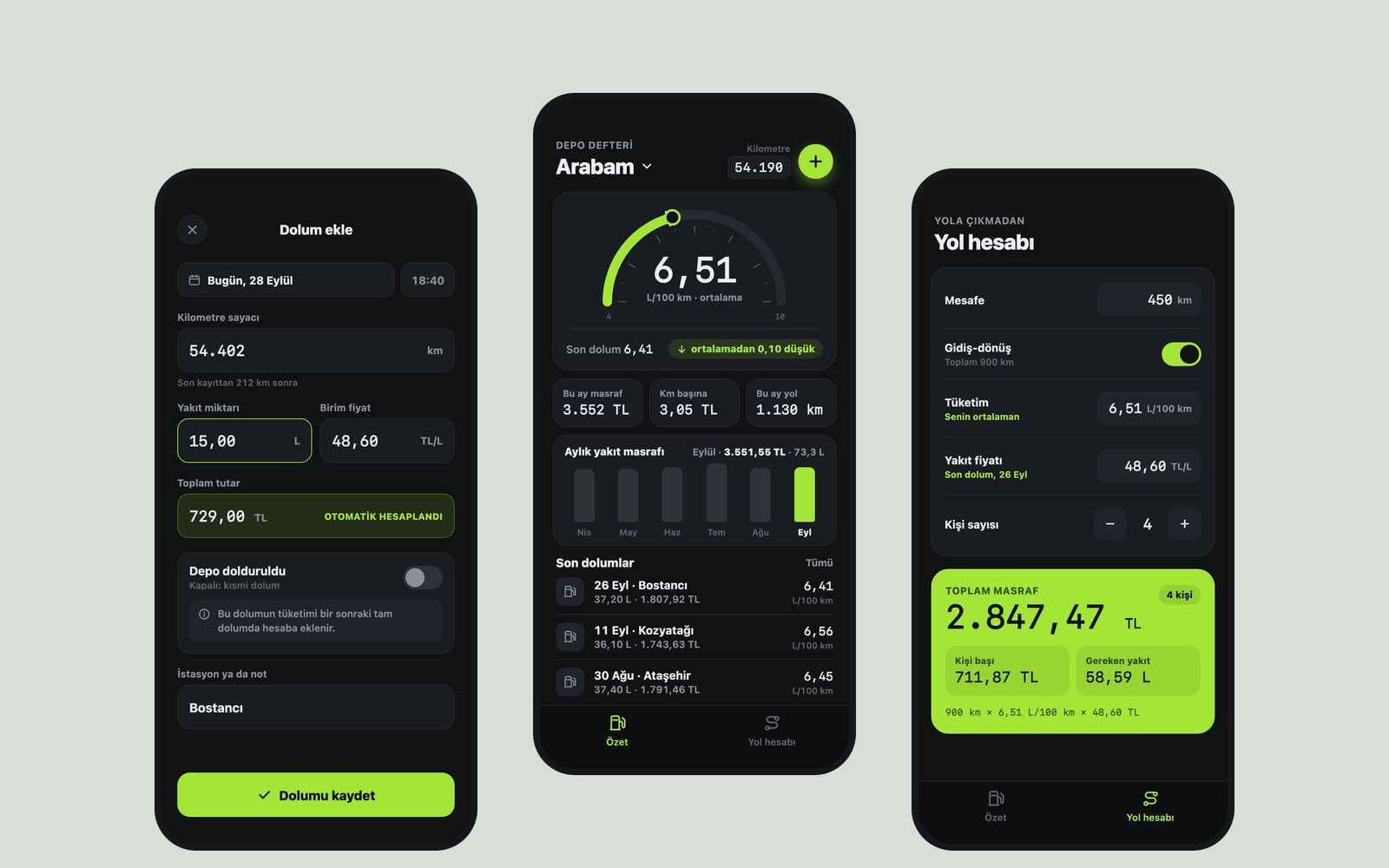
Design preview made from this prompt
What this prompt does
This prompt builds a dhikr counter app with three tabs, Counter, Dhikr and History: it counts dhikr while you do tasbih, vibrates when you reach a target and shows your daily total. It includes sequential mode, round counts and an undo button, and the same counter works for exercise reps or laps. The result is a simple app with no ads, no account and no internet needed.
Where to use it
- After-prayer tasbih counter
- Daily dhikr goals
- Phone instead of a pocket counter
- Exercise rep counter
- Lap counter for runs or swims
Fields you can fill in
The fields you can change in the form above and their default values.
- App nameFree text
- Serenity
- Counter styleOne of 4 options
- a pocket tally counter look, a small digital display above one big button
- Starting listOne of 4 options
- after-prayer tasbih: Subhanallah 33, Alhamdulillah 33, Allahu Akbar 33
- ThemeOne of 4 options
- a dark night theme, a very dark background, softly glowing digits
- Accent colorColor
- #c9a24a
Step by step
- 1
Name the app and choose the Counter style
Counter style shapes the main screen: a pocket tally counter with a small display, a large round button ringed by a target circle, a whole-screen tap area, or a vertical tasbih string where one bead slides down with each tap.
- 2
Pick the Starting list
After-prayer tasbih starts with Subhanallah, Alhamdulillah and Allahu Akbar at 33 each; daily dhikr starts with three at 100. The free counter option gives a single counter with no target, and general counting sets up counters for exercise reps and laps.
- 3
Set Theme and Accent color, then build
The night or pure black theme is easy on the eyes in a dark room, and the phone-setting option follows your system. Build an app with this sends the prompt to Entrobase Builder (a free account is needed), and you can try the app on your phone.
- 4
Try the counter on your phone
Tap up to the target: each tap should give a short vibration, the target a longer one, and the round count should go up. Pressing the small buttons must not change the count; undo takes one count back and reset asks first. The screen should stay awake while counting.
- 5
Check sequential mode and saving
Turn on sequential mode on the Dhikr screen: reaching a target should move to the next dhikr and the last one should show a 'Tasbih complete' card. Close and reopen the app; the count, rounds and daily history should pick up where they stopped.
Tips and variations
- Users can add their own dhikr with the Add dhikr sheet, but if you want a different list ready on first launch, rewrite the starting list line in the copied prompt with your own dhikr and targets.
- To count without looking at the screen, choose the whole-screen tap area; a tap anywhere in the counter area adds one.
- To publish it as a general counter, pick general counting as the Starting list and give the app a neutral name like 'Count'; it opens ready for exercise reps and laps.
- The bead style is the most visual option; with the light and warm theme and an earthy Accent color such as #9a6b3f it feels close to a real prayer bead string.
- The prompt deliberately leaves out Arabic script, virtues and promises of reward. If you want explanatory text in the app, write it yourself with its sources rather than having the model fill it in.
Frequently asked questions
How does the dhikr counter tell me I reached the target?
Each tap gives a short vibration; reaching the target gives a longer one plus a short completion animation. The round count goes up by one, counting continues from zero, and a running total shows under the counter, like 'round 2 · total 66'.
Can I reset the count by accident?
The prompt guards against that: reset asks for confirmation and the count only goes up when the counter area itself is tapped. If you tap once too often, undo takes the last count back by one.
Is the count lost when I close the app?
No. The dhikr list, live count, rounds and daily history are saved on the phone with AsyncStorage, so counting continues where you stopped. No internet or account is needed.
Can I count the tasbih in order?
Yes. Turn on the sequential mode switch on the Dhikr screen and the app moves to the next dhikr whenever a target is reached; when the last one is done, a 'Tasbih complete' card appears. Press, hold and drag a row to change the order.
How do I try the app on my phone?
Press Build an app with this: Entrobase Builder writes the screens, lets you try the app on your phone and takes change requests in chat. If you prefer, Copy the prompt into ChatGPT, Gemini or Claude and run the code they write yourself.