Graphic designer portfolio website prompt
A portfolio website prompt for a graphic designer portfolio website: filterable work gallery, project modal and contact. Works in Entrobase and other AI website builders.
Prompt
Fill in the fields below and the prompt updates instantly. Copy it and use it in any AI tool.
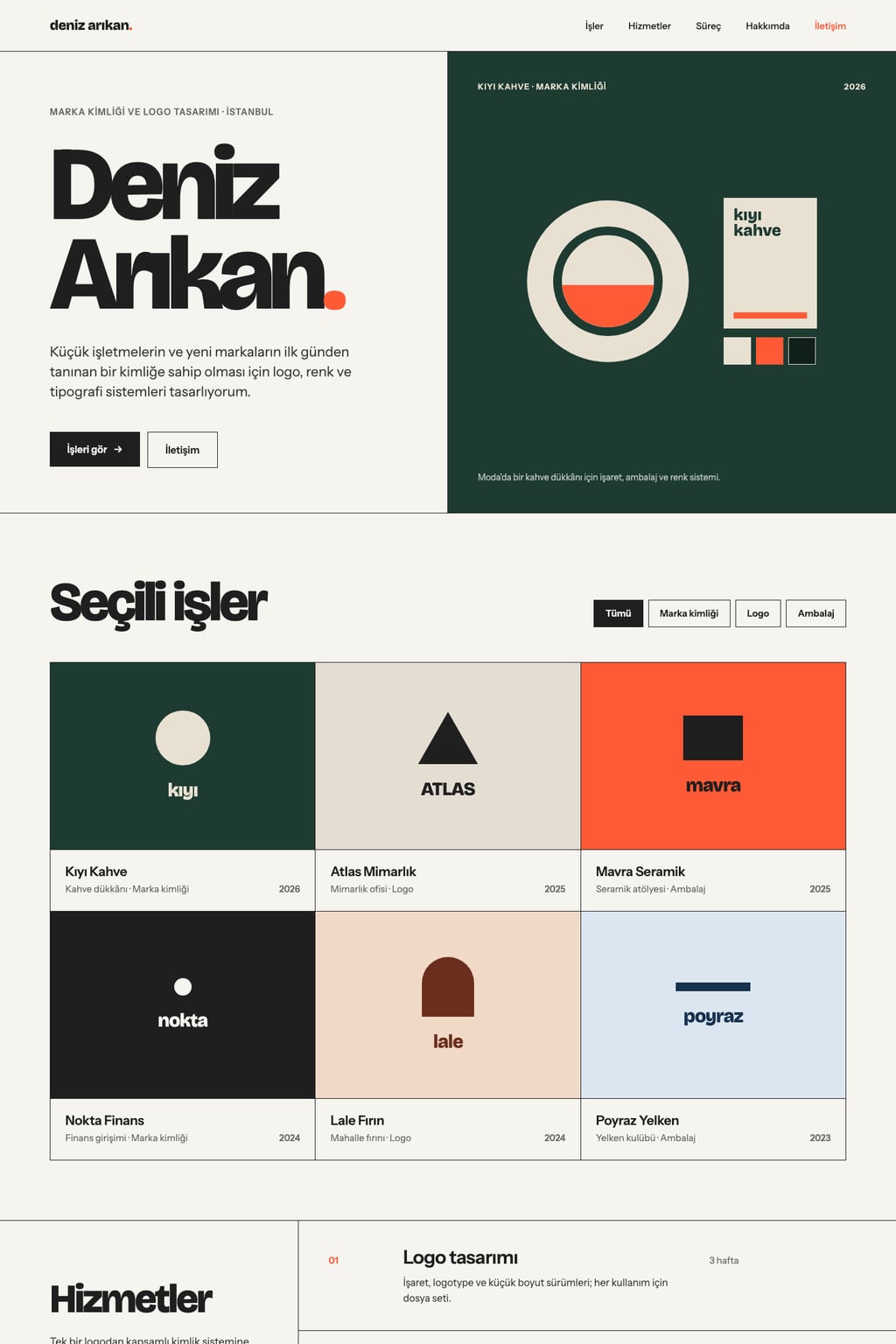
Build a single-page personal portfolio website for a graphic designer named Deniz Arikan. Goal: visitors browse selected work and get in touch about a project.
Sections in orderhero, selected work, services, process (4 steps), about, client testimonials, contact.
Designlight and airy, off-white background with dark charcoal text. Main color #ff5a36; use it only for links, buttons and small accents. Typography: large, tightly leaded headings and plain body text; sharp corners, a grid divided by thin lines.
Herothe name set large on the left with a one-sentence intro (area of focus: brand identity and logo design), a large image of the strongest project on the right, and "See work" and "Contact" buttons below.
Selected work (the core component): 6 project cards, each with an image, project name, client type and year. Filter buttons by project type (All plus 3 types) sit on top and work; clicking a card opens the project details in a modal (3 images, a short project story, tools used, a close button).
Contentuse made-up but natural client and project names, no real brands; images are stock photos of design work. Contact has a button that copies the email address and a short form; on submit, show a success message.
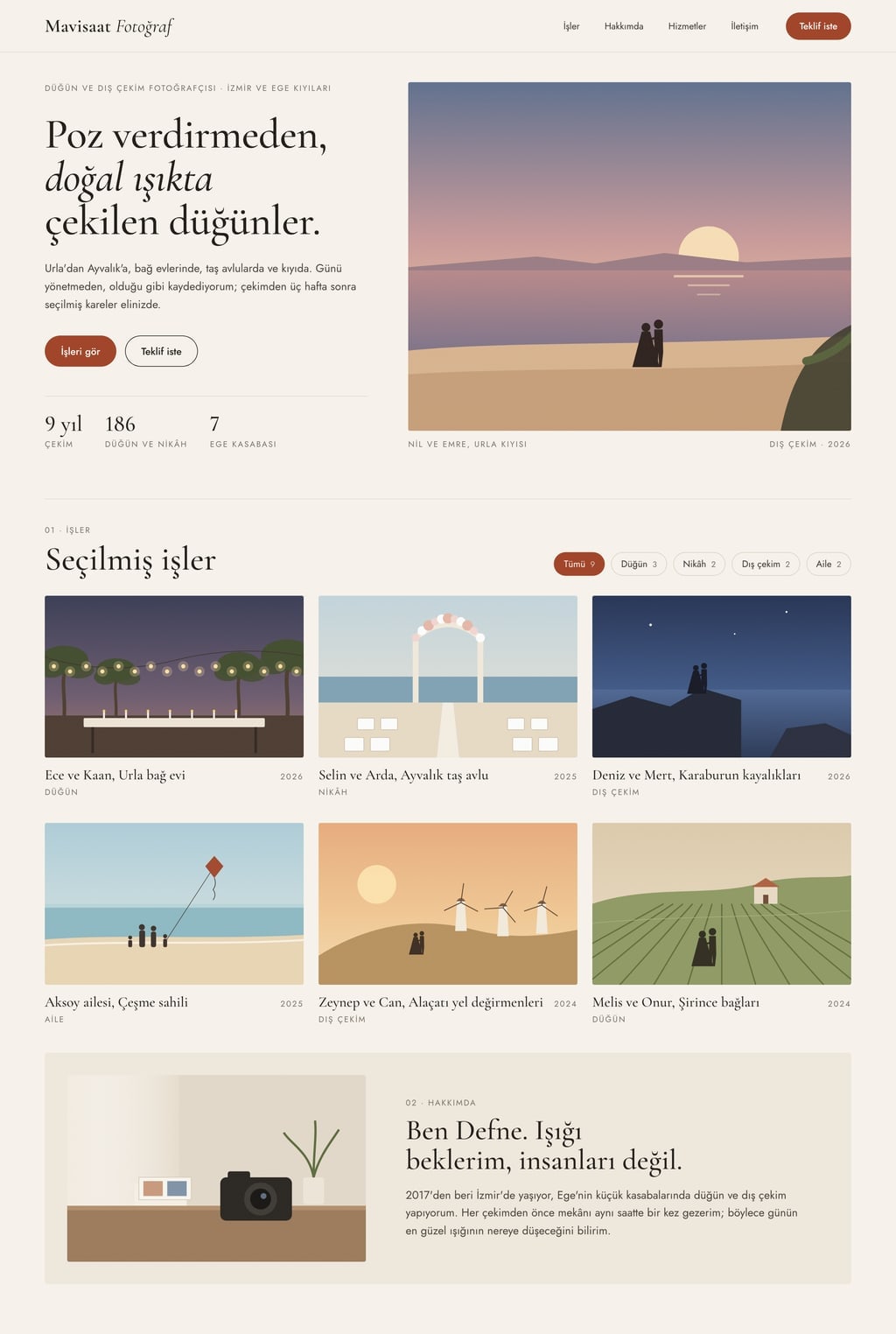
Design preview made from this prompt
What this prompt does
This prompt builds a single-page personal portfolio website for a graphic designer: a hero, a filterable gallery of 6 projects, services, a 4-step process, about, client testimonials and contact. It suits freelance designers, recent graduates and anyone who wants one portfolio link to send with job applications. The result is a working one-page site split into clear sections.
Where to use it
- Freelance designer portfolio
- Personal site for job applications
- Graduate project showcase
- One link to send to clients
- Personal brand website
Fields you can fill in
The fields you can change in the form above and their default values.
- Designer nameFree text
- Deniz Arikan
- Area of focusOne of 4 options
- brand identity and logo design
- ThemeOne of 3 options
- light and airy, off-white background with dark charcoal text
- Main colorColor
- #ff5a36
Step by step
- 1
Enter the Designer name and Area of focus
The Designer name is set large in the hero. Area of focus (brand identity, packaging, posters and editorial, or social and digital campaigns) shapes the intro line and the project types on the cards, so choose the kind of work you want more of.
- 2
Choose a Theme and Main color
Theme sets a light, dark or warm paper-toned background. The Main color only appears on links, buttons and small accents, so pick one that will not compete with the colors in your work. The dark theme makes colorful projects stand out more.
- 3
Build the site or copy the prompt
"Build a site with this" takes the prompt to the Entrobase Builder, which writes the page; you then ask for changes in chat (a free account is required). If you use another AI website builder, press "Copy" and paste the text there.
- 4
Test the filters and the project modal
The selected work gallery is the core component. Check that the filter buttons (All plus 3 types) really filter the cards, and that clicking a card opens and closes a modal with 3 images, the project story and the tools used.
- 5
Swap the placeholders for your own work
The prompt starts with made-up clients and stock photos. Before you share the site, ask in chat to replace the 6 cards with your own projects, the contact email with your real address and the testimonials with real client quotes.
Tips and variations
- If you are a UI or motion designer and your field is not in the list, change the focus part to "interface and app design" after copying and ask for a prototype video line in the project modal.
- With only a few projects, ask for 4 cards instead of 6 and drop the testimonials section; a thin testimonial block does more harm than good.
- The same prompt works for photographers, illustrators or architects: replace "graphic designer" with your profession and the filter types with your own categories, such as portrait, product and events.
- Ask for a budget range and a deadline field in the contact form; it makes incoming requests much easier to sort.
- The warm theme with a terracotta or orange main color suits packaging and handmade product work, while the light theme with navy feels right for corporate identity projects.
Frequently asked questions
How many projects should a portfolio website show?
This prompt asks for 6 project cards, enough to show range without tiring visitors. The selection matters more than the number: keep your strongest work that sits closest to your area of focus and leave weaker pieces out.
Can I use this prompt without knowing how to code?
Yes. The Entrobase Builder reads the prompt and writes the page itself; you make changes by describing them in chat, with no code. You need a free account to do that.
Will this prompt work in other AI website builders?
Yes. The copied text is written in plain language, so AI tools that build sites from a description can follow it. If a tool skips the interactive parts, such as the filters or the project modal, ask for those two pieces separately.
Why does the site use stock photos?
The prompt uses stock images so you can see the layout before your own work is in place. Replace them with your real project images before you share the site; otherwise visitors see stock photos instead of your work.
Can I name my real clients in my portfolio?
The prompt uses made-up names to avoid showing brands without permission. Add a real client's name and project only with their consent and if your contract allows it.