Gemini Typography Prompts: 8 Ready-to-Use Prompts (2026)
8 typography prompts for Gemini and ChatGPT: a one-word 3D type poster, floral letters, layered paper type, chrome headlines and campaign typography, tested in Entrobase Canvas.
Tested: EntroGen Flash, November 2026
Prompt
Fill in the fields below and the prompt updates instantly. Copy it and use it in any AI tool.
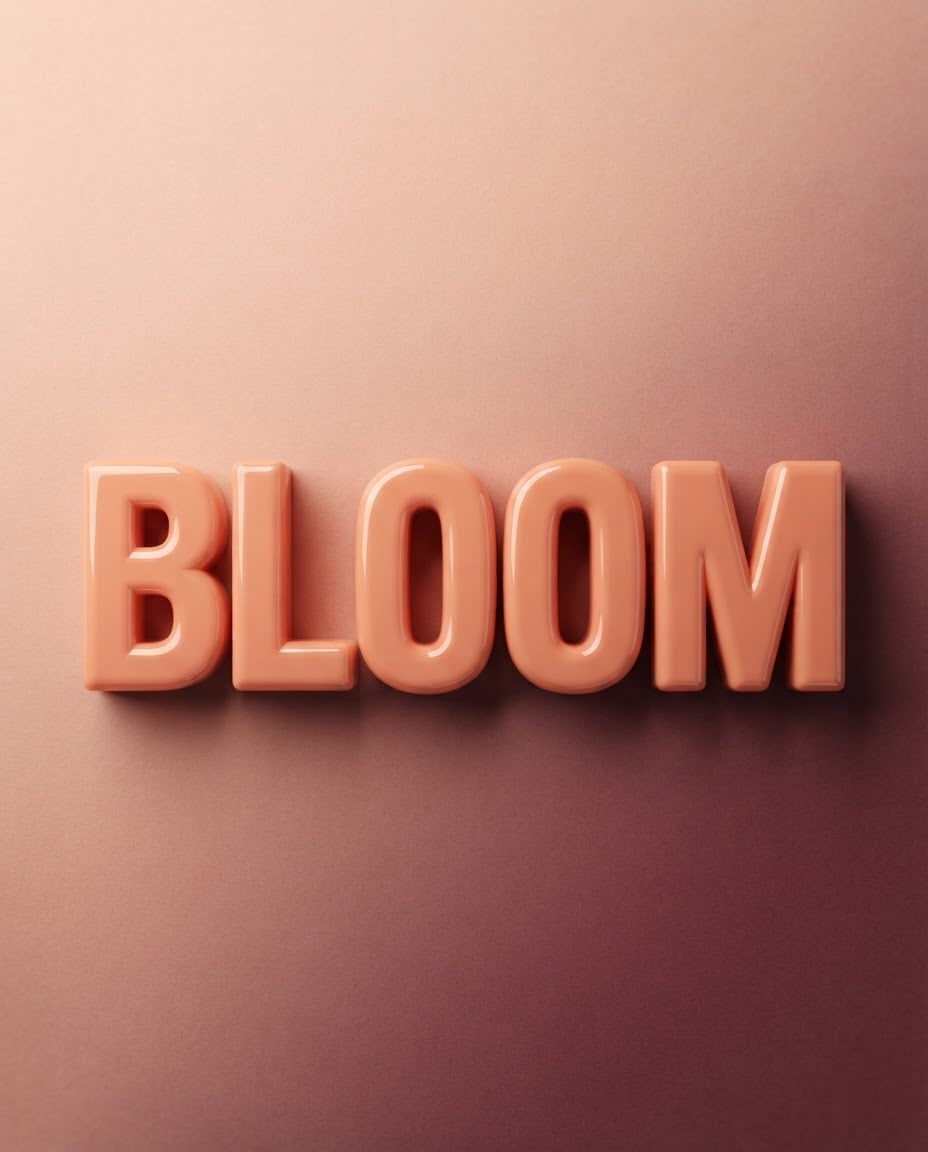
Create a one-word typography poster where the lettering itself is the hero.
Text"BLOOM", one line, uppercase, every letter complete and in the right order.
Letterspuffy, glossy plastic 3D letters; bold, tightly spaced, large letters that fill the width of the poster.
Backgrounda flat peach and burgundy paper-textured backdrop with a soft shadow under the letters.
Lightbroad, soft studio light from above, thin highlights on the top edges of the letters.
Camerastraight front view, level angle, every letter sharp.
Stylemodern 3D typography poster, clean render, simple and bold.
Palettethe letter color, the background color and one dark accent.
Compositionthe word in the middle of the poster, filling three quarters of the width; above and below, a plain continuation of the backdrop.
Rulesno letters, numbers or marks other than the given word.
Aspect ratio 4:5.
Image made with this prompt
7 more ready-to-use prompts
Different takes on the same topic. Copy any of them as is and replace the parts in square brackets.
1.Floral letter typography
When to use: For spring, florist or wedding announcements.
Create a word image made of 3D letters covered in small flowers.
- Text
- "[e.g. SPRING]", one line.
- Background
- flat light green, soft shadow.
Rules
- No text other than the given word.
- Ratio
- 4:5
2.Layered paper letters
When to use: For crafts, kids and education content.
Create a word image with 3D letters made of layered colored cut paper.
- Text
- "[e.g. PLAY]".
- Layers
- three or four nested color tones in each letter.
- Background
- flat cream paper.
- Ratio
- 1:1
3.Campaign headline typography
When to use: For a giant one-word headline on a sale visual.
Create a campaign headline in giant 3D letters.
- Text
- "[e.g. SALE]".
- Letters
- glossy, bold red.
- Background
- flat yellow with a few flying confetti pieces around the letters.
Rules
- No other text.
- Ratio
- 4:5
4.Letters made of food
When to use: For a cafe, bakery or menu post.
Create a word image whose letters look made of food.
- Text
- "[e.g. CAKE]".
- Letters
- slices of cake decorated with cream and fruit.
- Background
- flat pastel pink, soft light from above.
- Ratio
- 1:1
5.Two-line slogan poster (ChatGPT)
When to use: To show a short slogan on two lines.
Create a two-line typography poster.
- Line 1
- "[e.g. STAY]"
- Line 2
- "[e.g. COOL]"
- Letters
- matte blue 3D letters, the two lines stacked and centered.
- Background
- flat ice white.
Rules
- Only these two words.
- Ratio
- 4:5
6.Instagram cover typography
When to use: For a story highlight or post cover.
Create one-word 3D typography as an Instagram post cover.
- Text
- "[e.g. TIPS]".
- Letters
- puffy lilac 3D letters.
- Background
- flat deep purple with a soft glow in the center.
- Ratio
- 4:5
7.Brand name typography
When to use: To try a brand name at poster size.
Create a simple poster showing a brand name in giant 3D letters.
- Brand name
- "[e.g. NOVA]".
- Letters
- black 3D letters with gold edges.
- Background
- flat cream, a thin shadow along the bottom edge.
Rules
- No text other than the brand name.
- Ratio
- 16:9
What this prompt does
If you want a single word to be the hero of a poster, the main prompt turns it into bold, voluminous 3D letters on a flat colored backdrop, a clean typography poster. The 7 variants below give floral letters, layered paper type, a campaign headline, letters made of food, a two-line slogan, an Instagram cover and brand name typography in Gemini and ChatGPT.
Where to use it
- Instagram posts and story covers
- Campaign and sale posters
- Event and workshop announcements
- Shop window and wall posters
- YouTube thumbnails
Fields you can fill in
The fields you can change in the form above and their default values.
- WordFree text
- BLOOM
- Letter styleOne of 5 options
- puffy, glossy plastic 3D letters
- PaletteOne of 4 options
- peach and burgundy
- RatioOne of 4 options
- 4:5
Step by step
- 1
Pick one word
Start with a 3-7 letter word. Short words keep every letter intact.
- 2
Choose the letter style and palette
Puffy and clay letters read best on light palettes, chrome letters on cream or dark backdrops.
- 3
Check every letter
Make sure each letter is correct and in order; if not, open Edit in Canvas and give the correct spelling in quotes.
Tips and variations
- Keep one hero on a typography poster: a second object weakens the word.
- Do not ask the model to write dates or addresses; add them later in the empty space above and below.
- Use 4:5 for Instagram posts, 9:16 for stories and 16:9 for YouTube covers.
Frequently asked questions
How do I write a typography prompt?
Put the word in quotes and give the letter style, background, light and framing on separate lines. The line 'every letter complete and in the right order' reduces missing letters.
Can Gemini make typography posters?
Yes. Gemini draws short words in voluminous letters well; headlines longer than two or three words can lose letters, so check the result.
Does this prompt give me a font file?
No. The result is an image; it does not produce a TTF or OTF font file.
How do I add a date and address to the poster?
Generate the image, then add the text in the empty background with a design tool or a Canvas edit. Asking the model for long text brings spelling errors.





