8 SWOT Analysis Prompts (ChatGPT): Examples and Guide (2026)
8 SWOT analysis prompts that write a SWOT in ChatGPT or Claude and turn it into a four-quadrant SWOT visual, including competitor SWOT, personal SWOT and an action plan.
Tested: EntroGen Flash, November 2026
Prompt
Fill in the fields below and the prompt updates instantly. Copy it and use it in any AI tool.
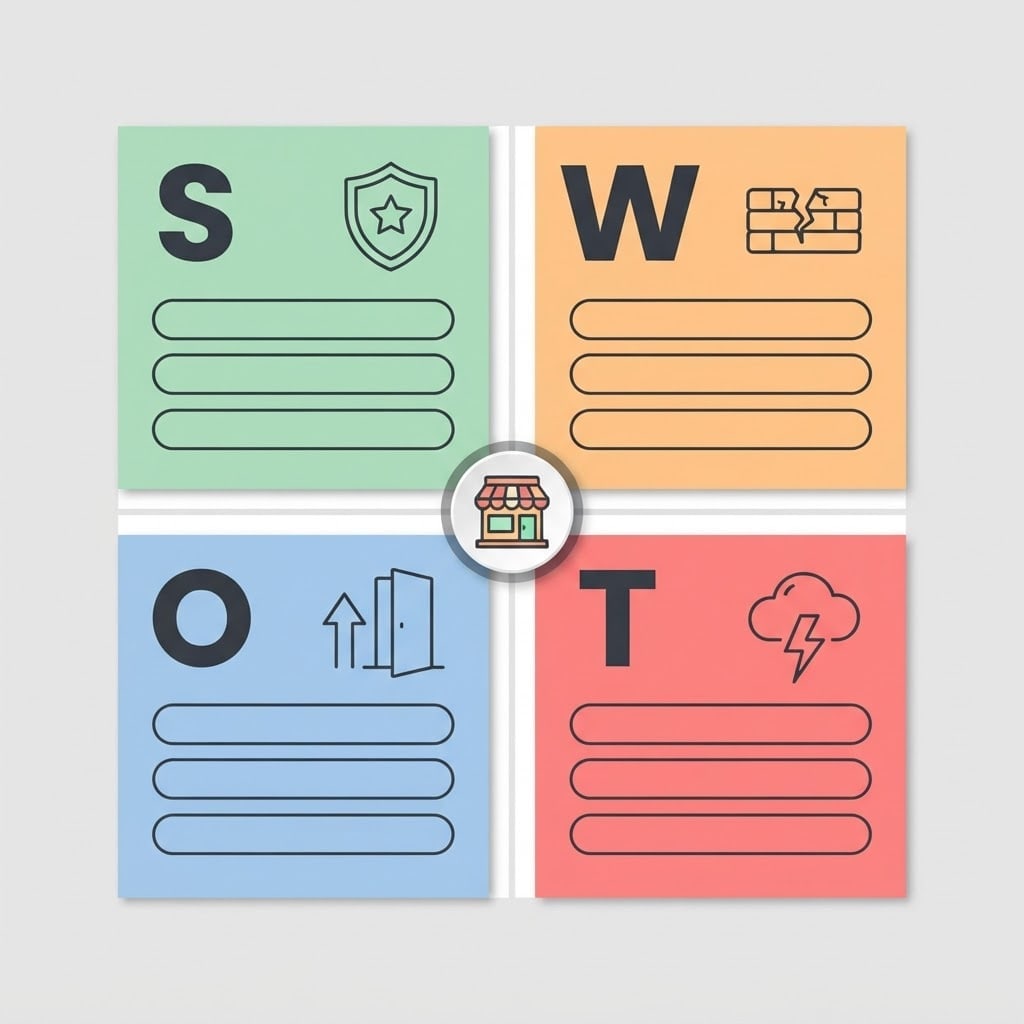
Create a SWOT analysis infographic with text to be added later.
Layouta 2x2 square grid with four equal quadrants; a single large letter in the top left corner of each quadrant, in order S, W, O and T. Each quadrant has an icon and three empty, rounded, flat line cards below it.
Iconsa shield with a star at the top left, a cracked brick at the top right, an upward arrow with an open door at the bottom left, a cloud with a lightning bolt at the bottom right.
Centerwhere the four quadrants meet, a round badge with a small coffee shop symbol.
Styleflat-color modern vector infographic.
Backgroundflat light gray with a thin gap between quadrants.
Lightflat and even, small soft shadows.
Palettea separate pastel tone per quadrant: green, orange, blue, red, dark charcoal icon lines.
Compositionthe grid centered, filling most of the image, symmetrical.
Textonly these four single letters; no words, title or numbers, and the line cards are empty.
Aspect ratio 1:1.
Image made with this prompt
7 more ready-to-use prompts
Different takes on the same topic. Copy any of them as is and replace the parts in square brackets.
1.ChatGPT business SWOT analysis prompt
When to use: You want a four-quadrant SWOT for your own business, point by point.
Do a SWOT analysis for [business, e.g. a two-year-old neighborhood coffee shop].
- What I know
- [e.g. loyal regulars, small seating area, a chain cafe is opening nearby].
- Output
- four headings with 4 points each, one sentence per point.
Rules
- Strengths and weaknesses come from inside the business, opportunities and threats from outside.
- Do not invent facts; ask about unknowns at the end.
2.Competitor SWOT analysis prompt
When to use: You want to assess a competitor in the same format and learn from it.
Write a SWOT analysis for [competitor type, e.g. the new chain cafe nearby].
- My observations
- [e.g. long opening hours, app ordering, higher prices].
- Output
- 3 points under each heading and 'three moves for us' at the end.
Rules
- Use only the observations I gave.
3.Personal SWOT analysis prompt
When to use: You want to assess yourself for a career move or a new job decision.
Prepare a personal SWOT analysis for me.
- About me
- [e.g. graphic designer for 4 years, little video editing experience, considering freelancing].
- Output
- 3-4 points under each heading and one growth step for each weakness.
Rules
- No generic sentences; base everything on what I told you.
4.Claude: from SWOT to an action plan (TOWS)
When to use: Your SWOT is done and you want concrete strategies from it.
Read the SWOT analysis below and build a TOWS matrix.
- SWOT
- [paste the four headings and points].
Output
- 1Two strategies each for Strength-Opportunity, Strength-Threat, Weakness-Opportunity and Weakness-Threat.
- 2Three things to do in the first 30 days.
Rules
- Every strategy is tied to a SWOT point.
5.SWOT image with short labels (Gemini)
When to use: You want the quadrant headings written inside the image.
Create a four-quadrant SWOT infographic.
Headings (spelled exactly like this): "Strengths", "Weaknesses", "Opportunities", "Threats".
Each quadrant has an icon and empty lines.
- Style
- flat-color vector, a different pastel tone per quadrant.
Rules
- No text other than these four words.
- Ratio
- 1:1
6.SWOT prompt for a new product idea
When to use: You want to see the risks of a product or service before you start.
Do a SWOT analysis for [product idea, e.g. a weekly fruit box subscription for offices] before launch.
- Audience
- [e.g. offices with 20-50 staff].
- Output
- 3 points per heading and 3 small experiments to test the idea.
Rules
- Do not invent market size figures.
7.SWOT slide image
When to use: You want to show the analysis on a single 16:9 slide.
Create a horizontal SWOT image for a slide.
- Layout
- four colored cards in two rows, each with an icon (shield, cracked brick, upward arrow, cloud with lightning) and empty lines.
- Style
- flat vector, white background, plenty of space.
Rules
- The image has no text at all.
- Ratio
- 16:9
What this prompt does
Most people searching for SWOT analysis prompts want ChatGPT or Claude to write the analysis and then a four-quadrant SWOT chart to show it in a deck. The main prompt creates a four-quadrant SWOT visual with icons for strengths, weaknesses, opportunities and threats and empty lines for your points. The 7 variants below cover business, competitor and personal SWOT content, turning a SWOT into an action plan and an image with short labels.
Where to use it
- Business plans and investor decks
- Training presentations
- Competitor review meetings
- Personal career reviews
- Yearly strategy days
Fields you can fill in
The fields you can change in the form above and their default values.
- LettersOne of 2 options
- S, W, O and T
- Business symbolFree text
- small coffee shop
- StyleOne of 3 options
- flat-color modern vector infographic
- PaletteOne of 3 options
- a separate pastel tone per quadrant: green, orange, blue, red
- RatioOne of 3 options
- 1:1
Step by step
- 1
Get the analysis written
Paste the business or competitor SWOT variant into ChatGPT or Claude and fill in the brackets with what you know. Ask for 3-5 points per quadrant.
- 2
Pick the letters and the symbol
The letters field offers S, W, O, T or the Turkish G, Z, F, T. Put your type of business in the symbol field (for example, a small bakery); the center badge shows it.
- 3
Generate in Canvas and check the letters
Generate it in Canvas with Use Prompt. Check that the four letters are in order and the line cards are empty; if extra words appear, generate again.
- 4
Add your points
Bring the image into your slide tool and type the points from the first step on the empty lines. Adding text afterwards keeps every word correct.
Tips and variations
- Three points per quadrant is enough; nobody reads a long list on a slide, keep the detail for your talk.
- Strengths and weaknesses come from inside the business, opportunities and threats from outside; if ChatGPT mixes them up, state the split in the prompt.
- For a slide, switch to 16:9; the grid stays centered with room on both sides for notes.
- Follow up with the action plan variant: a SWOT alone does not decide anything, listing what to do with each point finishes the job.
Frequently asked questions
How do I write a SWOT analysis prompt?
Describe the business, the industry, the audience and the data you have (sales, reviews, competitors), and set how many points you want per quadrant. The more concrete the context, the more useful the points.
Can ChatGPT do a SWOT analysis?
Yes, ChatGPT writes a four-quadrant SWOT from the information you give it. Add a line asking it to turn unknowns into questions so it does not invent numbers.
What letters go on a SWOT chart?
S for Strengths, W for Weaknesses, O for Opportunities and T for Threats. In Turkish the same chart is often called GZFT.
Why are the lines in the SWOT image empty?
Image models can make spelling mistakes in longer text. Single letters come out right; adding the points later keeps every word under your control.
What aspect ratio should a SWOT image use?
Square 1:1 balances the four quadrants best; use 16:9 for a slide and 4:5 for Instagram.





