Sales Funnel Prompts: 8 Copy-Paste Prompts for ChatGPT
8 sales funnel prompts: a funnel infographic, ChatGPT funnel stages, conversion rate analysis, an email sequence and a Claude funnel diagnosis; Entrobase Canvas makes the image.
Tested: EntroGen Flash, November 2026
Prompt
Fill in the fields below and the prompt updates instantly. Copy it and use it in any AI tool.
Create a sales funnel infographic with text to be added later.
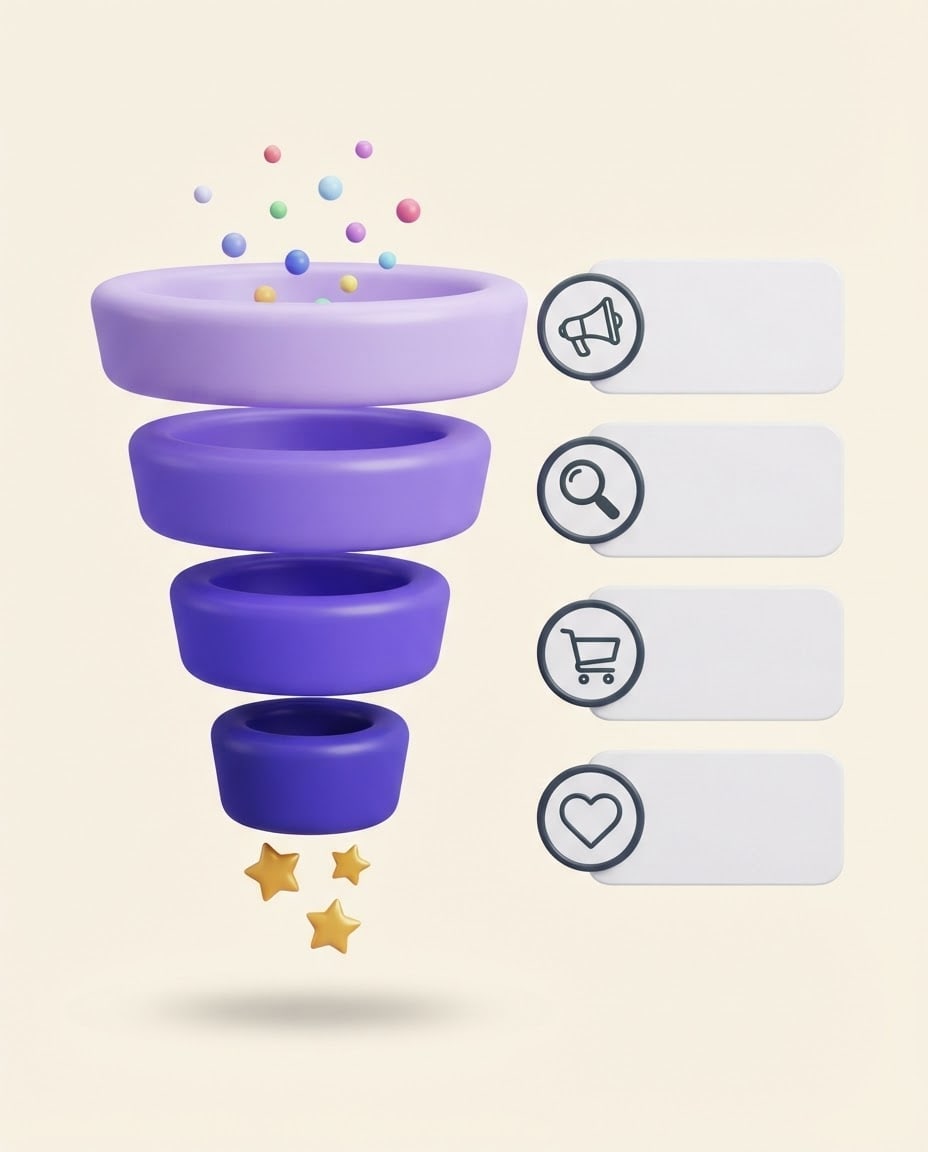
Funnelon the left and center of the image, a large funnel with 4 layers narrowing from top to bottom; each layer is a thick ring in its own shade.
Sidesto the right of each layer, level with it, a round icon badge with an empty, rounded, flat card beside it; icons from top to bottom are a megaphone, a magnifier, a shopping basket and a heart.
Scenesmall colored balls drop into the top of the funnel and a few shiny gold stars come out of the bottom.
Stylesoft, glossy 3D render.
Backgroundflat light cream with a soft shadow under the funnel.
Lightsoft, even light from above.
Palettelayers in shades of #6c4ce0 getting darker from top to bottom, dark charcoal icon lines.
Compositionthe funnel and cards centered, layers and cards evenly spaced, margins at the edges.
Textthe image has no text at all; every card is empty, with no words, letters or numbers anywhere.
Aspect ratio 4:5.
Image made with this prompt
7 more ready-to-use prompts
Different takes on the same topic. Copy any of them as is and replace the parts in square brackets.
1.ChatGPT sales funnel stages prompt
When to use: You want to set up the funnel stages for your business and what happens at each one.
Build a 4-stage sales funnel for [business, e.g. an online store selling handmade soap].
- Target customer
- [e.g. women aged 25-40 looking for natural products].
- Channels
- [e.g. Instagram, email, website].
- Output
- a table with the columns Stage, Customer's question, Content or offer, Metric.
Rules
- One main piece of content per stage.
2.Conversion rate analysis prompt
When to use: You have numbers for each stage and want to see where you lose customers.
Analyze the funnel numbers below.
- Numbers
- [e.g. 12,000 impressions, 600 site visits, 90 add-to-carts, 30 sales].
Output
- 1The conversion rate between each stage.
- 2The stage with the biggest drop.
- 3Three concrete fixes for that stage.
Rules
- Calculate only with the numbers I gave.
3.Funnel email sequence prompt
When to use: You want emails that move a newsletter signup to a first purchase.
Write a 5-email welcome sequence for [product, e.g. an online yoga class pack].
- Goal
- from signup to first purchase.
- Output
- send day, subject line and an 80-120 word body for each email.
Rules
- The first two emails give value instead of selling.
- No exaggerated promises or claims of certain results.
4.Claude funnel diagnosis
When to use: Sales dropped and you want to find the cause in the funnel.
Act as a growth consultant.
- Situation
- [e.g. same ad budget, sales halved in the last two months].
- Data
- [paste stage by stage numbers].
Output
- 1Three possible causes, each tied to the data it rests on.
- 2One test to confirm each cause.
Ask about anything you do not know.
5.Funnel image with short labels (Gemini)
When to use: You want the stage names written inside the image.
Create a 4-layer sales funnel infographic.
Labels (spelled exactly like this), top to bottom: "Awareness", "Interest", "Decision", "Purchase".
An icon beside each layer.
- Style
- flat-color vector, light background.
Rules
- No text other than these four words.
- Ratio
- 4:5
6.Booking funnel for a service business
When to use: You sell a service that closes with an appointment or a first call.
Build a funnel that ends in a booking for [service, e.g. a dietitian].
- Stages
- first contact, free content, intro call, booking.
- Output
- one content idea, one call-to-action sentence and one metric for each stage.
Rules
- No promised health results.
7.Reverse funnel: loyalty and referral image
When to use: You want to show how customers come back and recommend you after buying.
Create a reverse funnel infographic showing the stages after a sale.
- Layout
- 3 layers widening from bottom to top, with heart, star and share icons beside them and empty cards.
- Style
- soft 3D, light cream background.
Rules
- The image has no text at all.
- Ratio
- 4:5
What this prompt does
People searching for sales funnel prompts want ChatGPT to map the stages from first seeing an ad to buying, and a funnel image to show it in a deck. The main prompt creates a funnel infographic narrowing from top to bottom, with an icon and an empty card beside each layer; you add stage names and rates later. The 7 variants below cover funnel stages, conversion rate analysis, an email sequence, a Claude funnel diagnosis and an image with short labels.
Where to use it
- Marketing plan decks
- Digital marketing proposals for clients
- Monthly ad reports
- Training and workshop slides
- E-commerce team goal boards
Fields you can fill in
The fields you can change in the form above and their default values.
- LayersOne of 3 options
- 4
- StyleOne of 3 options
- soft, glossy 3D render
- Main colorColor
- #6c4ce0
- BackgroundOne of 3 options
- light cream
- RatioOne of 3 options
- 4:5
Step by step
- 1
Get the funnel stages written
Use the ChatGPT funnel stages variant to get 3-5 stages for your business and the content or offer at each stage. The number of stages sets the number of layers in the image.
- 2
Pick layers, style and color
Match the layer count to your stages. The soft 3D style suits social media; flat vector looks cleaner in decks and reports.
- 3
Generate in Canvas and check the cards
Generate it in Canvas with Use Prompt. Check that the cards are empty and the icons line up with the layers; if made-up text appears, generate again.
- 4
Add stage names and rates
Bring the image into your slide tool; type the stage name and conversion rate in each card (for example, Awareness and the number of people at that stage). Adding numbers afterwards keeps every rate correct.
Tips and variations
- Four layers is the easiest funnel to read: awareness, interest, decision, purchase. Add a fifth if you want to show loyalty.
- For a report, take real rates from your own ad and sales data; do not let ChatGPT guess rates, have it calculate and interpret the numbers you give.
- Choose 4:5 for Instagram and 16:9 for slides; at 16:9 the cards open up wider.
- A dark navy background with light layers gives good contrast for teams presenting in dark mode.
Frequently asked questions
What is a funnel prompt?
A prompt that has an AI tool build a sales or marketing funnel: which stages a customer goes through, what they see at each stage and how it is measured. This page covers both the content and the funnel image.
How do I build a sales funnel with ChatGPT?
Describe your business, target customer, price range and channels, and ask for content, an offer and a metric per stage. The first variant gives you this structure ready to fill in.
What are the stages of a sales funnel?
The most common layout is awareness, interest, decision and purchase; many teams add loyalty and referral at the end. Merge or split stages to fit your business.
Why are the cards in the funnel image empty?
Image models can get percentages and longer text wrong. Generating empty cards and typing stage names and rates later keeps the report correct.
What aspect ratio should a funnel image use?
A funnel is a vertical shape, so 4:5 gives the most balanced result; choose 16:9 for a slide and 1:1 for a square post.





