Roadmap Prompts: 8 Copy-Paste Prompts for ChatGPT and Claude
8 roadmap prompts: a roadmap infographic, product roadmap, career and learning roadmaps and a Now-Next-Later board; works in ChatGPT, Claude and Entrobase Canvas.
Tested: EntroGen Flash, November 2026
Prompt
Fill in the fields below and the prompt updates instantly. Copy it and use it in any AI tool.
Create a roadmap infographic with text to be added later.
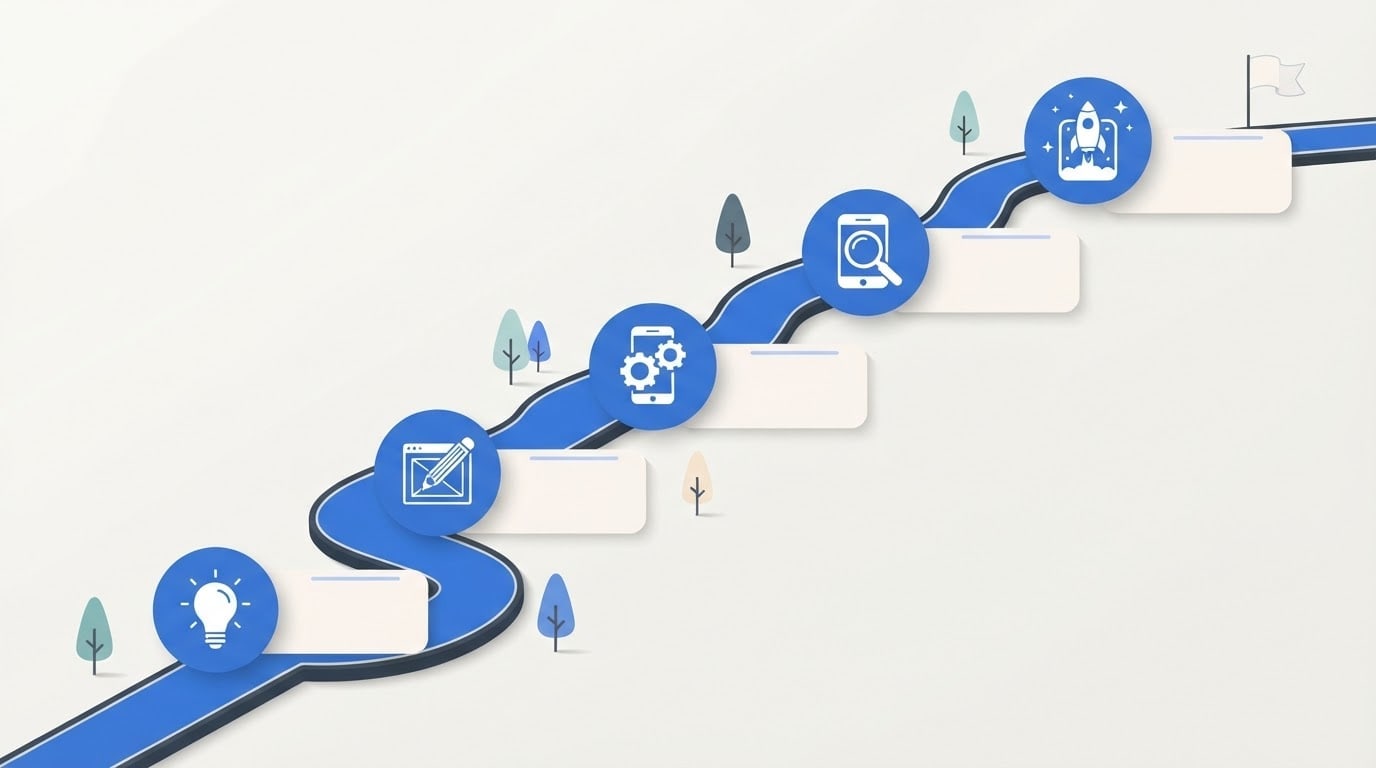
Topica mobile app's path from first idea to its first users; each stop's icon shows one stage.
Layouta wide winding road; the road starts at the bottom left of the image and ends at the top right, with 5 stops along it. Each stop has a round icon badge with an empty, rounded, flat label card beside it; the last stop also has a card, with a small flag next to it.
Styleflat-color modern vector infographic; icons are simple generic symbols (bulb, sketch, gear, magnifier, rocket), no brand marks.
Backgroundflat, light off-white; a few simple trees around the road.
Lightflat, even lighting with small soft shadows.
Paletteroad and badges in #2f6fdb, dark charcoal lines and one light accent tone.
Compositionthe road runs diagonally across the image, five stops evenly spaced.
Textthe image has no text at all; no title, letters, numbers or dates, and the label cards are empty.
Aspect ratio 16:9.
Image made with this prompt
7 more ready-to-use prompts
Different takes on the same topic. Copy any of them as is and replace the parts in square brackets.
1.ChatGPT product roadmap prompt
When to use: You want a table of how a product will grow over the coming months.
Create a 12-month product roadmap for [product, e.g. a booking app].
- Context
- [e.g. 3-person team, first version is live, goal of the first 1,000 users].
- Output
- a table with the columns Quarter, Goal, Features, Success metric.
Rules
- At most 3 features per quarter.
- Do not invent dates you do not know; mark them with [?].
2.Now, Next, Later list
When to use: You want to show priorities without committing to dates.
Place the work below into three columns titled Now, Next and Later.
- Work items
- [list them, comma separated].
Add a one-sentence reason next to each item.
Rules
- At most 3 items under Now.
- Dependent items must keep their order.
3.Claude roadmap prompt: a plan with reasons
When to use: Your goals, constraints and risks are known and you want to see why the plan is ordered this way.
Act as a roadmap planner.
- Goal
- [e.g. redesign our website in 6 months].
- Constraints
- [e.g. one designer, a tight monthly budget].
Output
- 14-6 stages, each with a duration and a deliverable.
- 2How each stage depends on the previous one.
- 3The two biggest risks and how to handle them.
Add anything you do not know as questions at the end.
4.Career roadmap prompt
When to use: You want a step-by-step plan for where you want to be in your field within a year.
Write a 12-month career roadmap to become [target role, e.g. a front-end developer].
- Where I am now
- [e.g. I know basic HTML and have 8 hours a week].
- Output
- monthly goals, with one small project and one measure for each month.
Rules
- Do not require paid courses.
- At most two new topics per month.
5.Learning roadmap prompt
When to use: You want to learn a new subject from scratch in order.
Create a learning roadmap for [topic, e.g. data analysis] starting from zero.
- Duration
- [e.g. 8 weeks].
- Output
- week by week topics, a practice task and a self-check question.
Rules
- Each week builds on the previous one.
- The last week is a small final project.
6.Roadmap image with short labels (Gemini)
When to use: You want the quarter names written inside the image.
Create a roadmap infographic with 4 stops on a winding road.
Labels (spelled exactly like this): "Q1", "Q2", "Q3", "Q4".
Each stop has an icon badge.
- Style
- flat-color vector, light background.
Rules
- No text other than these four labels.
- Ratio
- 16:9
7.Three-column roadmap image for a slide
When to use: You want to show a Now-Next-Later board on a single slide.
Create an image of a three-column roadmap board.
- Layout
- three vertical columns, each with 3 empty rounded cards and an icon above each column (clock, calendar, telescope).
- Style
- flat-color vector, plenty of white space.
- Palette
- navy, light gray and one orange accent.
Rules
- The image has no text at all and the cards are empty.
- Ratio
- 16:9
What this prompt does
A roadmap prompt usually does two jobs: writing the roadmap and turning it into a visual. The main prompt creates a five-stop roadmap infographic with icons and empty label cards; you add the stage names later in your slide or design tool. The 7 variants below cover product, career and learning roadmap content for ChatGPT and Claude, a Now-Next-Later board and an image with short labels.
Where to use it
- Product and project roadmap slides
- Investor and team meeting decks
- Career and learning plans
- A 'coming soon' section on a website
- Yearly goal boards
Fields you can fill in
The fields you can change in the form above and their default values.
- TopicFree text
- a mobile app's path from first idea to its first users
- RoadOne of 4 options
- a wide winding road
- StyleOne of 3 options
- flat-color modern vector infographic
- Main colorColor
- #2f6fdb
- RatioOne of 3 options
- 16:9
Step by step
- 1
Write the content first
If the stages are not clear yet, use the ChatGPT or Claude variant to get 4-6 stages as a table. Then build the image with five stops to match it.
- 2
Pick the topic and the road
In the topic field write where the journey starts and ends (for example, idea to launch). The road field offers a winding road, a mountain trail, a subway line and steps; the winding road suits slides, the trail gives a climb-to-the-goal feel.
- 3
Generate in Canvas and check the cards
Generate it in Canvas with Use Prompt. Check that the label cards are empty and the stops are evenly spaced; if made-up letters show up on the cards, generate again.
- 4
Add the stage names
Bring the image into your slide tool and type a two or three word stage name and a date in each card. Adding text afterwards keeps every word and date correct.
Tips and variations
- Keep it to five stops; with seven, the cards get small and the road gets crowded.
- For Instagram and vertical decks, switch to 4:5 and the road winds from bottom to top.
- For an internal plan, the subway layout can show two workstreams (for example, design and engineering) as two colored lines.
- Use separate prompts for content and image: asking for both in one prompt weakens each.
Frequently asked questions
How do I write a roadmap prompt?
State the goal, the time frame, the number of stages and what you need for each stage (title, duration, owner). For an image, describe the stops with icons and empty cards and add the text later.
Can ChatGPT make a roadmap?
Yes. ChatGPT writes roadmap content well as a table or a Now-Next-Later list. Making the visual separately with the main prompt on this page gives a cleaner result.
What does a Claude roadmap prompt do differently?
Claude is good at reading long context (goals, constraints, team size) and writing a roadmap with reasons. The Claude variant asks for that context and flags unknown dates.
Why are the cards in the roadmap image empty?
Image models can get long text and dates wrong. Generating empty cards and typing the stage names afterwards keeps every word under your control.
What aspect ratio should a roadmap image use?
16:9 for slides and the web, 4:5 or 1:1 for Instagram. Google's model page lists these ratios for Gemini 3.1 Flash Image.





