Movie poster prompt: cinematic AI movie poster design
A movie poster prompt for AI movie poster design: cinematic key art with a glowing rim light and a single bold title; pick the genre, style and color. Works in Gemini, ChatGPT and Entrobase Canvas.
Prompt
Fill in the fields below and the prompt updates instantly. Copy it and use it in any AI tool.
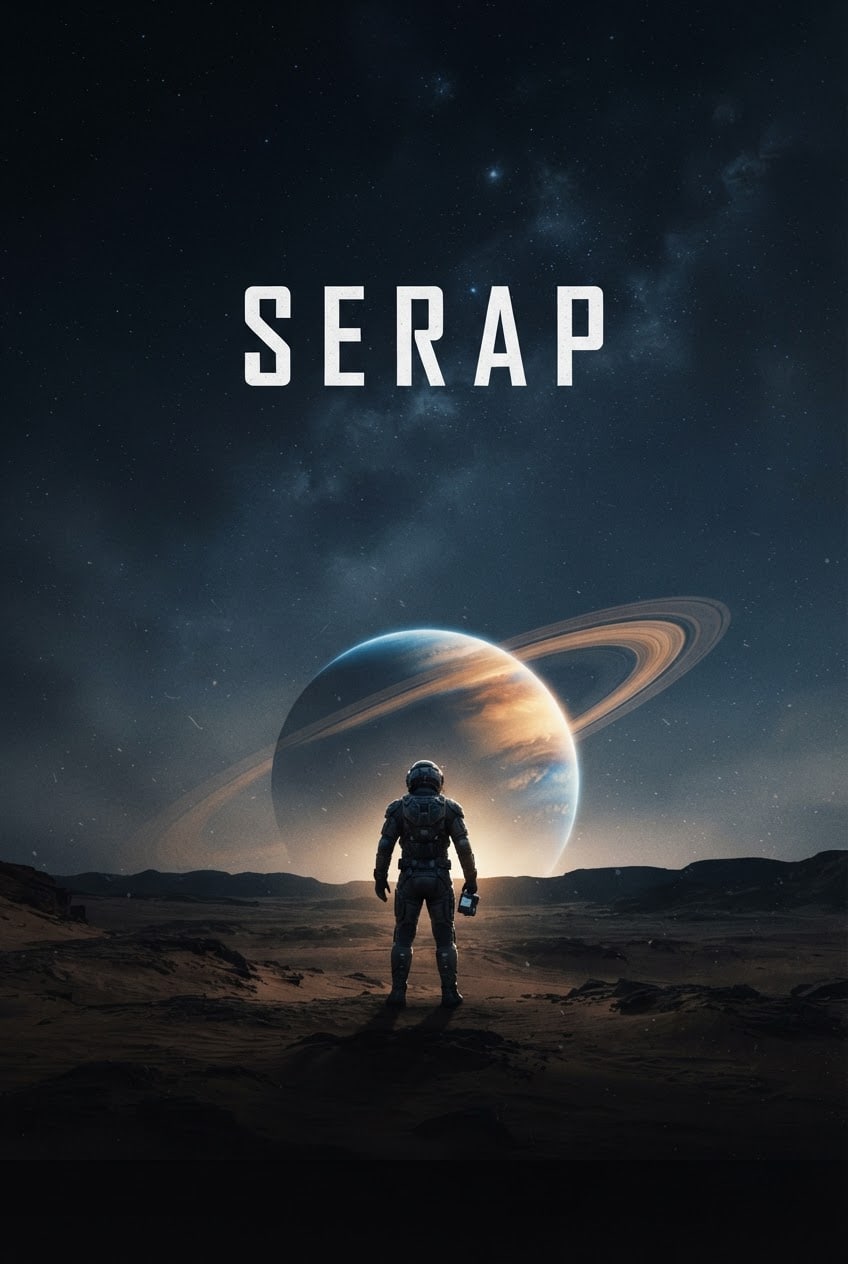
The movie poster itself, a full-bleed vertical cinematic design. Scene: sci-fi; a lone astronaut facing a giant ringed planet rising over a desert. The people are seen from behind, small and distant in the frame. Light: strong backlight from behind the scene, a bright rim light around the silhouettes, deep soft shadows in the foreground, fine mist in the air. Camera: low-angle wide shot, 35 mm anamorphic lens feel, the silhouette sharp and in focus. Style: a photorealistic cinematic film still with light film grain. Color palette: deep navy and charcoal shadows, #e0782f as the accent color, a touch of off-white. Composition: the main silhouette sits centered in the lower third; the upper third stays open as plain sky and holds a single centered title in bold, widely spaced letters: "MIRAGE". That title is the only text in the image; the bottom edge stays plain and dark. Aspect ratio 2:3.
Image made with this prompt
What this prompt does
This prompt generates a full-bleed vertical cinematic movie poster: a small silhouette seen from behind, strong backlight with a glowing rim, fine mist in the air and one bold title centered in the upper third. It suits short filmmakers, film clubs, people promoting a book or game and anyone hosting a movie-themed event. Changing the genre, style and accent color turns the same layout into very different posters.
Where to use it
- Short film poster
- Film club screening
- Book or game key art
- Personalized birthday poster
- Social media announcement
- Movie night invitation
Fields you can fill in
The fields you can change in the form above and their default values.
- Film titleFree text
- MIRAGE
- Genre and sceneOne of 4 options
- sci-fi; a lone astronaut facing a giant ringed planet rising over a desert
- StyleOne of 4 options
- a photorealistic cinematic film still with light film grain
- Accent colorColor
- #e0782f
- Aspect ratioOne of 4 options
- 2:3
Step by step
- 1
Type the Film title
The Film title is the only text on the poster, set bold and widely spaced in the upper third. Keep it short (one or two words) and in capitals; image generators are more likely to drop or swap letters in long titles.
- 2
Choose the Genre and scene
There are four ready scenes: an astronaut facing a ringed planet over a desert, a figure in a long coat in a rainy night alley, a cloaked traveler facing a castle on a misty ridge and two people on a pier at sunset. The figures are always small and seen from behind, which avoids distorted faces.
- 3
Set the Style, Accent color and Aspect ratio
Style can be a photorealistic film still, a painted poster with brush texture, a flat minimalist vector or a grainy 1970s screen print. The Accent color drives the backlight and the rim around the silhouette. Use 2:3 for a printed poster and 9:16 for stories.
- 4
Generate in Canvas or copy
"Generate in Canvas" opens the prompt in Entro Canvas with your values; you choose a ratio and a style and generate, and an account is required. You can also "Copy" the prompt into Gemini or ChatGPT.
- 5
Check the title and composition
Make sure the title is spelled letter for letter, no other text appeared and the bottom edge stays plain and dark. If the title is broken, generate again or add it later in a design tool; the dark bottom edge also leaves room for credits.
Tips and variations
- For your own story, rewrite the scene after copying, for example "horror; a child facing the only lit lamp in an abandoned train station", and keep the lighting and composition parts untouched.
- Generate the same scene in all four styles; the retro screen print and the minimalist vector look far more graphic than the photorealistic still and land very differently in print.
- Choose the Accent color by genre: orange or cyan for sci-fi, red for thrillers, gold for fantasy and coral tones for romantic drama all reinforce the mood of the scene.
- If you want no text at all, delete the sentence with the quoted title and write "the upper third is plain sky, the image is completely text-free"; then add the title, tagline and dates in the font you like.
Frequently asked questions
Can AI spell the text on a movie poster correctly?
Short titles in capitals often come out right, but dropped or wrong letters still happen. That is why the prompt allows only one title on the poster. If it comes out broken, generate again, or create the poster without a title and add the text in a design tool.
Can I use a real actor's face on the poster?
The prompt deliberately shows figures from behind and far away; generating a face that looks like a real person can raise consent and publicity rights issues. If you use your own actor's photo for a short film, get their permission and combine the images in a design tool.
What aspect ratio do movie posters use?
Printed movie posters are usually vertical and close to 2:3, and the prompt defaults to 2:3. For an Instagram post use 4:5, and for stories or Reels use 9:16.
Does this movie poster prompt work in ChatGPT?
Yes. Paste the text you get from "Copy" into ChatGPT, Gemini or any image tool. Where the tool has a ratio option, pick the form's Aspect ratio; where it does not, the ratio is already written in the last sentence of the prompt.





