9 Invitation Prompts (Gemini): Examples and Guide (2026)
9 invitation prompts for weddings, engagements, birthdays, baby showers, graduations and dinner parties; works in Gemini, ChatGPT and Entrobase Canvas.
Tested: EntroGen Flash, November 2026
Prompt
Fill in the fields below and the prompt updates instantly. Copy it and use it in any AI tool.
Create a text-free invitation card design; the whole image is the card itself, a flat design seen straight-on and edge to edge.
Occasiona simple outdoor wedding in an olive grove.
Decorationolive branches and small white flowers; forming an elegant frame along the top and bottom edges, reaching in from the corners.
Centera wide, plain, calm area of cream paper in the middle of the card; names, date and venue are added later.
Lightflat and even, shadowless.
Anglestraight-on, flat framing; no table, envelope or paper edge visible.
Stylesoft watercolor bleeding into the paper.
Palettemain color #6b8f71, cream and soft sage green; four colors at most.
Compositionsymmetrical; the decoration covers about a third of the card, the rest is empty.
Textno letters or numbers anywhere on the card.
Aspect ratio 2:3.
Image made with this prompt
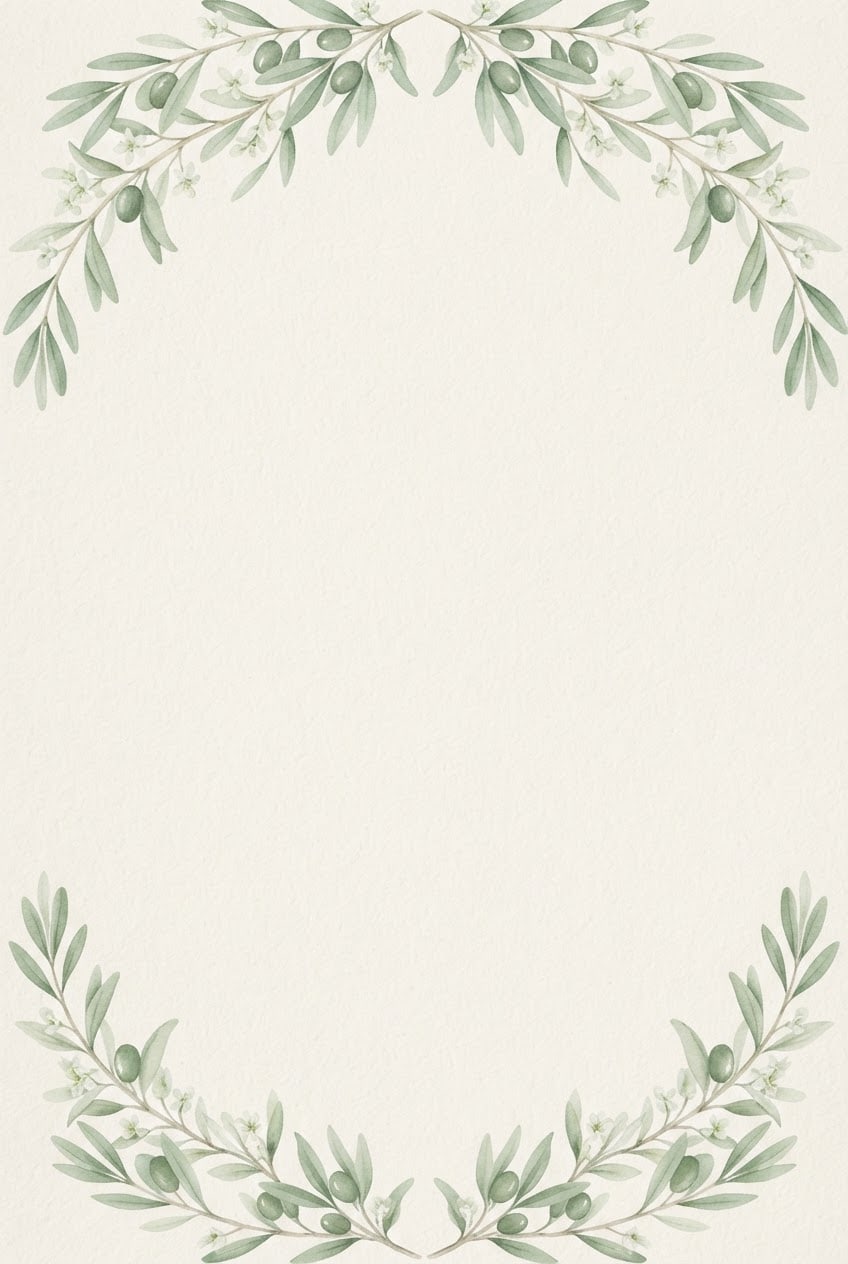
8 more ready-to-use prompts
Different takes on the same topic. Copy any of them as is and replace the parts in square brackets.
1.Wedding invitation prompt for Gemini with names
When to use: When you want the couple's names written on the card and they are short.
Design a wedding invitation, flat and straight-on.
- Names
- "[e.g. Emma & Leo]" (exactly this spelling), centered in elegant script.
- Decoration
- watercolor [e.g. eucalyptus leaves] along the edges.
- Paper
- cream.
Rules
- The only text on the card is these names.
- Leave empty space under the names for the date and venue.
- Ratio
- 2:3
2.Invitation wording prompt for ChatGPT
When to use: When the card design is ready and you need the words to put on it.
Write three versions of invitation wording.
- Occasion
- [e.g. a wedding], hosts: [e.g. Emma and Leo].
- Date and place
- [e.g. June 14, Napa Valley].
Output
- 1Formal, under 40 words.
- 2Warm and casual, under 40 words.
- 3One short line.
Rules
- Use the date and place exactly, add nothing else.
3.Engagement party invitation prompt
When to use: When you want a simpler, modern card for an engagement party.
Create a text-free engagement party invitation, the whole card in view.
- Decoration
- two linked rings and small leaves in a fine gold line at the top corner.
- Paper
- plain [e.g. blush pink].
- Center
- wide and empty for the names.
- Style
- modern minimal.
- Text
- no text on the card.
- Ratio
- 3:4
4.Birthday invitation prompt
When to use: When a kid's or adult birthday needs a themed, cheerful card.
Create a text-free birthday invitation.
- Theme
- [e.g. woodland animals].
- Decoration
- [e.g. a rabbit, a fox and balloons] in flat vector along the edges.
- Center
- a large empty cloud shape for the name and age.
- Palette
- [e.g. pastel green, yellow, cream].
- Text
- no text on the card.
- Ratio
- 3:4
5.Baby shower invitation prompt
When to use: When you want a soft, gentle card for a baby shower.
Create a text-free baby shower invitation.
- Decoration
- watercolor [e.g. small clouds, stars and a teddy bear] along the edges.
- Paper
- cream.
- Center
- plain and empty for the name and date.
- Palette
- [e.g. light blue, beige, cream].
- Text
- no text on the card.
- Ratio
- 4:5
6.Graduation party invitation prompt
When to use: When you are celebrating a graduation and want a bold, festive card.
Create a text-free graduation party invitation.
- Decoration
- [e.g. a graduation cap, confetti and gold stars] across the top edge.
- Background
- plain [e.g. navy].
- Center
- wide and empty for the graduate's name and party details.
- Style
- flat vector with gold accents.
- Text
- no text on the card.
- Ratio
- 4:5
7.Dinner party invitation prompt
When to use: When you are hosting a dinner or garden party and want a warm, relaxed card.
Create a text-free dinner party invitation.
- Decoration
- [e.g. lemons, olive branches and a wine glass] in watercolor at the bottom edge.
- Paper
- warm cream with a light texture.
- Center
- plain and empty for the details.
- Style
- loose watercolor.
- Text
- no text on the card.
- Ratio
- 2:3
8.Digital invitation prompt for messaging apps
When to use: When you will send the invitation by phone instead of printing it.
Design a vertical digital invitation to send by phone.
- Occasion
- [e.g. a garden dinner].
- Decoration
- watercolor [e.g. string lights and leaves] at the top and bottom.
- Center
- wide and calm, empty for name, date and location.
- Background
- deep navy with warm points of light.
- Text
- no text in the image.
- Ratio
- 9:16
What this prompt does
If you are looking for an invitation prompt, the main one makes a printable invitation card: an elegant decorative frame at the edges and a wide empty center for names, date and venue. The 8 variants below cover a Gemini wedding invitation with names, invitation wording in ChatGPT, engagement, birthday, baby shower, graduation, dinner party and a digital invitation for messaging apps.
Where to use it
- Wedding invitation
- Engagement party
- Birthday invitation
- Baby shower invitation
- Graduation party
- Digital invitation
Fields you can fill in
The fields you can change in the form above and their default values.
- OccasionFree text
- a simple outdoor wedding in an olive grove
- DecorationFree text
- olive branches and small white flowers
- StyleOne of 4 options
- soft watercolor bleeding into the paper
- Main colorColor
- #6b8f71
- RatioOne of 4 options
- 2:3
Step by step
- 1
Describe the occasion and decoration
Write the type of celebration and place in the Occasion field and the motif for the edges in the Decoration field (for example an olive grove wedding; olive branches and white flowers). Concrete motifs give a more elegant frame.
- 2
Pick a style and ratio
Watercolor suits garden weddings, fine gold lines suit formal events, minimal suits modern couples and vintage engraving suits classic venues. Use 2:3 or 3:4 for print and 9:16 for phones.
- 3
Generate in Canvas and check the center
Open Canvas with Use Prompt and generate. The center should stay plain and empty; if the decoration spills into it or letter-like marks appear, generate a new image with the same prompt.
- 4
Add names and details
Open the card in a design tool and set the names large in an elegant typeface, with date, time and venue smaller below. Keep two typefaces at most.
Tips and variations
- Do not ask the image model for names and dates; letters and digits can slip, and one mistake on an invitation means a reprint.
- Need both print and digital? Generate 2:3 first, then 9:16 with the same settings so both carry the same decoration.
- Keeping the decoration at the edges leaves the center calm; flowers across the whole card make the text hard to read.
- Match the main color to the table flowers or bouquet so the invitation ties into the rest of the day.
Frequently asked questions
What is a good wedding invitation prompt for Gemini?
Use the Gemini variant on this page: it puts the couple's names in quotes with exact spelling, adds a watercolor frame and leaves room under the names for the date. Add the date and venue afterwards.
Can ChatGPT write the invitation wording?
Yes. The ChatGPT wording variant writes a formal, a warm and a one-line version from your date and venue; you then place the chosen text on the card.
What is a good invitation prompt template?
Name the occasion, the decoration motif and where it sits, ask for an empty center for names and details, then set the style, palette and ratio. The main prompt follows that order and works as a template.
What size should an invitation be?
Printed invitations are usually portrait; 2:3 fits 4x6 inch cards exactly and 3:4 is close to 5x7. Use 9:16 for invitations sent to phones.
Are these invitation prompts free?
Copying the prompts is free and they work in the free versions of Gemini and ChatGPT. Image limits depend on each tool's own plan.





