Infographic Template Prompts: 7 Prompts for ChatGPT, Gemini
7 infographic template prompts: blank vertical step templates, comparison, statistics, list, process and social carousel templates for your own text; works in Gemini, ChatGPT and Entrobase Canvas.
Tested: EntroGen Flash, November 2026
Prompt
Fill in the fields below and the prompt updates instantly. Copy it and use it in any AI tool.
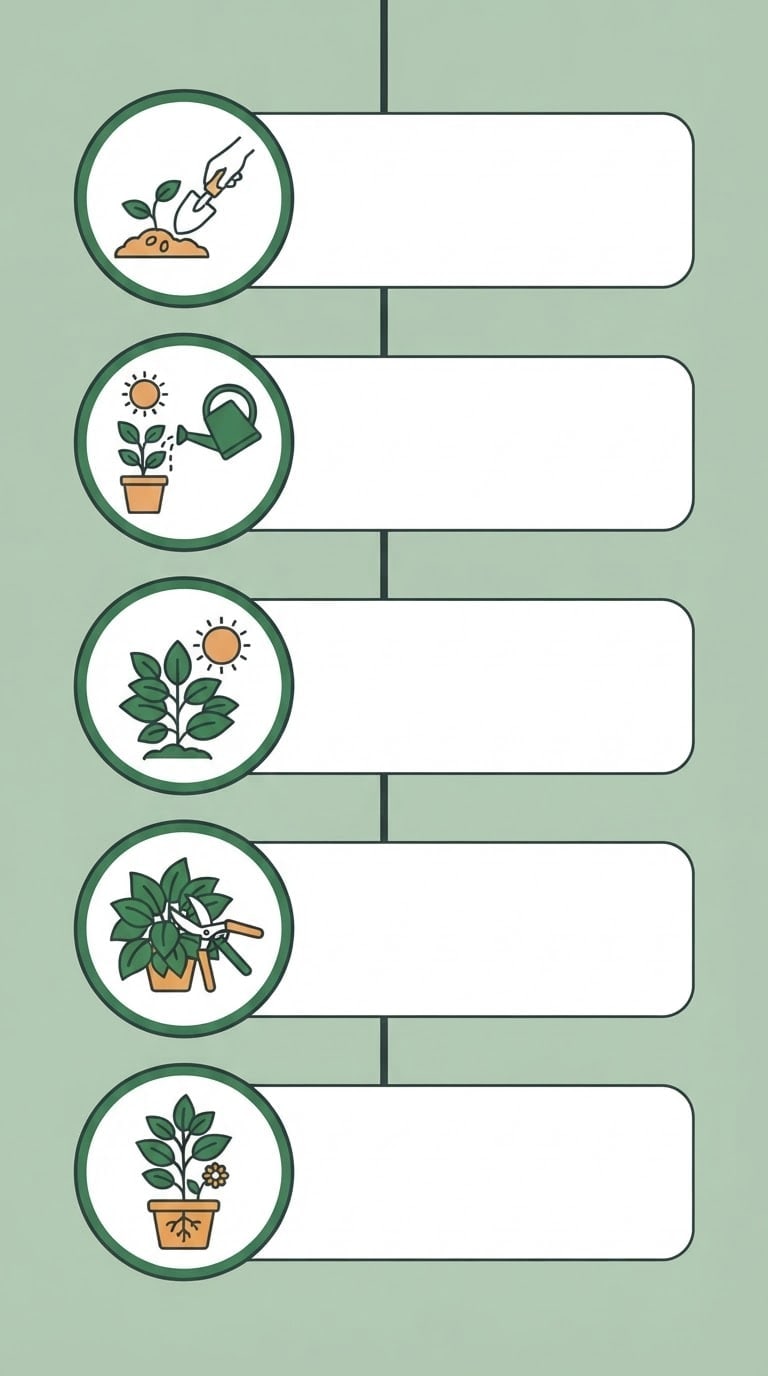
Create a blank vertical infographic template image with the text to be added later.
Topic hintgrowing houseplants at home; the topic is told only through icons.
Structuretop to bottom five steps; each step has a large round icon badge on the left and an empty rounded text card on its right; steps joined by a thin vertical line.
Styleflat vector infographic, even line weight, flat even light, straight front view.
Backgroundflat light sage green, white cards.
Palettemain color #3e7c4f, one supporting tone and dark charcoal icon lines.
Compositionsteps evenly spaced vertically, equal margins on all four sides, a plain continuation of the background at the very top.
Textthe image is completely text-free; no title, numbers, letters or step numbers; cards left empty.
Aspect ratio 9:16.
Image made with this prompt
6 more ready-to-use prompts
Different takes on the same topic. Copy any of them as is and replace the parts in square brackets.
1.Comparison infographic template prompt
When to use: When you are comparing two options side by side.
Create a comparison infographic template with text to be added later.
- Structure
- split down the middle; a large icon on each side with four empty row cards below.
- Style
- flat vector, left side blue, right side orange.
- Text
- completely text-free, cards empty.
- Ratio
- 4:5
2.Statistics infographic template prompt
When to use: When you want an image that puts numbers up front.
Create a statistics infographic template with text to be added later.
- Structure
- three large empty number circles on top, a bar chart and a donut chart below.
- Style
- flat vector, navy and yellow.
- Text
- no numbers, percentages or labels.
- Ratio
- 3:4
3.List infographic template prompt
When to use: When you are sharing a list like '7 tips'.
Create a list infographic template with text to be added later.
- Structure
- seven horizontal strips stacked, a small icon on the left of each and an empty text area on the right.
- Style
- flat vector in pastel tones.
- Text
- completely text-free.
- Ratio
- 9:16
4.Process infographic template prompt
When to use: When a slide should show steps from left to right.
Create a horizontal process infographic template with text to be added later.
- Structure
- five arrow-shaped steps left to right, an icon above each arrow and an empty text card below.
- Style
- flat vector with tones shifting from green to blue.
- Text
- completely text-free.
- Ratio
- 16:9
5.Instagram carousel template prompt
When to use: When you want a consistent template for a multi-slide post.
Create a page template for an Instagram carousel with text to be added later.
- Structure
- a large icon area on top, an empty text card in the middle, small progress dots at the bottom.
- Style
- flat vector, [e.g. coral] accent on cream.
- Text
- completely text-free.
- Ratio
- 4:5
6.Infographic text prompt for ChatGPT
When to use: When you want the text that goes into the template cards.
Write the text for an infographic on the topic below.
- Topic
- [e.g. 5 steps to growing houseplants].
Output
- One title (6 words max).
- 5 steps; each with a title (3 words max) and a note (12 words max).
- Format
- a numbered list.
What this prompt does
If you want a ready infographic template to fill with your own text, the main prompt makes a completely text-free vertical template with icon steps and empty text cards. The 6 variants below cover comparison, statistics, list, process and carousel templates plus the template text in Gemini and ChatGPT.
Where to use it
- Instagram and Pinterest infographic
- Presentation slide
- Teaching material
- Blog post graphic
Fields you can fill in
The fields you can change in the form above and their default values.
- Topic hintFree text
- growing houseplants at home
- StepsOne of 3 options
- five steps
- BackgroundOne of 3 options
- sage green
- Main colorColor
- #3e7c4f
- RatioOne of 3 options
- 9:16
Step by step
- 1
Write the topic as a hint
Put the topic briefly in the Topic hint field (growing houseplants). Do not list step names; if you do, the model tends to write them into the image itself, often wrongly.
- 2
Pick the step count and ratio
9:16 suits Pinterest and stories, 3:4 and 4:5 suit Instagram posts. More than six steps get cramped in one image.
- 3
Add the text in a design tool
Place the template in a design or slide tool and type into the cards. Write short, even-length texts first with the ChatGPT variant below.
Tips and variations
- Match the main color to the topic: green for plants, navy for finance, warm orange for food.
- Use the same template across a series and change only the topic hint and main color; the account looks consistent.
- Keep each step to 12 words so the text fits the cards.
Frequently asked questions
Why does an infographic template prompt ask for no text?
Image models misspell small and long text. A text-free template with text added later is both correct and editable.
Can Gemini make an infographic template?
Yes. When the structure, step count, style and 'completely text-free' line are explicit, Gemini draws a clean template.
How is this different from a NotebookLM infographic prompt template?
NotebookLM produces a summary image with text from your sources; this page's template is a blank design for your own text.
Can I use the template commercially?
You can use a template you generated; also check the terms of the tool you used.





