Halloween poster prompt: spooky pumpkin poster design
A Halloween poster prompt for a spooky pumpkin poster design with a full moon and a single bold title; pick the scene, style and color. Works in Gemini, ChatGPT and Entrobase Canvas.
Prompt
Fill in the fields below and the prompt updates instantly. Copy it and use it in any AI tool.
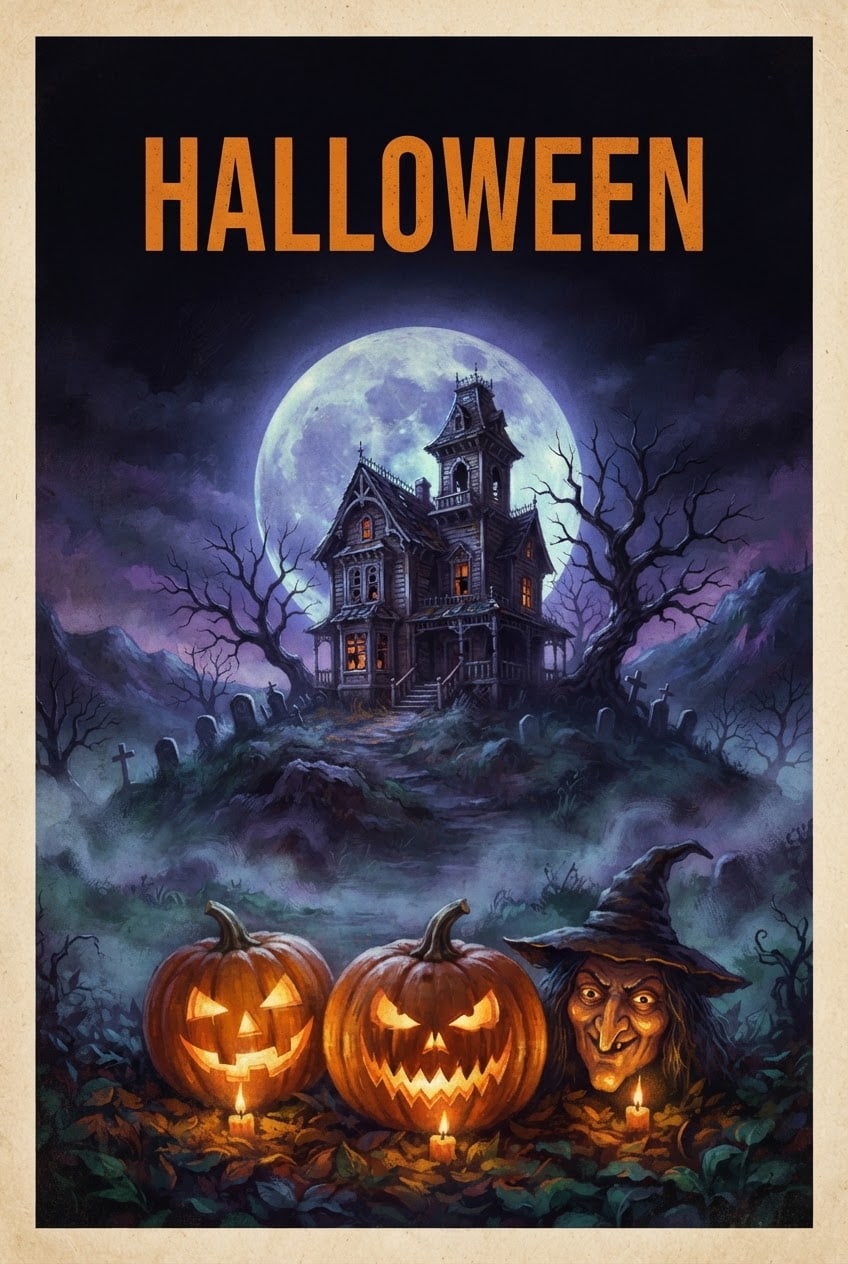
The vertical Halloween poster itself, a full-bleed print design.
Scenean old haunted house on a hill with dimly lit windows and bare trees.
Foregroundalong the bottom edge, three carved jack-o'-lanterns glowing with candlelight inside.
Lightcold backlight from a big full moon behind, a warm glow from the pumpkins, thin ground mist.
Cameralow-angle wide shot; pumpkins sharp, background slightly soft.
Stylea classic painted poster illustration with visible brush texture.
Color palettemidnight blue and purple shadows, black silhouettes, #e87a1e as the accent color; the pumpkins and the title in the accent color.
Compositionmoon and scene centered; the top quarter is plain night sky holding a single centered title in bold, widely spaced letters: "HALLOWEEN".
Textthat title is the only text in the image; the pumpkins, buildings and sky stay text-free.
Aspect ratio 2:3.
Image made with this prompt
What this prompt does
This prompt creates a vertical Halloween poster with a spooky scene rising in front of a full moon, glowing carved pumpkins along the bottom and a single bold title at the top. It is made for Halloween party announcements, cafe and school events, social posts or a wall poster; you add the date and venue afterwards.
Where to use it
- Halloween party announcement
- Cafe and bar event poster
- School and kindergarten event
- Instagram story and post
- Wall poster and decoration
Fields you can fill in
The fields you can change in the form above and their default values.
- Title textFree text
- HALLOWEEN
- SceneOne of 5 options
- an old haunted house on a hill with dimly lit windows and bare trees
- StyleOne of 4 options
- a classic painted poster illustration with visible brush texture
- Accent colorColor
- #e87a1e
- Aspect ratioOne of 4 options
- 2:3
Step by step
- 1
Keep the Title text short
Write one or two words in Title text (e.g. "HALLOWEEN" or "BOO"). Image models spell short, all-caps words more reliably; long titles or special characters can come out with wrong letters.
- 2
Choose the Scene
The Scene list has a haunted house, a witch on a broom, a black cat on a fence, a misty forest and a castle on a cliff. The haunted house and castle give a classic spooky mood; the black cat and witch leave a simpler silhouette that reads like a poster.
- 3
Set the Style and Accent color
The painted illustration gives a rich poster, the vintage screen print a retro look and the cinematic style a movie poster feel; the cute style suits kids' events. The accent color paints the pumpkins and the title; orange is classic, purple or toxic green stands out.
- 4
Pick the ratio and generate
Use 2:3 or 3:4 for a printed poster, 4:5 for an Instagram post and 9:16 for a story. Paste the text into Gemini or ChatGPT with "Copy", or create it in Entrobase Canvas with "Generate in Canvas" (an account is required).
- 5
Check the title and the scene
Make sure every letter of the title is there and no other text has appeared in the scene. If a letter is off, generate again with the same text; add the date, time and address at the bottom of the poster in a design tool.
Tips and variations
- For a party poster, swap the title for the venue or event name (e.g. "BOO NIGHT"); short English words give the cleanest result without spelling errors.
- For a kids' event, choose the cute illustration style and the black cat scene; the mood turns fun rather than scary and reads well on a school board.
- For a digital screen or a story, choose 9:16 and keep the title to one word; a long title shrinks and crowds the scene in a narrow frame.
- Generate the same scene in two accent colors (orange and purple); shared side by side as a series, they catch the eye in a social feed.
Frequently asked questions
When is Halloween?
Halloween is celebrated every year on October 31. Sharing party and event posters a week or two ahead gives guests time to plan.
How do I make a Halloween poster with AI?
Write the title in the form, choose the scene, style and accent color, then use "Copy" to paste the text into an image tool or "Generate in Canvas" to create it in Entrobase Canvas. Because the prompt describes the light, the camera and where the title goes, the poster's structure lands on the first try.
Can I put the date and address on the poster?
Rendering long details inside the image is not recommended; image models can garble dates, times and addresses. Generate the poster with the title only, then add the details at the bottom of the poster in a design tool.
Why do some titles come out misspelled?
Image models often struggle with long words and accented letters. Use a short, simple word for the title, or generate the poster without a title and add the lettering afterwards.





