Flyer Prompts: 7 Copy-Paste Prompts for ChatGPT and Gemini
7 flyer prompts for events, businesses, restaurant menus, birthday parties and real estate; works in ChatGPT, Gemini and Entrobase Canvas.
Tested: EntroGen Flash, November 2026
Prompt
Fill in the fields below and the prompt updates instantly. Copy it and use it in any AI tool.
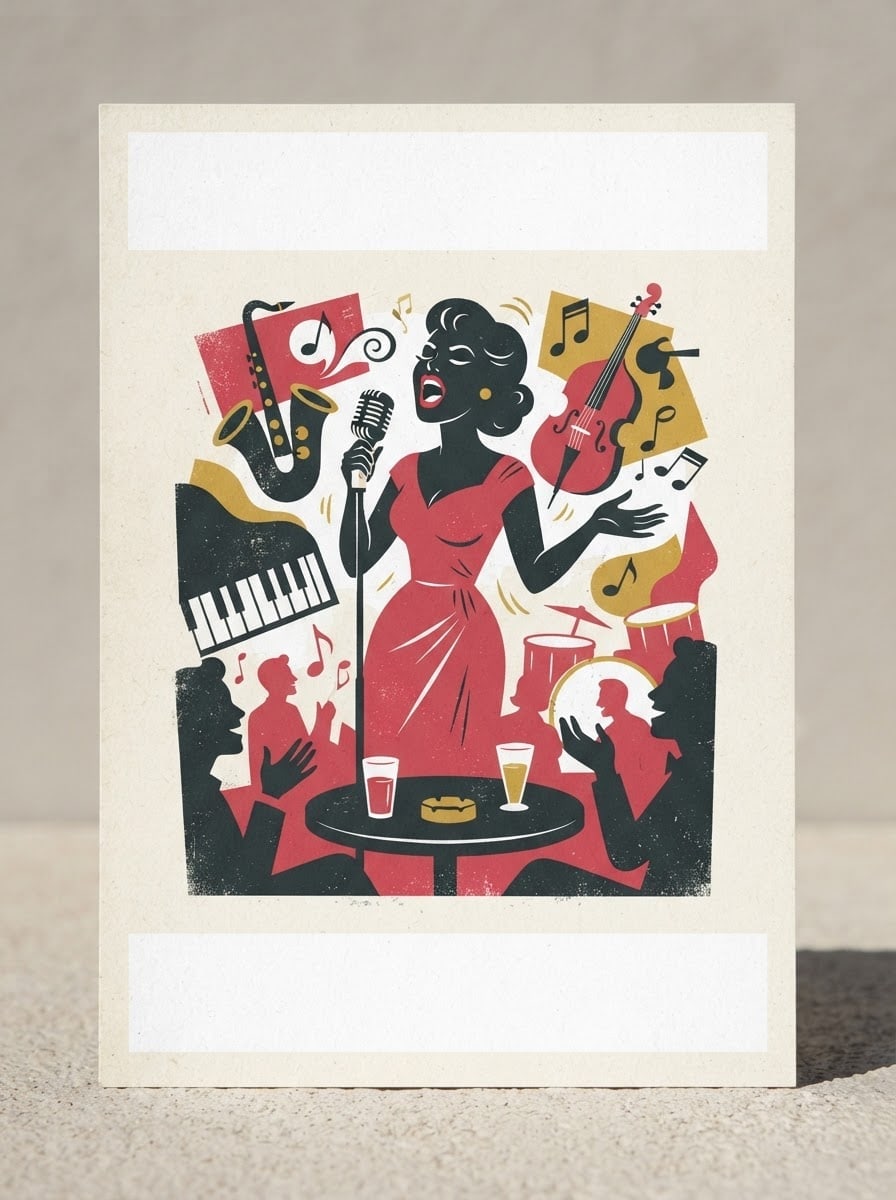
Create a printed flyer design with its text areas left empty.
Topica live jazz night on Saturday evening at a small cafe; the visual tells the topic at a glance.
Main visualone strong illustration or object from the topic, in the middle of the flyer.
Stylea 60s retro poster illustration, flat colors, light paper texture.
Palettemain color #d1495b, off-white and dark charcoal; four colors at most.
Lightflat and even, print-friendly contrast.
Anglestraight-on, flat framing; the whole image is the flyer itself.
Compositiona wide plain empty band at the top for the headline and a plain empty strip at the bottom for date and address; bleed-sized margins at the edges.
Textno text in the image; copy is added later.
Aspect ratio 3:4.
Image made with this prompt
6 more ready-to-use prompts
Different takes on the same topic. Copy any of them as is and replace the parts in square brackets.
1.Event flyer with text in ChatGPT
When to use: When you want the headline and date written on the flyer and the copy is short.
Design an event flyer with text.
- Headline
- "[e.g. Jazz Night]" (exactly this spelling), large at the top.
- Subline
- "[e.g. November 22, 9 PM]" (exactly).
- Visual
- an illustration of [e.g. a double bass and saxophone] in the middle.
- Style
- retro poster, flat colors.
- Palette
- [e.g. red, cream, navy].
Rules
- The only text in the image is these two lines.
- Ratio
- 2:3
2.Business flyer
When to use: When you want to promote your shop or service with a flyer handed out locally.
Design a print flyer that promotes a business.
- Business
- [e.g. a neighborhood bakery] selling [e.g. sourdough bread and pastries].
- Visual
- the products on the counter, photographed in warm morning light.
- Layout
- an empty band at the top for the headline, an empty strip at the bottom for the address.
- Palette
- [e.g. wheat yellow, brown, cream].
- Text
- no text in the image.
- Ratio
- 3:4
3.Restaurant menu flyer
When to use: When you need a takeout or daily menu flyer with food imagery.
Design a flyer for a restaurant's takeout menu.
- Visual
- [e.g. three different pasta plates] shot from above, in the top half.
- Layout
- a plain, empty light panel in the bottom half for menu lines.
- Style
- vivid food photography with a clean graphic frame.
- Palette
- [e.g. tomato red, olive green, cream].
- Text
- no text in the image.
- Ratio
- 2:3
4.Birthday party flyer
When to use: When you want a cheerful invitation flyer for a kids or adult birthday.
Design an invitation flyer for a birthday party.
- Theme
- [e.g. a space-themed kids party].
- Visual
- an illustration of [e.g. a rocket, planets and stars].
- Layout
- an empty round area in the middle for the name and age.
- Style
- colorful, flat vector, playful.
- Text
- no text in the image.
- Ratio
- 3:4
5.Real estate listing flyer
When to use: When you want a one-page flyer for a home for sale or rent.
Design a real estate flyer for a house for sale.
- Visual
- [e.g. a two-story detached house with a garden] at sunset, in the top half.
- Layout
- three empty boxes for features in the bottom half and an empty strip for contact details.
- Style
- clean and professional, thin lines.
- Palette
- [e.g. navy and gold] on white.
- Text
- no text in the image.
- Ratio
- 2:3
6.Flyer from your photo in Gemini
When to use: When you have a photo of your venue or product and want it placed into a flyer layout.
Design a flyer using the photo I uploaded.
- Photo
- in the top two-thirds, its colors and content kept.
- Layout
- a flat [e.g. orange] band at the bottom, empty for the headline and date.
- Edges
- a thin white frame.
- Text
- no text in the image.
- Ratio
- 3:4
What this prompt does
If you need a flyer for an event, a shop or a promotion, copy one of the 6 variants below: business promo, restaurant menu, birthday party, real estate listing, a text flyer in ChatGPT and a flyer from your photo in Gemini. The main prompt creates a print flyer that tells the topic with one strong visual and leaves the headline and date areas empty.
Where to use it
- Concert and event flyer
- Shop and sale flyer
- Restaurant menu flyer
- Birthday invitation
- Class and workshop flyer
Fields you can fill in
The fields you can change in the form above and their default values.
- TopicFree text
- a live jazz night on Saturday evening at a small cafe
- StyleOne of 4 options
- a 60s retro poster illustration, flat colors, light paper texture
- Main colorColor
- #d1495b
- RatioOne of 3 options
- 3:4
Step by step
- 1
Write the topic in one sentence
Answer what, where and when in one line in the Topic field (for example a live jazz night on Saturday at a small cafe). The model picks the main visual from this sentence.
- 2
Choose the style, color and ratio
Retro poster suits events, modern minimal suits corporate notices, photo-led suits food and products, and hand-drawn suits kids and workshops. For A4 and A5 printing choose 3:4 or 2:3.
- 3
Generate in Canvas and check the text areas
Open Canvas with Use Prompt and generate. The top headline band and bottom strip should stay empty; if the visual spills into them, generate a new image with the same prompt.
- 4
Add the copy and prepare for print
Type the headline, date, address and contact details into the empty areas in a design tool. Before printing, make sure a few millimeters of margin remain at the edges.
Tips and variations
- Use one main visual; three or four small pictures do not read from a distance and split attention.
- Do not ask the image model to write dates and times; it can mix up digits, while adding them later is error-free.
- If the same design goes on Instagram, pick 4:5 so it works both in print and in the feed.
- If the flyer will be photocopied, choose a light background; dark backgrounds print blotchy in black and white.
Frequently asked questions
How do I make a flyer with ChatGPT?
Open a new ChatGPT chat, paste the ChatGPT variant from this page and put your headline, date and address in the brackets. Short headlines usually render correctly; long copy is safer to add afterwards.
Can a Gemini flyer prompt use my own photo?
Yes, upload a photo of your venue or product to Gemini and paste the photo flyer variant; it places the photo into a flyer layout. Google's image generation documentation covers editing with reference images.
What aspect ratio should a flyer be?
A4 and A5 sheets are portrait, and 2:3 or 3:4 fit them with little cropping. If the same design is also for social media, 4:5 is a good shared ratio.
Are these flyer prompts free?
Copying the prompts is free and they work in the free versions of ChatGPT and Gemini. Generation limits depend on each tool's own plan.





