Flowchart Prompts: 7 Prompts for ChatGPT and Gemini (2026)
7 flowchart prompts: a process flowchart image with space for your labels, decision flows, user flows, business processes, Mermaid code and hand-drawn flows; works in ChatGPT, Gemini and Entrobase Canvas.
Tested: EntroGen Flash, November 2026
Prompt
Fill in the fields below and the prompt updates instantly. Copy it and use it in any AI tool.
Create a presentation-ready flowchart image with space to add the text later.
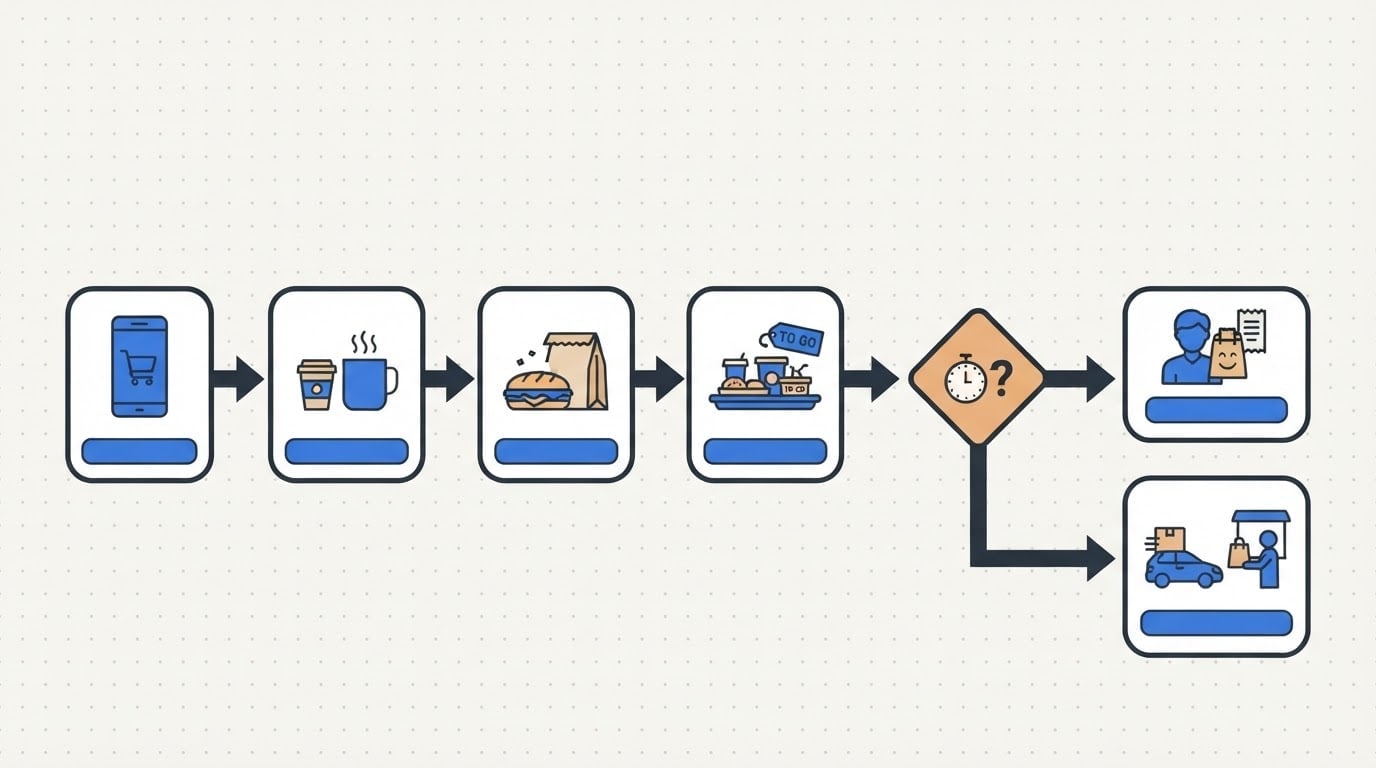
Topican online order at a cafe being prepared and delivered; each box holds only a small flat icon that tells the topic.
Layouta horizontal layout flowing left to right; a rounded start box, three process boxes, one diamond decision box and two separate end boxes; boxes joined by thick arrows, two arrows leaving the decision box.
Styleflat vector infographic, even line weight, flat even light; an empty light-colored label strip beside the icon in each box.
Backgroundflat off-white with a very faint dot grid.
Palettemain color #2f6fde, one warm accent for the decision box, dark charcoal arrows.
Compositionchart in the middle of the image, evenly spaced boxes, wide margins; a plain continuation of the same background above, left open for a title.
Textno text, numbers or letters in the image; label strips left empty.
Aspect ratio 16:9.
Image made with this prompt
6 more ready-to-use prompts
Different takes on the same topic. Copy any of them as is and replace the parts in square brackets.
1.Flowchart prompt for ChatGPT with short labels
When to use: When you want short labels written inside the boxes.
Draw a simple flowchart image.
- Boxes in order
- "Start", "Take order", "In stock?" (decision), "Prepare", "Deliver", "End".
The "No" arrow from the decision goes to a "Reorder" box.
- Style
- flat vector, blue boxes, dark arrows, white background.
Rules
- Only the given text in each box.
- No other text.
- Ratio
- 16:9
2.Decision tree prompt
When to use: When you want to show options that branch from one question.
Create a decision tree image with text to be added later.
- Structure
- a question box on top, two branches, each with a decision box and two outcome boxes.
- Style
- flat vector, green and orange boxes.
- Background
- flat white.
- Text
- boxes left empty, no text in the image.
- Ratio
- 4:3
3.User flow prompt
When to use: When you want to show how screens connect in an app.
Create a user flow chart for a mobile app.
- Structure
- [e.g. splash, sign-up, home, product, cart, checkout] screens as small phone frames joined by arrows.
- Screens
- simple gray blocks inside, no text.
- Style
- flat vector with a purple accent.
- Background
- light gray.
- Ratio
- 16:9
4.Mermaid flowchart prompt
When to use: When you want the chart as editable code.
Write the process below as Mermaid flowchart code.
- Process
- [e.g. a customer return request: request arrives, invoice checked, decision 'more than 14 days?', approve or reject, refund issued].
Rules
- Direction top-down (TD).
- Decision as a diamond.
- Return only the code block.
5.Swimlane flowchart prompt
When to use: When you want to show which team does what in a process.
Create a swimlane process chart image with text to be added later.
- Structure
- three horizontal lanes (e.g. customer, sales, warehouse), 7 boxes across the lanes joined by arrows.
- Style
- flat vector, each lane in its own light tone.
- Text
- lane titles and boxes left empty.
- Ratio
- 16:9
6.Hand-drawn flowchart prompt
When to use: When you want a friendly whiteboard or notebook look.
Create a flowchart that looks hand-drawn on a notebook page.
- Structure
- start, three steps, one decision, two outcomes, joined by arrows.
- Style
- black felt-tip lines with one highlighter accent color.
- Background
- a grid notebook page shot from above.
- Text
- boxes left empty.
- Ratio
- 4:3
What this prompt does
If you need a clean flowchart image for a slide or document, the main prompt joins start, process, decision and end boxes with arrows and leaves the labels empty so you add the text yourself. The 6 variants below cover labeled charts, decision trees, user flows, Mermaid code, swimlanes and hand-drawn flows in ChatGPT and Gemini.
Where to use it
- Presentation slide
- Process document
- Training material
- Product and user flow
Fields you can fill in
The fields you can change in the form above and their default values.
- TopicFree text
- an online order at a cafe being prepared and delivered
- LayoutOne of 3 options
- a horizontal layout flowing left to right
- Main colorColor
- #2f6fde
- RatioOne of 3 options
- 16:9
Step by step
- 1
Write the topic as one process
Put one process with a clear start and end in the Topic field (an order taken and delivered). The icons in the boxes come from this sentence.
- 2
Pick a layout for the page
Horizontal suits slides, vertical suits A4 documents, and the snake layout suits long processes.
- 3
Add the labels afterwards
Place the image in a slide or design tool and type into the empty label strips. Image models often garble small text in boxes; empty strips give a clean result.
Tips and variations
- To change the number of boxes edit the counts in the Layout line; more than seven boxes get cramped in one image.
- In a corporate deck match the main color to your brand; the warm decision box draws the eye to the decision point.
- If you need an editable chart, ask ChatGPT for Mermaid code with the variant below and render it in a diagram tool.
Frequently asked questions
How do I write a flowchart prompt for ChatGPT?
Put the process, box types (start, process, decision, end), layout and style on separate lines. For a labeled chart give each box's text in quotes, two words at most.
Can Gemini draw a flowchart?
Yes, as an image. It can render short labels; with long text letters may break, so an unlabeled chart with text added later is safer.
What is a Mermaid flowchart prompt?
It asks ChatGPT or Claude for the chart as Mermaid code. The code turns into an editable diagram in any editor that supports Mermaid.
Which shapes does a flowchart use?
Rounded boxes mark start and end, rectangles mark steps and diamonds mark decisions; arrows show the direction of flow.





