Email marketing prompt: promotional email template with subject lines
An email marketing prompt that writes a promotional email template: five subject lines with preheaders, an 80 to 120 word body, button text and an A/B test idea. Works in ChatGPT, Gemini and Entrobase.
Prompt
Fill in the fields below and the prompt updates instantly. Copy it and use it in any AI tool.
Write a marketing email for Tarcin Bookshop.
Type of businessindependent bookshop with an online store. Type of email: campaign announcement. Offer: buy 2 get 1 free on selected novels until October 12. Tone: warm and friendly, like a note from a friend.
Output
Five subject lines, each at most 50 characters and from a different angle: benefit, curiosity, question, deadline (only if the offer has a date), short and plain. Under each one, write a preheader (the line shown next to the subject in the inbox) that adds to the subject without repeating it, at most 90 characters.
The email body, 80 to 120 words: a greeting by name ("Hi [Name],"), an opening that draws the reader in, short paragraphs that state the offer and its terms clearly, a single button label of at most 25 characters, a sign-off and a signature from the business. One main message, one call to action.
A one-sentence P.S. that repeats the offer or the deadline once more.
A placeholder for the unsubscribe link: "[unsubscribe]".
An A/B test idea: which two subject lines you would test against each other and why, in one sentence.
Label the lines "Subject 1:", "Preheader 1:", "Body:", "Button:", "P.S.:", "Test:".
Rules
no words in all caps, no exclamation marks and no emoji in subject lines; avoid phrases that trip spam filters ("free money", "click now", "act fast").
Do not use exaggerated claims; no words like cheapest, guaranteed, 100%, number one or the best.
Use only the facts I gave: do not invent prices, discount rates, dates, stock levels or shipping terms; if the offer has no date, do not create urgency.
Keep the English natural and easy to read.
Text made with this prompt
The text this prompt produces with its default values.
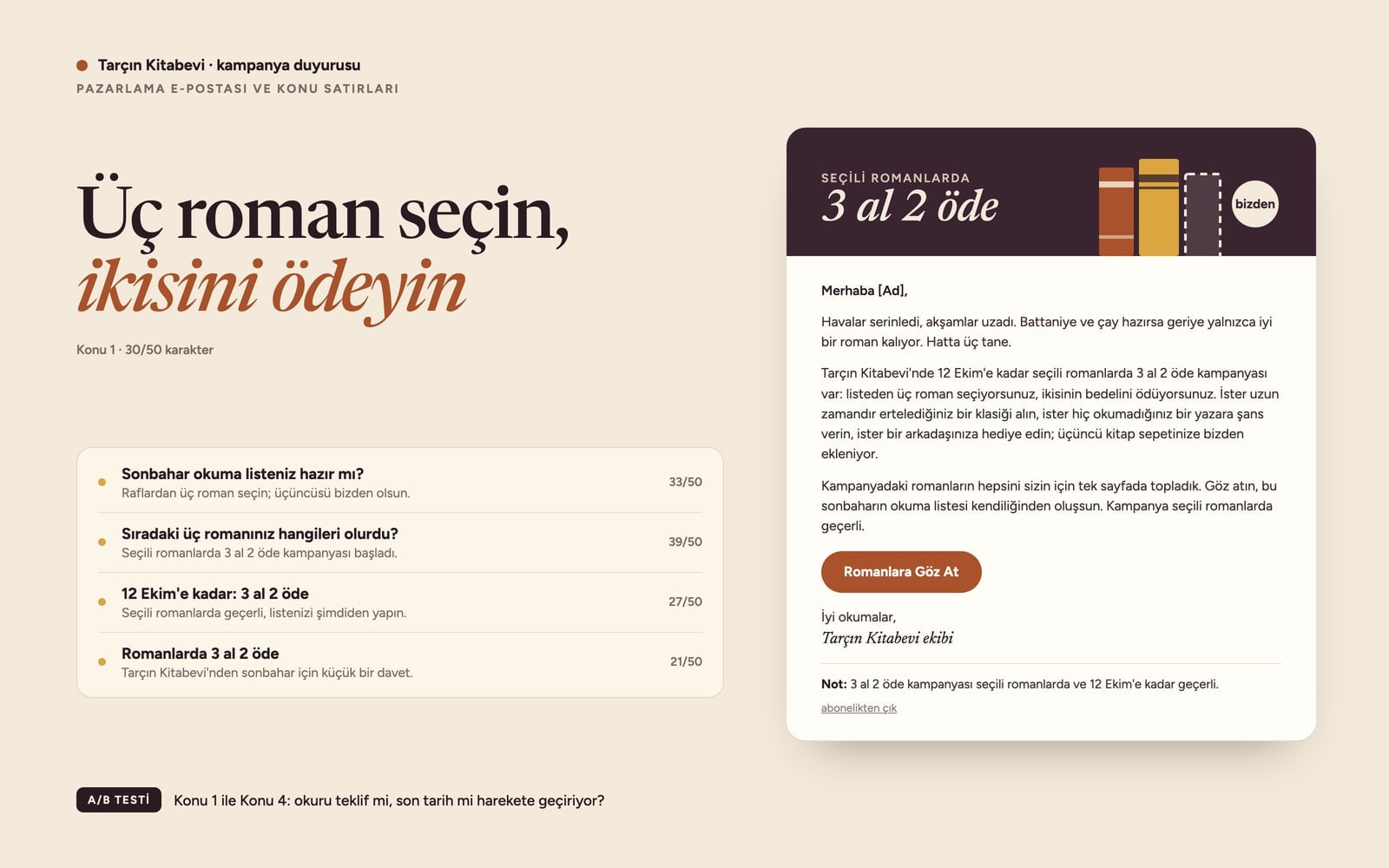
- Subject 1
- Pick three novels, pay for two
- Preheader 1
- Buy 2 get 1 free on selected novels until October 12 at Tarcin Bookshop.
- Subject 2
- Is your autumn reading list ready?
- Preheader 2
- Choose three novels from the shelves; the third one is on us.
- Subject 3
- Which three novels would you read next?
- Preheader 3
- Buy 2 get 1 free on selected novels is now on.
- Subject 4
- Until October 12: buy 2, get 1 free
- Preheader 4
- It applies to selected novels, so start your list now.
- Subject 5
- Buy 2 novels, get 1 free
- Preheader 5
- A small autumn invitation from Tarcin Bookshop.
Body
Hi [Name],
The evenings are getting cooler. If the blanket and the tea are ready, all that is missing is a good novel. Or three.
Until October 12, Tarcin Bookshop has a buy 2 get 1 free offer on selected novels: pick three from the list and pay for two. Finally get to that classic you keep putting off, or take a chance on an author you have never read; the third book goes into your basket on us.
We have gathered every novel in the offer on one page. Have a look and let your reading list build itself.
- Button
- Browse the Novels
Happy reading,
The Tarcin Bookshop team
P.S.: The buy 2 get 1 free offer applies to selected novels and runs until October 12.
[unsubscribe]
- Test
- I would test Subject 1 against Subject 4: one leads with the benefit and the other with the deadline, so the open rate shows whether the offer or the time limit moves readers.
What this prompt does
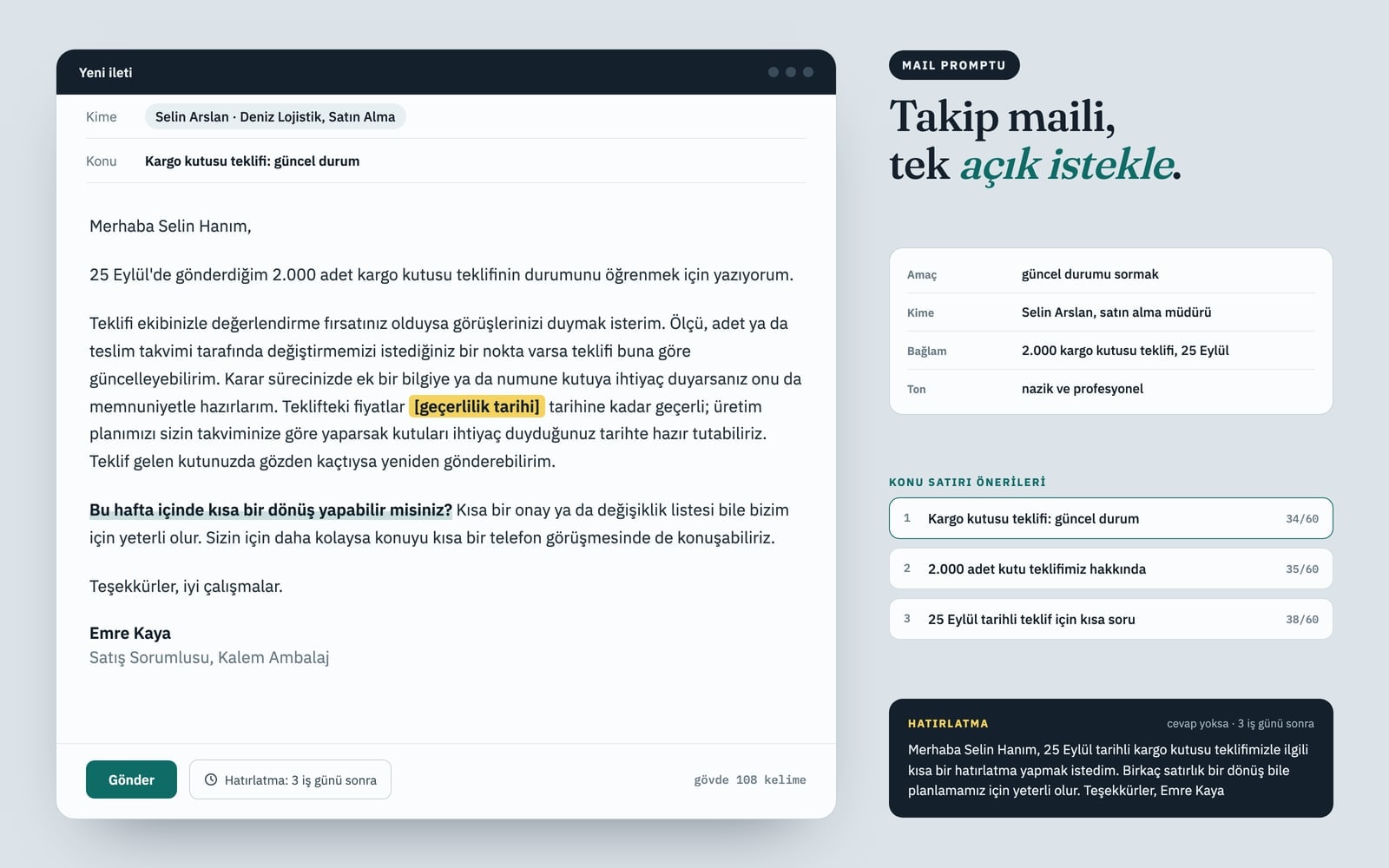
This prompt writes a complete marketing email for a business's mailing list: five subject lines from different angles, each with its own preheader, an 80 to 120 word body, one button label, a P.S. and an A/B test idea. The output comes labeled as 'Subject 1:', 'Body:', 'Button:' and so on, so you can move it into your email tool section by section.
Where to use it
- Store promotion announcement
- Welcome email for new subscribers
- Last-days campaign reminder
- Win-back email for lapsed customers
- Subject line A/B test prep
Fields you can fill in
The fields you can change in the form above and their default values.
- Business nameFree text
- Tarcin Bookshop
- Business typeFree text
- independent bookshop with an online store
- OfferFree text
- buy 2 get 1 free on selected novels until October 12
- Email typeOne of 4 options
- campaign announcement
- ToneOne of 4 options
- warm and friendly, like a note from a friend
Step by step
- 1
Fill in Business name and Business type
Business name appears in the signature and some preheaders. Describe what you sell in Business type, for example 'independent bookshop with an online store'; the opening paragraph and its examples take their cue from it.
- 2
Match the Email type with the Offer
A campaign announcement introduces the offer, a last-days reminder leans on the deadline and a win-back email invites a customer back. Put the terms and any end date in Offer; if there is no date, the prompt skips urgency and drops the deadline subject line.
- 3
Pick a Tone, then Copy and paste
Tone sets the voice of the body: warm and friendly, plain and short, witty and playful or polished and professional. Your choices are written into the text as you go; press Copy and paste it into ChatGPT, Gemini or Claude. An email needs no Google Ads connection.
- 4
Count the subject lines and the body
Subject lines should stay within 50 characters, preheaders within 90 and the button within 25; the body should land between 80 and 120 words. If you spot all-caps words, exclamation marks, emoji or spammy phrases like 'act fast', ask the model to fix them.
- 5
Run the suggested test
The Test line names two subject lines to compare and why. Send each to a small slice of your list, then use the one with the higher open rate for everyone else; replace [Name] and [unsubscribe] with your email tool's merge fields.
Tips and variations
- Get two emails from one offer: run it first as a campaign announcement, then again as a reminder for the last days of the campaign a few days before it ends; the two take different angles.
- For a win-back email, give a small, concrete reason in Offer, such as 'forty new novels arrived this month'. The prompt never invents a discount, so without a reason the invitation feels thin.
- Witty and playful fits friendly brands like cafés and bookshops; generate the same email in polished and professional too and read both with your team to see which one sounds like you.
- For a welcome email with no sales offer, write what subscribers get in Offer (for example 'two book picks a month and event news'); the subject lines then focus on the benefit instead of a discount.
- For short reminders read on phones, change '80 to 120 words' to '50 to 70 words' in the copied prompt.
Frequently asked questions
How long should an email subject line be?
The prompt caps each subject line at 50 characters, since long subjects get cut off in phone inboxes. The preheader can run to 90 characters and completes the subject without repeating it; readers see the two together.
What is a preheader?
It is the short line shown next to or under the subject in the inbox. If you leave it empty, most email apps show the first sentence of the body instead. The prompt writes one preheader per subject line; paste it into your tool's preheader or preview text field.
Can I use this prompt in Gemini?
Yes. Fill in the form, press Copy and paste it into Gemini, ChatGPT or Claude. The Use in Entro Ads button leads to an ad chat that needs a connected Google Ads account, so for an email, copying the prompt into the tool you prefer is the simpler route.
Will this email land in spam?
No text decides that on its own; domain authentication and list quality matter too. The prompt handles the copy side: no all-caps words, exclamation marks or emoji in subject lines, no phrases like 'click now', and a placeholder for the unsubscribe link.
Why does the prompt also suggest an A/B test?
It is hard to guess which subject line will get more opens. After writing five angles, the prompt picks two worth testing against each other and says why in one sentence, so you know what you are measuring before you send.