Diagram Prompts: 7 Copy-Paste Prompts for ChatGPT, Gemini
7 diagram prompts: cycle diagrams, science and lesson diagrams, software architecture, ER diagrams, Venn diagrams and cutaway drawings; works in ChatGPT, Gemini and Entrobase Canvas.
Tested: EntroGen Flash, November 2026
Prompt
Fill in the fields below and the prompt updates instantly. Copy it and use it in any AI tool.
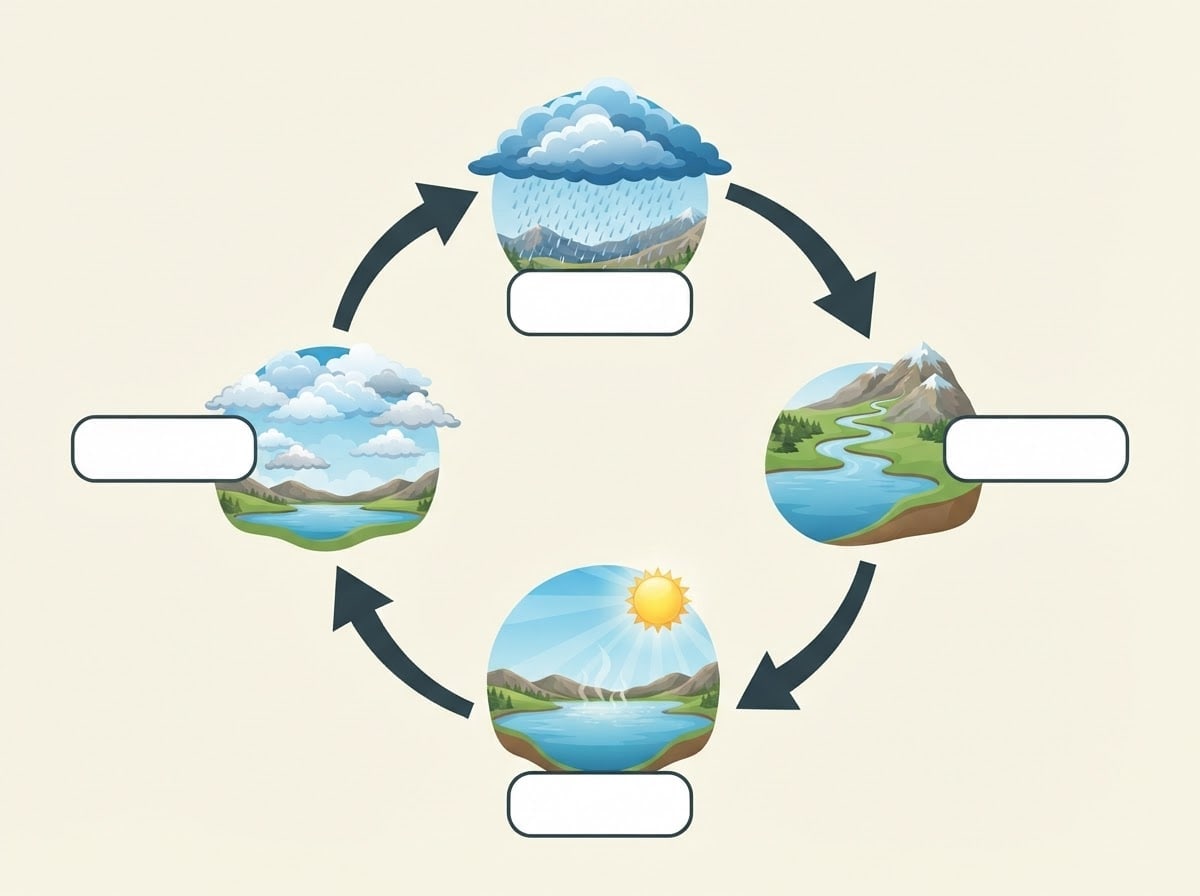
Create a completely text-free cycle diagram image whose labels will be added later.
Topicwater cycle; a sunlit lake, gathering clouds, rain, a river flowing to the lake.
Structurethe topic's four stages at four points on a circle, each shown with a small illustration; stages joined clockwise by thick curved arrows.
Styleflat vector educational illustration; an empty rounded label box beside each stage.
Backgroundflat, plain light cream.
Light and angleflat, even lighting; straight front view.
Palettemain color #2a8fbd, two supporting tones and dark charcoal arrows.
Compositionthe cycle in the middle of the image, four stages evenly spaced, the center of the circle plain cream; equal margins on all four sides.
Textthe image is completely text-free; no title, stage names, numbers or letters; label boxes empty and white.
Aspect ratio 4:3.
Image made with this prompt
6 more ready-to-use prompts
Different takes on the same topic. Copy any of them as is and replace the parts in square brackets.
1.Labeled science diagram prompt for Gemini
When to use: When you want the stage names written in the image.
Draw a simple diagram of photosynthesis.
- Elements
- sun, leaf, roots, air.
- Labels
- "Light", "Water", "CO2", "Oxygen", each beside its arrow.
- Style
- flat vector textbook drawing.
Rules
- Only the given labels.
- No other text.
- Ratio
- 4:3
2.Architecture diagram prompt
When to use: When you want to show a system's parts in a presentation.
Create a software architecture diagram image with text to be added later.
- Structure
- client devices on the left, a server layer in the middle, a database and external services on the right; layers joined by arrows.
- Style
- isometric 3D in blue and gray.
- Text
- boxes left empty.
- Ratio
- 16:9
3.ER diagram prompt
When to use: When you want to lay out database tables and relationships.
Write Mermaid erDiagram code for the system below.
- System
- [e.g. a cafe ordering system: customer, order, product, payment].
Rules
- 3-5 fields per table.
- Show relationships as one-to-many.
- Return only the code block.
4.Venn diagram prompt
When to use: When you want to show what two or three things share and where they differ.
Create a Venn diagram image with text to be added later.
- Structure
- three translucent, overlapping circles with small icons in each circle and overlap.
- Style
- flat vector in pastel blue, yellow and pink.
- Text
- no text, circle labels left empty.
- Ratio
- 1:1
5.Cutaway diagram prompt
When to use: When you want to show the inside of an object or structure.
Create a cutaway diagram image with text to be added later.
- Object
- [e.g. a volcano cut in half: magma chamber, vent, ash cloud].
- Style
- watercolor textbook drawing.
- Labels
- a thin leader line runs from each part to an empty label box.
- Text
- boxes left empty.
- Ratio
- 4:3
6.Mermaid diagram prompt for ChatGPT
When to use: When you want a process as an editable chart.
Write the process below as Mermaid diagram code.
- Process
- [e.g. a blog post from draft to publish].
Rules
- Pick the right diagram type (flowchart or sequenceDiagram).
- Keep labels short.
- Return only the code block.
What this prompt does
If you need a clean diagram image for a lesson, slide or document, the main prompt shows a topic's four stages on a circle with small illustrations, joins them with arrows and leaves the labels empty. The 6 variants below cover labeled science diagrams, software architecture, ER diagrams, Venn diagrams, cutaways and Mermaid code in ChatGPT and Gemini.
Where to use it
- Lessons and homework
- Presentation slide
- Technical document
- Education content and social posts
Fields you can fill in
The fields you can change in the form above and their default values.
- TopicFree text
- water cycle; a sunlit lake, gathering clouds, rain, a river flowing to the lake
- StyleOne of 3 options
- flat vector educational illustration
- Main colorColor
- #2a8fbd
- RatioOne of 3 options
- 4:3
Step by step
- 1
Write the topic with four stages
Put the topic name and, after a semicolon, the four stages as scenes in the Topic field (a sunlit lake, rain). Describing scenes instead of stage names makes the model less likely to add text by itself.
- 2
Pick a style for the reader
Flat vector suits slides and documents, watercolor suits school worksheets, and isometric 3D suits technical and product explainers.
- 3
Add the labels afterwards
Place the image in a slide or design tool and type the stage names into the empty boxes; short, correct labels come out cleaner than model-written text.
Tips and variations
- For a linear process instead of a cycle, change the Structure line to 'five stages left to right joined by arrows'.
- For an A4 worksheet keep 4:3; the margins leave room for questions.
- For an editable technical diagram ask ChatGPT for code with the Mermaid variant below.
Frequently asked questions
How do I write a diagram prompt for ChatGPT?
Put the topic, stages, structure (cycle, flow, layers), style and label rule on separate lines. Give short labels in quotes or ask for empty boxes.
Should an architecture diagram prompt return an image or code?
Either. An image suits slides; Mermaid or PlantUML code suits editable documents. Both have a variant below.
What is an ER diagram prompt?
It asks for a chart of a database's tables and their relationships. Asking ChatGPT for Mermaid erDiagram code gives the tidiest result.
Can Gemini draw a science diagram?
Yes, with illustrations. Keep labels short; longer explanations are safer outside the image.





