Game Prompts: 9 Copy-Paste Prompts for Claude and ChatGPT
9 game prompts that build a playable browser game: snake, memory cards, number merge, platform and reaction games; works in Claude, ChatGPT, Gemini and Entrobase Builder.
Prompt
Fill in the fields below and the prompt updates instantly. Copy it and use it in any AI tool.
Build a single-page snake game called Swift Snake that plays in the browser.
Goalvisitors play the moment the page opens and restart to beat their best score.
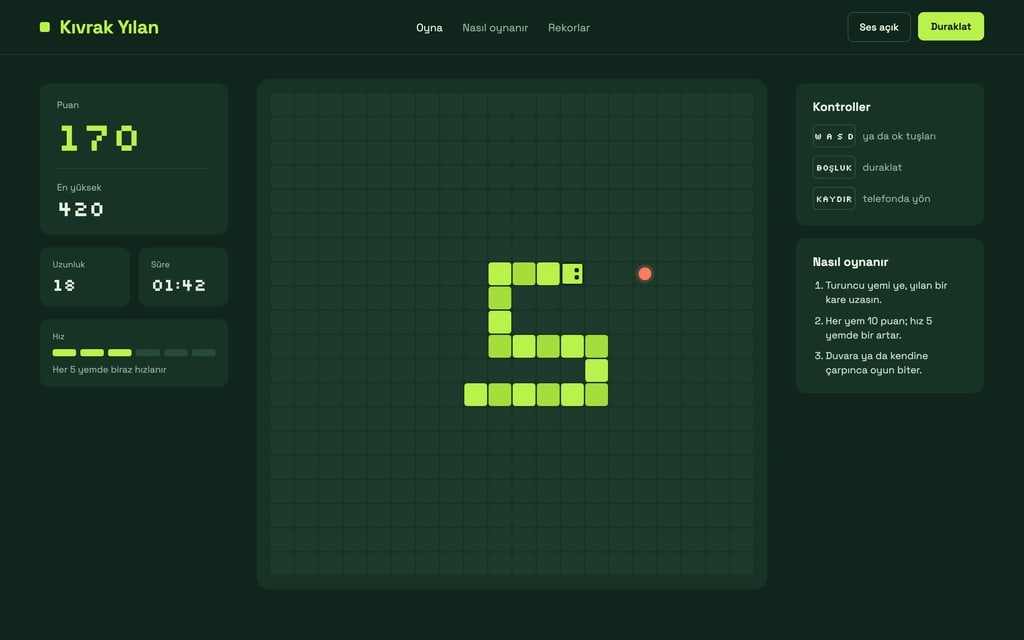
Game area (core component): a 20x20 grid board in the middle; the snake turns with the arrow keys or WASD, and with swipes on phones. Each food makes the snake one square longer and gives 10 points.
Speeda little faster every 5 foods. Edges: hitting a wall ends the game.
Game overthe game stops when the snake hits itself; a result card shows the score, the best score and a "Play again" button.
Side panelscore, best score, length, time and keyboard shortcuts (space: pause).
Savingthe best score is stored in the browser (localStorage).
Designdark green background, retro look with pixel type. Main color #b8f24a; use it for the snake, the score numbers and the buttons. The grid board is one shade lighter than the background, squares 2 px apart.
Sectionstop bar (game name, Pause, Sound on/off), game area + side panel, how to play (3 short points), footer.
Contentshort interface copy; no names, characters or logos from existing games.
Design preview made from this prompt
8 more ready-to-use prompts
Different takes on the same topic. Copy any of them as is and replace the parts in square brackets.
1.Memory card game prompt
When to use: When you want a calm card-matching game.
Build a memory card game that runs in the browser.
- Game
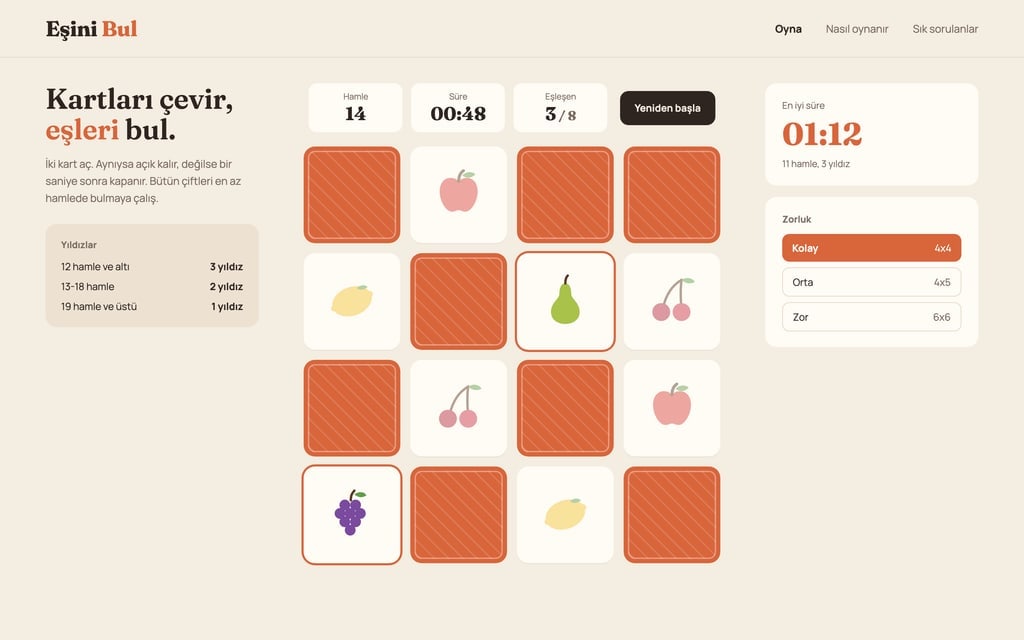
- 16 face-down cards, 8 pairs; flip two, matches stay open, others close after 1 second.
- Counters
- moves and time; a result card with "Play again" at the end.
- Cards
- simple [e.g. fruit] drawings, no emoji.
Save the best time in localStorage.
One HTML file.
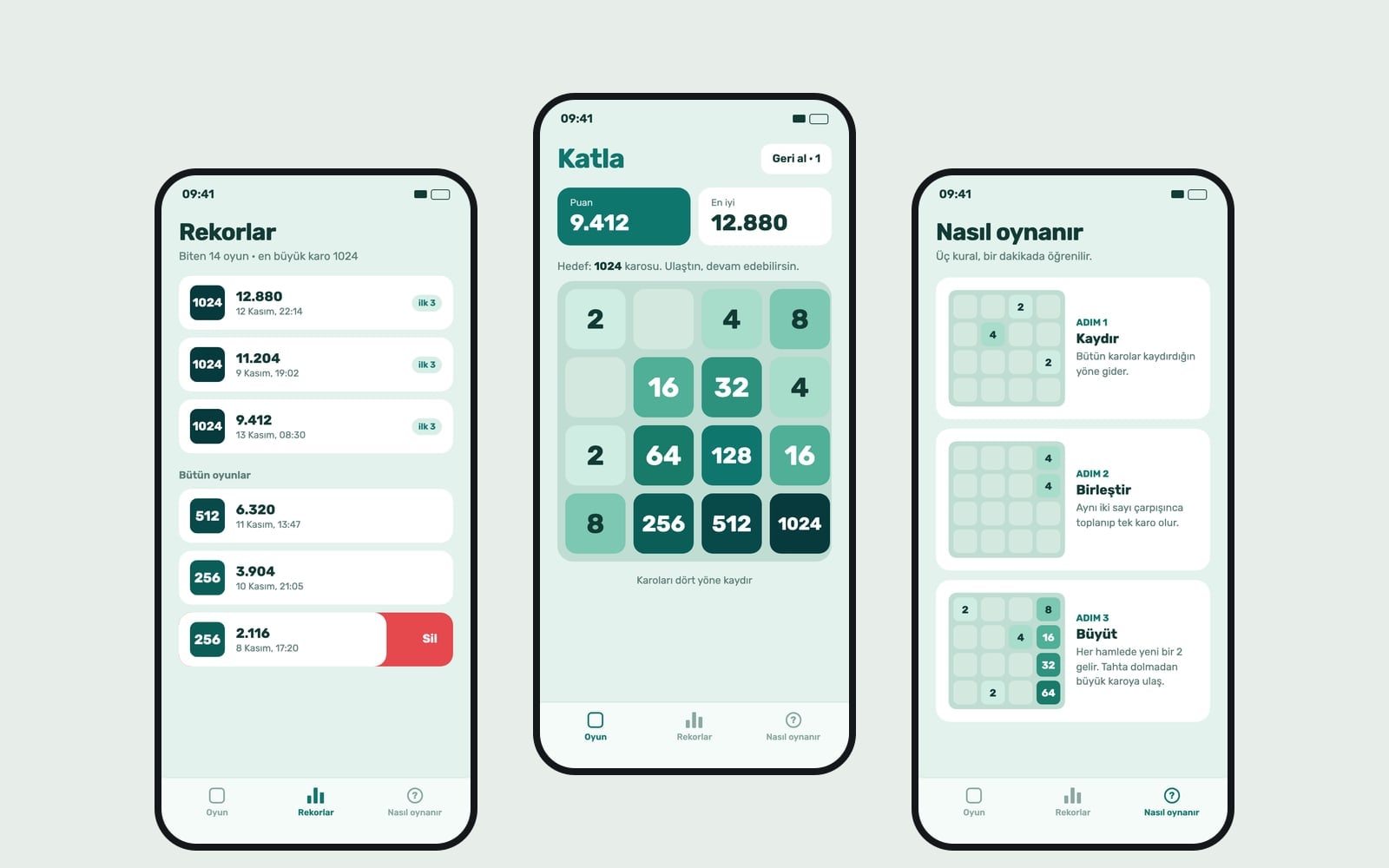
2.Number merge puzzle prompt
When to use: When you want a sliding tile puzzle that adds up matching numbers.
Build a number merge puzzle in the browser.
- Board
- 4x4; arrow keys or swipes slide all tiles, equal numbers merge into their sum.
After each move a 2 or 4 appears in an empty square.
- Score
- the sum of merged tiles; best score in localStorage.
Game over card when no moves are left.
- Colors
- one color family that darkens as numbers grow.
- Name
- [game name].
3.2D platformer prompt
When to use: When you want a side-view jump-and-run game.
Build a 2D side-scrolling platformer with Canvas.
- Hero
- a cute square character; left/right arrows to walk, space to jump.
- Levels
- 3 short levels, platforms, 10 stars to collect, restart on a fall.
- HUD
- stars, lives (3), level.
On phones show left, right and jump buttons.
Don't use characters from existing games.
4.Reaction time game prompt
When to use: When you want to measure who taps fastest when the screen changes color.
Build a reaction time game in the browser.
- Flow
- the screen is red; after a random 1-4 seconds it turns green; tap or click on green.
Tapping early shows "Too soon".
Show the average of 5 rounds in milliseconds; keep the best average in localStorage.
On phones the whole screen is the tap area.
5.Word search game prompt
When to use: When you want players to find hidden words in a letter grid.
Build a word search game in the browser.
- Grid
- 10x10 letters with 8 words from a [e.g. animals] theme hidden across, down and diagonally.
- Play
- drag from the first to the last letter; found words get colored and crossed off the list.
A timer and a "New puzzle" button.
6.Tic tac toe prompt for Claude
When to use: When you want a quick two-player or versus-computer game.
Build a 3x3 tic tac toe game.
- Modes
- two players on one device or versus the computer (easy: random, hard: never loses).
Highlight the winning line; a scoreboard counts X, O and draws.
One HTML file with big, simple buttons.
7.Kids math game prompt
When to use: When you want to turn addition practice into a game.
Build a math game for young kids in the browser.
- Questions
- addition and subtraction [e.g. up to 20], 3 choices each.
Each right answer pops a balloon; a 10-question round ends with a star count.
On a wrong answer show the right one, in friendly words.
Large type and big buttons.
8.Game website prompt for Entrobase Builder
When to use: When you want to publish the game with a how-to-play section and FAQ.
Build a single-page website for a browser game called [game name].
- Sections
- top bar, game area, how to play (3 points), tips, a 4-question FAQ, footer.
- Game
- [game type and rules].
- Design
- [dark/light] theme, main color [color], bold legible headings.
Keep the best score in the browser; add touch controls on phones.
What this prompt does
If you want Claude, ChatGPT or Gemini to build a playable game in one go, the main prompt sets up a snake game site that starts on page load, keeps the best score in the browser and works with swipes on phones. The 8 variants below ask for memory cards, a number merge puzzle, a platformer, a reaction test, word search, tic tac toe and a kids math game in the same format.
Where to use it
- Claude artifact games
- ChatGPT Canvas games
- Gemini Canvas games
- A mini game for your own site
- Coding class projects
Fields you can fill in
The fields you can change in the form above and their default values.
- Game nameFree text
- Swift Snake
- SpeedOne of 3 options
- a little faster every 5 foods
- EdgesOne of 3 options
- hitting a wall ends the game
- ThemeOne of 3 options
- dark green background, retro look with pixel type
- Main colorColor
- #b8f24a
Step by step
- 1
Pick a name and a speed
Type a short name in Game name. In Speed, 'a little faster every 5 foods' keeps the game interesting; choose 'slow' for kids.
- 2
Choose the edge rule
Walls, wrap-around or obstacles: obstacles are the hardest, walls give the clearest first result.
- 3
Copy it or start it in Builder
Copy pastes into Claude, ChatGPT or Gemini; Use Prompt opens the same text in Entrobase Builder, which builds the game as a website.
- 4
Play first, then fix one thing at a time
Check turning, food placement and the result card. Ask for one fix per message, for example 'the snake should not die when it reverses'.
Tips and variations
- Ask for swipe controls explicitly; without that line most tools only wire up the keyboard.
- A 20x20 board suits desktop, 15x15 reads better on phones; write the board size as a number.
- Keep the localStorage line so the best score survives a page refresh.
- For sound, add 'a short beep when eating, muted by the Sound button'.
Frequently asked questions
What are good game prompts for AI?
Prompts that name the game type, the controls, the scoring, the game-over state and the look. The main prompt here covers all five, so the first version is already playable.
Can Claude make a game from a prompt?
Yes. Claude writes the game as a single HTML file and runs it as an artifact in the side panel; you then ask for changes in the same chat.
Do these game prompts work in ChatGPT?
Yes. With Canvas on, ChatGPT previews the HTML game; otherwise save the code as an .html file and open it in a browser.
How do I publish the game as a website?
Use Prompt opens the prompt in Entrobase Builder, which builds and publishes the game as a Next.js site.
Can I clone a famous game?
Game types like snake or memory cards are fine, but don't use another game's name, characters or logo; give yours its own name and look.
Sources
- MDN: Canvas API2026-11
- MDN: Window.localStorage2026-11
- MDN: 2D Breakout game using pure JavaScript2026-11