Tattoo designs prompt: fine line and minimalist tattoo ideas
A tattoo designs prompt for fine line and minimalist tattoo ideas in clean black ink; write the motif, pick the style and layout. Works in Gemini, ChatGPT and Entrobase Canvas.
Prompt
Fill in the fields below and the prompt updates instantly. Copy it and use it in any AI tool.
The black ink drawing itself, to be used as a tattoo design, edge to edge; the background is plain, pure white and untextured.
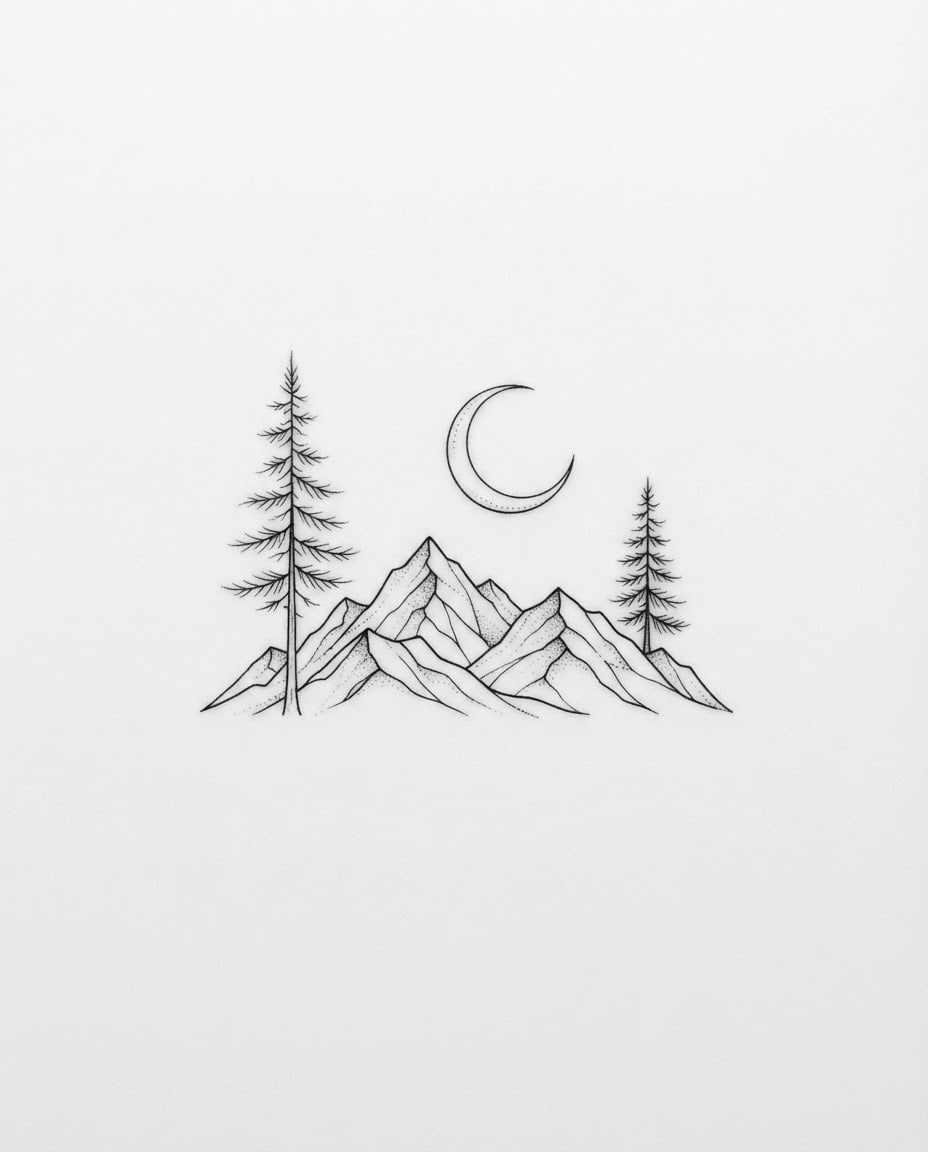
Motifa mountain silhouette, two pine trees and a crescent moon.
Tattoo stylefine line, delicate single-needle thin lines.
Layouta single free-form motif filling about half of the frame.
Lineworkpure black ink only; lines clean, continuous and tapered at the ends; any shading done only with black dots, open areas instead of gray fills.
Light and viewflat, even light with no shadows; straight on, no perspective; the drawing sits on a white background that fills the whole frame.
Color paletteblack ink and the white background only.
Compositionthe design is centered with even, generous white space around it; the image is completely free of text, letters, numbers and signatures.
Aspect ratio 4:5.
Image made with this prompt
What this prompt does
This prompt creates a tattoo design in clean black ink lines on a white background: fine line, minimalist, geometric, dotwork or old school. The result is the drawing itself, not a tattoo on skin, so it works as a reference to bring to your tattoo artist or as part of your own collection of tattoo ideas.
Where to use it
- Ideas for a first tattoo
- Reference for your tattoo artist
- Small and meaningful tattoo ideas
- Flash sheet for a tattoo studio
- Pinterest and Instagram boards
Fields you can fill in
The fields you can change in the form above and their default values.
- MotifFree text
- a mountain silhouette, two pine trees and a crescent moon
- Tattoo styleOne of 5 options
- fine line, delicate single-needle thin lines
- LayoutOne of 4 options
- a single free-form motif filling about half of the frame
- Aspect ratioOne of 5 options
- 4:5
Step by step
- 1
Write what you want to say in Motif
Write two or three elements in Motif (e.g. "a wave, the sun and a seagull" or "a single daisy and its stem"). The fewer elements you list, the simpler and more tattoo-friendly the drawing; more than five gets muddy at small sizes.
- 2
Choose the Tattoo style
Fine line gives delicate small pieces, minimalist the simplest result, geometric linear patterns, dotwork dotted shading and old school a classic bold-outline look. For small spots like the wrist or behind the ear, fine line or minimalist reads best.
- 3
Pick the Layout
A single free-form motif sits in the center; the medallion option frames the design in a circle, and the vertical strip suits pieces running along an arm or leg. The six small variations option shows different takes on the same theme on one sheet.
- 4
Set the ratio and generate
Use 4:5 or 1:1 for a single motif and 2:3 or 9:16 for a vertical strip. Paste the text into Gemini or ChatGPT with "Copy", or create it in Entrobase Canvas with "Generate in Canvas" (an account is required).
- 5
Check the lines like a tattoo artist
Look for broken lines and for thin lines so close together that they might merge at a small size. Once you like a result, generate a few more variations with the same text and choose together with your artist.
Tips and variations
- For meaningful tattoos, add something personal to the motif: the mountain of your hometown, a favorite flower or an animal; symbols instead of names and dates keep the drawing clean.
- Looking for small tattoo ideas? Pick minimalist and write a single element in Motif; one moon, one leaf or one wave gives the clearest result at a small size.
- For matching or friendship tattoos, choose the six small variations layout; related takes on the same theme appear side by side and are easy to compare.
- In the old school style, try classic elements like a compass, a swallow or a rose; this bold-outline style is one of the tattoo styles that holds up best over the years.
Frequently asked questions
How do I create a tattoo design with AI?
Write the motif in the form, choose the tattoo style and layout, then use "Copy" to paste the text into an image tool or "Generate in Canvas" to create it in Entrobase Canvas. Because the prompt describes the linework, background and composition, you get a clean drawing you can use directly as a tattoo reference.
Can I take this drawing to my tattoo artist?
Yes, as a reference. The artist will redraw the design for the placement, size and their own technique; letting them make the final stencil keeps the lines at the right weight and helps the tattoo age well.
What is a fine line tattoo?
Fine line is a tattoo style made with a single needle or very few needles, giving thin, delicate lines; it is popular for small, elegant pieces. Very thin lines placed close together can spread slightly over the years, so keep the detail low at small sizes.
Why is there no color or text in the image?
The prompt asks for black ink on white on purpose, so the lines read clearly and the artist can turn the design into a stencil easily. If you want a name or a date, add the lettering with your artist in your own handwriting or a font you choose; it gives a cleaner result.





