Pencil drawing prompt: realistic pencil sketch and drawing ideas
A pencil drawing prompt for a realistic pencil sketch, a charcoal drawing or an easy line drawing; pick the subject, the technique and the paper. Works in Gemini, ChatGPT and Entrobase Canvas.
Prompt
Fill in the fields below and the prompt updates instantly. Copy it and use it in any AI tool.
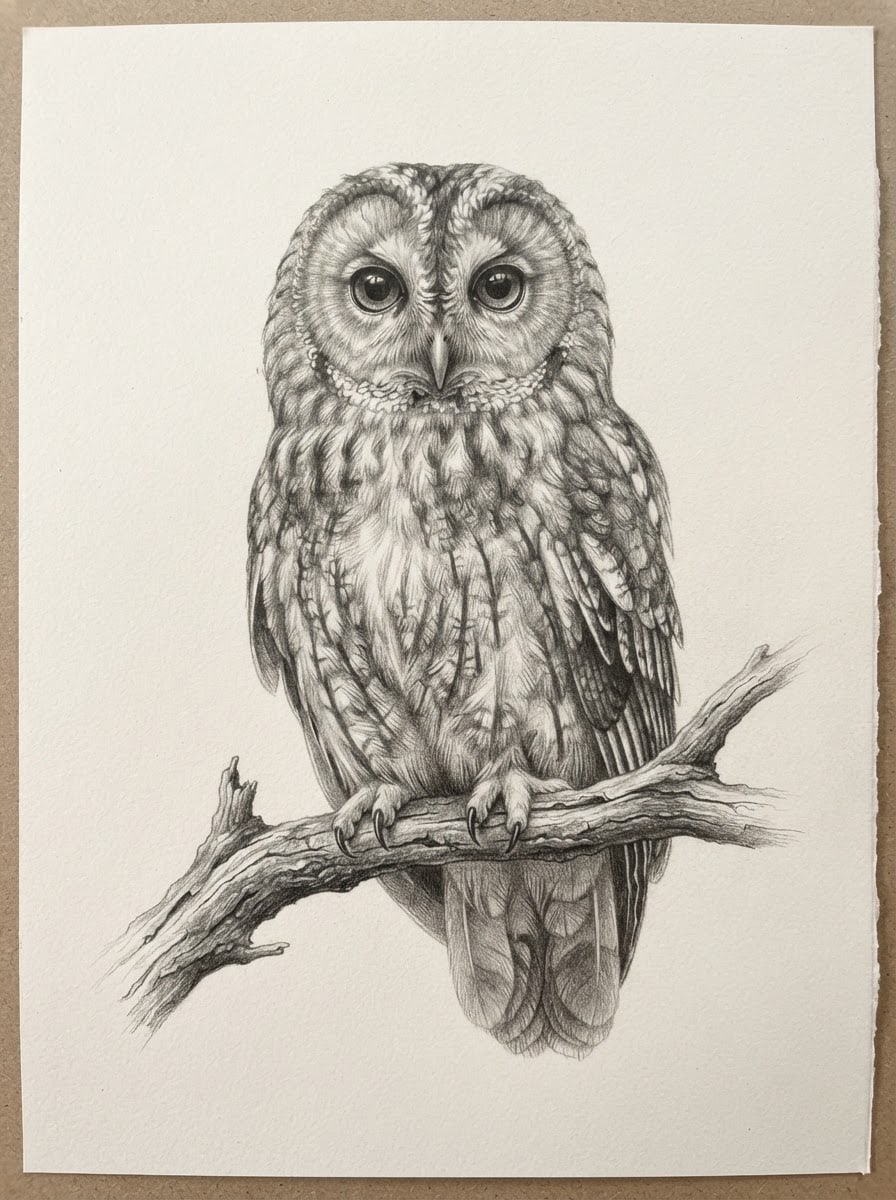
The pencil drawing itself: the drawing paper fills the whole frame edge to edge, seen straight on, text-free and unsigned. Subject: an owl perched on a bare branch, with large eyes and layered feathers. Technique: a realistic pencil drawing with smooth tonal gradients and fine hatching. Paper: lightly textured off-white drawing paper. Light: a single light from the upper left; the lit areas are left as bare paper, and the shadows gather on the subject's lower right side. View: the paper is flat and perspective-free; the subject is drawn at eye level, with visible drawing marks and paper grain. Color palette: monochrome and restrained; tones from black to light gray plus the paper's own color. Composition: the subject sits in the center and fills about two thirds of the paper, the lines thin out toward the edges and fade into bare paper, with open space on every side. Aspect ratio 3:4.
Image made with this prompt
What this prompt does
This prompt generates a pencil drawing where the paper fills the frame edge to edge, with no text or signature. You choose the subject, drawing technique, paper and aspect ratio; the light always comes from the upper left and the palette stays monochrome, from black to light gray. It suits artists looking for a reference, wall prints and social media images.
Where to use it
- Reference for drawing practice
- Wall print or poster
- Easy drawing ideas
- Sample sketch for art class
- Book or magazine illustration
- Social media post
Fields you can fill in
The fields you can change in the form above and their default values.
- SubjectOne of 6 options
- an owl perched on a bare branch, with large eyes and layered feathers
- Drawing techniqueOne of 5 options
- a realistic pencil drawing with smooth tonal gradients and fine hatching
- PaperOne of 4 options
- lightly textured off-white drawing paper
- Aspect ratioOne of 4 options
- 3:4
Step by step
- 1
Pick a Subject
There are six ready subjects: an owl on a branch, a horse's head in profile, a half-open rose, a stone village house with a plane tree, a still life with a jug and pears, and a rowboat on a lake. Each describes the pose and detail, with textures like feathers or a blowing mane that suit shading.
- 2
Pair the Drawing technique with the Paper
Realistic and cross-hatching give fine tonal gradients, a quick sketch and an easy line drawing stay light on shading, and charcoal brings deep, velvety blacks. Mid-gray or kraft paper adds white chalk highlights, which makes a strong contrast with charcoal.
- 3
Set the Aspect ratio for where it will go
Use 3:4 for framed prints, 1:1 for square posts, 4:3 for landscape subjects like the rowboat or the village house, and 9:16 for phone wallpapers and stories. The ratio you pick goes into the last sentence of the prompt.
- 4
Generate in Canvas or copy it
Generate in Canvas opens the prompt in Entro Canvas, where you pick the ratio and style and generate the image; you need an account. You can also press Copy and paste the text into Gemini or ChatGPT image generation.
- 5
Check the result
The paper should fill the frame with no desk, pencil or hand in view, and no signature or writing in the corners. Shadows should gather on the lower right of the subject. If the paper comes out at an angle, generate again or move 'seen straight on' to the start of the prompt.
Tips and variations
- For a subject that is not on the list, replace the Subject line in the copied text with your own (for example 'a sleeping cat with its paws tucked under'); describing the pose and texture keeps the result sharp.
- To learn drawing, generate the same subject first as an easy line drawing and then as a realistic pencil drawing; side by side, they show the step from outline to shading.
- For a portrait, describe a character instead of naming a real person, for example 'an old fisherman with deep lines on his face, in three-quarter view'.
- Changing the light changes the mood: replace 'a single light from the upper left' with 'light from behind, a thin rim of light around the subject' to get a drawing built on silhouette.
- Charcoal on kraft paper at 3:4 gives the feel of a page torn from an old sketchbook, a good fit for prints on a café or bookshop wall.
Frequently asked questions
How do I make a pencil drawing with AI?
Choose the subject, technique and paper, then give the prompt to an image generator. On this page your choices go straight into the text; generate in Entro Canvas with Generate in Canvas, or press Copy and use Gemini or ChatGPT. The light, palette and composition are fixed in the prompt.
Does this prompt work in Gemini?
Yes. Copy it into Gemini or ChatGPT image generation. Tools read aspect ratios differently; if the shape comes out wrong, set the tool's own ratio option to the same value.
What if a signature or text appears in the image?
The prompt asks for a text-free, unsigned drawing, but models sometimes scribble in a corner. Generating again with the same prompt usually fixes it; if not, add 'no letters, signature or marks anywhere in the image' to the end.
Which technique is best for easy drawings?
An easy, simple line drawing gives clean outlines and very little shading, so it is the easiest one to copy onto paper. It works well with subjects that have a clear silhouette, like the rose or the owl.
What aspect ratio should a pencil drawing be?
Use 3:4 for framed prints and posters, 1:1 for square posts, 4:3 for landscape subjects and 9:16 for phone wallpapers and stories. Pick it in the Aspect ratio field and the prompt adds it at the end.





