Low Poly Prompts: 7 Copy-Paste Prompts for Gemini, ChatGPT
7 low poly prompts: low poly dioramas, characters, game assets, PS1-style scenes, animals and wallpapers; works in Gemini, ChatGPT and Entrobase Canvas.
Tested: EntroGen Flash, November 2026
Prompt
Fill in the fields below and the prompt updates instantly. Copy it and use it in any AI tool.
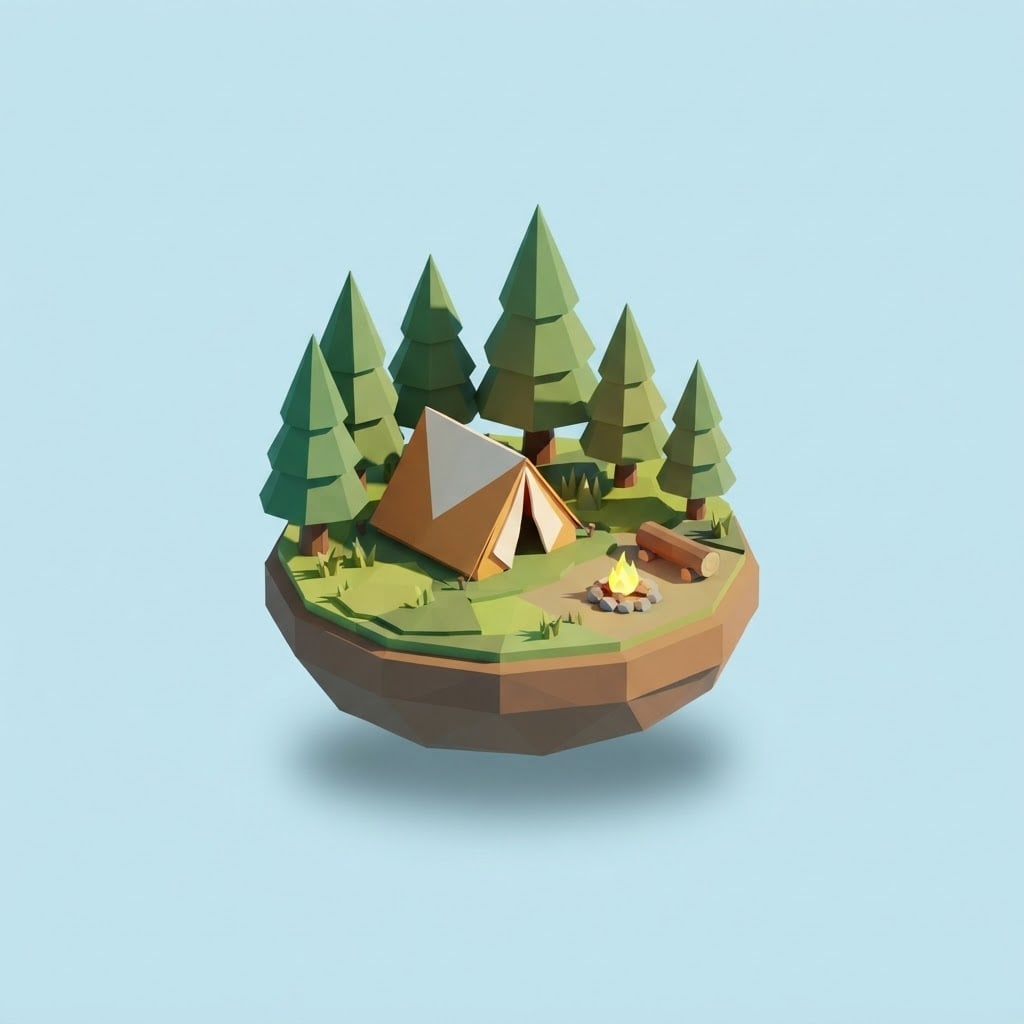
Create a small 3D diorama image in low poly style.
Scenea tent among pine trees, a small campfire and a log seat, on a round piece of ground with cut edges like a floating island.
Stylelow poly 3D, flat-shaded triangular faces, sharp edges, no textures, every face a single color.
Backgrounda flat, plain light sky blue backdrop; the diorama floats with a soft shadow below.
Lightbright daylight from the top left, clear tone differences between faces.
Camera30 degrees from above, near-isometric angle, 50 mm feel, the whole scene sharp.
Paletteat most six bright colors; green, earth brown and one warm accent.
Compositionsquare frame, diorama dead center, wide space around it.
Textno text in the image.
Aspect ratio 1:1.
Image made with this prompt
6 more ready-to-use prompts
Different takes on the same topic. Copy any of them as is and replace the parts in square brackets.
1.Low poly character prompt
When to use: When you need a low poly character for a game or animation.
Create an original character in low poly style.
- Character
- [e.g. a small explorer with a backpack and hat], fictional.
- Style
- flat-shaded triangular faces, sharp edges, no textures.
- Pose
- standing, full body, front three-quarter angle.
- Background
- flat [e.g. light gray].
- Text
- no text in the image.
- Ratio
- 3:4
2.Low poly game asset prompt
When to use: When you need several objects in one style for a game.
Create a low poly asset set for a game in a 2x2 grid.
- Objects
- [e.g. pine tree, rock, wooden crate, small hut].
- Style
- low poly with flat-colored faces and one shared palette.
- Background
- flat light gray in every cell.
- Light
- the same light from the top left.
- Text
- no text in the image.
- Ratio
- 1:1
3.Low poly PS1 prompt
When to use: When you want a scene that feels like a 1990s console game.
Create a low poly scene that looks like a PS1-era game.
- Scene
- [e.g. a foggy forest path with one house in the distance].
- Style
- low-polygon models, blurry low-resolution textures, slight pixel jitter.
- Light
- pale and foggy.
- Camera
- third person, a little above the ground.
- Text
- no text in the image.
- Ratio
- 4:3
4.Low poly animal prompt
When to use: When you want a single animal as a low poly sculpture.
Create a low poly animal image.
- Animal
- [e.g. a sitting fox].
- Style
- triangular faces, flat shading, each face one color.
- Background
- flat [e.g. cream].
- Light
- soft from the top left.
- Text
- no text in the image.
- Ratio
- 1:1
5.Low poly vehicle prompt for ChatGPT
When to use: When you want a low poly car, boat or plane for a game or slide.
Create a low poly vehicle image.
- Vehicle
- [e.g. a small red pickup truck], unbranded.
- Style
- flat-colored triangular faces, sharp edges.
- Angle
- three-quarter from above.
- Background
- flat [e.g. light blue].
- Text
- no text or license plate in the image.
- Ratio
- 4:3
6.Low poly art wallpaper
When to use: When you want a clean low poly landscape for a desktop or phone.
Create a low poly landscape wallpaper.
- Landscape
- [e.g. snowy mountains with a lake and pines in front].
- Style
- flat-shaded triangular faces.
- Light
- [e.g. sunrise] with a gradient sky.
- Composition
- horizon in the lower third.
- Text
- no text in the image.
- Ratio
- 16:9
What this prompt does
If you want a low poly scene or game asset, the main prompt makes a small floating 3D diorama built from flat-shaded triangular faces. The 6 variants below cover low poly characters, game asset sets, PS1-style scenes, animals, vehicles and wallpapers in Gemini and ChatGPT.
Where to use it
- Game and game jam art
- Slides and web heroes
- Desktop wallpaper
- Social media post
Fields you can fill in
The fields you can change in the form above and their default values.
- SceneFree text
- a tent among pine trees, a small campfire and a log seat
- BackgroundOne of 3 options
- light sky blue
- LightOne of 3 options
- bright daylight from the top left
- RatioOne of 3 options
- 1:1
Step by step
- 1
Describe the scene with three objects
Write at most three main objects in the Scene field (tent, fire, trees). In low poly, fewer objects keep every face readable.
- 2
Change the mood with light
Daylight reads bright and playful, sunset warm, and night dramatic with the fire glow; the diorama stays the same.
- 3
Check the faces
Faces should be flat-colored with sharp edges. If the result looks like soft, textured 3D, keep the 'no textures, every face a single color' wording in the Style line.
Tips and variations
- For a game asset make the Scene a single object (a small windmill, say) and pick a light gray background so it is easy to cut out.
- For a PS1 or PS2 look add 'blurry low-resolution textures, slight pixel jitter'; the variant below does this.
- For a desktop wallpaper use 16:9 and move the diorama to the right third.
Frequently asked questions
How do I write a low poly prompt for Gemini?
Put the scene, the style line 'flat-shaded triangular faces', the light and the camera angle on separate lines. 'No textures' keeps the model from drifting into soft 3D.
What makes a good low poly character prompt?
Describe the character full body on a flat background with at most five colors, and add 'the face is built from a few flat planes'. The character variant below follows this.
What is a low poly PS1 prompt?
It is the low-polygon, blurry-textured look of 1990s console games. The prompt asks for low-resolution textures and slight jitter.
Is the result a 3D model file?
No, the prompt makes an image that looks 3D. In a game it serves as a reference, or as a sprite in a 2D game.





