Landscape painting prompt: oil and watercolor landscape art
A landscape painting prompt for text-free landscape art as an oil painting, watercolor painting or impressionist piece; pick the scene, light and technique. Works in Gemini, ChatGPT and Entrobase Canvas.
Prompt
Fill in the fields below and the prompt updates instantly. Copy it and use it in any AI tool.
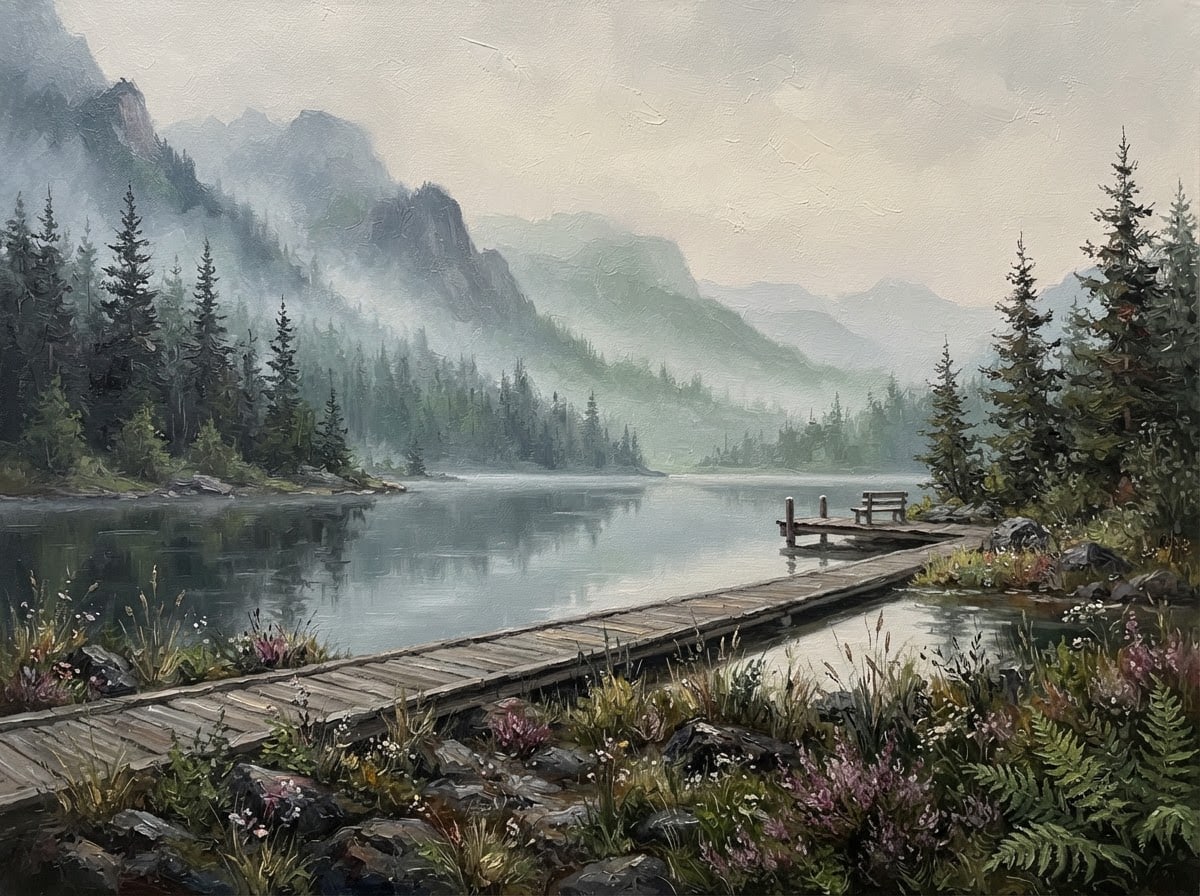
The landscape painting itself, edge to edge: seen straight on, the painted surface fills the whole frame, completely free of text and signature. Scene: a still lake among misty mountains, pines and a wooden jetty on the shore. The landscape is calm, deep and empty of people: detailed plants or rocks in the foreground, the main scenery in the middle ground, and distant forms fading with atmospheric perspective in the background. Light and color palette: the diffused light of a misty morning; gray blue, sage green and off-white. View: eye-level wide shot, natural perspective. Technique and style: oil painting with thick brushstrokes and a visible paint texture. Composition: the horizon sits on the lower third line with a generous sky; the main focal point sits on the right third, and a shoreline, path or stream leads the eye from the foreground into the distance. Aspect ratio 4:3.
Image made with this prompt
What this prompt does
This prompt produces a landscape painting that fills the whole frame, with no text or signature: detailed plants or rocks in front, the main scenery in the middle and distances fading behind. You choose the scene, the light and a technique that runs from oil painting to gouache. It is for anyone looking for wall art, a print or a screen background.
Where to use it
- Wall art and poster prints
- Digital art for a living room or office
- Desktop background
- Comparing painting techniques
- Draft for a book or album cover
- Artwork for a greeting card
Fields you can fill in
The fields you can change in the form above and their default values.
- SceneOne of 5 options
- a still lake among misty mountains, pines and a wooden jetty on the shore
- Light and colorOne of 4 options
- the diffused light of a misty morning; gray blue, sage green and off-white
- TechniqueOne of 4 options
- oil painting with thick brushstrokes and a visible paint texture
- Aspect ratioOne of 5 options
- 4:3
Step by step
- 1
Choose the scene
Under Scene, pick a misty mountain lake, a rocky shore with a lighthouse, an autumn country road, a lavender field or a snowy pine forest. Each already has a shoreline, path or stream to lead the eye, and the prompt uses it in the composition.
- 2
Set the mood with Light and color
Light and color decides both the time of day and the palette: misty morning brings gray blue and sage, golden hour honey and olive, sunset coral and violet, moonlight navy and silver. Pick a pairing that fits the scene, such as the snowy forest under moonlight.
- 3
Pick the technique
Under Technique, choose oil painting with thick brushstrokes, watercolor with visible paper texture, impressionist oil with shimmering light, or gouache with flat, matte color. Generating one scene in two techniques is a quick way to see which suits your wall.
- 4
Match the ratio to where it will hang
Choose 4:3 or 3:2 for a landscape frame, 16:9 for a screen, 3:4 for a portrait canvas and 1:1 for a square print. With Start you move to Entro Canvas, pick the ratio and style there and generate; Canvas needs an account.
- 5
Review the composition
Check that the horizon sits on the lower third, the focal point on the right third, and that there is no text or signature. If a person appears or the horizon drifts to the middle, generate again with the same prompt.
Tips and variations
- To mirror the composition, change “on the right third” to “on the left third” after pasting. If you plan to hang two paintings side by side, you get a pair that faces each other.
- Try unexpected pairings: the snowy pine forest under sunset light puts coral and pink reflections on the snow, while the lavender field under full moonlight shifts the purples toward navy.
- For a place that is not on the list, rewrite the Scene line with a specific location, one main feature and a leading line (a road, stream or shore); the layered structure of the prompt still works.
- For a series, keep Scene fixed and generate all four Light and color options: the same lake at morning, golden hour, sunset and night makes a four-piece wall set.
Frequently asked questions
Is an AI landscape painting sharp enough to print?
Resolution depends on the tool you use and is often not enough for large prints. If you want a big print, run the image through an upscaler first and order a small test print before the final size.
What is the difference between oil painting and gouache?
In this prompt, oil painting asks for thick brushstrokes and a visible paint texture, while gouache gives flat, matte color areas and a simpler, more graphic look. Choose oil for a textured, classic canvas and gouache for a poster or illustration feel.
How do I stop a signature or text from appearing in the painting?
The prompt asks for a surface free of text and signature. If the model still adds a signature-like mark in a corner, which can happen with painting styles, generate again or clean up the corner in an image editor.
Does this landscape prompt work in ChatGPT?
Yes. Copy it into ChatGPT or Gemini, both of which can generate images from text. If they ignore the written ratio, use their own ratio setting. Start takes the prompt to Entro Canvas, where you pick the ratio and style before generating.





