Barber logo prompt for an AI logo generator
A barber logo prompt for any AI logo generator: a clean, text-free flat vector symbol idea for a barber shop. Works in Gemini, ChatGPT and Entrobase Canvas.
Prompt
Fill in the fields below and the prompt updates instantly. Copy it and use it in any AI tool.
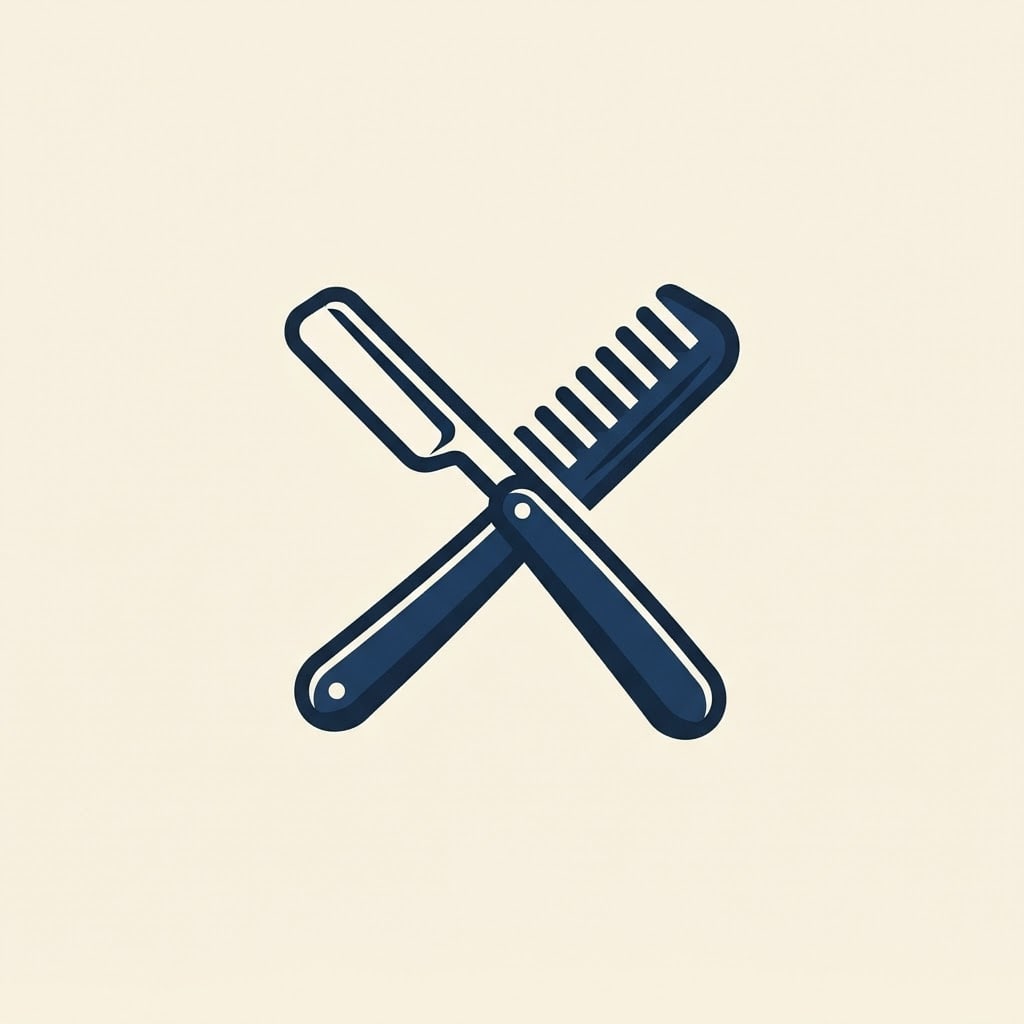
A logo idea for a barber shop: a single text-free symbol. Subject: a classic straight razor and comb crossed, drawn simply with bold, clean, balanced lines. Setting: a flat, smooth, solid off-white background. Light: flat, even studio light; depth comes only from two tones of the same color. View: straight on, two-dimensional, no perspective. Style: a bold filled flat vector emblem that uses negative space cleverly. Color palette: the symbol in #1e3a5f plus one darker shade of it, off-white background. Composition: the symbol sits dead center and fills about half of the image, with wide, even empty space on every side; the image is entirely text-free, with no letters or numbers, only the symbol. Aspect ratio 1:1.
Image made with this prompt
What this prompt does
This prompt generates a flat, text-free logo idea for a barber shop built around one symbol: a razor and comb, a barber pole, a mustache or a barber chair, in a single color plus a darker shade on an off-white background. It suits new barber shops, owners looking for sign or profile picture ideas and designers who want quick concepts to show a client. The output is a pixel image; a final logo still needs to be redrawn as a vector.
Where to use it
- Barber shop sign concept
- Instagram profile picture
- Business card emblem
- Logo concepts for a client
- Apron and towel print idea
Fields you can fill in
The fields you can change in the form above and their default values.
- SymbolOne of 4 options
- a classic straight razor and comb crossed
- StyleOne of 4 options
- a bold filled flat vector emblem that uses negative space cleverly
- Symbol colorColor
- #1e3a5f
- Aspect ratioOne of 3 options
- 1:1
Step by step
- 1
Pick the Symbol
The Symbol list has a crossed straight razor and comb, a barber pole with spiral stripes, a curled mustache with small scissors and a vintage barber chair. If the logo has to work small, choose the simplest one; the pole and the mustache stay readable even as a profile picture.
- 2
Set the Style
Emblem gives a bold filled mark with clever negative space, line gives a thin single-weight icon, badge puts it in a round frame with two stars and geometric builds it from circles and rectangles. A classic shop suits the badge; a modern salon suits geometric or line.
- 3
Choose the Symbol color and Aspect ratio
The Symbol color becomes the logo's main color and the prompt adds one darker shade of it. Dark colors like navy, burgundy or deep green stay crisp on off-white, while light colors can fade into the background. 1:1 is the most practical ratio for a logo.
- 4
Generate in Canvas or copy
"Generate in Canvas" opens the prompt in Entro Canvas with your values; pick a ratio and style and generate (an account is required). You can also "Copy" it into Gemini or ChatGPT. Run a few rounds and keep the most balanced symbol.
- 5
Judge it as a logo
Shrink the image to profile picture size: is the symbol still recognizable? Discard any result where letters or numbers crept in. Hand the symbol you like to a designer or a vector tool to get a clean vector file, and add the shop name at that stage.
Tips and variations
- For a hair salon, beauty studio or nail bar, change "barber shop" in the first sentence and, after copying, write your own object in place of the symbol, such as a hair dryer or a nail polish bottle.
- Run the same Symbol through all four Styles and put the results side by side; you will quickly see which look fits your shop.
- For a two-color logo, add a second color to the palette line, for example "symbol in navy, details in gold". More than two colors tends to look busy at small sizes.
- For a dark version, change "off-white background" to "charcoal black background" after copying and pick a light Symbol color; useful for signs and prints on dark aprons.
Frequently asked questions
Can I use an AI-generated logo commercially?
That depends on the terms of the tool you used and on whether the logo resembles someone else's brand. If you plan to register it, search for similar trademarks first and consider talking to a trademark attorney; this prompt only produces ideas and drafts.
Why doesn't the logo include the shop name?
Image generators often misspell or break up letters. That is why the prompt asks for a completely text-free symbol; adding the name later in a design tool, in the typeface you want, gives a much cleaner result.
Is the generated logo a vector file?
No, the file you get is a pixel-based image; "flat vector" only describes the style. For signs or print, have the symbol redrawn in a vector tool, or auto-trace it and clean up the paths.
Does this logo prompt work in ChatGPT?
Yes. Paste the text you get from "Copy" into ChatGPT, Gemini or any tool that can generate images. If the tool ignores the text-free rule and adds letters, run the same prompt again.
What colors work for a barber logo?
Navy, burgundy, black and deep green are common in barber logos and read well on off-white. The real test is whether the color works consistently on your sign, your aprons and your social media.