3D Icon Prompts: 8 Copy-Paste Prompts for ChatGPT and Gemini
8 3D icon prompts for designers: a glossy single icon, category icon sets, frosted glass, isometric and clay icons; works in ChatGPT, Gemini and Entrobase Canvas.
Tested: EntroGen Flash, November 2026
Prompt
Fill in the fields below and the prompt updates instantly. Copy it and use it in any AI tool.
Create a single 3D icon for a website or app.
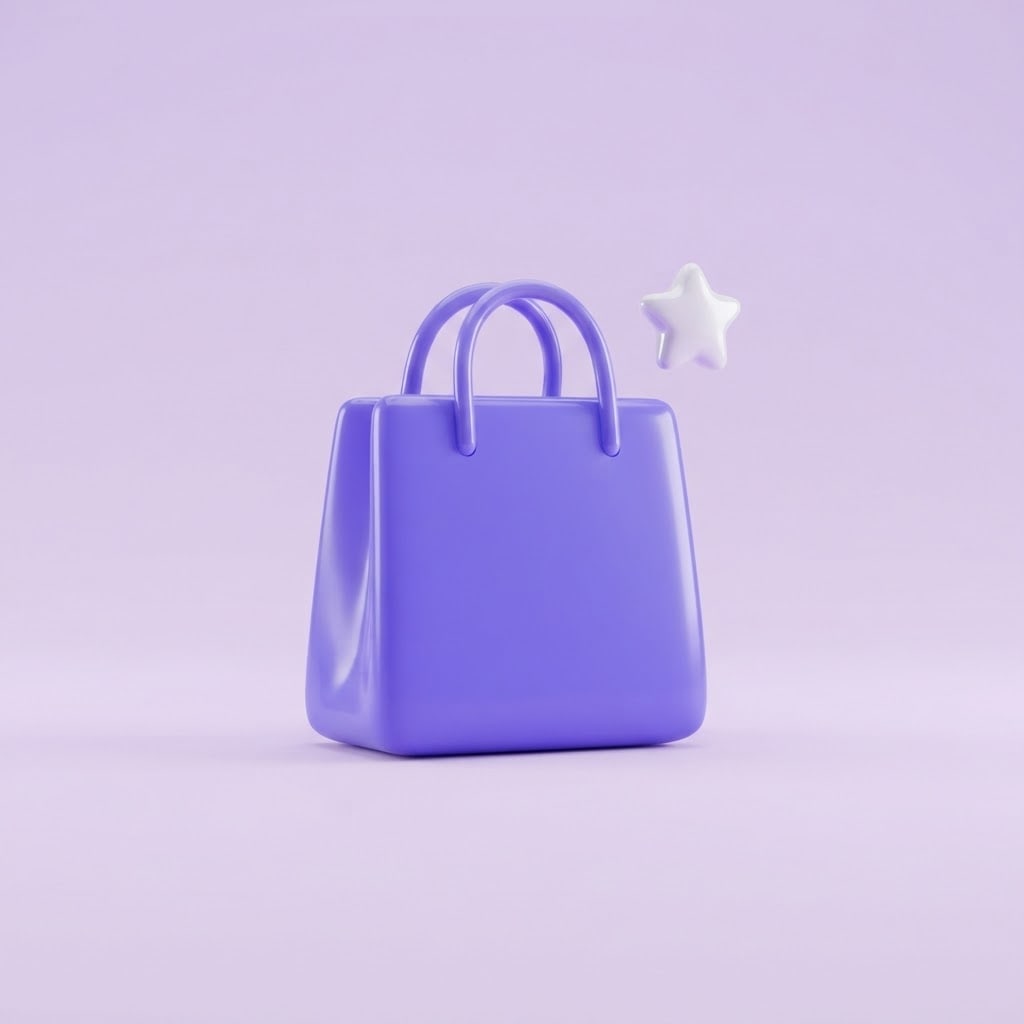
Objecta shopping bag with a small star beside it; simple, rounded, few parts.
Materialglossy, smooth plastic.
Backgroundplain, soft pastel light lilac background with a light contact shadow under the object.
Lightbroad soft studio light from the top left, a thin rim light from the right.
Cameraslightly from above, 3/4 angle, the object fully visible.
Styleclean 3D render, soft toy-like forms, little detail.
Palettemain color #6c5ce7, white highlights and a light tone that matches the background.
Compositionthe object dead center, filling about half the image, generous space around it.
Textno text or letters in the image.
Aspect ratio 1:1.
Image made with this prompt
7 more ready-to-use prompts
Different takes on the same topic. Copy any of them as is and replace the parts in square brackets.
1.3D icon prompt for ChatGPT: set of 6 category icons
When to use: When a website's category or feature section needs icons from one family.
Create 6 3D category icons for a website.
- Icons
- [e.g. house, car, phone, book, coffee cup, gift box].
- Layout
- 3 columns x 2 rows, each icon the same size and centered in its cell.
- Material
- glossy pastel plastic, soft rounded forms.
- Background
- flat [e.g. light cream].
Rules
- Same light and angle on all six icons.
- No text in the image.
- Ratio
- 3:2
2.Gemini 3D icon prompt: turn a flat icon into 3D
When to use: When you have a flat icon and want the same shape in 3D.
Turn the flat icon I uploaded into a 3D icon.
- Shape
- the icon's shape and proportions kept exactly.
- Material
- [e.g. soft matte plastic].
- Color
- the icon's own colors.
- Light
- soft studio light from the top left.
- Background
- flat [e.g. light gray].
- Ratio
- 1:1
3.3D glass icon prompt
When to use: When a modern interface needs a translucent, glass-looking icon.
Create a single 3D icon made of frosted glass.
- Object
- [e.g. a padlock symbol].
- Material
- frosted glass with a thin bright edge.
- Back layer
- a soft [e.g. orange] circle behind the glass.
- Background
- flat dark navy.
- Composition
- icon centered with generous space.
- Text
- no text in the image.
- Ratio
- 1:1
4.3D isometric icon prompt
When to use: When you want an isometric icon that explains a technical product or service.
Draw a single 3D icon from an isometric angle.
- Object
- [e.g. a small server rack with a cloud beside it].
- Angle
- true isometric, 30 degrees.
- Style
- clean 3D render with flat-colored surfaces.
- Palette
- [e.g. blue, white and a teal accent].
- Background
- plain white, soft shadow.
- Text
- no text in the image.
- Ratio
- 1:1
5.Cute clay 3D icon prompt
When to use: When a warm kids, education or food interface needs soft icons.
Create a cute 3D icon that looks like clay.
- Object
- [e.g. a smiling apple].
- Material
- matte clay with a light handmade texture.
- Light
- soft and diffused.
- Background
- flat [e.g. light yellow].
- Composition
- icon centered with generous space.
- Text
- no text in the image.
- Ratio
- 1:1
6.3D hero icon for a landing page
When to use: When the first screen of a landing page needs a large 3D object beside the headline.
Create a large 3D hero image for a landing page.
- Object
- [e.g. a paper plane flying out of a half-open envelope].
- Material
- glossy pastel plastic.
- Composition
- object in the right half, the left half a plain continuation of the background.
- Background
- soft gradient from [e.g. light peach] to white.
- Text
- no text in the image.
- Ratio
- 16:9
7.3D chrome icon prompt
When to use: When a tech, finance or music brand wants a shiny, bold icon.
Create a shiny metallic 3D icon.
- Object
- [e.g. a lightning bolt symbol].
- Material
- mirror-like chrome with colorful reflections.
- Light
- dark studio with colored strip lights on both sides.
- Background
- flat black.
- Composition
- icon centered.
- Text
- no text in the image.
- Ratio
- 1:1
What this prompt does
If you need a soft, rounded 3D icon for a site or app, the main prompt gives you one object centered on a pastel background with plenty of space, in glossy plastic, frosted glass, clay, chrome or plush. The 7 variants cover ChatGPT icon sets, turning a flat icon into 3D with Gemini, glass, isometric and hero icons.
Where to use it
- Landing page feature icons
- App category icons
- Slides and reports
- E-commerce promo badge
- Empty state illustration
Fields you can fill in
The fields you can change in the form above and their default values.
- ObjectFree text
- a shopping bag with a small star beside it
- MaterialOne of 5 options
- glossy, smooth plastic
- Main colorColor
- #6c5ce7
- BackgroundOne of 4 options
- light lilac
- RatioOne of 3 options
- 1:1
Step by step
- 1
Think of one object
Put one main object and at most one small helper in the Object field (for example a shopping bag with a small star). More than three parts stop reading at icon size.
- 2
Pick the material and color
The Material field offers glossy plastic, frosted glass, matte clay, chrome and plush. Set the main color to your brand accent; the background option frames it in a soft pastel.
- 3
Generate in Canvas and check it small
Generate in Canvas with Use Prompt, then shrink the result to 64 pixels. If you still recognize the object, it works as an icon.
- 4
Build the set with the same lines
For the other icons change only the Object field; keep material, light, camera and background. The set then looks like one family.
Tips and variations
- If you need a transparent PNG, pick the light gray background; a flat background separates cleanly with a background remover.
- For dark interfaces, use a dark navy background and a stronger rim light so the icon stands out.
- To get six icons in one image, use the ChatGPT set variant; icons made in the same image share the same light.
- With frosted glass, a small colored shape behind the object makes the glass effect visible.
Frequently asked questions
How do I make a 3D icon with ChatGPT?
With image generation on, write the object, material, background, light and ratio on separate lines. For a full set at once, add a grid layout such as 3 columns x 2 rows.
Can a Gemini 3D icon prompt turn my flat icon into 3D?
Yes, upload the flat icon to Gemini with the variant below and it redraws the same shape in a 3D material; very thin line icons come out with thicker forms.
What size should a 3D icon be?
A square 1:1 ratio is easiest for icons, and a 1K image scales down to 512, 256 and 64 pixels. Google's model page says Gemini 3.1 Flash Image generates at 1K resolution by default.
How do I write a 3D glass icon prompt?
Write frosted glass in the material line and describe soft light from behind. A colored shape behind the glass makes the translucency read clearly.
Can I use AI 3D icons on a commercial site?
Usually yes for original objects you described; avoid prompts that copy a known brand's icon or logo and check the terms of your tool.





