8 3D Character Prompts (Gemini): Examples and Guide (2026)
8 3D character prompts: animated-film characters, 3D characters from a sketch, game characters, animal characters and 3D model references; works in Gemini, ChatGPT and Entrobase Canvas.
Tested: EntroGen Flash, November 2026
Prompt
Fill in the fields below and the prompt updates instantly. Copy it and use it in any AI tool.
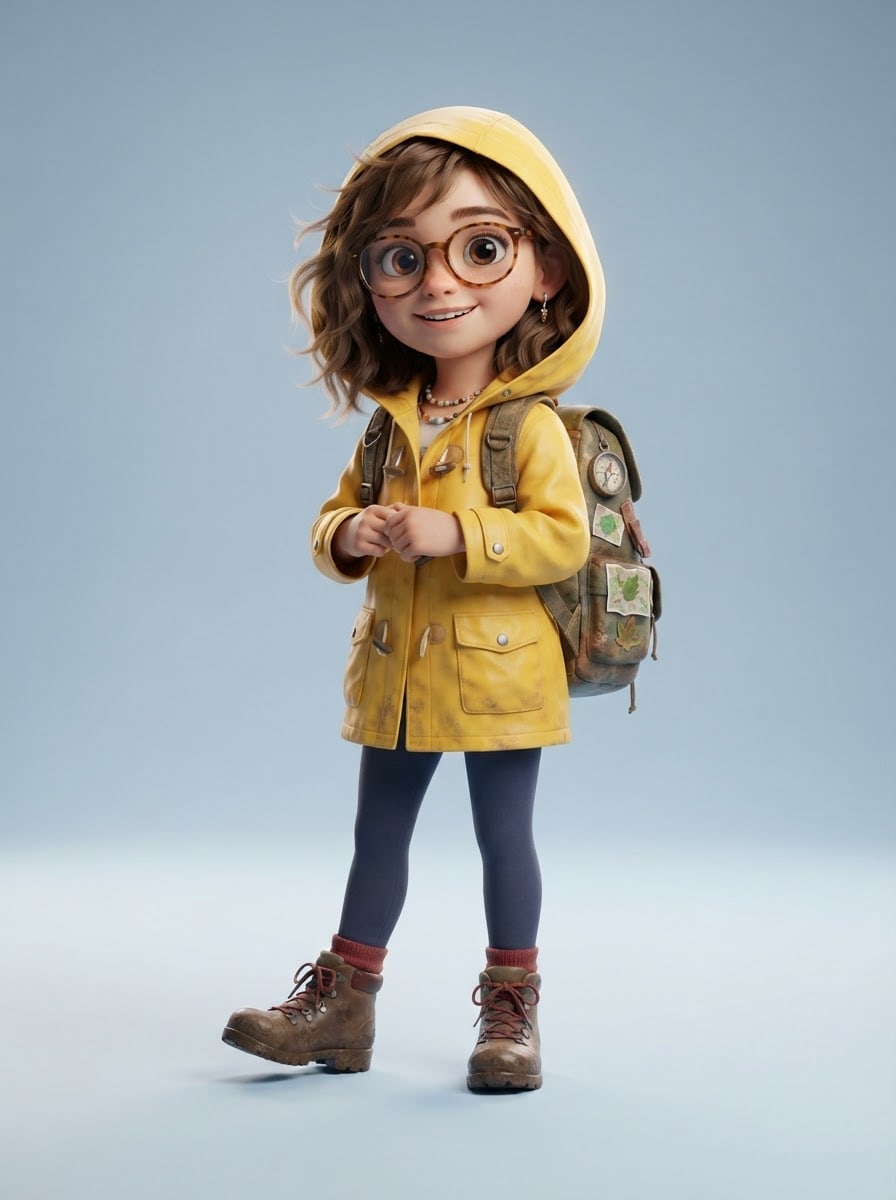
Create a full-body image of an original 3D character.
Charactera curious explorer girl with round glasses, a yellow raincoat and a backpack; not resembling any real person or any known cartoon or game character.
Posestanding confidently and smiling, the whole body visible.
Style3D animated film style with big expressive eyes and soft rounded forms.
Backgrounda plain, soft light blue studio backdrop with a light shadow under the feet.
Lightbroad soft key light from the front left, a thin rim light from behind.
Cameraslightly below eye level, 50 mm feel, the character sharp.
Palettethe character's own colors with soft tones that match the backdrop.
Compositioncharacter centered, head to toe in frame, a little space above and below.
Textno text in the image.
Aspect ratio 3:4.
Image made with this prompt
7 more ready-to-use prompts
Different takes on the same topic. Copy any of them as is and replace the parts in square brackets.
1.Gemini 3D character prompt from your sketch
When to use: When you drew a character on paper or a tablet and want it in 3D.
Turn the character sketch I uploaded into a 3D character.
- Character
- the one in the sketch; proportions, outfit and colors kept.
- Style
- 3D animated film style with soft rounded forms.
- Pose
- the pose in the sketch.
- Backdrop
- plain [e.g. light cream] studio backdrop.
- Light
- soft studio light.
- Ratio
- 3:4
2.3D character prompt for ChatGPT: turnaround sheet
When to use: When you need one character from three angles for modeling or animation.
Create a turnaround sheet for an original 3D character.
- Character
- [e.g. a short robot with a red scarf].
- Layout
- the same character three times side by side: front, side, back.
Rules
- Same height and stance in all three views.
- Plain light gray backdrop.
- No text in the image.
- Ratio
- 16:9
3.Low-poly 3D game character prompt
When to use: When a mobile or indie game needs a lightweight-looking 3D character.
Draw a low-poly 3D character for a mobile game.
- Character
- [e.g. a small knight with a shield and helmet].
- Style
- low-poly, flat-colored faces, sharp edges.
- Pose
- ready for battle, full body.
- Backdrop
- plain [e.g. light green].
- Text
- no text in the image.
- Ratio
- 3:4
4.Cute 3D animal character prompt
When to use: When kids' content or a story needs an animal character instead of a person.
Create a cute 3D animal character.
- Character
- [e.g. a little hedgehog wearing a beanie with bunny ears].
- Style
- 3D animated film style, soft fur texture, big shiny eyes.
- Pose
- standing, looking curious.
- Backdrop
- plain [e.g. light peach].
- Text
- no text in the image.
- Ratio
- 1:1
5.3D character expression sheet: three emotions
When to use: When you want the same character's expressions for stickers or animation.
Create an expression sheet for an original 3D character.
- Character
- [e.g. a freckled kid with orange hair].
- Layout
- three bust views side by side: happy, surprised, sad.
- Style
- 3D animated film style.
Rules
- Same character and outfit in all three.
- Plain light blue backdrop.
- No text in the image.
- Ratio
- 16:9
6.3D model prompt: T-pose reference image
When to use: When you will feed the character to an image-to-3D tool or brief a 3D modeler.
Create a 3D model reference image of an original character.
- Character
- [e.g. a young mechanic in green overalls].
- Pose
- T-pose; arms out to the sides, legs slightly apart, face toward the camera.
- Style
- clean 3D render, crisp edges, matte materials.
- Backdrop
- plain white with one soft shadow.
- Text
- no text in the image.
- Ratio
- 1:1
7.3D character in a story scene
When to use: When you want the character inside a setting, in the middle of a moment.
Show an original 3D character in a story scene.
- Character
- [e.g. an explorer girl with a backpack].
- Scene
- [e.g. looking at an old map in a misty forest].
- Style
- 3D animated film frame, cinematic light.
- Camera
- wide shot, the character in the left third.
- Text
- no text in the image.
- Ratio
- 16:9
What this prompt does
If you want to design an original 3D character, the main prompt shows it head to toe on a plain studio backdrop in animated-film quality, and the pose and style options turn the same character into a vinyl toy or a low-poly game character. The 7 variants give Gemini and ChatGPT prompts for 3D characters from a sketch, turnaround sheets, expression sheets and 3D model references.
Where to use it
- Children's book hero
- Game character concept
- Brand story character
- Animation pre-production
- 3D print and model reference
Fields you can fill in
The fields you can change in the form above and their default values.
- CharacterFree text
- a curious explorer girl with round glasses, a yellow raincoat and a backpack
- PoseOne of 4 options
- standing confidently and smiling
- StyleOne of 4 options
- 3D animated film style with big expressive eyes and soft rounded forms
- BackdropOne of 4 options
- light blue
- RatioOne of 3 options
- 3:4
Step by step
- 1
Describe the character with three traits
Put an age or species, one clothing item and one prop in the Character field (for example an explorer girl in a yellow raincoat with a backpack). Three concrete traits set it apart from a generic figure.
- 2
Pick the pose and style
The Pose field offers standing, walking, sitting and jumping. Animated film style gives the warmest look; low-poly suits game prototypes and vinyl toy suits collectible figures.
- 3
Generate in Canvas and check the framing
Generate in Canvas with Use Prompt and make sure the feet are in frame. If they are cut off, switch to 9:16; a vertical frame fits the full body more easily.
- 4
Take the same character into new scenes
Upload the image you like to Gemini and ask for the same character in a new pose or scene. The reference helps keep the outfit and face.
Tips and variations
- Give the character one signature color (such as a yellow raincoat) and repeat it in later prompts so it stays recognizable.
- If you will turn it into a 3D model or print it, use the T-pose variant; arms away from the body make a cleaner model.
- When the facial expression matters, use 1:1 and move the camera to waist height so the face is larger in frame.
- Do not use a real person's name or photo for human characters; original traits are safer and give more consistent results.
Frequently asked questions
How do I write a 3D character prompt?
Put the character, pose, style, backdrop, light and ratio on separate lines. Adding an age or species, an outfit and a prop to the character line makes the result distinctive.
Can Gemini make a 3D character?
Yes, Gemini draws 3D-looking characters from text and can use an uploaded sketch or earlier image as a reference. Google's model page lists 3:4 and 9:16 among the ratios Gemini 3.1 Flash Image supports.
Can a ChatGPT 3D character prompt make a turnaround sheet?
You can ask for the same character from the front, side and back in one image. Say clearly that the three views share the same height and that the backdrop stays plain.
Can I turn a 3D character image into a 3D model?
Image-to-3D tools work best with a full-body character in a T-pose on a plain backdrop, which is why the variants include a separate 3D model reference prompt.
Can I use a 3D character in a commercial project?
If you described an original character and did not copy a known cartoon or game character, you can; also check your tool's terms.





